
In the long ago times, when phones still flipped and modems sang proudly the songs of their people, I sent away for a set of Slackware CDs and embarked on a most remarkable journey. Back then, running Linux (especially on the desktop) was not a task to be taken lightly. The kernel itself was still in considerable flux — instead of changing some obscure subsystem or adding support for a niche gadget you don’t even own, new releases were unlocking critical capabilities and whole categories of peripherals. I still remember deciding if I wanted to play it safe and stick with my current kernel, or take a chance on compiling the latest version to check out this new “USB Mass Storage” thing everyone on the forums was talking about…
 But modern desktop Linux has reached an incredible level of majority, and is now a viable choice for a great number of computer users. In fact, if you add Android and Chrome OS into the mix, there are millions and millions of people who are using Linux on daily basis and don’t even realize it. These days, the only way to experience that sense of adventure and wonderment that once came pre-loaded with a Linux box is to go out and seek it.
Which is precisely how it feels using using the Beepy from SQFMI. The handheld device, which was formerly known as the Beepberry before its creators received an all-to-predicable formal complaint, is unabashedly designed for Linux nerds. Over the last couple of weeks playing with this first-run hardware, I’ve been compiling kernel drivers, writing custom scripts, and trying (though not always successfully) to get new software installed on it. If you’re into hacking around on Linux, it’s an absolute blast.
There’s a good chance that you already know if the Beepy is for you or not, but if you’re still on the fence, hopefully this in-depth look at the hardware and current state of the overall project can help you decide before SQFMI officially starts taking new orders for the $79 gadget.
Hardware
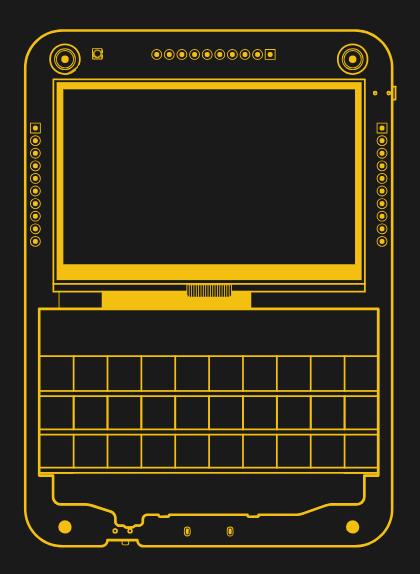
To be clear, the Beepy itself is not a computer. It’s simply a board that combines a BlackBerry keyboard, a 400 x 200 Sharp Memory LCD, and a rechargeable battery. You’ll still need to bring your own Raspberry Pi Zero to complete the device, although SQFMI does plan on offering the Beepy with a Pi Zero 2 pre-installed as an option. Its design is covered by the CERN Open Hardware Licence v1.2, with the schematics and KiCad files already released by SQFMI.
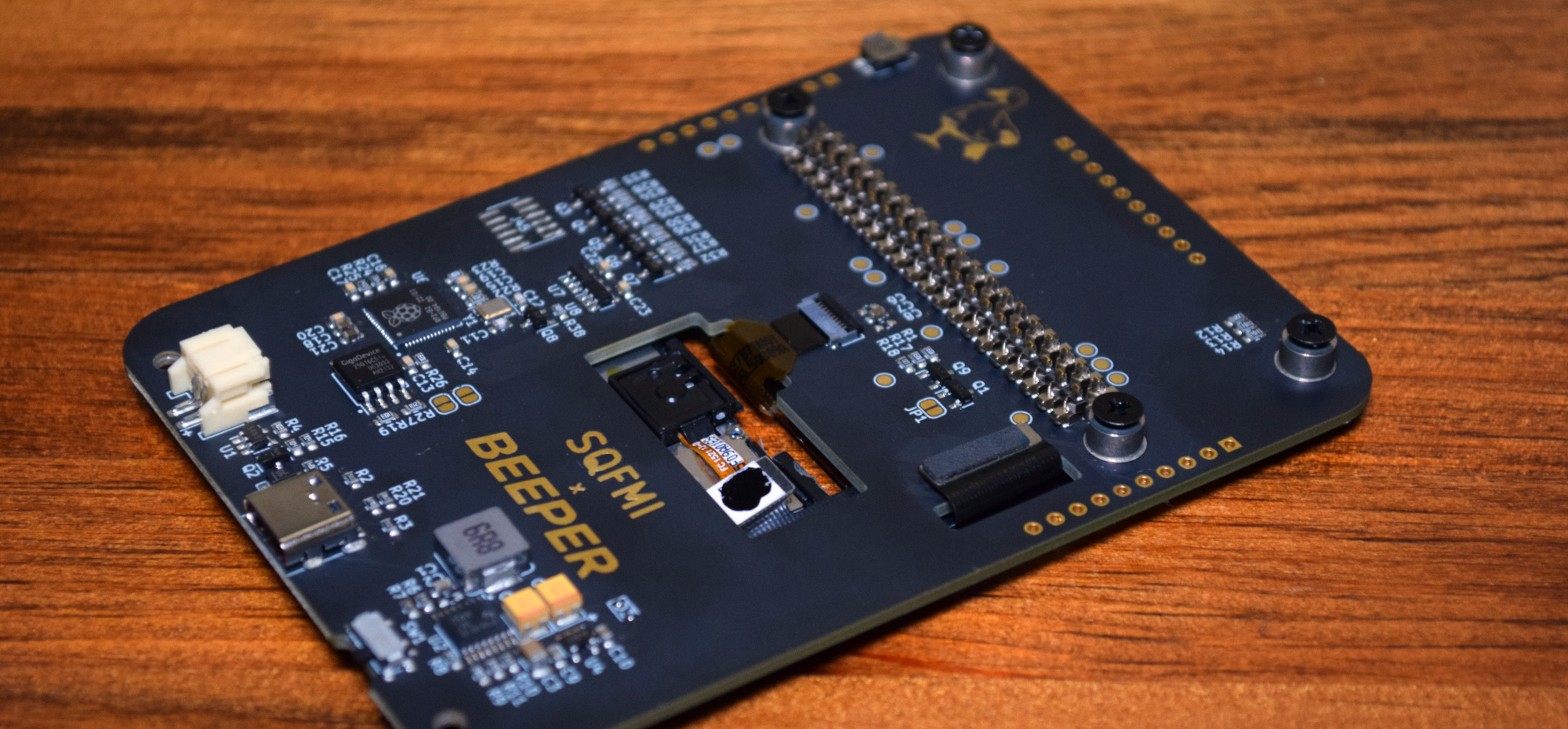
The Raspberry Pi connects to the Beepy via a clever arrangement of flexible pins, which are held into place by the act of screwing it down into the metal standoffs. This means you don’t need to solder anything, and in theory, makes it easy to swap the Pi in and out. In practice though, I found the interface to be a bit finicky. It took several attempts before all of the pins clicked into place, and once it finally got lined up, I didn’t dare move it.
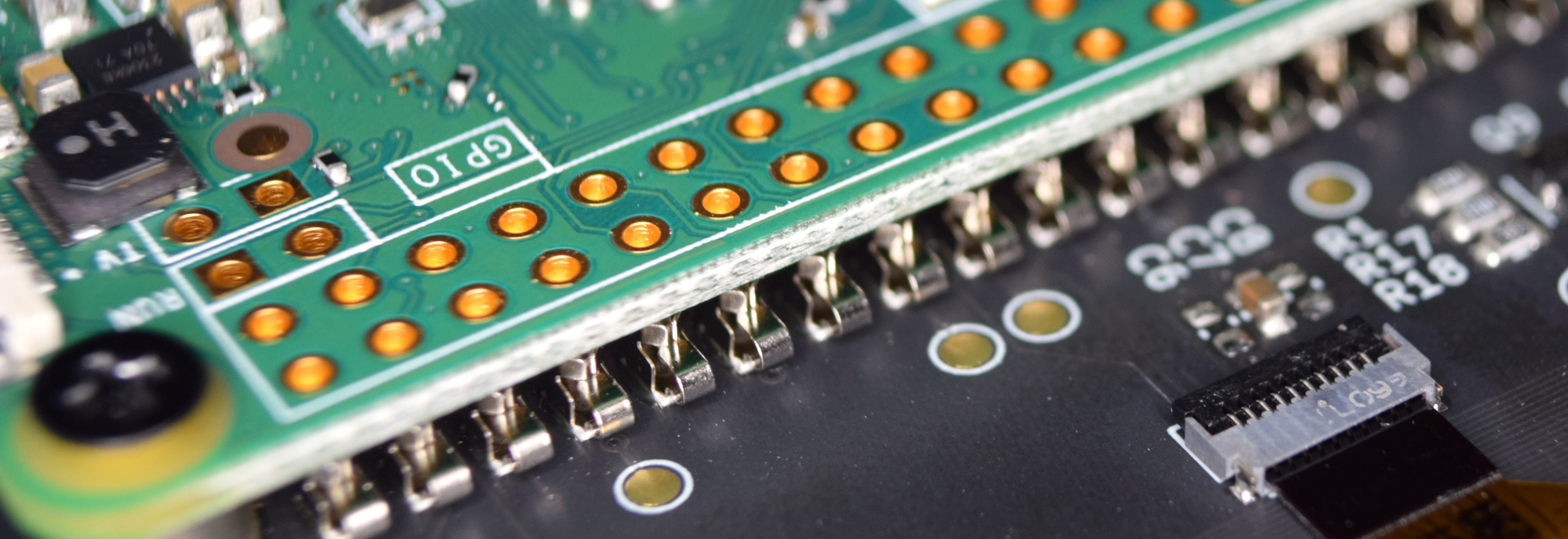
Luckily, you shouldn’t have to. SQFMI have broken out the Pi’s GPIO pins to standard headers on either side of the display. This makes it easy to add your own hardware, and prevents you from having to touch the header on the Pi itself. Thanks to the physical arrangement of the Pi when mated to the Beepy, you’ll also have access to its micro USB port (remember, only one of the Zero’s two ports can be used for data) and the HDMI port — though we’ll get back to the latter in a minute.
Keyboard
As previously mentioned, the keyboard is a genuine BlackBerry board. If you ever used one of these devices back in the day, I don’t have to tell you how good it feels. Sure it’s small, but the tactile response is great and they did an excellent job of making sure all the necessary symbols and punctuation marks were just an ALT key away.
After using the keyboard on the Beepy for awhile, going back to the touchscreen on my Google Pixel is a miserable experience, and I remember all over again how disappointing it was to see the mobile industry move away from physical keyboards.
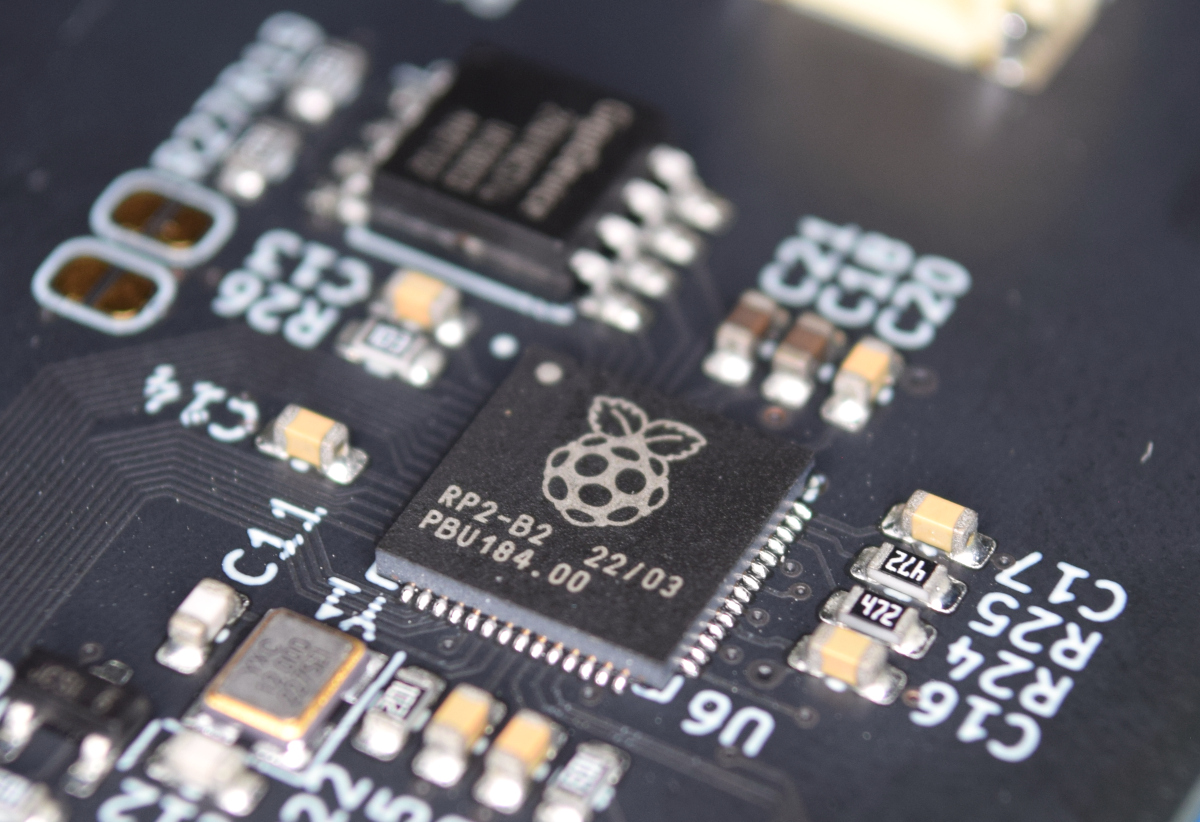
The electronics that interface the BlackBerry keyboard with the Raspberry Pi are based on the BBQ20KBD from Solder Party. This includes the use of the RP2040, which on the Beepy also controls an RGB LED at the top left corner of the device. Source code for the RP2040’s firmware is provided under the MIT license, and it can be updated even without a Pi installed by holding down the “End Call” key as you plug in the USB-C cable, just like with the original BBQ20KBD.
Display
Arguably the most unique feature of the Beepy is its Sharp Memory LCD, which is reportedly the same model used in the Playdate. This technology is sometimes compared to eink, in that it uses very little power while offering high contrast and exceptional daylight readability. Like eink, it also doesn’t produce any light, so unfortunately you won’t be using Beepy in the dark. On the plus side its refresh rate is closer to that of a traditional LCD, so even when text is scrolling quickly, there’s no obvious ghosting.
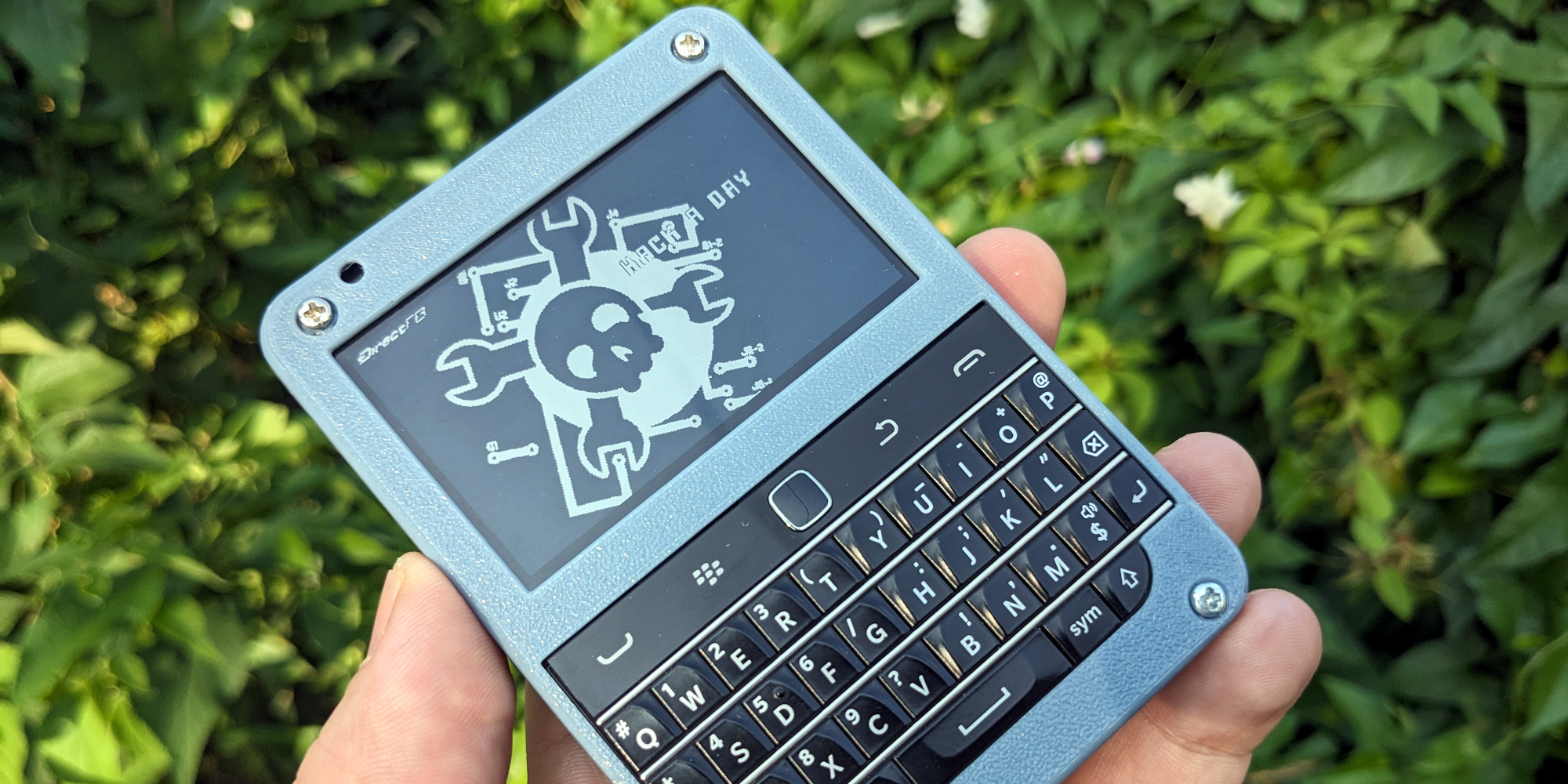
The display has a resolution of 400 x 240, and the documentation recommends you use a terminal font of 8×8 pixels to maximize how much information you can pack onto it at one time. Thanks to the excellent contrast of the Memory LCD the tiny text is more readable than I feared, but it’s still hardly ideal. Going forward, the viability of the Beepy will likely depend on how many programs can be adapted for this limited resolution.
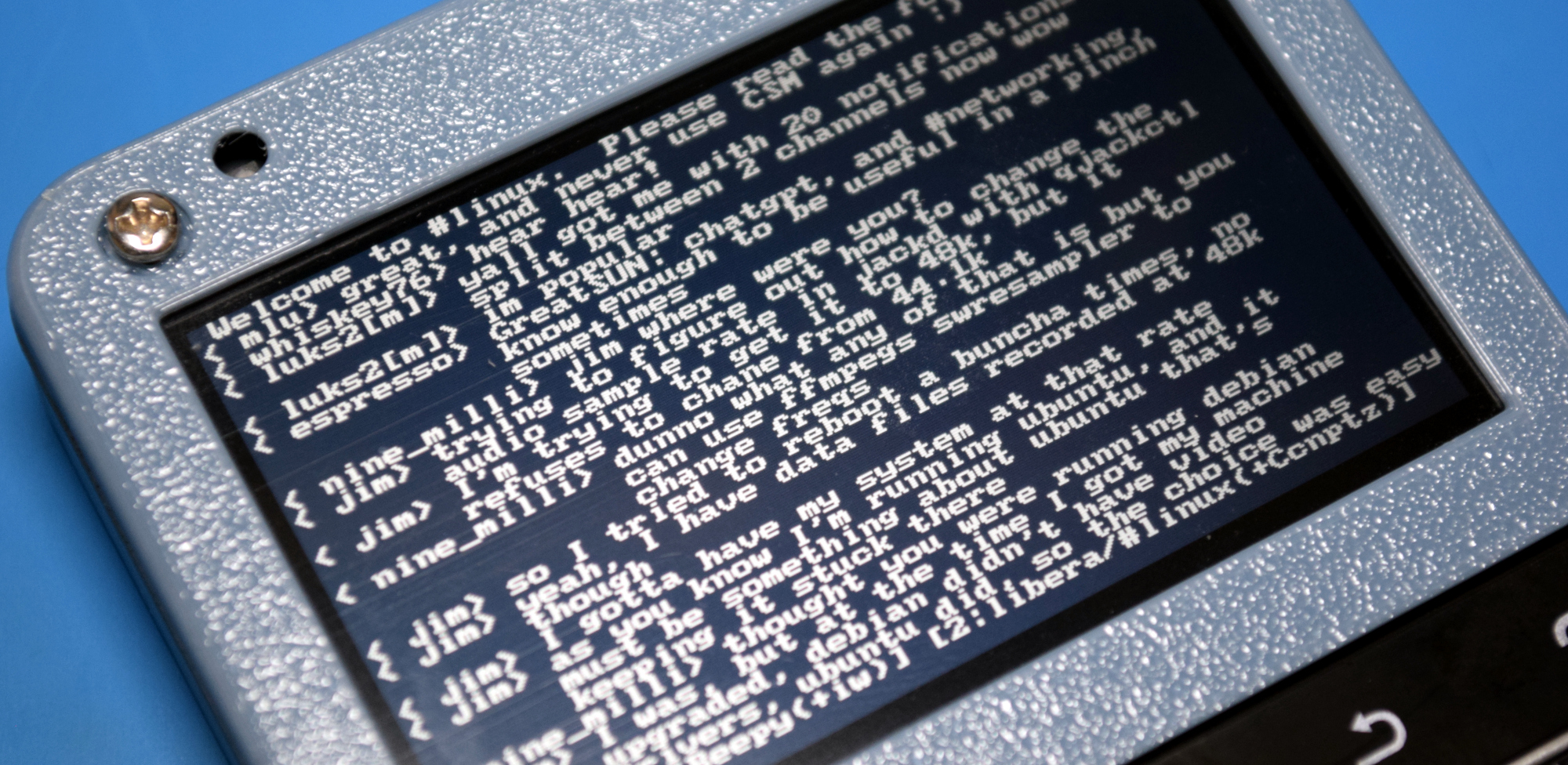
Currently, there’s no official support for graphics on the Beepy’s display, but there is a very promising DirectFB2 port that you can install via an automated script. But be careful — not only does the script add a few hundred megabytes worth of packages to your system, it also has to compile several libraries from source. On the Pi Zero 2 this probably isn’t that big of a deal, but on the original Zero, it took quite a long time to complete the process.
Battery Life
The Beepy comes with a 2,000 mAh LiPo pouch battery that takes up most of the available space on the back of the board. With my multimeter sitting between the battery and the Beepy, I measured an idle current of approximately 250 mA with the Raspberry Pi Zero (expect this is to be higher with a Zero 2), which would result in a respectable run time of approximately eight hours.
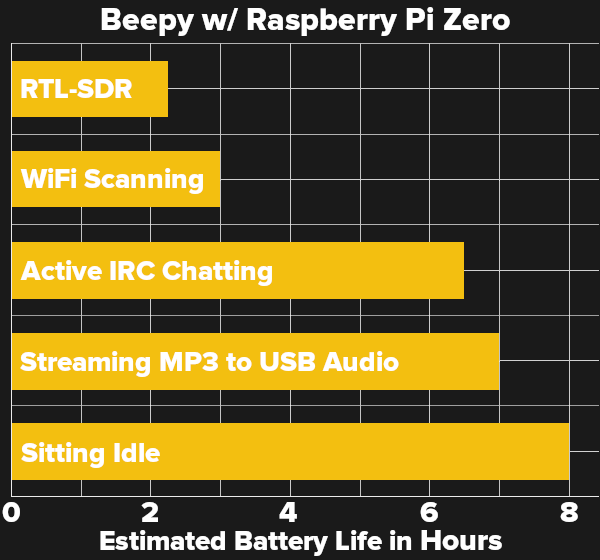 Of course, you’ll probably want to do something more exciting with your Beepy than watch the terminal cursor blink. So I connected a USB audio adapter (the Beepy has no onboard audio hardware) and started streaming SomaFM. The added hardware and the bump in CPU utilization increased the current draw to 280 mA, which equates to roughly seven hours of runtime.
Next, I connected to Libera Chat and spent some time gabbing in #linux. The Beepy was now pulling around 310 mA, bringing the estimated endurance to a still very reasonable six hours. Oh, what I would have given in my younger days for a handheld device that would let me stay on IRC for most of the night without needing a recharge…
Things really don’t start getting too bad until you connect some beefier external devices. Running Kismet with an Alfa AWUS036H WiFi adapter brought total consumption to 700 mA, reducing the runtime to just about three hours. Tuning in with an RTL-SDR (Nooelec NESDR Nano 2) had the Beepy gulping down between 770 and 800 mAh, which would be enough to drain the battery in under two and a half hours.
Power Management
I’d estimate that’s about the shortest runtime you’re likely to see on a fully charged Beepy (at least with the Pi Zero), as any device that consumed more power than the SDR caused the hardware to lose power once it was plugged in. Curious to see where the weak link was, I pulled the datasheet for the TPS61090 boost converter listed in the schematics and was surprised to see it was only good for 500 mA. Taking a close look at the board I noticed that the actual component is a TPS61030, which is rated for a more appropriate 1 A. It’s unclear if SQFMI actually intended on using the lower-spec converter originally and then had to bump it up later, or if it’s simply a case of using a convenient footprint in KiCad — as of this writing, there doesn’t seem to be a public Bill of Materials to cross reference.
Incidentally, you’ll want to avoid draining the Beepy’s battery too deeply if you can help it — according to the schematics (and confirmed on my actual hardware) SQFMI have used a 10K resistor on the “programming” pin of the TP4054 charging IC. That sets the chip’s charge rate to a measly 100 mA, which means a full recharge of the battery would take somewhere in the neighborhood of 20 hours. It’s hard to believe this was intentional, and may be addressed on a later hardware revision.
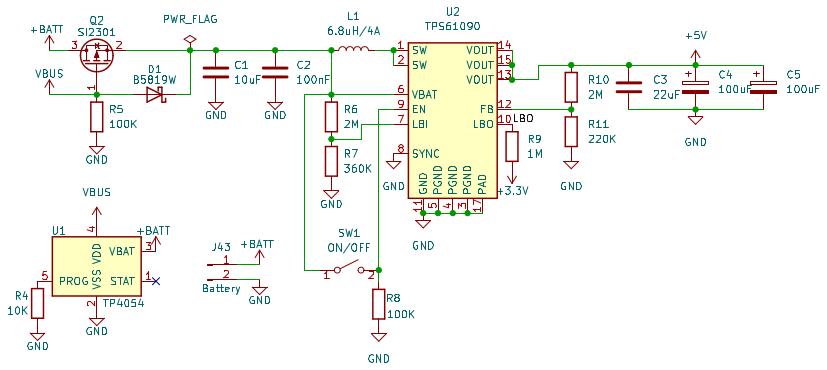
Note: While I didn’t experience any issues personally, it’s worth mentioning that there are several reports among those who’ve already gotten their Beepys that the TPS61030 can fail without warning. The chip apparently shorts internally, which in turn causes the nearby inductor to get extremely hot. Functionally, the result is a completely dead device, as power from both the USB port and the battery are routed through the same chip.
There’s actually a report about this exact problem on the Texas Instruments support forum that dates all the way back to 2011. The official advice from TI even back then was to upgrade to a newer and more reliable component, so if the failure rate is as high as some users suspect, it’s possible this component will be swapped out in a new board revision.
Software
With the Beepy, SQFMI is basically just selling you the hardware. While they do provide a script that will automate installation of the necessary kernel drivers on a stock install of Raspberry Pi OS, there’s little else in the way of official software. Even core functions like blinking the notification LED to checking the battery level aren’t actually implemented. The documentation simply tells you which I2C addresses to poke, and leaves it to the community to figure out what to do with that information.
For hardware hackers and Linux graybeards, that’s no problem at all. Actually it’s kind of exciting, and sort of the point of buying a device like this. But anyone who thinks they can just buy the Beepy and start using it like a regular consumer gadget is going to be in for a rude awakening. To be clear, SQFMI is absolutely upfront about this fact, though I’m sure that won’t prevent people from complaining about it anyway.
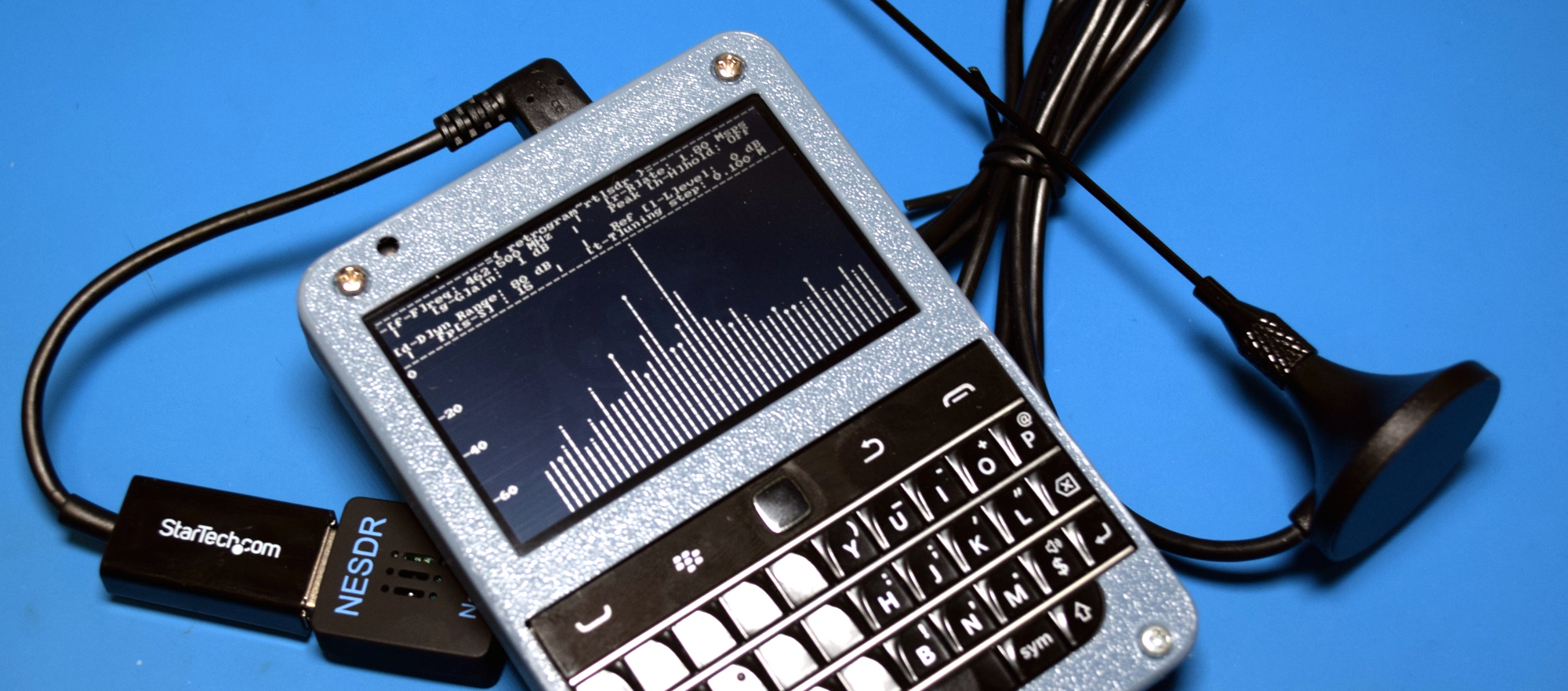
As for what’s provided by the setup script, namely the drivers for the keyboard and display, they seem to work perfectly fine. Like I mentioned previously, the default environment doesn’t support graphics on the Sharp Memory LCD, so you’re essentially limited to programs you can run in the terminal. Fortunately, there’s no shortage of those. Some need minor tweaks to work on the Beepy’s small display, but if you’ve gotten this far, that shouldn’t be an problem.
What you might not expect though is that the HDMI port, at least under the current software, doesn’t actually work. More specifically, when the Memory LCD driver is loaded, the console is moved over to a different framebuffer. So while you might think you can just plug the Beepy into your TV when you get tired of looking at its tiny screen, you’ll actually find it’s not outputting anything. There’s some talk of trying to set the HDMI port up as a secondary graphics-only output, but I haven’t seen anyone actually submit a patch for it yet. In a pinch you could of course reconfigure the kernel and reboot to get the HDMI working, but that would take the Memory LCD offline.
Still, you’ve got a full-fledged ARM Linux system at your disposal here. While it could stand to have better integration with the hardware, it’s hard to complain when so many incredible possibilities are on the table. Being able to pull down a Git repo and compile some new tool right on the Beepy is a liberating experience compared to what’s traditionally been possible in a form factor like this.
Documentation
If there’s anything negative I can say about the Beepy right now, it’s the state of the documentation. Outside of the single “Getting Started” page, most of the documentation is either incomplete or simply missing. Matters are further complicated by the haphazard name change. Some documents and repositories still use the name Beepberry, while others have been changed over, and it’s not uncommon to come across a link that now returns a 404 because of it. It’s usually not too difficult to figure out, but it can be a frustrating experience if you’re not familiar with the situation.
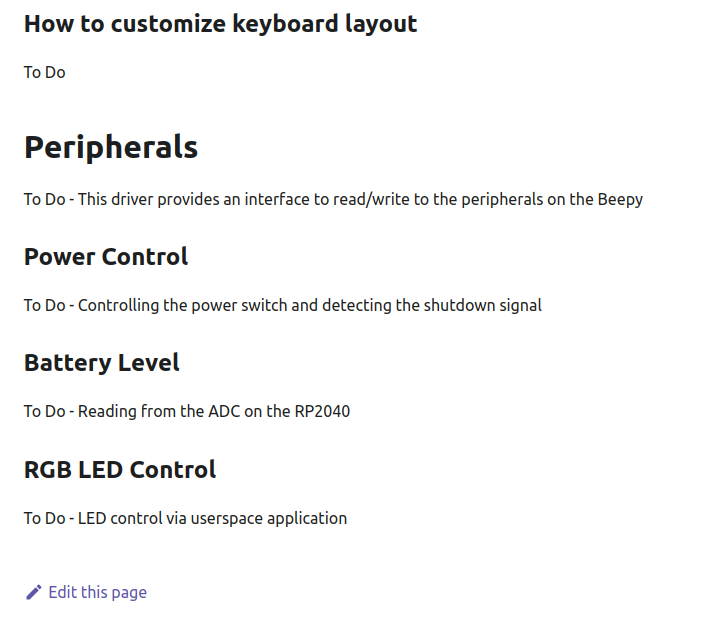
But the bigger problem is that so much of the crucial information about the Beepy is tied up in the project’s Discord and Matrix servers. While it’s clearly important to have a centralized place for users to chat and discuss issues, at some point that information needs to be packaged up and presented in a less ephemeral way. For example, you’d never know about the DirectFB2 port unless you joined the Discord server and scrolled the discussion back by several weeks.
Now to be fair, Beepy is hardly the first project to suffer from this issue. In fact, it’s a big problem right now that’s impacting many open source efforts…but that’s a story for another time. Plus we can’t ignore that the project is in its infancy, and that writing in-depth documentation doesn’t make a whole lot of sense while so many details are still in a state of flux.
But the fact remains that there’s going to be a big wave of new Beepy users once sales open up, and unless things are improved before then, there’s the potential for a lot of duplicated effort and wasted time as folks struggle to figure out the true state of the project.
Final Thoughts
At $79, the Beepy hardware is an absolute steal. The BBQ20KBD alone would cost you $30, and Adafruit wants $45 for a comparable Sharp Memory LCD. Plus, if you order the Pi Zero 2 through SQFMI when you buy the Beepy, you can actually get it at non-scalper prices. While it’s very much a hacker’s toy rather than a complete product, I’m confident that the situation will improve as more people get their hands on the hardware and start pitching in to improve the software and documentation.
If I’m honest, part of me does wonder if the overall package wouldn’t have been a bit more approachable had it used a more traditional touchscreen LCD. Having access to a graphical environment, even one as limited as it would undoubtedly be given the meager abilities of the Pi Zero and the diminutive display area, would have opened up some exciting possibilities that just can’t be realized with the Sharp Memory LCD.
Then again, would we even be talking about the Beepy if SQFMI hadn’t taken the road less traveled? At the end of the day, the Beepy is defined by how unique it is, and in a world where our mobile devices seem increasingly monolithic, there’s something undeniably appealing about trying something different.

