
Pass: Unix Password Manager

2025-09-1323:16329181www.passwordstore.org

Password management should be simple and follow Unix philosophy. With pass, each password lives inside of a gpg encrypted file whose filename is the title of the website or resource that requires the…

Password management should be simple and follow Unix philosophy. With pass, each password lives inside of a gpg encrypted file whose filename is the title of the website or resource that requires the password. These encrypted files may be organized into meaningful folder hierarchies, copied from computer to computer, and, in general, manipulated using standard command line file management utilities.

pass makes managing these individual password files extremely easy. All passwords live in ~/.password-store, and pass provides some nice commands for adding, editing, generating, and retrieving passwords. It is a very short and simple shell script. It's capable of temporarily putting passwords on your clipboard and tracking password changes using git.

You can edit the password store using ordinary unix shell commands alongside the pass command. There are no funky file formats or new paradigms to learn. There is bash completion so that you can simply hit tab to fill in names and commands, as well as completion for zsh and fish available in the completion folder. The very active community has produced many impressive clients and GUIs for other platforms as well as extensions for pass itself.

The pass command is extensively documented in its man page.

Using the password store

We can list all the existing passwords in the store:

zx2c4@laptop ~ $ pass
Password Store
├── Business
│   ├── some-silly-business-site.com
│   └── another-business-site.net
├── Email
│   ├── donenfeld.com
│   └── zx2c4.com
└── France
    ├── bank
    ├── freebox
    └── mobilephone

And we can show passwords too:

zx2c4@laptop ~ $ pass Email/zx2c4.com
sup3rh4x3rizmynam3

Or copy them to the clipboard:

zx2c4@laptop ~ $ pass -c Email/zx2c4.com
Copied Email/jason@zx2c4.com to clipboard. Will clear in 45 seconds.

There will be a nice password input dialog using the standard gpg-agent (which can be configured to stay authenticated for several minutes), since all passwords are encrypted.

We can add existing passwords to the store with insert:

zx2c4@laptop ~ $ pass insert Business/cheese-whiz-factory
Enter password for Business/cheese-whiz-factory: omg so much cheese what am i gonna do

This also handles multiline passwords or other data with --multiline or -m, and passwords can be edited in your default text editor using pass edit pass-name.

The utility can generate new passwords using /dev/urandom internally:

zx2c4@laptop ~ $ pass generate Email/jasondonenfeld.com 15
The generated password to Email/jasondonenfeld.com is:
$(-QF&Q=IN2nFBx

It's possible to generate passwords with no symbols using --no-symbols or -n, and we can copy it to the clipboard instead of displaying it at the console using --clip or -c.

And of course, passwords can be removed:

zx2c4@laptop ~ $ pass rm Business/cheese-whiz-factory
rm: remove regular file ‘/home/zx2c4/.password-store/Business/cheese-whiz-factory.gpg’? y
removed ‘/home/zx2c4/.password-store/Business/cheese-whiz-factory.gpg’

If the password store is a git repository, since each manipulation creates a git commit, you can synchronize the password store using pass git push and pass git pull, which call git-push or git-pull on the store.

You can read more examples and more features in the man page.

Setting it up

To begin, there is a single command to initialize the password store:

zx2c4@laptop ~ $ pass init "ZX2C4 Password Storage Key"
mkdir: created directory ‘/home/zx2c4/.password-store’
Password store initialized for ZX2C4 Password Storage Key.

Here, ZX2C4 Password Storage Key is the ID of my GPG key. You can use your standard GPG key or use an alternative one especially for the password store as shown above. Multiple GPG keys can be specified, for using pass in a team setting, and different folders can have different GPG keys, by using -p.

We can additionally initialize the password store as a git repository:

zx2c4@laptop ~ $ pass git init
Initialized empty Git repository in /home/zx2c4/.password-store/.git/
zx2c4@laptop ~ $ pass git remote add origin kexec.com:pass-store

If a git repository is initialized, pass creates a git commit each time the password store is manipulated.

There is a more detailed initialization example in the man page.

Download

The latest version is 1.7.4.

Ubuntu / Debian

$ sudo apt-get install pass

Fedora / RHEL

$ sudo yum install pass

openSUSE

$ sudo zypper in password-store

Gentoo

# emerge -av pass

Arch

$ pacman -S pass

Macintosh

The password store is available through the Homebrew package manager:

$ brew install pass

FreeBSD

# pkg install password-store

Tarball

The tarball contains a generic makefile, for which a simple sudo make install should do the trick.

Git Repository

You may browse the git repository or clone the repo:

$ git clone https://git.zx2c4.com/password-store

All releases are tagged, and the tags are signed with 0xA5DE03AE.

Data Organization

Usernames, Passwords, PINs, Websites, Metadata, et cetera

The password store does not impose any particular schema or type of organization of your data, as it is simply a flat text file, which can contain arbitrary data. Though the most common case is storing a single password per entry, some power users find they would like to store more than just their password inside the password store, and additionally store answers to secret questions, website URLs, and other sensitive information or metadata. Since the password store does not impose a scheme of it's own, you can choose your own organization. There are many possibilities.

One approach is to use the multi-line functionality of pass (--multiline or -m in insert), and store the password itself on the first line of the file, and the additional information on subsequent lines. For example, Amazon/bookreader might look like this:

Yw|ZSNH!}z"6{ym9pI
URL: *.amazon.com/*
Username: AmazonianChicken@example.com
Secret Question 1: What is your childhood best friend's most bizarre superhero fantasy? Oh god, Amazon, it's too awful to say...
Phone Support PIN #: 84719

This is the preferred organzational scheme used by the author. The --clip / -c options will only copy the first line of such a file to the clipboard, thereby making it easy to fetch the password for login forms, while retaining additional information in the same file.

Another approach is to use folders, and store each piece of data inside a file in that folder. For example Amazon/bookreader/password would hold bookreader's password inside the Amazon/bookreader directory, and Amazon/bookreader/secretquestion1 would hold a secret question, and Amazon/bookreader/sensitivecode would hold something else related to bookreader's account. And yet another approach might be to store the password in Amazon/bookreader and the additional data in Amazon/bookreader.meta. And even another approach might be use multiline, as outlined above, but put the URL template in the filename instead of inside the file.

The point is, the possibilities here are extremely numerous, and there are many other organizational schemes not mentioned above; you have the freedom of choosing the one that fits your workflow best.

Extensions for pass

In order to faciliate the large variety of uses users come up with, pass supports extensions. Extensions installed to /usr/lib/password-store/extensions (or some distro-specific variety of such) are always enabled. Extensions installed to ~/.password-store/.extensions/COMMAND.bash are enabled if the PASSWORD_STORE_ENABLE_EXTENSIONS environment variable is true Read the man page for more details.

The community has produced many such extensions:

Compatible Clients

The community has assembled an impressive list of clients and GUIs for various platforms:

Migrating to pass

To free password data from the clutches of other (bloated) password managers, various users have come up with different password store organizations that work best for them. Some users have contributed scripts to help import passwords from other programs:

Credit & License

pass was written by Jason A. Donenfeld of zx2c4.com and is licensed under the GPLv2+.

Contributing

This is a very active project with a healthy dose of contributors. The best way to contribute to the password store is to join the mailing list and send git formatted patches. You may also join the discussion in #pass on Libera.Chat.


Read the original article

Comments

  • By rendaw 2025-09-145:2311 reply

    There's a ton of positivity here, but on the balance there are some significant issues with pass that I think bear mention:

    - The fact that it's essentially unstructured data makes it hard to work with generically. If you have a username + password and need to use those in a script, you'll need to implement your own parser in your shell language in every script you need it in.

    - `pass generate` to generate new passwords, maybe thanks to the above, replaces everything in the pass value by default. So if you had e.g. a password + secret question answers, if you use `generate` to get a new password it'll wipe out your secret question answers.

    - It's very difficult to review history. I stopped using it a while ago, but since everything's encrypted `git diff` won't give you anything useful and IIRC the command line tools were very hard to use for reviewing/restoring passwords when you mess up updates, etc.

    - The name makes it nearly impossible to search for

    I've been working on something similar... although with slightly larger scope (intended to be used within containers/sandboxes) https://github.com/andrewbaxter/passworth

    • By maxmoehl 2025-09-147:472 reply

      > It's very difficult to review history. I stopped using it a while ago, but since everything's encrypted `git diff` won't give you anything useful and IIRC the command line tools were very hard to use for reviewing/restoring passwords when you mess up updates, etc.

      pass sets up a .gitattributes and configures git to convert gpg files to text via a custom driver. This enables a text-diff of the encrypted contents out of the box (at least for a store I've just set up to test this).

        ~/.password-store # cat .gitattributes
        *.gpg diff=gpg
        ~/.password-store # cat .git/config
        # ...
        [diff "gpg"]
                binary = true
                textconv = gpg2 -d --quiet --yes --compress-algo=none --no-encrypt-to --batch --use-agent

      • By alexsmirnov 2025-09-1420:21

        Thank you ! It was missed in my .git/config, probably because it expects gpg2, and my installation only has gpg. No diff works correctly!

      • By wkat4242 2025-09-1423:49

        Eek doesn't this create a security hole? Or are those diffs gpg encrypted?

    • By idoubtit 2025-09-1416:382 reply

      Other significant issues I've had with `pass`:

      - Important processes are undocumented. E.g. sharing the pass repository with another computer is not obvious: you need to copy more than the `.password-store/` directory...

      - Hard to install if not packaged. I tried to install `pass` on a headless NAS, but it required gpg, which looked hard to cross-compile to aarch64.

      - `pass` is a light interface over `gpg`. So it has all the problems of GPG – I've had a few annoyances with `gpg-agent`. Many organizations are trying to ditch GnuPG and switch to simpler and better cryptography tools, like age. https://github.com/FiloSottile/age

      - Android with `pass` was a bad experience. The official package was unmaintained. The fork was not packaged in F-Droid. The UI was cumbersome.

      I still use pass, for lack of an obviously better universal solution. There's FiloSottile/passage for minimal change, just replacing gpg with age, but no Android. A better alternative would be gopass, which is portable across all unixes, is compatible with `pass` and has an age plugin. But still no Android packaging. https://www.gopass.pw

      • By MichaelDickens 2025-09-1420:021 reply

        > - Important processes are undocumented. E.g. sharing the pass repository with another computer is not obvious: you need to copy more than the `.password-store/` directory...

        What do you mean? I copy my repo to new computers by just copying .password-store and I've never had a problem.

        • By _ache_ 2025-09-1421:20

          Isn't it just a git directory?

          You should just `git clone that`.

      • By wkat4242 2025-09-1423:51

        If you move to age you will lose hardware backing though. No yubikey. That's the main attraction for me.

    • By stevekemp 2025-09-147:042 reply

      For the structure I "solved" that problem by creating folders with three main files:

          Websites/foo.com/username
          Websites/foo.com/password
          Websites/foo.com/email
      
      Sometimes I add "/notes" with unstructured text contents, and for a few special cases I created a file "/json" with some machine-readable things in JSON format.

      It's not perfect, and I do dislike the way that the metadata isn't encrypted, but on the whole I'm happy with the solution.

      • By rendaw 2025-09-147:201 reply

        Yeah sure, but then are the conventions you came up with shared by all the tools in the ecosystem too (ex: browserpass)? Since the keystone (pass) declined to provide strong guidance, you end up with fragmentation and incompatibility.

      • By integralid 2025-09-1412:23

        Yeah, but that's just your convention. I, for example, store password in

        private/foo.com/foo-com-login

        The first line of that file is password, the rest are optional notes. I think using first line for password and the rest for metadata was intended originally.

        I love pass, but I agree that it would be nice to have an established standard of where to put username etc.

    • By stabbles 2025-09-146:252 reply

      > - The fact that it's essentially unstructured data makes it hard to work with generically. If you have a username + password and need to use those in a script, you'll need to implement your own parser in your shell language in every script you need it in.

      Fair, but you can use your own conventions.

      > - `pass generate` to generate new passwords, maybe thanks to the above, replaces everything in the pass value by default. So if you had e.g. a password + secret question answers, if you use `generate` to get a new password it'll wipe out your secret question answers.

      Just split it into `site/pass`, `site/secret-question`, etc. The fact that it's just using a directory tree is quite nice.

      > It's very difficult to review history. I stopped using it a while ago, but since everything's encrypted `git diff` won't give you anything useful

      `git diff` would be an odd command to run on generated passwords even without encryption. What matters is that you know when the last change was for a password or site with `git log <file/dir>`, and you can just `git checkout -d <old commit sha>` if needed.

      > - The name makes it nearly impossible to search for

      in the terminal `$ pass` typically suggests the associated package.

      • By magarnicle 2025-09-149:13

        I assume they mean "search the web for", which is definitely a problem I've faced in the passt.

      • By eptcyka 2025-09-147:35

        `pass git diff` decrypts the passwords for me.

    • By mid-kid 2025-09-147:01

      "pass generate" has a -i flag to only replace the password in a file (assumed to be the first line)

    • By hkt 2025-09-1411:37

      There is an established convention for usernames, which is to put "user:" at the start of the line. It can't be the first line of the file but is otherwise not order dependent. The browser plugins and android app implement this and do autofill based on it. That is suggested on the main site.

      If you blat your password with generate, it can be recovered because it is in git. A nice to have for pass might be a flag to autoinsert only on the first line, but in lieu of that, pwgen should do the job and is what pass uses under the hood.

    • By avinassh 2025-09-1414:54

      > I've been working on something similar... although with slightly larger scope (intended to be used within containers/sandboxes) https://github.com/andrewbaxter/passworth

      > stored in encrypted sqlite3

      you had me at encrypted sqlite3. it would be great if you mention in readme that it uses SQLCipher

    • By upofadown 2025-09-1412:21

      There is a bit of structure imposed if you want to use the provided automation for inserting passwords in the clipboard. The password comes as the first line. Then you are going to end up with the user name on the second line. Everything past that point is gloriously unstructured. I have a pass entry floating around here with an entire onboarding email in it...

    • By Steltek 2025-09-1416:39

      You have to love how this whole thread embodies Cunningham's Law

      https://en.wikipedia.org/wiki/Ward_Cunningham#%22Cunningham'...

    • By wkat4242 2025-09-1423:48

      For me the unstructured data is a big bonus. And it's not really unstructured. You can put Username: xxx and browser plugins like browserpass will pick that up.

    • By oguz-ismail 2025-09-1412:24

      > I've been working on something similar...

      but this is not a shell script...

  • By enkrs 2025-09-143:329 reply

    Browser password managers with passkeys are more convenient for me, but a pass vault can still be useful for recovery codes and API keys.

    I used pass for a while but couldn’t see what threat model it actually solves:

    If you let GPG agent cache your key, any script (e.g. an npm post-install) can just run `pass ls` or `pass my/secrets` and dump all your credentials. At that point it’s basically just full-disk encryption with extra steps—might as well keep everything in ~/passwords.txt.

    If you don’t cache the key, you’re forced to type your long GPG password every single time you need a secret.

    I tried a YubiKey for on-demand unlocking, but the integration is clunky and plugging it in constantly is a pain if you need passwords multiple times per hour.

    I eventually switched to Bitwarden.

    • By aborsy 2025-09-144:052 reply

      That’s true for any password manager. If the database/store is unlocked (so the master password is cached or available in RAM), all passwords can be extracted. You have to lock the password manager when you don’t need it.

      In fact, with Bitwarden, the cached password is exposed to the browser that has a large attack surface (including interacting with random remote servers). There was just a vulnerability in most browser based password managers including Bitwarden that would allow a remote attacker trick a user send out their passwords.

      I use Bitwarden but mostly for non-critical passwords.

      • By trinsic2 2025-09-1414:37

        Doesn't good 2factor minimize a large attack surface like this?

        I like the idea of storing password data in individual encrypted files and using git to store changes, but I wonder if it creates more friction to retrive the information. I havent tried this solution yet. I will when I get more time. It seems like this solution would benefit from a more standardized specification for storing and retrieving information. I known its not every persons cup of tea, but maybe some kind of separated add-on for streamlining this process could be beneficial.

      • By charcircuit 2025-09-146:452 reply

        >That’s true for any password manager

        Modern operating systems isolate individual apps such that a malicous app can not access the RAM of another app. There is a difference between not making an effort to protect passwords and requiring an OS exploit to do so.

        • By codethief 2025-09-147:123 reply

          Memory isolation doesn't really help, though. If you have a malicious process running under the same user account as your password manager, it's still game over since that process could e.g.

          - capture keyboard input - capture your screen - silently install browser extensions to capture your credentials - modify your shell config, .desktop files, $PATH, … to have you e.g. call a backdoored version of your password manager, or put a modified version of sudo on your $PATH that logs your password (=> root access => full memory access) - …

          • By johnisgood 2025-09-1410:321 reply

            You can use Qubes OS for true VM-level isolation, or use hardware security keys where possible, or run sensitive applications in dedicated VMs.

            I think that in general it is game over the moment you have malicious processes running. I use firejail for most applications, which I believe is the bare minimum, or bubblewrap.

            • By codethief 2025-09-1415:211 reply

              Yeah. Personally, I'm crossing my fingers for SpectrumOS[0] to make things a bit easier. As the developer notes on her website[1]:

                <qyliss> I have embarked on the ultimate yak shave
                <qyliss> it started with "I wish I could securely store passwords on my computer"
                <qyliss> And now I am at the "I have funding to build my own operating system" level
              
              
              [0]: https://spectrum-os.org/

              [1]: https://alyssa.is/about/

              • By johnisgood 2025-09-1416:531 reply

                What else can you tell me about Spectrum OS? Is it actively maintained? Is it usable? How does it compare to Qubes OS?

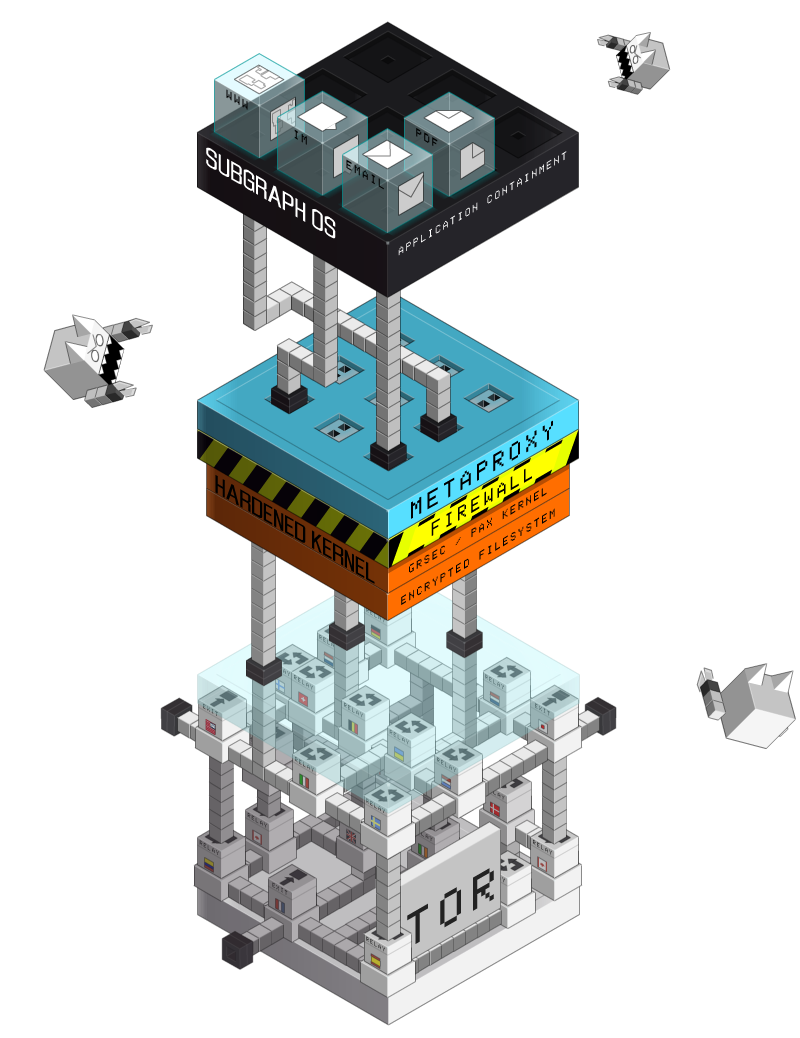
                Also what do you think about Subgraph OS[1]? Although I think it is not maintained anymore, or is it?

                [1] https://subgraph.com/img/sgos.png (old image which I remembered it by) (https://web.archive.org/web/20241206072718/https://subgraph....)

                • By codethief 2025-09-157:45

                  I don't know how usable SpectrumOS is so far – I guess we'd have to compile it ourselves in order to find out. Either way, it is being developed quite actively, see https://spectrum-os.org/git/

                  As for how it compares to Qubes, I don't think I'll be able to tell you more than https://spectrum-os.org/design.html & friends. I suppose the upshot is:

                  - KVM instead of Xen

                  - One VM per application

                  - Single file system for user data (to which users can grant VMs access on a folder-by-folder basis)

                  - Package system from NixOS (nixpkgs) for reproducibility & immutability

          • By codethief 2025-09-1415:27

            Ugghh, once again I forgot that HN removes line breaks unless you use double line breaks or indent by 2 spaces, and now it's too late to edit my comment.

            @dang People keep running into this. (See e.g. this comment[0] from a few days ago.) It also makes it rather awkward to write lists IMO. What's the reason for removing line breaks and could this be changed?

            [0]: https://news.ycombinator.com/item?id=44946386

          • By charcircuit 2025-09-147:262 reply

            For modern operating systems capturing keyboard input is locked down to avoid keyloggers. Capturing your screen requires explicit user permission to do so, popping up a dialog. Apps are isolated so another app can't interfere and install a browser extention or modify shell configs, etc.

            • By wltr 2025-09-1411:50

              And modern operating systems are being … ? macOS, I assume?

            • By LtWorf 2025-09-1412:371 reply

              Can you name one of these modern operating systems?

              • By charcircuit 2025-09-1417:541 reply

                iOS is a modern operating system.

                • By LtWorf 2025-09-1422:10

                  It's also impossible to use it for anything productive.

        • By aborsy 2025-09-147:11

          The OS protections apply to all applications. In addition, the job of agents like gpg-agent or ssh-agent is to protect secret keys while they are cached (like preventing OS writing keys to swaps). You can configure them to erase keys after a certain time, require user’s confirmation for each key operation, store gpg keys in internal TPM or external hsm, and would talk to the agent through specific sockets.

          Unlike browser-based password managers, the agents don’t continuously interact with the browser code and remote elements (probably don’t have network access at all).

          One area that matters that I forgot to mention in my comment below is that, as a result of all above, Pass doesn’t check the domains and doesn’t protect against phishing. There might be extensions, but at that point, you might as well use keepassxc.

    • By puffybuf 2025-09-145:21

      I store my passwords on an encrypted file partition sqlite database. My script grabs the pass and immediately closes the partition afterwards.

      You can also just encrypt your passwords into individual encrypted files (one for each password) and have your script clear the gpg agent after a passfile is decrypted.

    • By kenmacd 2025-09-1415:33

      If you can spare a USB port you can use one of their Nano keys that just stays plugged in.

      Even if someone/malware was to steal my yubikey pin they'd still need to convince me to tap the thing over 1,000 times to steal all my passwords.

    • By wkat4242 2025-09-1423:56

      I just leave my yubi plugged in. It requires a physical touch anyway (at least you can configure it for that which I have). And my place is physically secure.

      The good thing also is that unlike with fido2 you only have to enter the pin once for OpenPGP. Then it stays unlocked while it's plugged in. But still needs the physical touch for every password. Perfect and convenient for me.

      It also works great on mobile with openkeychain and password store. Both are not really maintained now but I don't really care because the encryption is in hardware anyway (yubikey over nfc)

    • By justusthane 2025-09-143:421 reply

      > a pass vault can still be useful for recovery codes and API keys

      You might already be aware of this, but Bitwarden also has a CLI client that can be used for this purpose, at least casually.

      • By ggiesen 2025-09-144:14

        And can run a local webserver to expose an API (though they still need to tighten up security on it)

    • By komali2 2025-09-145:05

      I can't remember how but pass for me works in brave browser and Firefox, as well as on mobile. It's my only password manager. I'm assuming some browser plugin.

    • By eptcyka 2025-09-147:371 reply

      You can configure the yubikey to need a PIN and/or touch to authorise the use a GPG key.

      My main issue with pass is that it doesn’t work great on iOS with yubikeys.

      • By froddd 2025-09-1418:311 reply

        Is the biometrics step (fingerprint reader) on macOS much different from a ubikey? I imagine implementation may have some differences, but in practice it seems I can already protect access to my GPG key using the built-in reader, so what’s the advantage of ubikey in that respect? Genuinely curious.

        • By eptcyka 2025-09-1420:51

          The TouchID is bound to a device - of course, I could copy my secret into a secure enclave that is only accessible through TouchID. Could even just store my GPG key there. With a Yubikey, I generate the key on an airgapped device and store it on the Yubikey. No other piece of hardware ever needs to see my secret key in plaintext. I could achieve the same with TouchID, generate the secret key inside the enclave, but then I cannot move the secret keys out without some other computer baring witness to that.

          I really do not want to give Apple any more leverage over me, I'm looking to minimize it.

    • By yehoshuapw 2025-09-147:03

      it took a while to get it to work well, but I use yubikey here, and recommend it. I do need to find and pulg it in sometimes, but overall might leave it plugged in. and I have it configured to require a touch for every operation

    • By hkt 2025-09-1411:40

      Is bitwarden in some way able to protect passwords while still being unlocked?

  • By drnick1 2025-09-142:019 reply

    This is interesting for CLI lovers, but I feel KeepassXC on desktop + KeepassDX on Android (with the password DB stored on my own machine and accessed remotely via Wireguard) is a better solution for normies.

    • By 4k93n2 2025-09-149:593 reply

      keepass has a very underrated feature i never see much talk about where you can have multiple vaults and have them open and search both at the same time (or at least the two apps you mentioned support that anyway).

      most password managers are based around the idea of one single vault which creates the problem of having to treat every password like it needs the maximum amount of security. in my own case i would guess maybe 70% of my passwords are for unimportant sites where it wouldnt be a huge issue if someone else got the credentials, but every time i need to log into one of those sites i need to enter my long master password.

      with keepass i can put that 70% into a separate vault and use a shorter master password that is quicker to type, and i dont need to worry as much if im opening that vault on a computer where i might not be sure its completely secure

      • By briHass 2025-09-1413:02

        Also, KeepassXC and OG KeePass with a plugin can auto-open another vault from an entry in the primary vault. This works well if you have the more secure vault open a less secure vault, or in my case open a shared vault used for common passwords off a network share at work.

        I also preach the tiered password security model. For the common, frequently used passwords that don't need max security, I just use the browser store (with a copy in KP).

      • By fooqux 2025-09-1412:34

        Pass actually has a similar feature: different directories in your git repo can have different gpg keys, effectively doing the same thing you like.

      • By brewdad 2025-09-1421:37

        I keep a Keepass vault with my 2FA secrets and a separate one with my passwords. This reduces the biggest fear I have where one compromise reveals everything.

        These are both offline backups of my Bitwarden, which is my daily driver. Bitwarden doesn't store any of my 2FA info though.

    • By laszlojamf 2025-09-145:201 reply

      "Normies"? Everything is relative, I guess. I use 1Password and just hope for the best.

      • By usr1106 2025-09-147:022 reply

        Right. Having an own machine 24/7 online and setting up wireguard to it does not sound very typical.

        I use pass myself and I don't care about mobile. But I really don't know what to recommend family members.

        • By bramgn 2025-09-147:58

          I use pass also on my phone in combination with Termux. I keep the passwords stores in sync using git. pass on android also supports copying your password directly into the clipboard, which is especially nice on a mobile device.

        • By wltr 2025-09-1412:06

          My family members are all with iPhones, and their Passwords is very good. I only backup a couple of sensitive passwords to my pass store just in case. The rest of the passwords are basically disposable.

    • By elevation 2025-09-142:12

      Don't forget keepassxc.cli, which allows you to programmatically set and retrieve secrets. The interface is significantly more user friendly arcane. I used it when I needed to build an encrypted secrets bundle (so that one long password could temporarily unlock some API keys required for a disaster-recovery situation.) I was able to generate a single file plus a "Makefile" to unlock it and pass the keys into the appropriate environments.

      I had attempted to use GNU `pass' first, but sadly, it requires me to manage gnupg, which is a well known minefield of poor default options, and assumes it should be integrated into your shell by storing things in your user profile directory (instead of using the directory relative to where you call it.) This jeopardized my copy-one-file workflow, so despite its ubiquity I had to abandon it.

    • By mid-kid 2025-09-147:081 reply

      The only use case of mine that's not solved by keepass is creating passwords on two separate machines without a direct connection, and merging them later.

      • By ticoombs 2025-09-148:53

        I solve this by Syncthing running on all clients. Very rarely do I ever have a problem with conflicts. Only if I add a new pass while my phone is offline and then make another edit on my computer would there be an issue. I think it only happened once, and that was because I did it on purpose to see what happened.

        Turns out syncthing creates a .conflict file and then I tell keepassxc to do a merge on the two files and then we are back to normal.

    • By hyperpl 2025-09-142:101 reply

      Any particular reason for remote access via wg and not via syncthing? I'm also curious how you access it via wg on Android?

      • By drnick1 2025-09-144:41

        I already use WG to access other services running on my LAN. The DB is on a Samba share, and I use KeePassDX as a client on my phone (GrapheneOS).

    • By shikaan 2025-09-145:50

      Shameless plug. I built a tool[1] to manage Keepass archives in the terminal which might scratch some of the itches I am reading here: it has a TUI, but can be piped into other commands too.

      [1]: https://github.com/shikaan/keydex

    • By 6ak74rfy 2025-09-1416:08

      I would love to use KeepassXC but it doesn't make it easy to share credentials with the wife. I _could_ use a dedicated vault, but we'll then need to cut-paste things for sharing existing credentials.

      So, for now, I've settled on Vaultwarden and it has been surprisingly stable so far.

    • By PhilipRoman 2025-09-145:07

      FYI for desktop there is a "passmenu" script that you can bind to a key in your DE/WM.

    • By InMice 2025-09-1411:29

      Im thinking of trying this, I just used local files until now with keepass. in my case a synology nas to hold the file, a two bay equipped with 2.5" ssd that i already use for notes, music, and other stuff + wg

HackerNews