Contribute to IronsideXXVI/Hacker-News development by creating an account on GitHub.
You can’t perform that action at this time.
Read the original article

Comments
Congrats and building and releasing something. I guess for reading things like this, I'm just a browser kind-of guy. But I still appreciate youre building a NATIVE app that's using around 85MB of working memory (according to my Activity Monotor), and not some Electron thing.
I'm probably just a anti-app guy, but I tried it out.
First thing I went to do was CMD-F to search for some strings in the comments section.
Actually, the real first thing I did, was click on the left-side article preview on the text that said "1 hr ago | 63 comments" thinking it'd navigate me to the comments. See, I like my native hyper-links.
I've never understood the concept of an app wrapper for a link aggregator (HN, reddit, etc). The whole goal is to provide links to external sources, and now I'm browsing the web in a limited web browser without all my extensions etc.
Am I missing some core concept here? Why would I want to browse the web in this app as opposed to a web browser?
>The whole goal is to provide links to external sources
For many the whole goal is the comments on those links.
By aquariusDue 2026-02-2120:22 Sometimes I like to save the links and comments I find particularly interesting with the "favorite" button, though lately I've debated saving them somewhere else too with a more complicated setup that could also archive both the links and the comments.
By killingtime74 2026-02-211:57 You're reading the articles from here? (I kid)
By basch 2026-02-2119:11 Hack on iOS has a significantly more intuitive thumb friendly interface. Even just clicking a comment to collapse. Little things.
By thewebguyd 2026-02-2016:543 reply As someone who used to use native RSS readers a ton back in the day, the limited web browser usually isn't a problem for just reading a few articles.
I like native apps for things, even link aggregators, because my I want to use my OS's native window management and app management instead of just shoving everything into a browser tab, of which I already have too many. Because then it's just CMD+Tab to Chrome, and then figure out which of the 20+ tabs I'm trying to get to instead of CMD+Tab directly to that specific app.
Anyway, just a bit of old man yelling at cloud but I've always disliked the proliferation of "web app all the things." Might as well not even use a desktop OS at this point and just have a full screen browser window and call it a day.
I'm trying to understand your position here. An app with it's own way to manage multiple browser windows is better, because you have too many tabs open in your browser. If you have multiple links open, the tab management is now a problem in your desktop app instead of the browser. If you don't, then you don't have to manage tabs anyway. What does this solve that a separate browser window doesn't, except not having any way to add extensions like ad blockers or tampermonkey scripts etc?
By pazimzadeh 2026-02-2018:31 if you read HN a lot, then it makes sense to have have native app for it
you might not be aware of how how much power is at your fingertips on a Mac with a tool like Hammerspoon plus some other utilities
obviously you can bind the app with it's own shortcut without calling my entire browser, but I can move it to any part of any of my monitors easy with my one handed shortcuts: https://gist.github.com/pazimzadeh/b1c70f5f205d0b63264e7c021... you get the gist https://github.com/peterklijn/hammerspoon-shiftit
I guess you could make a web app or app clip but I think this is a cool project. would be good to have a theme engine.
Look at NetNewsWire how good a native app of this kind can be. NNW in particular has great shortcuts, like or opening links in the native browser, and read/unread functionality
By thewebguyd 2026-02-2017:08 I usually don't have multiple HN articles open at a time, but I can see how that would just be replacing one problem (too many browser tabs) for a worse problem (too many, now limited, browser tabs).
It's just nice to have HN as it's own app instead of just another tab in a single app. Same reason I use mail.app vs. webmail, native music app vs the web player, etc.
PWAs also solve the problem, more or less, but it is nice to have something native.
If you want to use your native window manager, why don’t you just disable tabs and have every link open a new browser window?
On MacOS that would be an amazing poor UX, cmd+tab works on Applications, not specific windows.
Switching windows within the same Application is cmd+` ; and only works on the current workspace.
By letrix 2026-02-2023:48 What about using AltTab?
I agree it would be a poor experience, but macOS does have an additional shortcut key for switching between windows: Command–Grave accent (`)
By msephton 2026-02-227:12 I was severely jetlagged when I replied. Apologies for restating things. The suggestion seemed to me to be limited to browser windows
You absolutely did, but are you not aware that cmd+` allows you to switch between windows?
By dijit 2026-02-218:35 only with the same application, and on the same virtual desktop (which is what i said).
i am confused here now, what do you mean that i am missing?
By frizlab 2026-02-2113:53 What you are thinking about is provided by a third-party app (AltTab). It was never a part of the system.
By frizlab 2026-02-2113:51 Isn’t what a chromebook is all about? (And yes, I hate it too.)
Some people love giving up as much customization and control over their software as possible. iOS over Android. MacOS over Linux. Chrome over Firefox. App stores over installing programs yourself. Apps over websites.
There are various arguments for it (better compatibility/cohesiveness, minimalism, less debugging) but it overall seems like the opposite of the "hacker" mindset which makes how much market share MacOS has in the space very strange.
That’s not really fair in the case of a third-party app like this one. Swapping out the website’s default UI for an app is customization.
By snigsnog 2026-02-2122:30 You can swap out the website’s default UI in a browser and preserve the innate customization power you get from being in a browser.
By frizlab 2026-02-2113:51 Meh. I use a native app to access HN (NetNewsWire), and this apps launches the browser for things I want to read and/or for comments.
IMHO your comment is unfair. Native apps really are, when done right, much better. Sadly they are rarely done right.
By destroycom 2026-02-2023:08 > and not some Electron thing
Ironically, most of the app is a webview. The comments just have some additional CSS styling slapped on top of the hackernews website. So you still have an entire HackerNews site loaded at all times when reading comments anyway.
By postalcoder 2026-02-2015:57 If you're looking for an alt frontend on the web (+PWA), check out https://hcker.news
There will be a way to do user actions like upvote/comment/favorite/flag soon.
> But I still appreciate youre building a NATIVE app that's using around 85MB of working memory (according to my Activity Monotor), and not some Electron thing.
Well, assuming you have a browser open anyway, you're still using more memory than if HN is running in another browser tab.
In fact, if every website that you use frequently had its own native app, that would use more memory than you're using now.
You should probably check that.
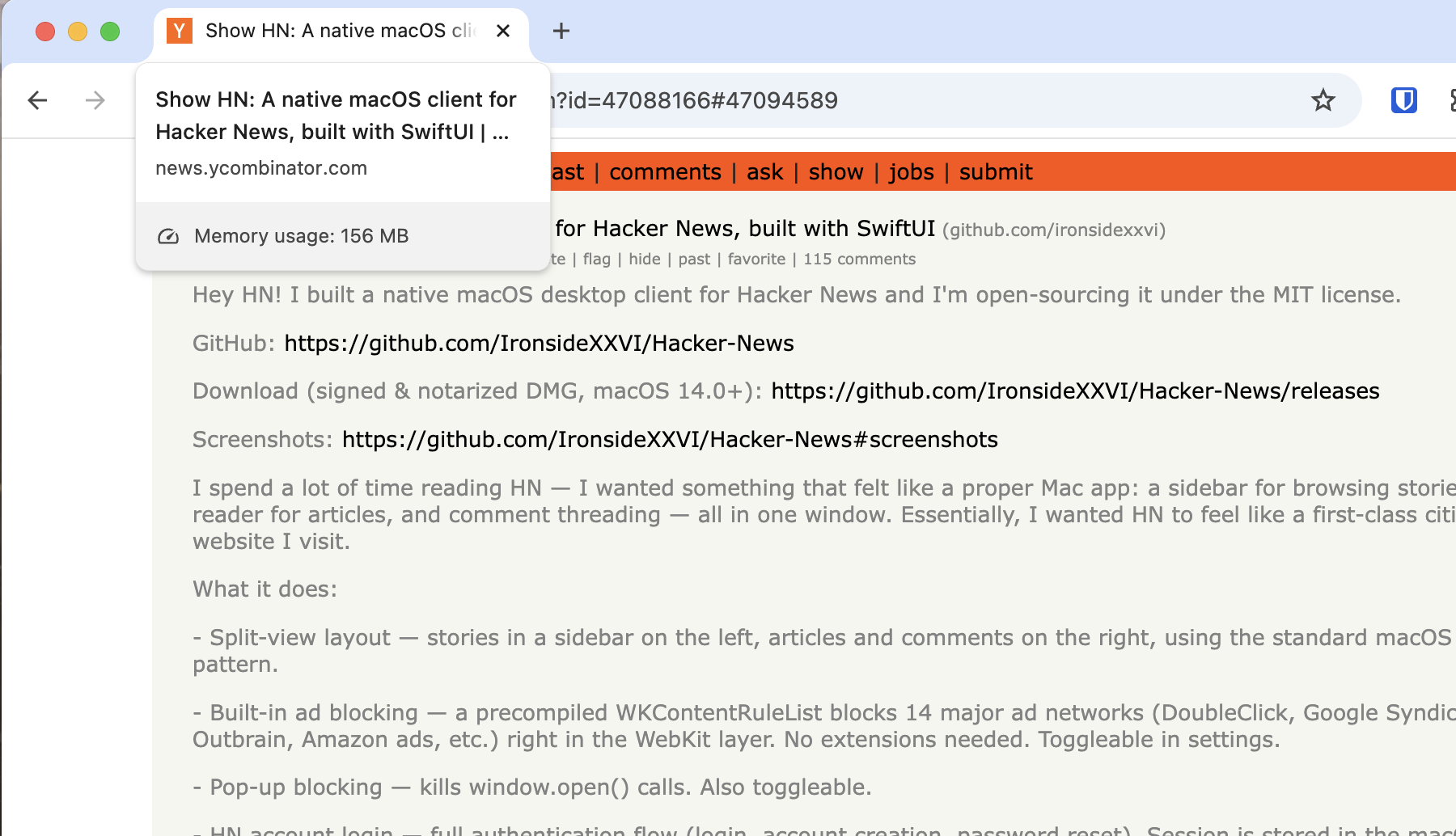
A fresh hackernews tab of this thread uses 150MiB (Sandboxed) in Chrome for me, and HN is a pretty lean site by all accounts.
Weird, I promise I am not lying.
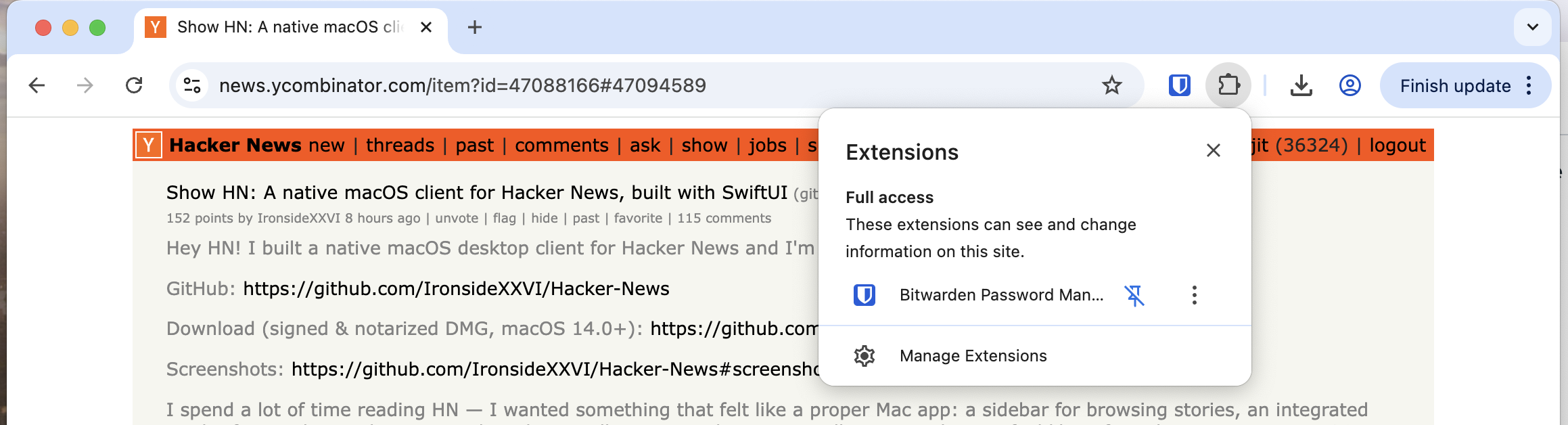
Do you use browser extensions? Perhaps they are adding to the memory usage (?)
By dijit 2026-02-2022:43 Only bitwarden (no ad-blockers or anything).
https://sh.drk.sc/~dijit/hn_tab_extensions.png
EDIT: Looking into it, seems the tab memory viewer is only looking at the page and does not take extensions into account; if the extensions inject JS/Style to the page then it counts, and Bitwarden seems to only add a small amount of JS to find password dialogues. It uses memory, but outside of the tab viewer.
By fragmede 2026-02-2121:34 I didn't optimize nitpick, but it's only using 26 megabytes within ghostty for me.
By hjort-e 2026-02-2118:21 85mb is electron territory...
Congrats on shipping!
Two things, does anyone else feel like 2017 was not 9 years ago and rather feels like it was just yesterday? I use a 2017 iMac running MacOS 13.7.8. It appears my hardware will not support any newer version of MacOS. For the most part, I haven't been too discouraged by this as I prefer older MacOS designs over the newer ones.
However, this is the second time in 2 days I've actually hit a wall in the Apple eco-system due to an older OS.
Last night I tried to build Ghostty to hack on a feature... it needs Xcode SDK 26 which isn't supported on Xcode 14 (latest version I'm able to install).
Now today, attempting to try this app out, I can't launch it due to being on too old of an OS.
It's really a shame because this iMac from 2017 is quite the capable machine. Absolutely no reason to upgrade it (from a hardware / performance standpoint).
By password4321 2026-02-2023:36 In case you weren't aware: https://github.com/dortania/OpenCore-Legacy-Patcher
macOS Big Sur and newer on machines as old as 2007
macOS Big Sur, Monterey, Ventura, Sonoma and Sequoia
Personally I'm hapy with my old macOS in no small part thanks to https://www.macports.org
By IronsideXXVI 2026-02-2018:543 reply Hey there! What OS version are you using? This app should run on Mac os 14 and later.
The absolute newest Mac in my home is a 2017 and is limited to 13.7.8, also. It's still a beast, and I've never really thought of it as "old." The macOS (and iOS) ecosystem, though, is brutal on us "slightly older" hardware owners. We get dropped so quickly, by both Apple and by 3rd party developers.
Windows developers would think nothing of keeping their applications running on Windows 7 (16 years old) or Windows 10 (11 years old), but my 9 year old Mac is somehow ancient.
By dijit 2026-02-218:52 Is that true?
Subtle bugs always find their way in increasing amounts for Windows applications that continue getting software releases; we tend not notice because we all run actually supported versions most of the time, and even when we dont- its only for a year.
I see people on youtube trying to make “modern desktop” experiences on Windows 7 and 8; and it takes some serious doing with all the incompatibility with things like browsers. Dialogues about missing features crashing you to desktop more often than working.
So much so that there are dedicated forks of chrome and firefox to support this purpose.
I'm interested in what part of the design is limiting your app to macOS 14?
By marcelox86 2026-02-2121:161 reply not the design per se (however you are right that theres a lot of swiftui usage here that is only available on newer macos’) but mainly because it is using the new @Observable observation macro that is only available on macOS 14+
By msephton 2026-02-2122:37 Thanks for the info! I'm tracking so far behind the Swift "state of the art" in my apps. But, if it ain't broke...
By morphle 2026-02-217:26 Many Intel Macs are stuck at MacOS 12, Monterey
By alsetmusic 2026-02-2015:193 reply Very nice. Commenting from it right now.
First feature request from me would be to adjust text size. I've start bumping up the default text size on all sites by one or two notches in the past year. Getting old, y'know. But also, as someone pointed out on a design blogpost a decade ago, why not make things easier to read. I didnt need it then, but I appreciate it now.
Really happy that I can run this on MacOS14 cause I've been locked out of some neat things people have built recently. Thanks for targetting older OSes. I'm not upgrading to the crap they've been putting out lately.
I'll be able to read details more later (getting ready for the job). Hope I didn't miss anything and comment about something that was already addressed. Congrats on shipping!
By IronsideXXVI 2026-02-2021:041 reply Just pushed an update allowing users to adjust text size
By alsetmusic 2026-02-2211:222 reply I was able to run the app on MacOS 14, but I can't update (Hacker News menu > Check for updates…) without MacOS 15. "Your macOS version is too old" message. I praised building for older versions of MacOS in my feedback and now I'm gated from using the latest version?
Please build for those of us who don't want the slop Apple is pushing. Pretty cool that you responded and added text sizing, would love to have it. Cheers!
By IronsideXXVI 2026-02-2214:02 Sorry about that, I just pushed an update that should fix that. May you please let me know if it works now?
By IronsideXXVI 2026-02-2213:49 Thanks I’ll have a look
By presbyterian 2026-02-2015:572 reply > I've start bumping up the default text size on all sites by one or two notches in the past year
I've been doing this too; at some point I should probably just change the scaling of my desktop as a whole. But I like my high resolution, multiple windows layout too much to do it yet!
By mitchell209 2026-02-2021:35 There's always a compromise for me when adjusting scaling. UI doesn't scale correctly, bars get too big when I only want the text specifically to be increased, etc. I've settled on adjusting the text manually because at least that's user-adjustable.
By IronsideXXVI 2026-02-2021:04 Just pushed an update allowing users to adjust text size
By IronsideXXVI 2026-02-2018:59 Hey thank you! I will make sure to tackle text size in the next release.
HackerNews
About this project
This project is an enhanced reader for Ycombinator Hacker News: https://news.ycombinator.com/.
The interface also allow to comment, post and interact with the original HN platform. Credentials are stored locally and are never sent to any server, you can check the source code here: https://github.com/GabrielePicco/hacker-news-rich.
For suggestions and features requests you can write me here: gabrielepicco.github.io