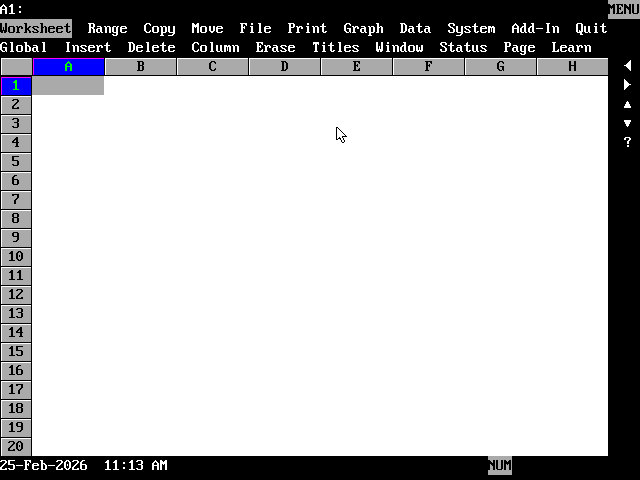
VisiCalc started it, but 1-2-3 finished it. "It" being the discussion of what a spreadsheet can be, and also VisiCalc itself.
What would a piece of software have to do today to make you cheer and applaud upon seeing a demo? I don't mean the "I'm attending a keynote and this is expected, please don't glower at me Mr. Pichai," polite-company type of applause. I mean the "Everything's different now." kind.
For that, the bar is pretty high these days. "Photorealistic" fight scenes between Brad Pitt and Tom Cruise against an apocalyptic cityscape are generated out of nothing but a wish, and social media, smelling the cynical desperation, can offer no more than a clenched-teeth grimace. Within 48 hours the cold light of the epic battle has faded, leaving no residual heat.
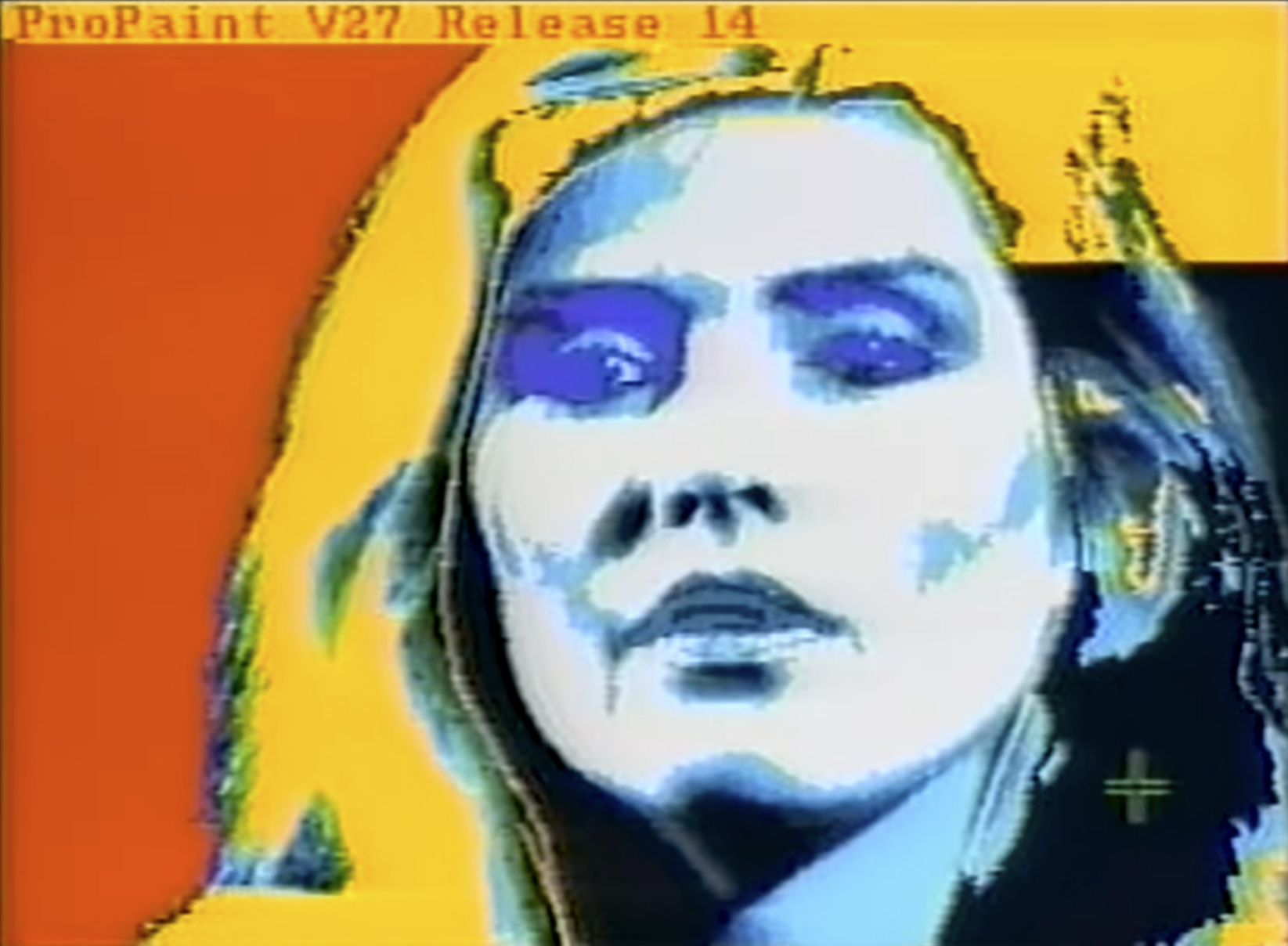
A sense of awe was easier to elicit back in the golden era. Bill Atkinson scrubbed out some pixels with an eraser in MacPaint to thunderous applause. Andy Warhol did a flood fill on an image capture of Debbie Harry, leaving an audience enraptured.
Perhaps miracles work best when they're minor.
Mitch Kapor has been on the receiving end of the adulation. As CEO of newly-formed Lotus Corporation, demos of their flagship product 1-2-3 generated significant light and heat with the crowds. In a 2004 interview with the Computer History Museum, Kapor said, "You could with one-click see the graph from your spreadsheet. You could not do that before. That was the killer feature when we demo’d it. I mean, literally, people used to applaud – as hard as it is to believe."
He knew all too well the struggles of the VisiCalc crowd, having previously built VisiPlot and VisiTrend for VisiCorp. Those programs worked with VisiCalc data to draw graphs, but required a lot of disk swapping to move in and out of the various programs when fine-tuning charts and graphs. 48K on the Apple 2 made it essentially impossible to fit all of the software into memory at once, but they could at least put everything onto the same diskette, Kapor reasoned. Eliminating that song and dance would be useful to the customers.
Depicted as a literal song-and-dance in their advertising.
In an interview in Founders at Work, Kapor said, "At various times I raised a number of ideas with the publisher about combining (VisiCalc and VisiPlot onto one disk) and they weren't interested at all. I don't think they really saw me as an equal. They saw me, when I was there as a product manager, as an annoyance—as a marginal person without experience or credentials who was kind of a pest. And I suppose I was kind of a pest."
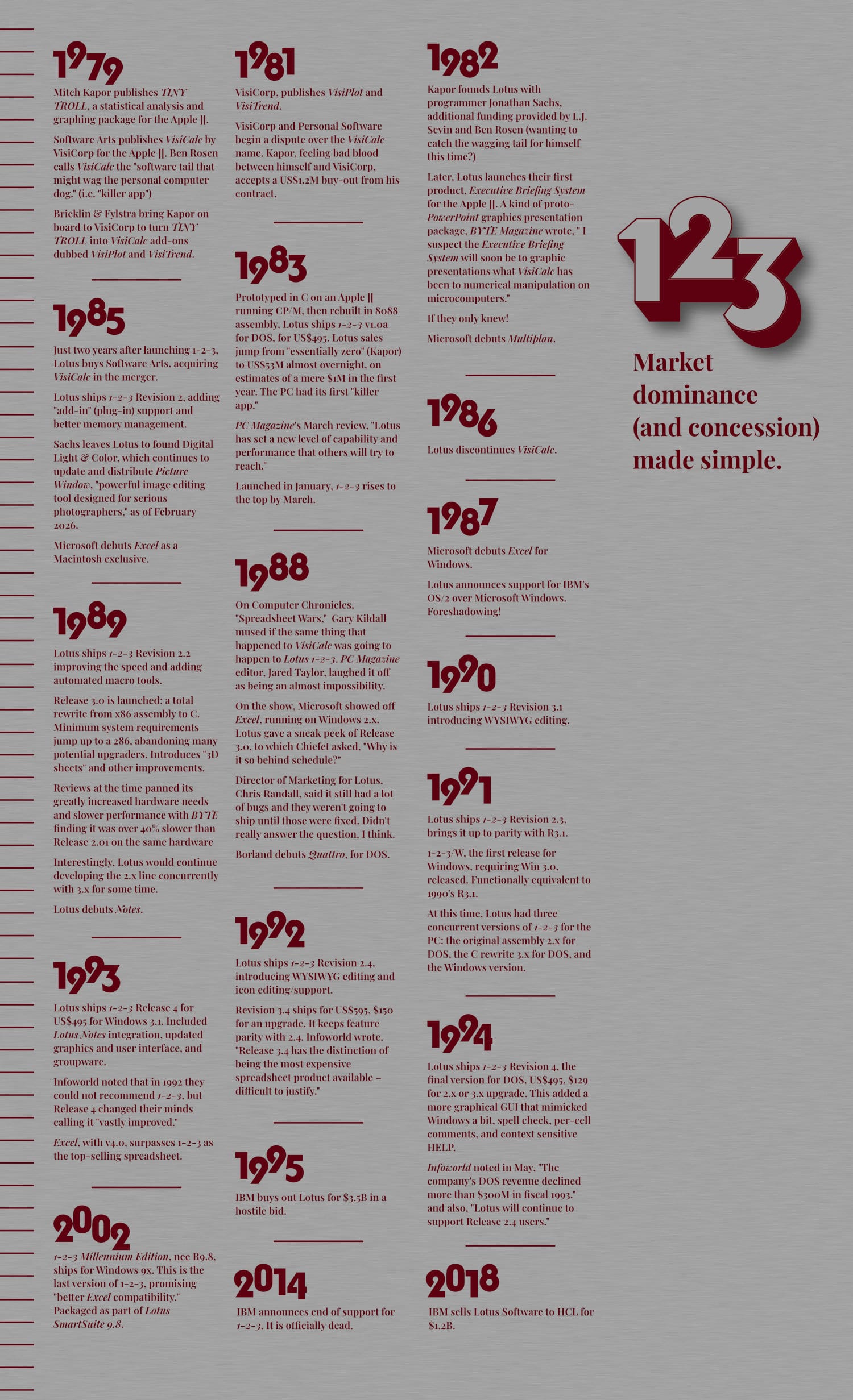
He said the feeling was mutual, and that was basically it for his employment with Personal Software and the VisiCalc team. He let them buy him out (i.e. the juicy royalties he was receiving for VisiPlot and VisiTrend) for $1.2M, then took that money and went off to build the better mousetrap he had tried to pitch.
Lotus 1-2-3 would quickly become the "killer app" for the nascent IBM-PC, doing for that system what VisiCalc had done earlier for Apple. 1-2-3's success (and corporate in-fighting between Personal Software and VisiCorp) drove VisiCalc sales into the ground almost immediately. Two years later, Lotus would buy out Personal Software. One year later, Lotus would kill VisiCalc. Today, Microsoft Excel documentation still references Lotus 1-2-3, not VisiCalc.
I have no 1-2-3 experience going into this. I always thought "1-2-3" referred to its relationship to numbers. "1, 2, 3. Row numbers. Numbers in a spreadsheet. Mathy number stuff. I get it." I honestly had no idea "1-2-3" indicated something more.
I'm learning that VisiCalc walked so 1-2-3 could run (over VisiCalc's ashes in a Sherman tank).
Historical Context
My Setup
- DOSBox-X 2026.01.02, Windows x64 build. I updated from the 2025.12 build mid-investigation.
- CPU set to 286
- DOS reports as v6.22
- Windows folder mounted as drive C:\ holds multiple Lotus installations
- 2x (forced) scaling; 80 columns x 25 lines
- I flipped back and forth with TrueType text mode (this is moot for 1-2-3's WYSIWYG mode)
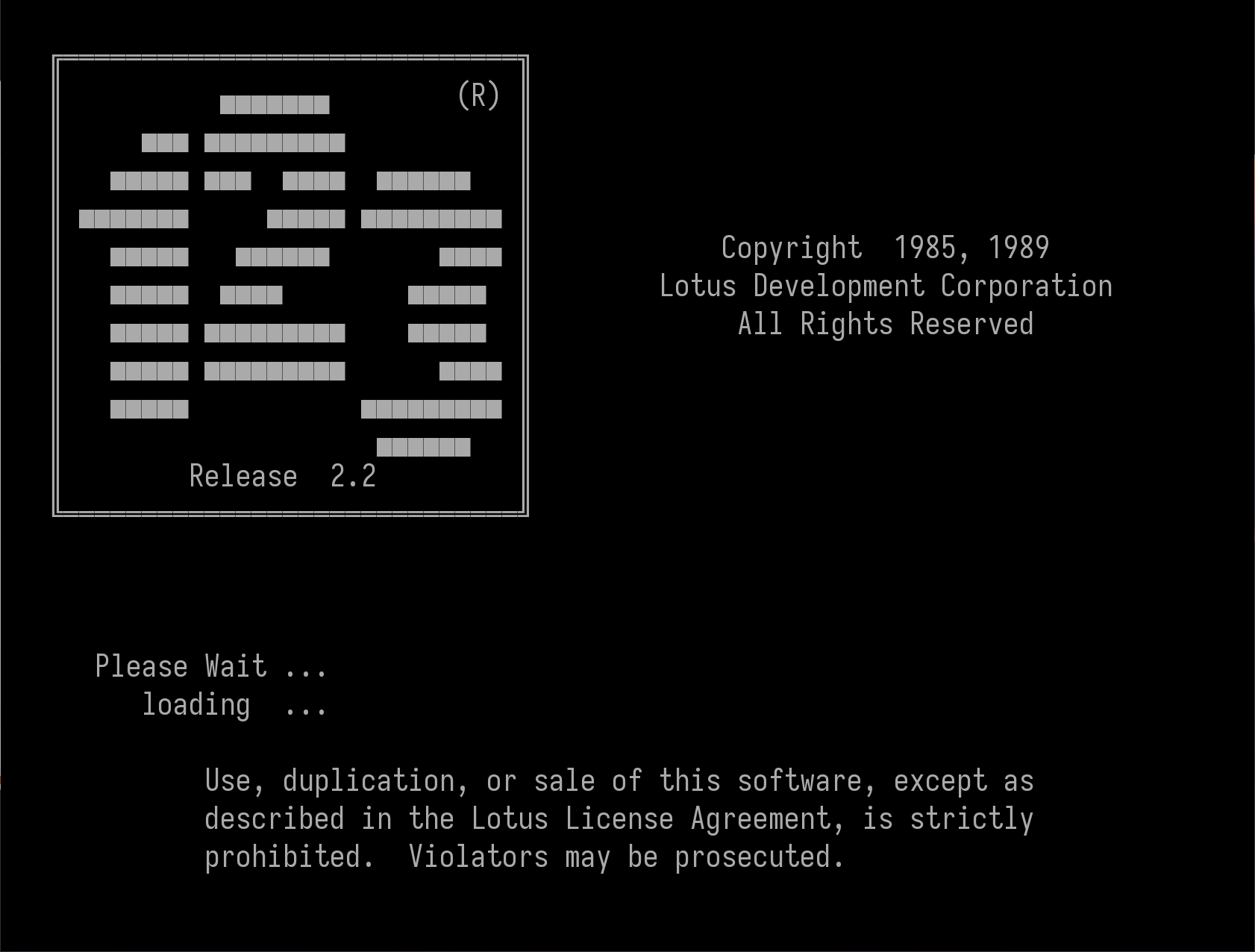
- Lotus 1-2-3 Releases 2.01, 2.2, 2.3, 2.4, and 3.4 all get exercised to some extent; you'll see that reflected in the screenshots. I mostly gravitate toward R2.3; it does what I need without bogging me down in feature creep.
- "Sharpening the Stone" explains getting DOSBox-X to work with R3.x.
- dBase III Plus for compatibility testing with 1-2-3.
Let's Get to Work
I have one goal in learning Lotus 1-2-3. I want to understand what it did that was so superior to my beloved VisiCalc that it practically wiped them out in the first year of launch. Kapor had projected first year 1-2-3 sales of US$1M, but did US$53M instead.
That's not just a little better than VisiCalc, that's "VisiWho?" dominance.
A one and a two
VisiCalc is a spreadsheet and 1-2-3 is a spreadsheet, so what's the big fuss? First, the platform of choice, the IBM-PC running PC-DOS (MS-DOS, to those buying it separately), affords two big wins right off the bat. 80-column text mode makes the Apple 2's 40-columns feel claustrophobic (and perhaps a bit un-business-like?). The greatly expanded memory of the 16-bit PC, max 640K vs. the 8-bit Apple 2's 48K, lets far more complex worksheets fill out those roomy 80-columns.
As Lotus Corporation and magazines and Wikipedia pages and other blogs love to point out, the true game-changer is contained in the program's very name. "1-2-3" refers to the three components of this "integrated software" package.
"1" is the spreadsheet capability, which surpassed most contemporaries handily in speed, being written in x86 assembly (until Release 3).
"2" is for those graphing tools which had Kapor's audiences applauding.
"3" was intended to be a word processor, but according to programmer Jonathan Sachs, "I was a few weeks into working on the word processing part, and I was getting bogged down. That's about when Context MBA came out, and I got a look at what they had done."
"What they had done" was integrate a word processor, communications, and database, along with the spreadsheet and graphics components. Context 1-2-3-4-5, as it were. When Sachs saw the database, that felt to him like a more natural fit and "3" was re-implemented as a database. "It would be a heck of a lot easier to implement," he noted.
Woz bless our lazy programmers.
The upshot is 1-2-3 plays nicely with last post's focus, dBase, which feels like a particularly powerful combination. I feel a tingle when skills picked up on a previous exploration pay dividends later. Deluxe Paint + Scala paid off similarly. Is this what it feels like to "level up?"
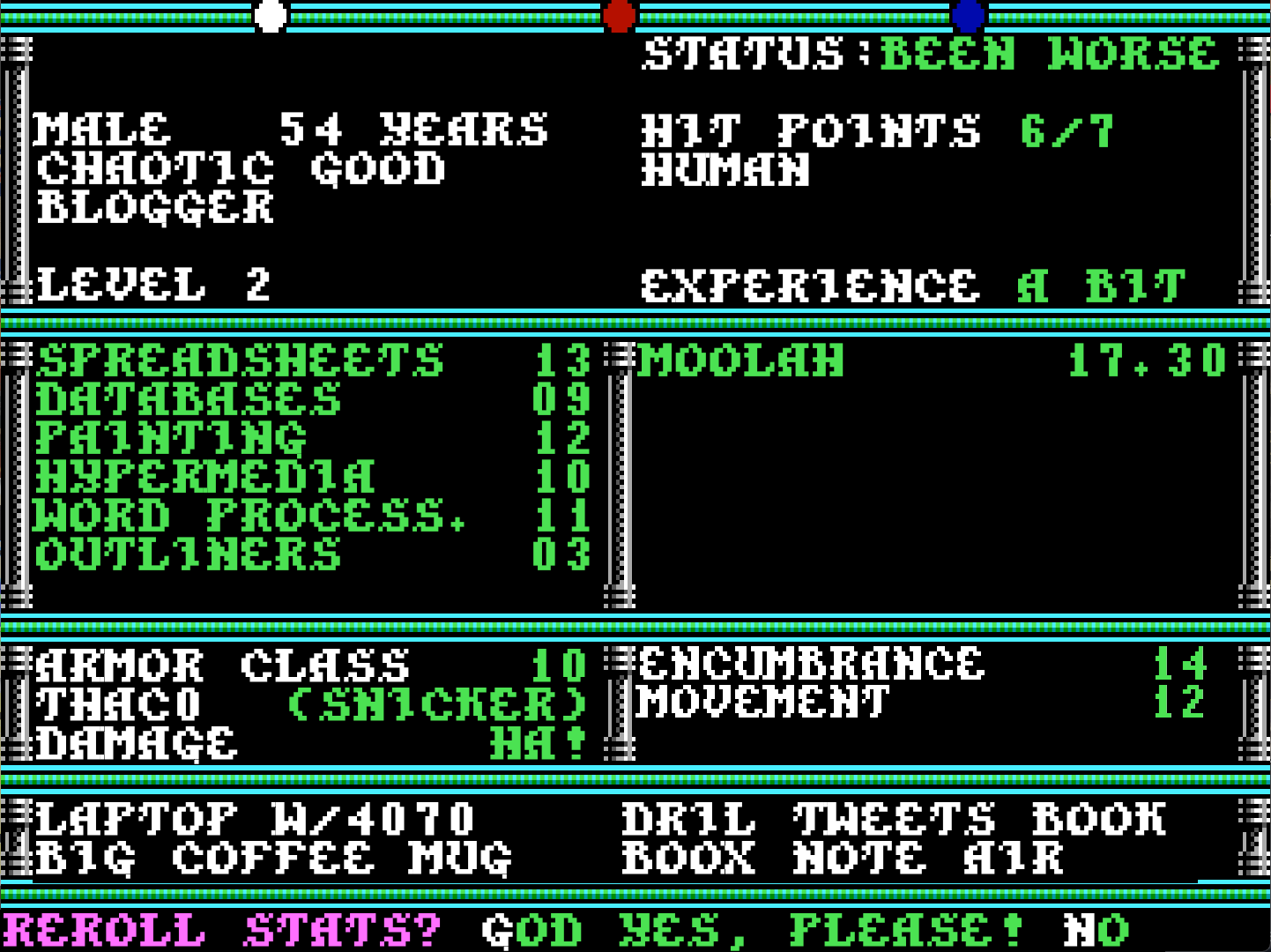
Getting lit
Obtaining literature on Lotus 1-2-3 is only difficult in the "overchoice" sense. I expected to find a lot of books, but perhaps not the "What have I gotten myself into?" existential dread of 1,000 hits on archive.org.
It wasn't just books, that period had an interesting side phenomenon of "software vendor published enthusiast magazines." Companies like Aldus, Corel and Oracle all had self-titled publications on newsstands. Lotus Corporation did as well with LOTUS Magazine.
Published monthly by Lotus Corporation, it debuted with the May 1985 issue (probably on newsstands late March, early April). The tagline, "Computing for Managers and Professionals," oriented itself toward the decision makers, the ones with purchasing power. A poll of Lotus software users revealed, "Most of you see the computer primarily as a tool and are not interested in computing, per se."
Toward that end, the magazine took a different tack than the BYTEs and PC Magazines of the time. It was to be no-nonsense, non-techno-babble, short, easy-to-digest articles about computing from the manager's perspective.
"What's all this I keep hearing about 'floopy disks' and 'rams' and 'memories' and such and so on? It's enough to drive a reasonable business computerist straight to distraction!" says the frazzled corporate executive trope. There there, fret not! LOTUS Magazine feels your pain and addresses it with the cover story of issue 1.

"The world of computer memory has enough complexity and high-tech jargon to drive the most reasonable business computerist straight to distraction," leads in to "An Inside Look at Computer Memory" by T.R. Reid. The article explains the differences between RAM and ROM, floppies and hard disks, and so on, unfurrowing the knitted brows of befuddled mid-80's business executives.
When it got into the 1-2-3 of it all, LOTUS Magazine didn't pull its punches. Articles were short, around four pages, and assumed a higher level of analytical aptitude than IT aptitude. Lots of charts of formulas, macro definitions with explanations, tips and tricks for faster data entry, and so on fill out the pages.
That ran for about seven years, until the December 1992 issue, when publishing duties transferred to PC Magazine as PC Magazine: LOTUS Edition. It was PC Magazine with a mini-magazine's worth of Lotus-specific content appended each month, as a special imprint. That ran until August 1995, marking a 10-year publication run which would have exceeded my prediction by about eight years.

After judging books entirely by their covers, I've chosen the official Lotus manuals for 1.0A, 2.2, and 3.4, and two compilations of tips and tricks previously published in LOTUS Magazine. I flip through other stuff as well, but honestly nothing is holding my attention this time around; they all read the same, "dry and boring."
1,000 pages or more for some of those books and they didn't have room for even one joke? I promise at least seven in this post alone. See if you can spot them all!
Launching into the program proper brings me to the expected "I'm a spreadsheet!" grid layout, with column and row labels, arrow-key controllable cell cursor, and a blank area at the top for VisiCalc-y stuff. Let's go.
Slash and burn
As an intermediate level VisiCalc user, I am delighted my / menu muscle memory pays immediate dividends. Clearly Lotus welcomes defectors and even makes life easier on everyone by taking advantage of the 80-column display.
VisiCalc's single-letter menu mnemonics are enhanced in 1-2-3 by simply spelling it all out on-screen. Full menu item names are always visible, yet still accessible by single-letter commands. From the jump, 1-2-3 makes a strong case for itself, providing improved usability and discoverable tools.
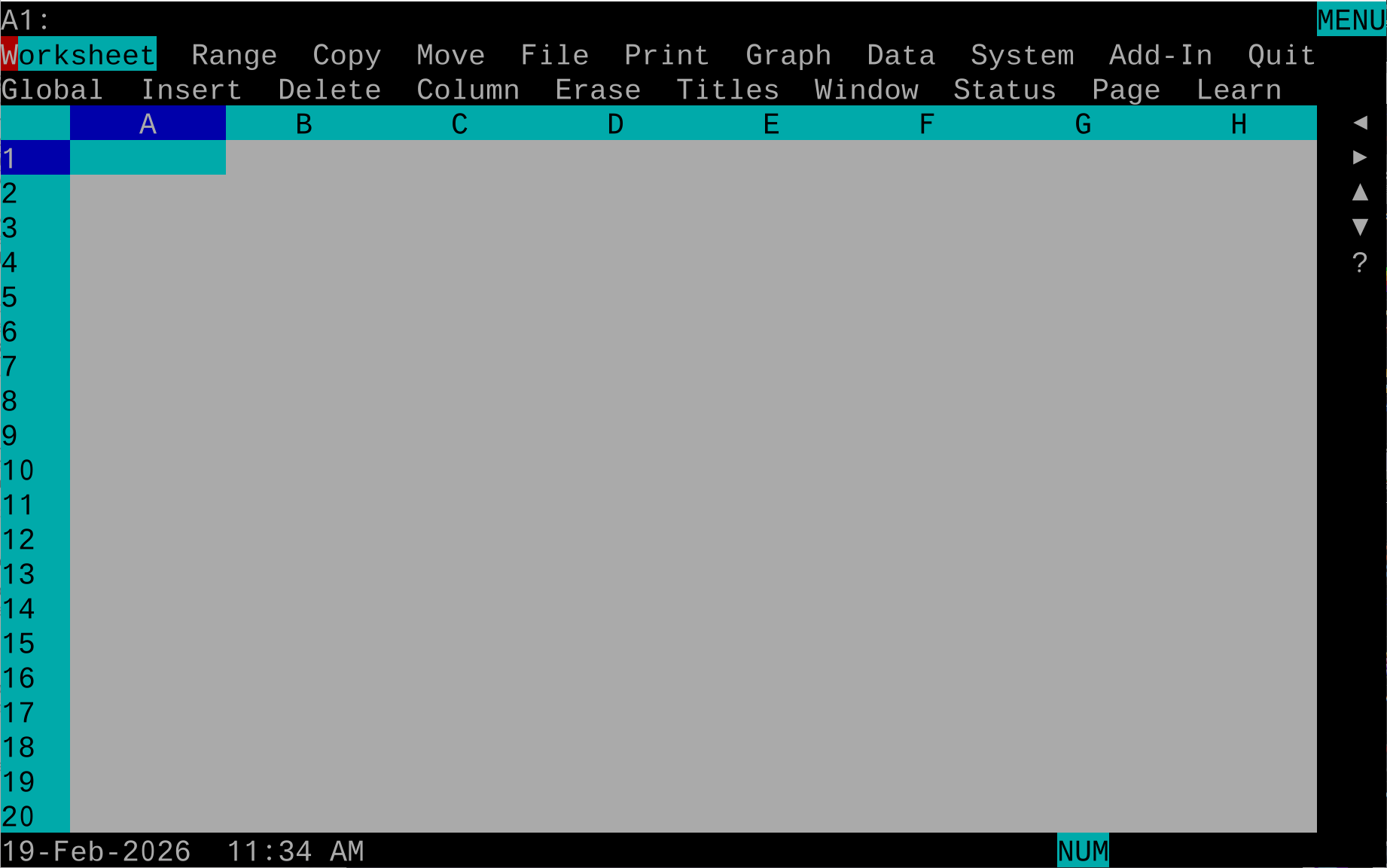
Before digging in too deeply, I should note that 1-2-3 does all of the VisiCalc things. A1-style cell references, slash / menu, fixed and relative cell references, @ functions including transcendentals, range .. specifier, + prefix for values, and on and on. It adds, it subtracts, it calculates interest. 1-2-3 "Yes, and..."s VisiCalc from there.
We gain a lot, but there is a notable absence: the upper-right status check. VisiCalc shows calculation order, arrow-key toggle, and free memory in that spot. Those are all gone in 1-2-3 and good riddance, frankly. On the PC I have full arrow keys and more RAM than Woz; 1-2-3 sees my full 16MB of DOS Extended memory. There is no stopping me.
1-2-3 also says nuts to VisiCalc's "calculation order" (by row or by column) hoo-hah and introduces "minimal recalculation." From the almost comically-straightforward named book Lotus 1-2-3, Release 2.3, "When 1-2-3 recalculates a worksheet, only those formulas directly affected by a change in the data are recalculated." I am living large here in 1989, or 1991, or whatever year I'm pretending it is this week.
Even VisiCalc's @lookup gets a glow up. You know it today as @hlookup and @vlookup, both of which were present in 1-2-3 Release 1 back in 1983. At this rate, 1-2-3 is flirting dangerously close to "expected spreadsheet behavior in 2026." Don't get my hopes up, Lotus. There's only down from there.
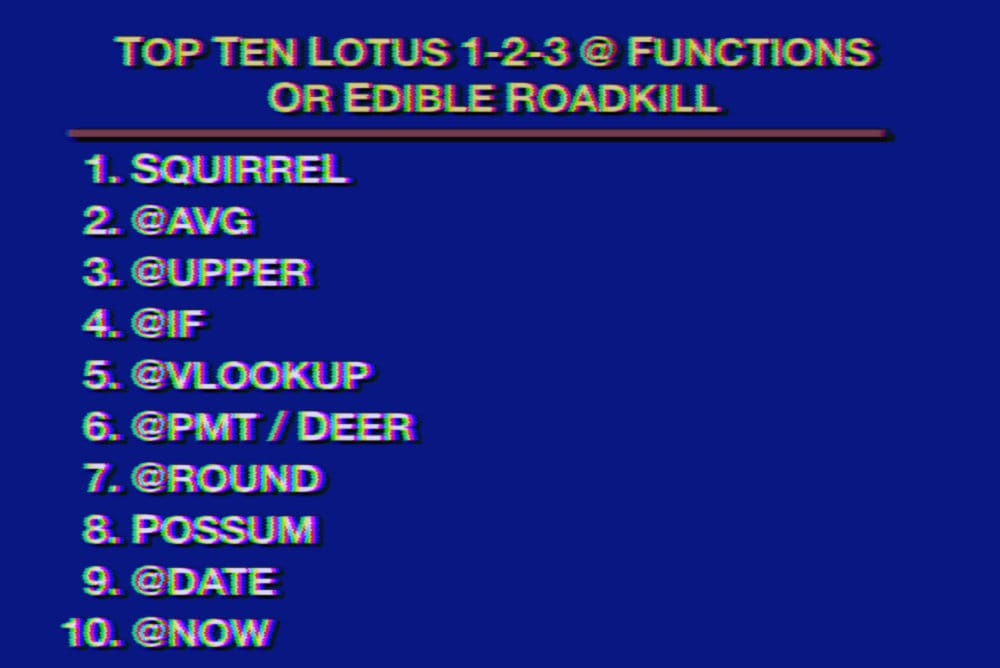

The more I encounter this, the more I wonder if we gave up on it too soon. This could be "blogger overly immersed in their subject matter" brain, but I'm growing to oftentimes prefer two-line horizontal menus over modern GUI menus.
I find the left-right, up-down, left-right, up-down, scanning through GUI menus kind of tiring. With the two-line menu, I can step through top-level options with the left/right arrow keys, eyes focused on line two as I scan sub-menu items.
It also provides something GUI menus don't: an immediate explanation of a menu item before committing its action to the document. If a menu item is not a sub-menu, line two describes it. It's easy to audit features in an unknown program.
Also, every menu item has a keyboard shortcut; just type the first letter. This requires creativity by the developer when naming menu items such that each has a unique first letter, but it also creates a de-facto mnemonic for the user. Don't discount muscle memory!
There's one "drawback," but I'll try to make a case for it. Specifically, it is probably impossible to fit everything in a modern GUI menu into a two-line scheme. There's just too much! I suggest the horizontal menu-bar solves this precisely because of that design constraint. If there's too much, the menu needs to be simplified.
"Problem solved," the author asserted.
Choosing your relatives
This has to be one of 1-2-3's greatest contributions to modern spreadsheets. It still exists, just open up your modern spreadsheet of choice and try it. Enter 1 through 5 down the A column. Starting with B2, enter the formula +$A1+A$2 and copy it down a few rows. Old hands know that a $ symbol in a cell reference fixes that row or column of the reference, otherwise references are relative.
That's a huge step up from VisiCalc's "all or nothing" approach to cell references. Put in a formula and copy it through to other cells. For every cell reference, in every copy of the formula, VisiCalc prompts the user for "relative or fixed?" It is a complete drag, and Woz help you the day that formula needs updating.
The $ approach is superior, allowing us to embed relativity into the formula itself. Then, copying a formula across cells copies our intent as a natural course. It's simple to understand and hard to mess up: my favorite combination.
Found in translation
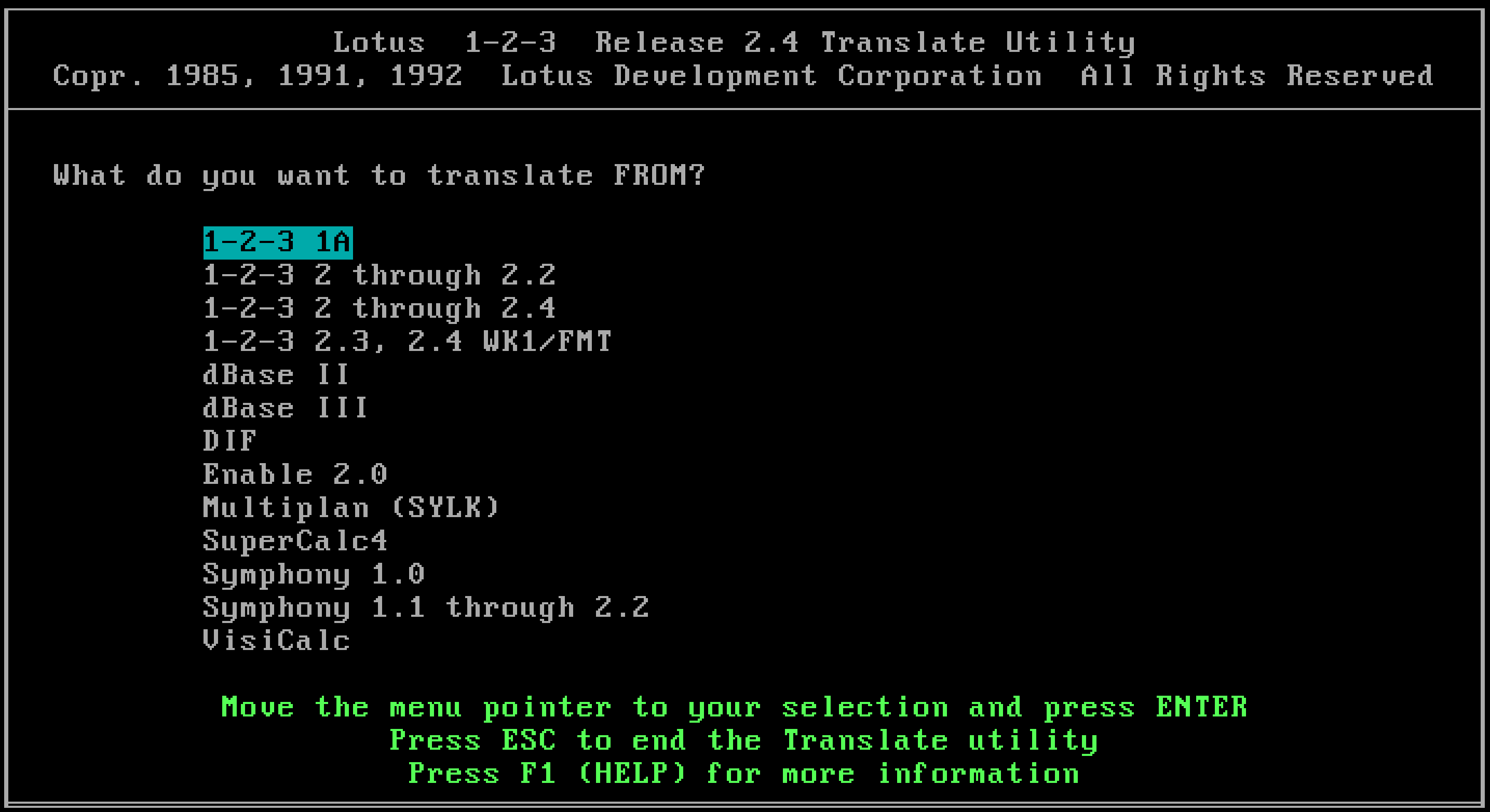
While it can't load non-1-2-3 documents natively, Lotus does provide a nice translation tool for helping us get data out of the heavy hitters of the day. From a Stone Tools perspective, this handles everything I need so far, as VisiCalc and dBase are both accounted for and work as advertised.
Translation works both ways, so bringing in dBase data, messing around with it in 1-2-3, and going back out to dBase is possible, though there are cautions in doing so. One notable thing to watch out for is "deleted" records. dBase only "marks for deletion" (until a .PACK command), and that flag won't survive transit. A small inconvenience, all things considered.
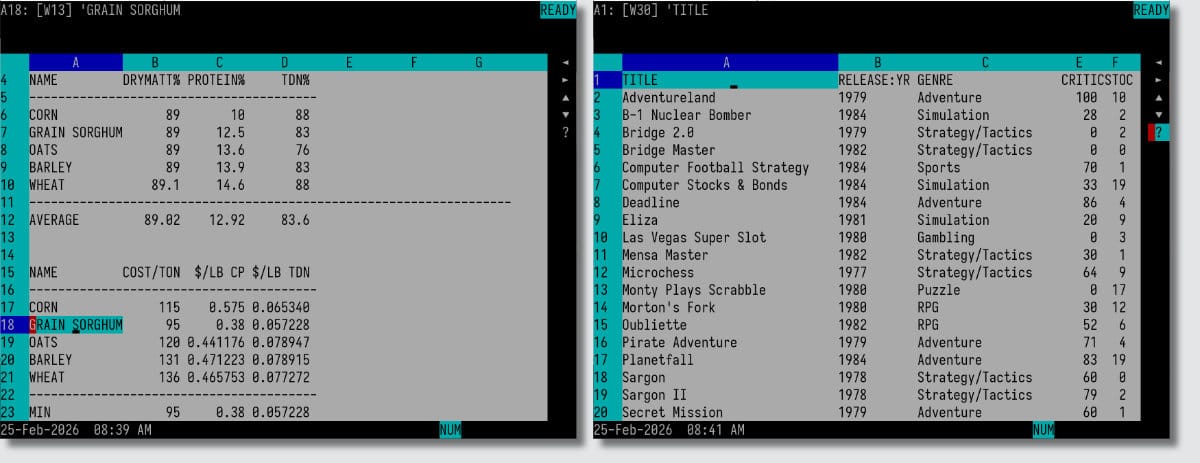
Applause-worthy?
In the top-level menu is the shiny new Graph option, the "2" in "1-2-3." I know exactly what I want: a pie chart of game software genres imported from dBase II.
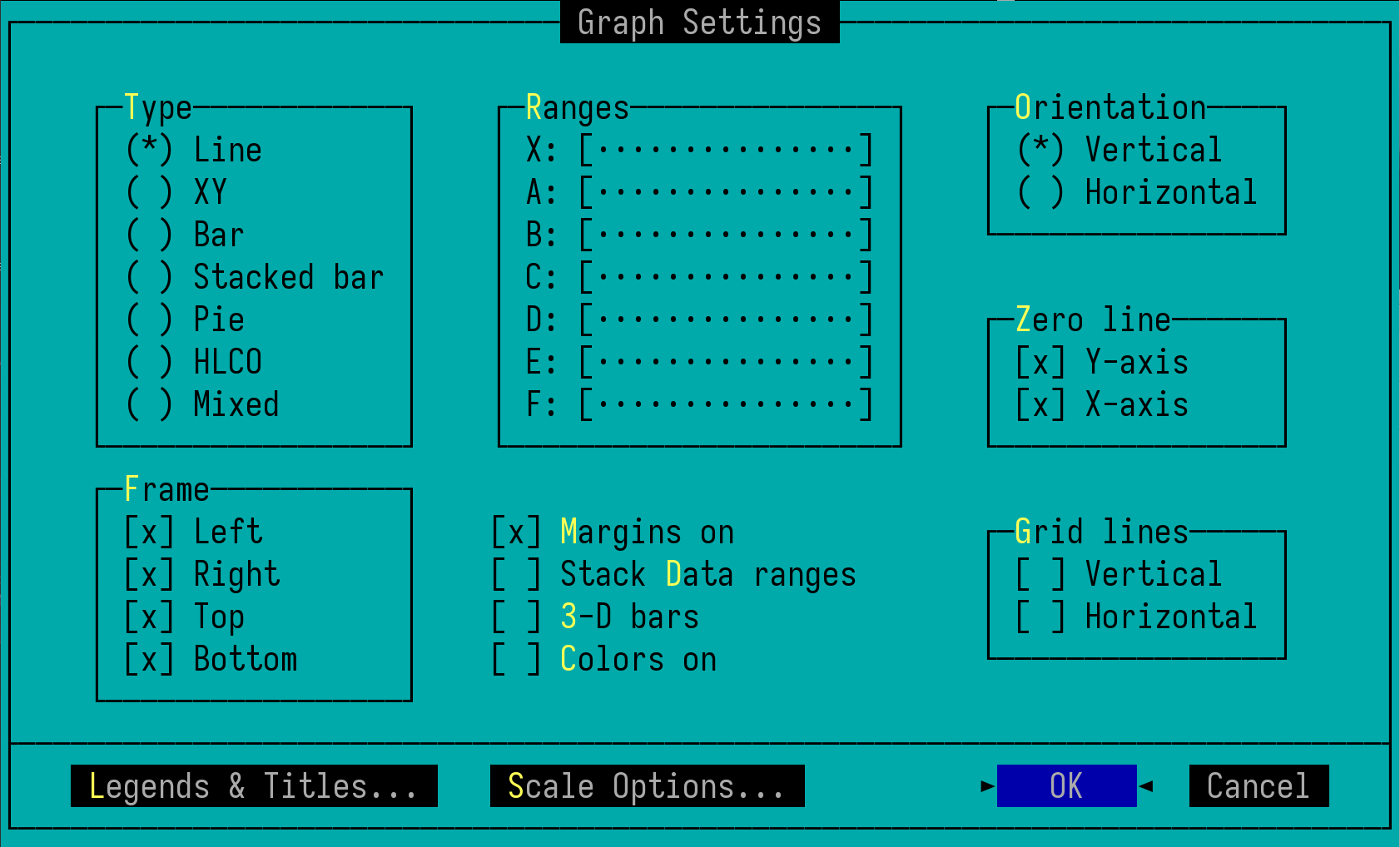
The options for are straightforward, and the limitations are self-evident. Notably, look at the "Ranges" settings. Range X sets value labels which will appear along the X-axis. Ranges A through F define six, and only six, ranges of data to plot on the graph. That's it. Everything else you see is "make it pretty."
Within the confines of my self-imposed time capsule, my only point of reference thus far is VisiCalc and its clones. Through that lens, I'm blown away by Lotus 1-2-3. I mean, come on, 3-D bar charts?! Am I living in the world of TRON right now?! The applause is well-earned, Mitch. Bravo! Encore, even!
Now, Mr. Kapor, if you'll excuse me a moment, I need to have a quick, private chat with my readers. Yes, sorry, I'll only be a moment.
Hello dear readers. Mitch can't hear us, yeah? We're safe? OK, between you and me, that graphing tool is a little underwhelming, huh? There's a lot we can do to make a graph look as pretty as possible for screens and printers of the time, but the core graphing options themselves are kind of anemic.
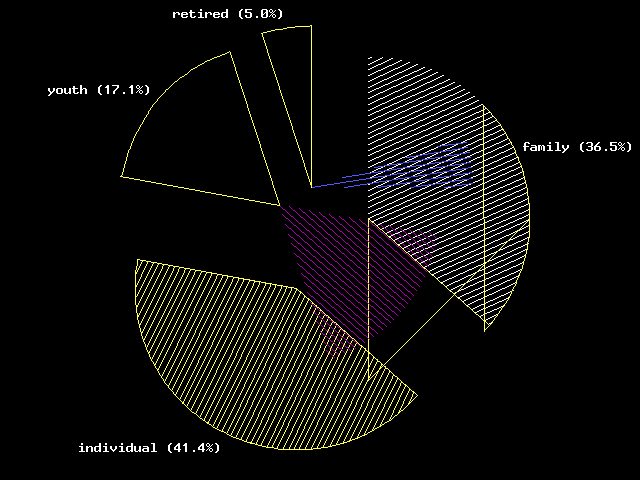
Here's Google Sheets making the pie chat I'd hoped 1-2-3 could generate.
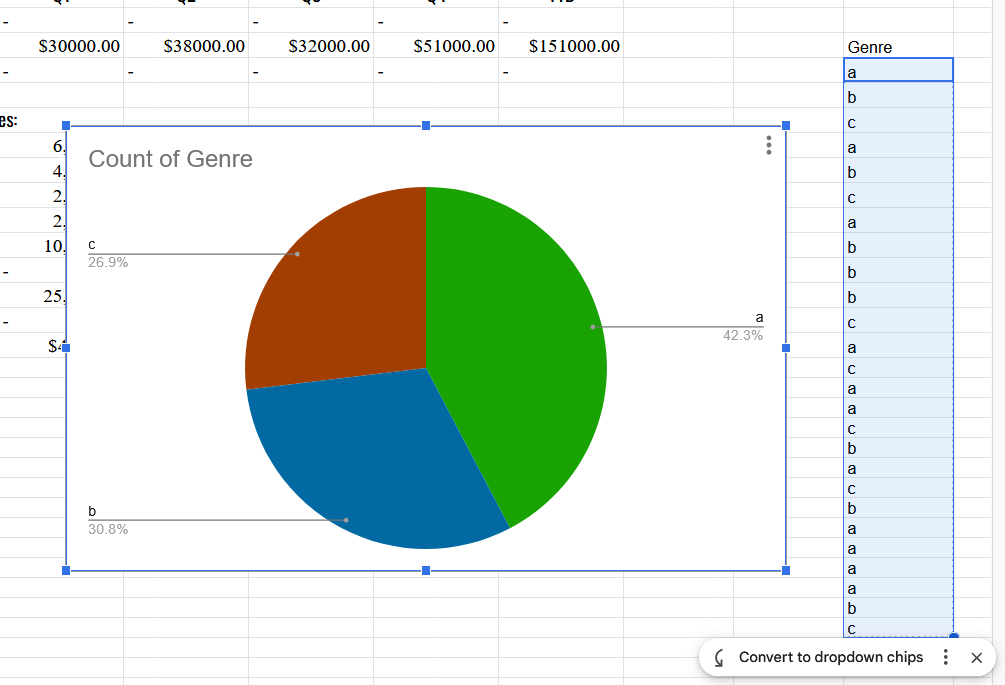
However, 1-2-3 cannot do this because it can only graph strict numeric values; strings, like "genre" types, return blank charts. 1-2-3 also can't coalesce data, like we see Sheets doing above. To achieve my goal, I'll need to figure out a different approach. (Plus, maybe I've discovered a DOSBox-X bug?)
It's not fair to judge past tools as being "inferior" just because they don't live up to 2026 standards. Still, what I'm trying to do must have been one of the first things many business owners wanted to do, right? Am I storing my data in a style that hadn't been popularized yet? Is my 2026 brain making life more difficult for my 1991 doppelgänger unnecessarily?
How does one graph out the count of each unique genre?
Unique up on it
Alright, this is going to get complicated, so I think a diagram is in order. This actually explains a lot about the Lotus 1-2-3 approach to data in general, how to manipulate it, how to query it, and generally how to interface with the more complex functions of the program.
Having imported the dBase list of CP/M games from the dBase article, let's extract a list of all titles that are of genre "Simulation." I'll use a subset of the total data so everything fits on screen for demonstration purposes and perform /Data Query Unique (aka /dqu, aka The Notorious DQU, aka Query's L'il Helper)
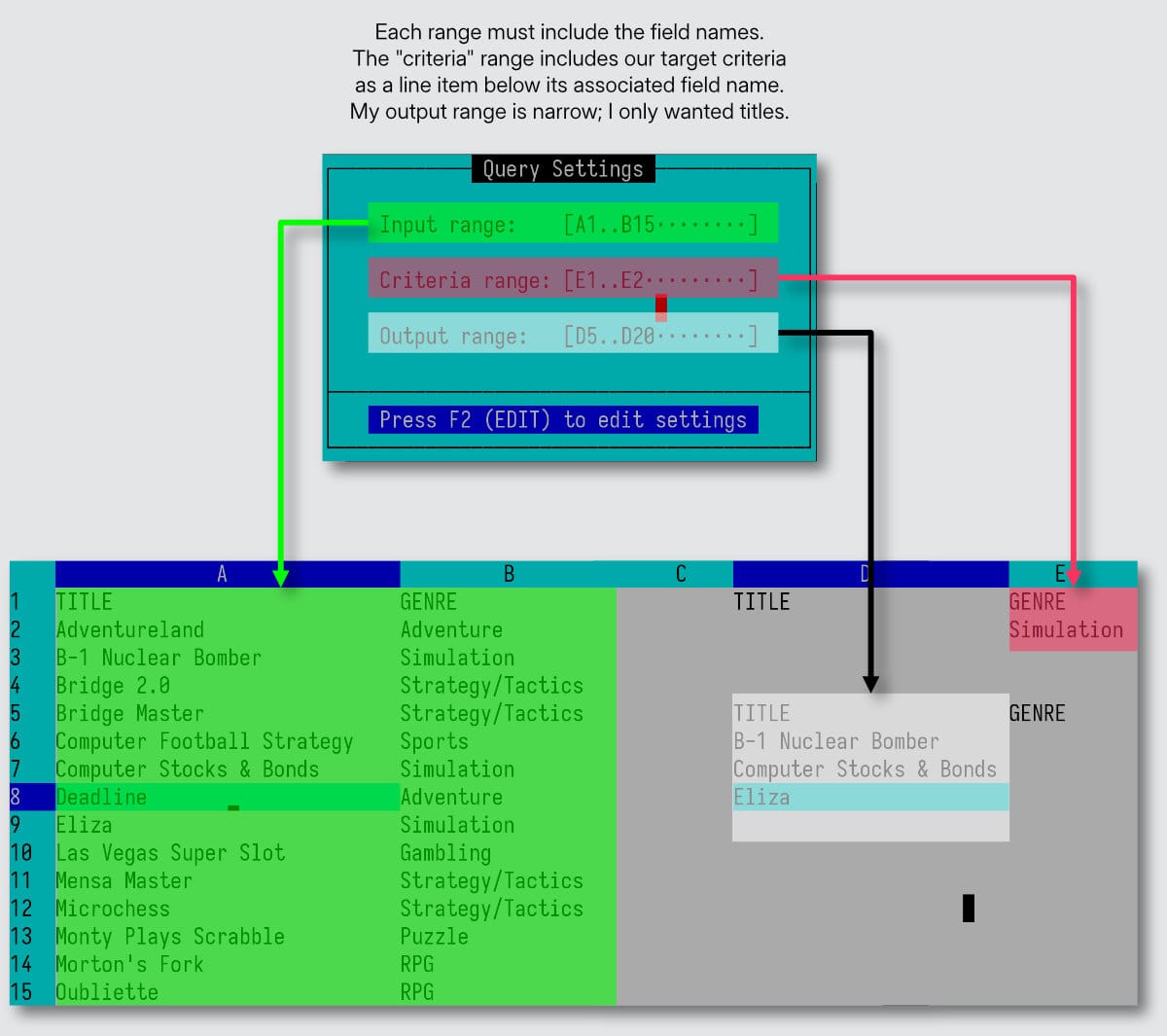
A worksheet is not just rows and columns of data. It also serves as a control mechanism for defining interactions with the data. A worksheet has columns up to IV (256) and rows up to 8192. What do we do with 2,000,000+ cells? In true Dwarf Fortress fashion, we section off areas ("ranges" in 1-2-3 speak) and designate functions to those areas.
First, I have my data as the main table, field names at top. Then, I need to set up my query criteria. This is a separate portion of the worksheet, with the fields I want to query against and room below to accept the criteria definition. Think of it like building a little query request form.
Then, Lotus needs a place to spit out the results. Again, I set up a little "form" to receive the data. Put in whichever field names are of interest in the final data capture.
Now, what if there are multiple queries I want to re-use from time to time? Painful as it sounds, I must set up multiple query forms, one for each query I expect to re-use. So, re-copy all of the field headers of interest into a new portion of the worksheet. Re-copy the field headers for the output range. Put in the new query criteria. Do another extraction.
Keep dividing the worksheet up into all of the various queries one might need to reuse. Each lives in its own little area of the worksheet, so maybe now's a good time to start labeling things? Maybe mentally divide the worksheet into "my queries live over here, in Q-Town" and "my results live over there, in Resultsville" and so on.
Count on it
For my stated goal, I need the unique list of genres for my game list and the count of each genre within the data set. From the previous section, I know how to extract a list of unique genres. To count them, @DCOUNT can count all non-empty records which match my criteria. Lemme draw up another diagram here.
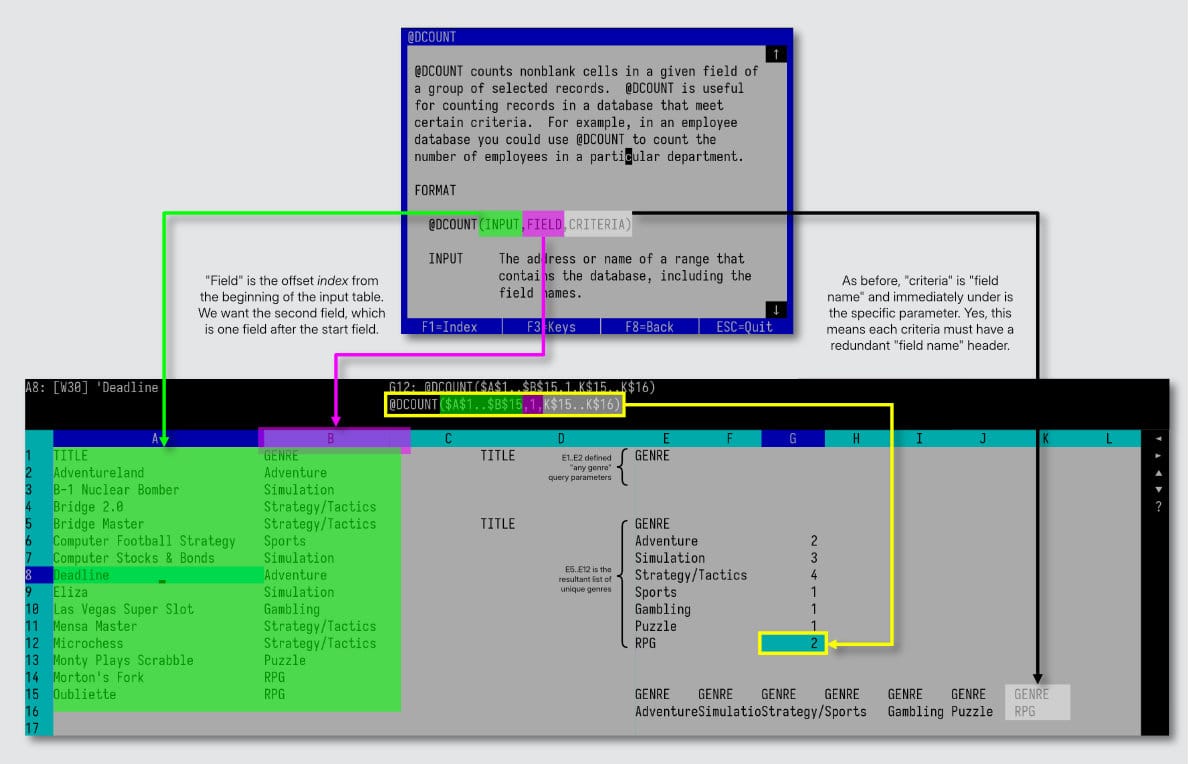
@DCOUNT but when I typed it in and hit F1 I got the blue help screen you see. It's very good!After extracting the list of unique values for "Genre", I get a column of results as seen at E5..E12 in the image above. Notice the criteria at E1..E2 is empty? By not specifying anything, that equates to matching any "Genre".
Next, I need to reformat that column into countable criteria for @DCOUNT. Just like in a query, criteria consists of two vertically contiguous cells, the top of which is the field name and the bottom holds the parameter. The field name must be physically, immediately above each and every genre I want to count.
/Range Trans will transpose a range of vertical or horizontal cells into their mirror universe opposite. That's how I generated the horizontal list at E16. A /Copy of the field name across row 15 generated nice pairings, perfect for use with @DCOUNT.
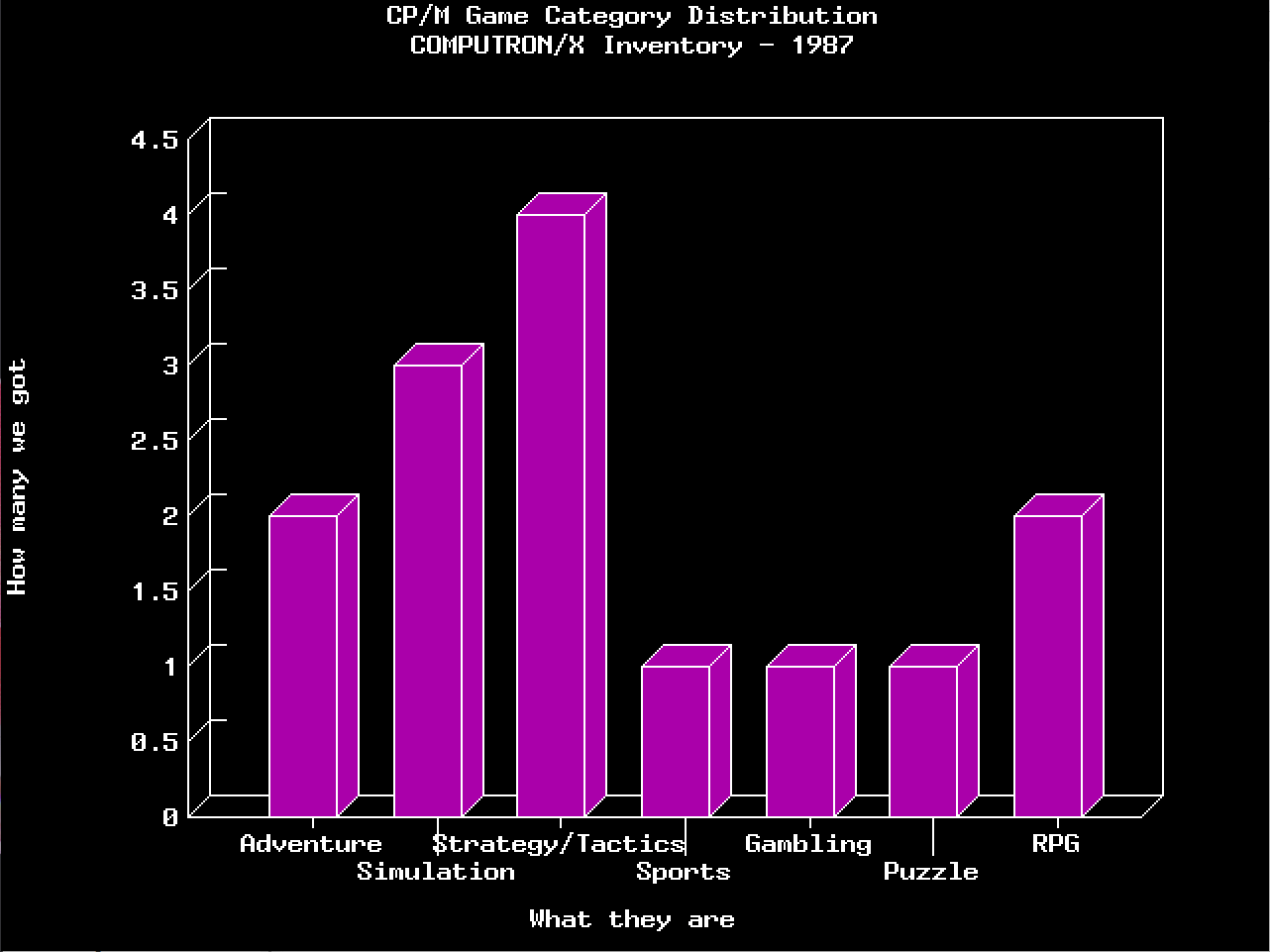
The cell formula outlined in yellow is essentially the same across G6..G13, each lightly modified to point to a different criteria range. That calculates the count for each genre in column G, and column E holds my titles. Now I have what I need to generate the chart I wanted (aforementioned pie chart drawing bug notwithstanding). Here it is in glorious 3-D from the future (of the past)!
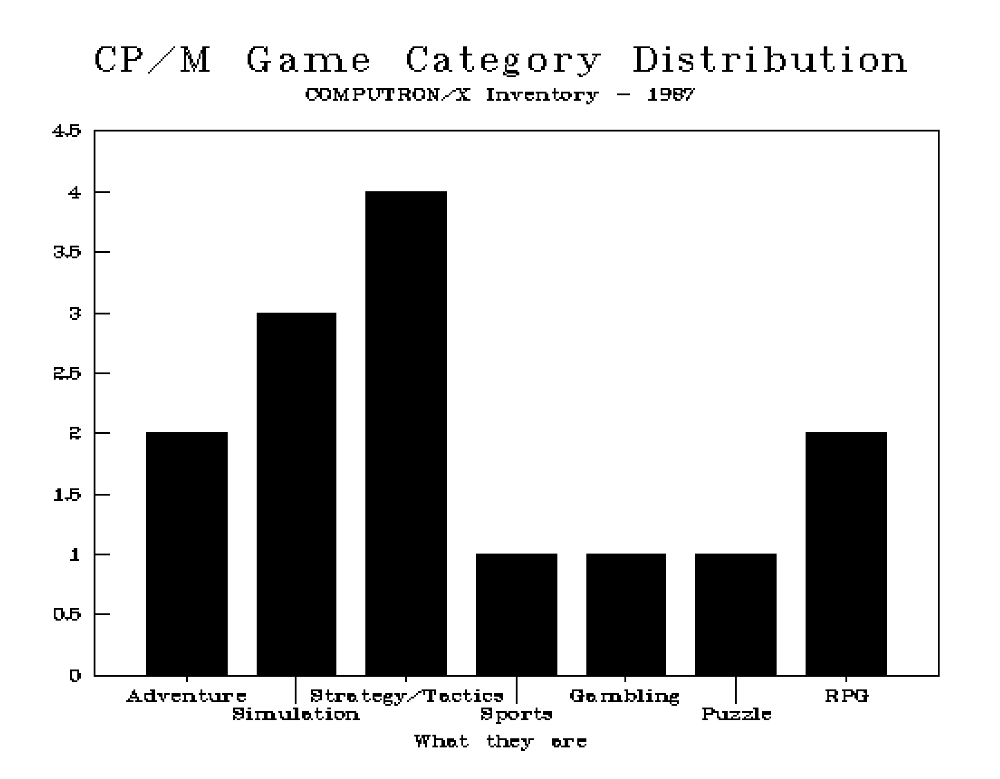
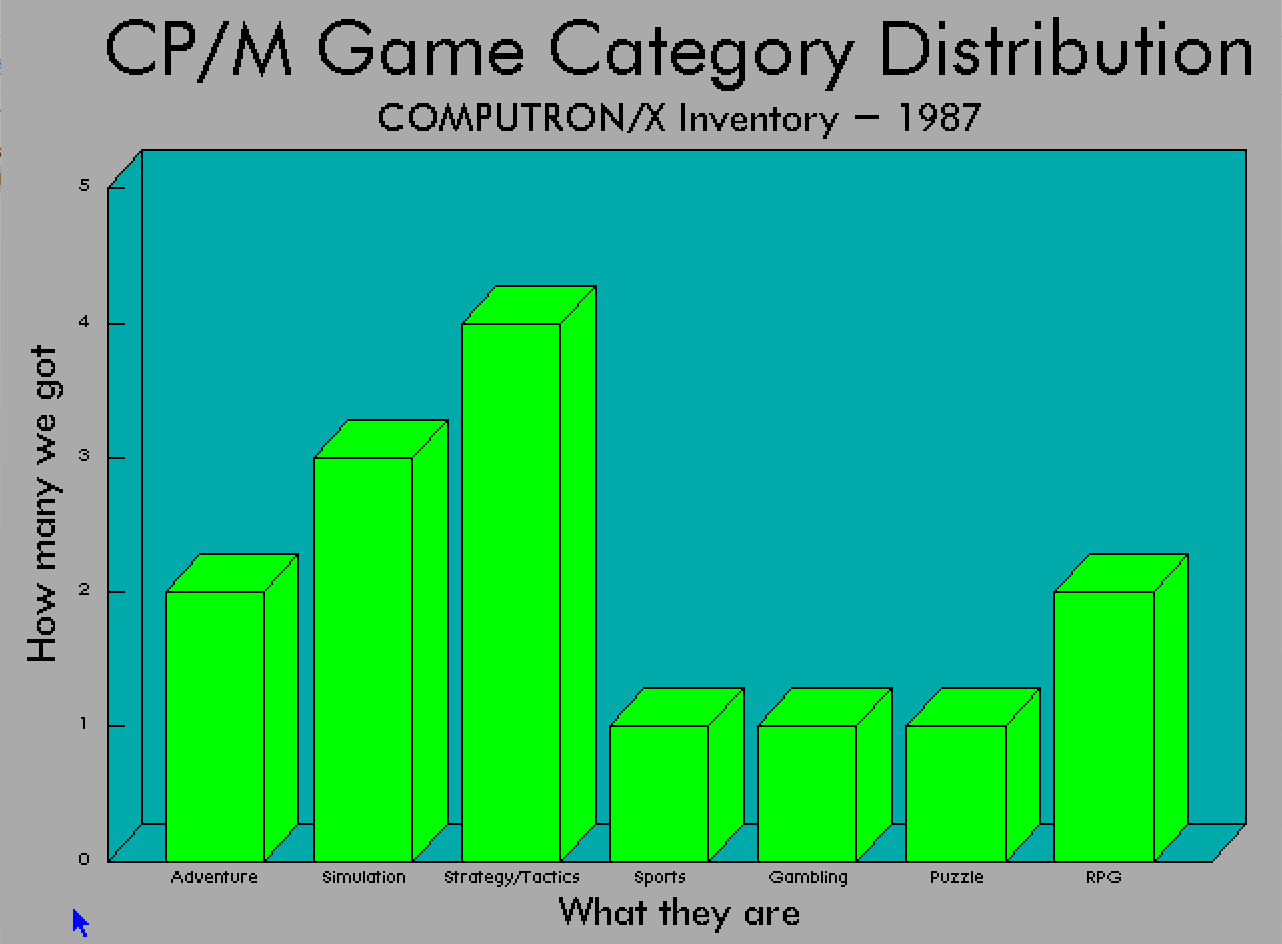
Frustratingly, figuring all of that out took the better part of a day. But now I know! If only there were some way to make it easier.
Making it easier
There are issues with my solution thus far, many of which boil down to the physical spaces assigned to hold queries and results and transformations and data. If I bring in new data with new genres, new result lists could physically lengthen and overlap one another. Planning a physical map for the worksheet is a priority.
Building out the sheet, especially keeping cell references flexible to changes in data, is a drag. I'd also like to generate a graph from the new sheet arrangement, with just a simple hot-key. Like all great developers, I want to be lazy.
The first step toward the promised land of laziness is "hard work," unfortunately.
Hard work can be captured and reused, luckily, as Lotus 1-2-3 features "Friend of the Blog": macros. VisiCalc didn't have it, and 1-2-3's implementation is robust enough that many books were devoted to understanding and taming it. Here's a simple macro, which hints at its latent power.
Custom menus are easy to build. Selecting an option could trigger a longer automation task, simplifying a multi-step process, or something as simple as a help menu.
Macros are stored...
(say it with me now)
...in the worksheet. Yep, whatever map you had in mind for dividing up the worksheet into query-related fiefdoms, redistrict once more to hold macro definitions. Custom menus are an easy way to illustrate macro structure. Here's a dumb example.

The text in column A is mostly comments to organize our worksheet and thoughts. \m represents the keyboard shortcut assigned to the macro, accessed by ALT + m. menu1 is a reference to a named cell range.
Named ranges are an important improvement over VisiCalc. Once defined, a range can be invoked by name anywhere a range is expected. Assuming a cell range as a2..a7 has been assigned a name like january, @sum(january) is totally valid.
\m is a range defined as B1..B1. menu1 is a range defined as B3..B3. Notice a range only needs to define the first start of a macro definition. Macro execution will read each cell in order down a given column until the first empty cell. \ range names are interpreted by 1-2-3 as macro keyboard shortcuts automatically.
The convention shown, of a human-readable label to the immediate left of a range by the same name is so common it has its own menu shortcut. /Range Name Labels Right applied to column A will auto-assign column B cells to the names in A. To a certain extent, a named range can function like a programming "goto". In the macro case, its saying "Goto the range named menu1 and continue executing the macro from there."
Programmers in the readership are salivating at the deviously complex ways this "goto labeling" could be abused. Combine it with decision making through {IF <condition>} and iteration through {FOR <counter, start, stop, step, subroutine>} and the possibility space opens wide.
School's out
After doing dBase work last post, I noted that I had accidentally become a dBase developer without even trying; the dBase scripting language was precisely equivalent to the commands issued at the dot prompt. I'm not so lucky with 1-2-3.
Setting up a macro which issues a simple string of commands is easy enough, and reads (mostly) like how I'd type it at the / menu, akin to Bank Street Writer's approach to macros. For example, /WCH~ will issue / to bring up the slash menu, access the (W)orksheet menu, then the (C)olumn sub-menu, and finally (H)ide a column. ~ issues "enter", which at this point in the menu navigation will commit the prompt default, i.e. the current position of the cursor. Just like that, hiding the current column just became a single keystroke.
There is also a Learn menu tool which is "record every keystroke I do from now." That recording will be output into the worksheet. Apply a range name to that and it transforms into a macro. Very nice!
That said, 1-2-3 macros go from zero to 100 pretty quickly and are visually difficult to parse and reason out. One must be super-duper intimately familiar with every command in the slash menu, plus the macro-specific { } vocabulary.
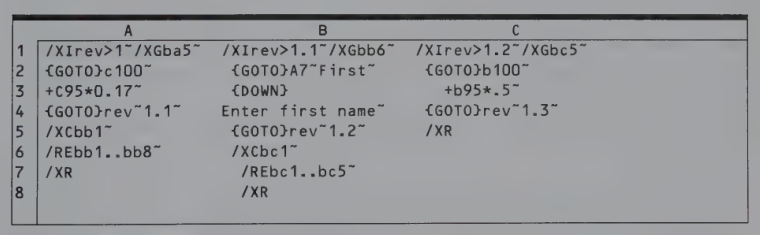
Lotus understood things could get hairy pretty quickly and added a debugging tool to help make sense of things. ALT-F2 enters STEP mode, which executes macros one line at a time. The status bar at the bottom of the screen explains what is being run, so when something goes wrong I know who to blame.
OK , are you ready to dig in and implement macros which simplify the queries and @DCOUNT procedure discussed earlier? <cracking knuckles>
Well, I'm not. <uncracks knuckles back to stiffness> The macro system has proven too complicated to feel any sense of control or mastery beyond Baby's First Macro™. With a couple of more weeks' study I think I could achieve my goal.
Read the original article

Comments
That's a beautifully written post. Almost like a book. I love it. Also, it made me notice that how much I missed the artistry of computer magazine ads. There was something magical with the experience of reading a computer magazine that I don't experience on any media anymore. Beautiful ads was part of that experience. How the tables have turned now.
That said, DOSBox's TrueType fonts threw me off. It looks great of course, but it's similar to listening to Synthwave: there are some familiar elements from the era it represents, but it still feels alien.
I first learned about spreadsheets on a TV show in Turkey[1] that I believed demoed Lotus 1-2-3, and my 10 year old mind was blown! What an elegant, unique, and flexible way to model computation! We take spreadsheets for granted today, but I think it's one of the greatest inventions in computing history.
> There was something magical with the experience of reading a computer magazine that I don't experience on any media anymore. Beautiful ads was part of that experience. How the tables have turned now
I think that’s a combination of information underload and longer lead times.
Information underload: back then, you have a new magazine, at best, every week, if you could afford to buy multiple or had access to a good library. That meant you were willing to spend time looking at ads, and they didn’t even have to look nice. Old Bytes had many more or less type-written ads, for example.
Longer lead times: if you published in, say, Byte or Dr Dobbs, which appeared monthly, your sales department had a month to prepare the looks of each ad (pricing for hardware likely would be filled in at the last moment). Nowadays, they could take that time, too, but they also could have one published in a few hours, create another tomorrow, pull the poorer performing one the day after tomorrow, etc.
If live is that frantic, can you afford to spend a week on an advert?
By DrewADesign 2026-03-1010:23 The lead time on a national magazine ad was usually longer than a month and they generally weren’t tied to a specific magazine’s publishing schedule— they were probably parts of longer thematic/strategic campaigns. They probably also appeared in trade rags for other tech-heavy (mechanical engineering) or tech-adjacent (finance) publications.
The real reason ads look shittier now is the marketing world shifted their investment from the ads themselves to ad targeting. You just don’t need to make great ads if you can shove them in the face of the most receptive people at the right time. It’s also not feasible to make a few great ads when your marketing team has 8 different approaches tailored to specific demographics in multiple languages.
By skeeter2020 2026-03-1013:57 >> back then, you have a new magazine, at best, every week, if you could afford to buy multiple or had access to a good library.
For me the lead time on my subscription was measured in months. My grandparents gave me an annual subscription from a very young age until they passed, that progressed chickadee -> owl -> popular mechanics -> compute's gazette. You used to have to wait maybe 6-8 weeks for your first issue, but at least you (typically) got the second issue in less than a month!
By ChristopherDrum 2026-03-1010:392 reply Thank you, I'm glad you enjoyed it so much. I do try to make the posts more than just "here's what the software did" otherwise someone could just crack open a manual and get the same impact.
I flip-flop on using TrueType in DOSBox-X for the blog. I know there is a "purity" element to retrocomputing in certain corners, and I do appreciate that. But since I'm confined to emulators, I guess I feel like I might as well take advantage of what they have to offer.
I really like that Turkish video. Do they mention the name of that particular spreadsheet?
By sedatk 2026-03-1023:32 > I know there is a "purity" element to retrocomputing
A sibling comment mentioned that TrueType fonts resembled old made-up screenshots, so it might hit a different retrocomputing purity in that sense. :) I wouldn't worry too much about it.
> Do they mention the name of that particular spreadsheet?
They call it "Çizelge" (pronounced "chi-zelle-geh") on the TV show. It's just Turkish translation of "spreadsheet" so, they probably use that name to avoid advertising the brand. I checked out the screenshots, it doesn't look like 1-2-3 or VisiCalc, so, Multiplan maybe? I couldn't find any Multiplan screenshots that looks exactly like it though, but it also has a command bar below the sheet. On top left, it says the Turkish translation of "BUFFER" which also seems characteristic feature of the app, but I couldn't find an exact match. On top right, it says "OTOHESAP" which means "AUTOCALC" which might be a clue perhaps?
I don't recall any Turkish spreadsheet software from the era, so I guess that must be one of those.
By bombcar 2026-03-1013:12 Does DOSBox allow you to swap between TrueType and "natural" without rebooting the VM? If so you could screenshot both options and have a toggle in the post.
The TrueType fonts might not look like the screen fonts, but weirdly, I think it works for this use because it reminds me of "screenshots" in books and manuals from the era which weren't in general literal screenshots but were often typeset mockups of screens from the programs.
By sedatk 2026-03-1019:07 That's a good point. I didn't think of looking at them like that.
By smackeyacky 2026-03-106:538 reply When I first started my career we were selling PCs into a market where two programs were major roadblocks to windows 3.0 upsells: Lotus 1-2-3 and WordPerfect.
If you were a legal secretary WordPerfect was near irreplaceable in a market where the user had transitioned from a typewriter only 5 years ago. Non technical users who has mastered mail merge in WordPerfect would rather beat you up and leave you in the gutter for dead rather than look at Word.
Lotus users were just as fanatical. It’s probably lost to the mists of time but Lotus could be had for Sun workstations and some users who hit the limit of MS-DOS with Lotus switched to that. It was nuts the things people built with that: prop trading in Lotus on a Sun? Why not.
I’d like to see this blogger do Lotus Notes but I suspect unless you’d actually seen the crazy that Notes developers went to you wouldn’t really understand why it elicited audible groans from pre sales staff when they heard the client was a big Notes user but “was running into problems”.
1-2-3 was damn cool though, Notes was written by devils simply to drive men mad.
By ChristopherDrum 2026-03-107:124 reply Author here. I'm not really sure how I could tackle Lotus Notes, as it requires also setting up a backend Domino server (IIRC). That level of enterprise setup strays from my purpose with the blog, as I'm evaluating the software with an eye toward modern-day usability. Maybe there's a simple way to make use of Notes that I don't know about.
When I was manager of a Macintosh network in the early 2000's, we were forced by corporate to use Lotus Notes. Not a single person enjoyed using it, and nobody on my team enjoyed servicing it.
By philipstorry 2026-03-1013:19 Yo. Firstly, thanks for the trip down memory lane - well written, engaging, fun. My mind is still stuck in those days even after finishing the article, as you can tell from my anachronistic greeting.
Secondly, as someone who spent 15 years working with Lotus Notes, I can assure you that you can run it standalone. Obviously it makes no real sense for a Groupware product, but it can be done. To the Notes client opening a database locally or on a mail server is largely the same.
The main issue is that people used Notes to communicate and collaborate. So you could just go creating new Address Books, Discussion databases, Document Libraries and so on, but what exactly are you proving with that? It's be like just firing up the Microsoft Mail client and only looking at the address book...
Whilst I'm aware that there's plenty in Notes that people didn't like, I do think that there are some gems hidden in there which it would have been nice to have kept. The Notes dialect of Rich Text had a couple of niceties (programmable buttons, collapsible/expandable Sections). The database engine itself was unparalleled at the time, and in some ways it still hasn't been bettered.
But the issue remains that you'd need to set up a Notes/Domino Server (depending on your version - 4.5 onwards it's called Domino), and a small network. And that's a ball-ache that nobody wants. It can speak IPX/SPX and NetBIOS, so it doesn't have to be as complicated as TCP/IP, but it's still a lot of prep work before you even get to start looking at the usage. :-(
That having been said, I was a Principal Certified Lotus Professional on the Sysadmin track for about three versions of Notes, from 4.6 to 6, and can definitely help if you ever did want to do that. Feel free to email me at phil [at] philipstorry.net if you're ever so lacking in subjects that you feel forced into this last resort.
When I worked at IBM in ‘98 Lotus Notes was the default email client for all employees - we referred to it internally as “Bloatus Goats” such was the disdain we had for it.
By kjs3 2026-03-1016:11 IBM was using Notes when they acquired us in the mid-2010s. There's probably still production pockets left.
By smackeyacky 2026-03-108:251 reply I am not sure triggering a mass trauma by reviving Notes is worthwhile either.
It would be hard to recreate the experience since it relied on a network to get the full experience. Instead of Notes maybe give Multiplan a go. Horrible Microsoft also-ran of a product but interesting to reminisce about.
By ChristopherDrum 2026-03-1010:49 At the end of my VisiCalc post I show the Multiplan ad that made Dan Fylstra nervous. It will eventually be covered, but not for a while.
By simonjgreen 2026-03-107:292 reply It runs out my brain had filed all Lotus Notes experiences away in long term archival and this comment has revived them like a burst damn of both promise and trauma.
The only other comparable stack of the era, maybe slightly later, would be MS Access. When you’d get a call from a prospective client who’d explain they had a member of staff leave and now nobody knows how the Access database works.
“Accidentally load bearing” is an apt term
By malthaus 2026-03-1012:39 your trauma is my happy memory - being a lotus notes admin/dev consultant during my studies made me live a very comfortable life as a student!
By smackeyacky 2026-03-108:26 Just imagine what AI is going to unleash. I can’t wait ha ha!
By davidjade 2026-03-1015:45 I wrote software for a company that did legal forms on a PC - used by those same users that mastered WordPerfect for DOS. Those users typically had lower powered PCs even as Windows was slowly gaining traction in the market. Lawyers were slow to upgrade to more powerful PCs when WordPerfect for DOS was their main use. I pitched that Windows was the future but my boss at the time, rightly so, argued that those users could not adopt it on the hardware they typically used.
The compromise was I developed the new software as Windows 3.0 apps and used a text-based rendering compatibility layer called Mewel that implemented the Windows API in text mode for single DOS applications. A few #ifdefs and I could compile for both Win16 and DOS Text mode. This not only allowed me to develop under Windows using the superior at the time Borland compilers, it gave the company a solid footing when the legal world finally came around and wanted Windows software - we had it finished already. Sales slowly transitioned to the Windows version and then it really took off around Windows 3.11 (Windows for Workgroups).
That company was later bought by Pitney Bowes because they were the only company with Windows compatible legal forms software for Windows. Performa (or was it Proforma - I can't remember) was the name of the software.
By muyuu 2026-03-1012:29 Back in 1995-1998 or so, Lotus 1-2-3 was the price of a mid-range computer and Wordperfect was about half that. People were seriously invested in them, in several ways.
I remember resisting myself as a kid the change from DOS to Windows versions of apps. Practically I was more productive with my memorised key combos and found it extremely annoying to switch. I also had an Amiga background that "workbench" and mouse point-and-click interfaces in general were meant for design and authoring applications but not for documents. Coming to think of it, I still feel this way - which perhaps is why I'm so naturally inclined to use stuff like vi(m)/emacs and tiled window managers.
By PaulHoule 2026-03-1013:19 I did a lot of study of Lotus Notes circa 2015 when I was thinking about a no-/low-code future. It is still ahead of its time when it comes to having a document database that supports merging but it's unthinkable that you'd build a system like that around email today as today an email system is 99% spam filter and 1% other stuff.
By gadders 2026-03-109:22 In the days before the web, when bandwidth between sites was limited, Lotus Notes was amazing.
It will beats outlook as a mail client in a lot of ways, such as having actual usable full text search.
By kjs3 2026-03-1114:05 Lotus users were just as fanatical.
They were, and Excel users are just as devoted if not more so. We had many people return their shiny new mac because Excel on MacOS is not exactly like Windows. And they were mad about it.
Lotus on a Sun? Why not.
How about 1-2-3 on SCO Unix. And Wordperfect. We had a salesrep (VAR) back in the day who made some scratch in the local legal market with the pitch "why give every secretary an expensive PC when you can buy one PC and a bunch of really cheap Wyse serial terminals". Our support folks came to really hate that guy (start at "you were using a typewriter 5 years ago...now you get to learn the Unix CLI" and it only got worse).
By eszed 2026-03-1018:18 No word processor has ever bettered WordPerfect 5.1.
I keep staring at this image, hoping we could go back: https://stonetools.ghost.io/content/images/2026/02/123_001.p...
Information density, no decorative UI elements distracting you from the content, and keyboard navigability.
Also, despite the CPU being 1000x slower, redraws were extremely fast. If they weren't quite fast enough, then the combo of deterministic keyboard nav and a reliable type ahead buffer meant the user could queue up a burst of actions from muscle memory.
By hliyan 2026-03-108:40 I still remember the original key combo to insert a row above the current selection, from nearly 30 years ago (Excel 95 I think): Alt A, I, A.
I love the menus. Autodesk Animator from 1989 also has menus where the first letter is always unique. Also buttons and some other UI elements. I did not remember that UI convention from back in the day, but when I experienced it recently it made me sad modern GUI applications are never that well designed. Maybe it used to be common?
Software designed before the mouse could be assumed (which was surprisingly late on the PC side; Windows before 95 didn't assume it at all) always had well-thought out keyboard shortcuts (some going so far as to have a printed piece of plastic you'd lay over the function keys or the entire keyboard).
By 1313ed01 2026-03-118:45 Animator pretty much required a mouse or tablet though and it was released late enough (1989) for PC mice to be common and certainly something someone would buy to use software like that. There is support for moving the mouse pointer using the arrow keys, but I can't imagine many were drawing much like that.
Keyboard overlays were probably even more common in the 1980's. The F-keys make a lot more sense when there is an overlay for the application you use. Memorizing what each Fn is for is no fun unless each key somehow map to something related to the number n.