If your computer has a screen and is on a network, you need to read this article. Why? More than a dozen network-centric user interfaces are coming to PCs and network computers (NCs) this year, from…
Bury the Browser
The appearance of two or three NUIs might be chalked up to coincidence, but an avalanche of NUIs signifies a major trend. The reason, of course, is networking. LANs have been around for more than a decade, but only in the past few years have data networks become nearly ubiquitous. In large- and medium-size corporations, 94 percent of desktop PCs are tethered to networks, according to Greg Cline, director of network integration and management research at the Business Research Group. Even on home computers and laptops, modems are virtually standard equipment, so practically everyone has at least intermittent access to a network. It's easy to see why GUIs are falling behind. Their original designers were trying to replace command-line interfaces with graphical views of the file system and OS. Their goal was to make it easier to manage a few megabytes of local resources. But today's users confront a virtual file system that's global in scope and adds up to terabytes. Rampant networking would be reason enough to add network-centric features to desk-centric GUIs. But there are six other reasons why it's time for something NUI: Executable content. Today's software is no longer just native and local. Instead it might arrive on the spur of the moment from a server machine located thousands of miles away. What's more, the "application" might be a live stock ticker or a news feed that your system automatically updates by polling a Web server. Legacy code. Programmers can't rewrite legacy applications overnight. So, all NUIs provide gateways to legacy programs and databases — often as Java applets that emulate legacy terminals. New users. Many new users concentrate on a few basic tasks and don't need a full-featured GUI any more than the average snapshooter needs a Hasselblad. Rethinking the GUI. Software engineers are reconsidering old assumptions and applying new knowledge. Some NUIs discard features that cause trouble for casual users, such as double-clicking, overlapping windows, hierarchical menus, and hieroglyphic button bars. Remote access. NUIs will make it easier for mobile workers to exchange e-mail, tap into corporate networks, and duplicate their desktop experience from remote locations. Changing work forces. NUIs can make it easier to share computers among workers by storing local state on a server, so users can access their personalized workspaces no matter where they log on. All NUIs have one thing in common: They try to make network resources seem as familiar as local resources. Of course, they can't hide the physical boundaries imposed by bandwidth limitations. A remote Web server will always take longer to access than an internal hard drive. But what a NUI can do is make those boundaries seem less abrupt. One way to do this is to present a universal, graphical view of all resources. Another is to integrate networking into common desktop operations rather than force users to launch special programs to perform tasks that are becoming routine. Over time, NUIs will absorb the functions of the separate client programs that are now required to use networks: Web browsers, newsreaders, FTP clients, e-mail clients, HTML editors, and more. Web browsers are the trophy target for this kind of integration because browsers have become the prime application in network-centric computing. Ironically, nobody is doing more to make browsers obsolete than the two leading browser vendors: Microsoft and Netscape. With Memphis, Microsoft threatens to make Navigator irrelevant by embedding Internet Explorer 4.0 into Windows. With Constellation, Netscape threatens to make Windows irrelevant by expanding its browser into a full-screen desktop that hides Windows behind a curtain. Microsoft appears to be going further than Apple, IBM, or any Unix vendor in remodeling its GUI. Memphis and Windows NT will implement a new Microsoft strategy called "Web PC" — the grand unification of the Web and the desktop. Soon Windows users will be able to navigate local disks and LAN servers by choosing an optional Web View that works like a Web browser, complete with single-click Forward and Back buttons and bookmarks. Or they'll be able to navigate Web sites with the familiar Windows Explorer instead of a browser. Folders on local disks and LANs can have "home pages" constructed with HTML, Java, JavaScript, VBScript, and ActiveX controls. Web content can appear in windows directly on the desktop or on the task bar, without a browser. In fact, the entire Windows desktop can be a Web page, and it can periodically update dynamic content by polling Web servers as a background task. Windows users will still be able to launch Internet Explorer 4.0 as a stand-alone application. But they will have less reason to do so (or to launch anybody else's browser) because it's so tightly integrated. In effect, Internet Explorer and the Windows Explorer will be virtually the same thing. What makes this possible is an ActiveX control in Internet Explorer that can display HTML, run Java applets, and work with other ActiveX controls. In version 4.0, that control now hooks directly into the OS. Microsoft has added another ActiveX control that allows the Windows Explorer to navigate local folders with a browser-like interface. Microsoft's Active Desktop turns the entire computer screen into a virtual Web browser. The idea is to replace static wallpaper and mindless screen savers with useful content. Your desktop could be CNN's home page, or a Web page you design yourself, or a page supplied by your company. You can even display multiple Web pages in separate floating windows. If any pages contain dynamic content, Windows periodically updates them according to a schedule that you specify. Users can also dock a Web page as a task bar. Like the existing task bar in Windows 95 and NT, it can remain always visible or hidden at the edge of the screen. It will be resizable to any size or shape, and Microsoft will provide a Software Development Kit that helps Web designers create special pages to fit the bar. The result of all these new features is that upcoming versions of Windows will have much tighter Web integration than any other OS (see the sidebar "What's NUI with OS/2 and the Mac"). It's more like "Doorways" than "Windows" because you're interacting with the outside world, not just looking at a screen. Yet Microsoft is retaining everything in the existing Windows GUI, so users don't have to abandon the familiar interface.Netscape's Star
Where does all this leave Netscape, the leading browser vendor? Although Windows users can install anyone's Web browser, nothing will be as tightly integrated as Internet Explorer 4.0. Netscape's response is to arrive at a remarkably similar destination by a completely different route: Instead of hiding the browser behind the GUI, Netscape is hiding the GUI behind the browser. Constellation is a NUI built upon what Netscape calls a "chromeless" browser. The desktop is a full-screen browser window, stripped clean of the usual menus, buttons, icons, and other widgets (the "chrome"). In effect, the browser is the desktop. Like the Active Desktop in Windows, Constellation is a container for displaying rich Web content without all the fuss and bother of a stand-alone browser program. Technically, as Netscape hastens to point out, Constellation does not replace Windows. It's not an OS, and it doesn't usurp machine-specific functions. Users still need Windows for fundamental OS services and to perform common system operations. For example, users must switch back to Windows to change settings in a Windows control panel. Constellation's desktop is called the Homeport. It's written in HTML, Java, and JavaScript, so it's cross-platform — Netscape says that it will run on 18 different OSes. (Through Navio, Netscape's subsidiary for consumer software, it will also appear on home video-game machines and Internet-enabled TVs.) Although Microsoft says the Active Desktop will also be cross-platform, it's so dependent on Windows APIs and ActiveX that sacrifices are inevitable on non-Windows systems. "Netscape assumes there will be greater [platform] fragmentation in the future, and Constellation is designed to take advantage of that fragmentation," says Mike McCue, Netscape's director of advanced technology. Location independence is another keystone of Constellation. By optionally storing the Homeport's state on a Netscape SuiteSpot server, Constellation allows users to log on from anywhere in the world and retrieve their personalized Homeport. For example, you could start a task on your PC at the office and finish it later on an NC in an airport lounge or hotel. Like the Active Desktop, the Homeport is a lively place where Web pages can appear in floating windows and on sliding panels. Microsoft allows you to dock Web pages on task bars; Netscape has Infoblocks (pagelets written in HTML and JavaScript) that dock in a similar fashion along the edges of the screen. Dynamic content changes automatically, thanks to Marimba's Castanet Tuner and PointCast, a pair of Web "push" clients built into Constellation. (Netscape prefers the more accurate term smart pull.) Although there's room in the world for both the Active Desktop and Constellation, Netscape will fare better if the platform fragmentation it anticipates happens soon enough to matter. For now, Windows rules the desktop. Sheer inertia could keep Windows users from adopting Constellation, especially since both NUIs bring a similar experience to the screen.NUIs for NCs
Microsoft's dominance over desktop PCs is encouraging other developers to explore less competitive markets for their NUIs. The most promising alternative is the NC — by definition, a computer designed for network-centric computing. It's a wide-open frontier almost entirely devoid of Microsoft, although that's beginning to change, due to Microsoft's NetPC initiative, its recent acquisition of WebTV Networks, and hints that a future version of NT may include multiuser extensions. (See "Cheaper Computing," April BYTE.)
Not that NCs haven't attracted major players. IBM, Lotus, Oracle, SCO, and Sun are all introducing NUIs for NCs this year. But there's room for smaller firms, such as TriTeal and Ulysses, to sneak in, too. NUIs for NCs tend to be simpler than retrofitted GUIs for PCs. They typically include a suite of small applications for workers who focus on a few basic tasks — which is appropriate, considering how organizations are likely to deploy NCs. They supplement those programs with Java, including applets that open gateways to legacy programs and databases. And they wrap everything together in a simplified interface that's easier for new users to learn. "The majority of people in the world have never seen either the Macintosh or the Windows look and feel," says Douglass Wilson, the architect of Lotus's Kona Desktop. "We're aiming for a much broader market of corporate and home users who may never have seen any kind of GUI before." Oracle and IBM are writing their NUIs in CPU-specific native code for maximum performance on low-cost microprocessors. Oracle's NC Desktop targets the Intel x86, the ARM 7500FE, and the Digital Equipment/ARM StrongARM processors. Those are the three CPUs that are supported thus far by Oracle's NC reference platform, a specification licensed by Network Computer, Inc. (NCI), an Oracle spin-off company. IBM's still-nameless NUI targets the PowerPC 403 chip (an embedded version of the PowerPC 603 without an FPU) inside the IBM Network Station. Other vendors wrote their NUIs in Java, so they'll run on any system with a Java VM. That cross-platform compatibility comes at the expense of performance, although just-in-time (JIT) compilers and future Java chips will narrow the gap.Sun Reinvents the GUI
Sun has probably spent more time rethinking the GUI than any other company. At JavaSoft (Sun's Java spin-off), designers Frank Ludolph and Don Gentner have analyzed what's right and what's wrong with every GUI from Windows to the Mac. It helps that Ludolph worked on the famous Alto project at Xerox's Palo Alto Research Center (PARC). Their innovative NUI for Sun's JavaStation, HotJava Views, tries to undo the complexity that has crept into GUIs since then, but without sacrificing too much flexibility. Nothing is sacred to Ludolph and Gentner. The first thing they jettisoned was the menu bar. Menus — especially hierarchial ones — confuse new users with too many hard-to-find options, they argue. They boiled down the most essential operations into a few choices on a button bar. Another substitute for menus is the Selector, a large task bar anchored at the left side of the screen. There's no need for a File menu with Open, Close, Save, Quit, and Exit commands. To users, all applications appear to be running all the time. They switch among them by single-clicking on icons. Standard applications include MailView (e-mail), CalendarView (group scheduling), WebView (a browser), and NameView (directory services). Administrators can add more Java applets and applications to the Selector. When users switch tasks, the OS automatically saves the program's state on a server. When users return to a program, the original document appears just as they left it. HotJava Views also does away with resizable, overlapping windows — a central metaphor in conventional GUIs. Instead, applications always run full-screen. This eliminates the confusion some users experience when a foreground window suddenly disappears behind another window. (Did the window close? Where did it go? How do I get it back?) Future versions of HotJava Views will have fancier features: pop-up menus and sliding panels that appear along the edges of the screen. The pop-up menus are context sensitive, appearing only when users need them. The sliding panels are drawers for docking Java applets and displaying dynamic information downloaded over networks. Because the OS always preserves the NC's state on a server, users can access their customized environments and applications from any networked computer that's running HotJava Views.Oracle: Better than Brand X
The software engineers at Oracle's NCI are taking similar liberties with long-held concepts. Their NUI, NC Desktop, bears a resemblance to HotJava Views and strives for the same kind of simplified interface. The foundation of NC Desktop is NetBSD (a public-domain Unix kernel) and X11R6 (the latest release of the X Window System). NCI selected those components because they are free, well documented, thoroughly tested, and easy to port across different CPUs. However, NCI borrowed only the lightweight presentation layer of X, not the network graphics model. While X terminals rely on hosts to project graphics over a network, NC Desktop renders all graphics locally on the NC. This greatly reduces network loads. Another adaptation is that NC Desktop uses X only to display root windows and other basic screen elements. Inside the windows, the OS displays all documents in HTML. In effect, HTML is the standard display mechanism, somewhat like Display PostScript in NextStep. To support this, the OS has an HTML parser and converters for standard file formats, such as GIF, JPEG, MPEG, TIFF, AVI, AU, QuickTime, and Real Audio. There's also a Java VM and a JIT compiler. Like HotJava Views, NC Desktop has a suite of miniapplications represented by icons on the left side of the screen. There's a Web browser, an e-mail client, an address book, a scheduler, a text editor, and a file manager. In the current incarnation of NC Desktop, Java applets always run inside the Web browser. Stand-alone Java applications run on the desktop, just like native applications. At the bottom of the screen, an optional marquee displays streaming information (e.g., stock tickers and news feeds). Again, the goal is to bring dynamic information directly to the attention of users as soon as it changes rather than require users to manually browse for it.Legacy Gateways
IBM, like Oracle, derived its NC-based NUI from a Unix kernel, wrote additional layers in native code, and added a Java VM. Given IBM's background in enterprise computing, it's no surprise that Big Blue paid special attention to making its NUI work with legacy systems. Native-code terminal emulators can simultaneously connect IBM's Network Station to multiple hosts. Users can remotely run 3270/5250 "green-screen" programs, Unix character-based programs, Unix Motif applications, or any Windows software. Other NUIs can do similar tricks with Java-based solutions, such as SCO's Tarantella and Symantec's dbAnywhere. SCO is wrapping its Tarantella applets together with a simple NUI called the WebTop. It's a collection of HTML pages and applets that makes it easier for users to access legacy systems from a Web browser. Lotus is writing its NUI, Kona Desktop (not the final product name), in Java. Like Netscape's Constellation, Kona is basically a full-screen browser that enables users to launch native applications as well as Java applets. Although Lotus is still tinkering with the look and feel, Kona will probably have a static task bar on the left side of the screen (like HotJava Views and NC Desktop), no overlapping windows (like HotJava Views), and panels that display dynamic information (like virtually all NUIs). A ribbonlike "pager window" will allow users to send and receive brief messages. Kona's built-in applications, like those in HotJava Views and NC Desktop, are simplified versions of the full-powered application suites that run on PCs. "These are lightweight versions of the applications in our SmartSuite," explains Kona architect Douglass Wilson. "They're aimed at the 80 percent of users who need 25 percent of the features. You wouldn't give this spreadsheet to a financial analyst — he'd probably need 1-2-3 or Excel — but you might give him this word processor." Ulysses Telemedia, a dark-horse contender, is developing another Java-based NUI that blends the appearance and behavior of popular GUIs, such as Windows 95 and Motif. Ulysses' VCOS looks familiar to anyone experienced with PCs, but it subtlely changes the desktop's look and feel. TriTeal's SoftNC has a control panel that lets users select from three different styles: Windows 95, Unix/Motif, and the Unix Common Desktop Environment (CDE). The entire desktop instantly changes when you select an option, because SoftNC has a unique mechanism for changing its interface on the fly (see the sidebar "Morphing a NUI with SoftNC").New Clients, New Users
Experienced PC users might find some of these NUIs too limiting — but then, NCs weren't designed for them. Just as NCs extend the client/server model to new types of client devices, the NUIs on NCs will extend computing to new kinds of users. For half a century, computers have been evolving from solitary computational machines into smart communications devices. The hardware and the networks are finally coming together. Now it's time for the software to catch up — and it will change your screen forever. Apple Computer Cupertino, CA Phone: 800-776-2333 Phone: 408-996-1010 Internet: http://www.apple.com/ IBM Corp. Austin, TX Phone: 800-426-3333 Phone: 914-765-1900 Internet: http://www.internet.ibm.com/computers/networkstation/ Lotus Development Corp. Cambridge, MA Phone: 800-343-5414 Phone: 617-577-8500 Internet: http://kona.lotus.com/ Microsoft Corp. Redmond, WA Phone: 800-426-9400 Phone: 206-882-8080 Internet: http://www.microsoft.com/backoffice/sbc/sbc_summary.htm#top Netscape Communications Mountain View, CA Phone: 800-638-7483 Phone: 415-254-1900 Internet: http://www.netscape.com/comprod/tech_preview/../bytelink.html Oracle/NCI Redwood Shores, CA Phone: 800-633-0596 Phone: 415-506-7000 Internet: http://www.nc.com/ The Santa Cruz Operation Santa Cruz, CA Phone: 800-726-8649 Phone: 408-425-7222 Internet: http://tarantella.sco.com/ Sun/JavaSoft Mountain View, CA Phone: 415-960-1300 Internet: http://www.javasoft.com/ TriTeal Corp. Carlsbad, CA Phone: 800-874-8325 Phone: 619-930-2077 Internet: http://www.softnc.triteal.com/ Ulysses Telemedia Minneapolis, MN Phone: 612-359-0870 Internet: http://www.ulysses.net/
| Constellation | HotJava Views | Kona Desktop | Memphis / Active Desktop | Mac OS 8 | NC Desktop | Network Station | |
|---|---|---|---|---|---|---|---|
| Vendor | Netscape | Sun / JavaSoft | Lotus | Microsoft | Apple | Oracle / NCI | IBM |
| Hardware platform | Cross platform | Cross platform | Cross platform | x86-based PCs | Macintosh | NCs* | PowerPC |
| NUI code base | HTML, JavaScript | Java | Java | Native code | Native code | Native code | Native code |
| Application software | Native, Java | Java | Native, Java | Native, Java | Native, Java | Native, Java | Native, Java |
| Can run legacy apps† | Yes | Yes | Yes | Yes | Yes | Yes | Yes |
| Includes Java VM | Yes | Yes | Yes | Yes | Yes | Yes | Optional |
| Intros a new UI | Yes | Yes | Yes | Partly | Partly | Yes | Partly |
| Includes web browser | Yes | Yes | Yes | Yes | Yes | Yes | Yes |
| Runs Java on desktop | Yes | Yes | Yes | Yes | No | Yes | Yes |
| Stores state on server | Yes | Yes | Yes | Optional | No | Yes | Yes |
| Release date | June 1997? | March 1997 | Summer 1997 | Late 1997 - early 1998 | Summer 1997 | Sept 1997 | Sept 1996 |
†So-called legacy applications include IBM 3270 and 5250; DEC VAX/VMS; Unix character-based programs; the X Window System; and Microsoft Windows.

| OS/2 Warp 4 | Bluebird | Rhapsody | SoftNC | Tarantella WebTop | VCOS | |
|---|---|---|---|---|---|---|
| Vendor | IBM | IBM | Apple | TriTeal | SCO | Ulysses |
| Hardware platform | x86-based PCs | x86-based PCs | Power Macs | Cross platform | Cross platform | Cross platform |
| NUI code base | Native code | Native code | Native code | Java | HTML, JavaScript | Java |
| Applications software | Native, Java | Native, Java | Native, Java | Native, Java | Java | Java |
| Can run legacy apps* | Yes | Yes | Yes | Yes | Yes | Yes |
| Includes Java VM | Yes | Yes | Yes | No | No | No |
| Intros a new UI | No | Optional | Yes | No | No | Yes |
| Includes Web browser | Yes | Yes | Yes | No | No | No |
| Runs Java on desktop | Yes | Yes | Yes | Yes | No | Yes |
| Stores state on server | No | Yes | Optional | Yes | Yes | Yes |
| Release date | Sept 1996 | Summer 1997 | Early 1998 | Fall 1997 | Fall 1997 | June 1997 |


This composite screen shows some features from a dozen different NUIs.
NUIs improve the way users interact with computers and networks. Instead of manipulating direct representations of disk drives and directories, users navigate local and remote resources with browser-like tools and hyperlinks. NUIs will make it easier for IS departments to customize and manage desktops throughout their organizations. And because most NUIs can store the desktop's state on a server, users can log in from any machine and feel at home.
Microsoft's Active Desktop

Microsoft's Active Desktop embeds Internet Explorer 4.0
into the OS to add network-centric features to Windows.
1. Web pages can appear on the desktop without a browser.
2. Users can still launch a stand-alone Web browser, but it's no longer necessary.
3. Web content on the desktop can include dynamically updated information from "push" services, Java applets, and ActiveX controls.
4. Instead of wallpaper, the entire desktop could be a Web page (not shown).
5. Web servers can display pages or scrolling marquees on the task bar (not shown).
6. Users can browse remote or local resources by entering URLs or directory names here.
Netscape's Constellation

Netscape's Constellation runs on almost any platform
and hides the native OS's GUI behind a NUI.
1. Constellation is written in HTML and JavaScript, so organizations can customize its appearance on intranets.
2. Hyperlinks to Web pages can appear directly on the desktop.
3. Icons that link to local native applications and documents can also appear on the desktop.
4. Pop-up windows allow users to search network directories for e-mail addresses and phone numbers.
5. This sliding window is a task bar containing hyperlinks to documents, applications, and other resources.
6. The Constellation desktop is actually a full-screen Web browser (Netscape Communicator) stripped of its usual buttons and menus.
Oracle's NC Desktop

Oracle's NC Desktop runs natively on NCs with x86, ARM,
and StrongARM processors. The x86 version also runs on PCs.
1. Switch applications by single-clicking on the task bar.
2. The scheduler is running in the foreground, while the address program runs in another window.
3. A button bar controls the scheduler.
4. An optional scrolling marquee displays information automatically downloaded from servers.
5. The OS renders all documents as HTML.
Sun's HotJava Views

Sun's HotJava Views runs on Sun JavaStations
or any system with a Java Virtual Machine.
1. The Selector is a task bar for switching applications.
2. CalendarView is the group scheduler.
3. Applications always run full-screen.
4. Buttons replace menus.
IBM's Network Station

IBM's Network Station has a NUI written in PowerPC-native code.
It emphasizes connectivity to legacy applications and data.
1. Terminal emulators are running "green-screen" applications on mainframes.
2. Another terminal program displays a Motif program running on a Unix server.
3. The Web browser.
4. A server-hosted Windows application.
TriTeal's SoftNC

TriTeal's SoftNC, written completely in Java,
can instantly change its look and feel to mimic three classic GUIs.
1. The control panel selects among Windows 95, Unix CDE, and Motif styles.
2. Users can maintain four independent desktops and switch among them by clicking on this panel.
3. The file manager resembles a Web browser.
4. Users can launch Java applets or native applications on the desktop.
Tom R. Halfhill is a BYTE senior editor based in San Mateo, California. You can reach him at thalfhill@bix.com.
Copyright 1994-1998 BYTE
Read the original article

Comments
This reminds me of ByzantineOS [1] - a small linux distro based on LFS released in 2003 that was using Mozilla browser as the interface.
[1] https://distrowatch.com/table.php?distribution=byzantineos
By anthk 2024-03-0310:39 It had an SNES emulator if I can recall it.
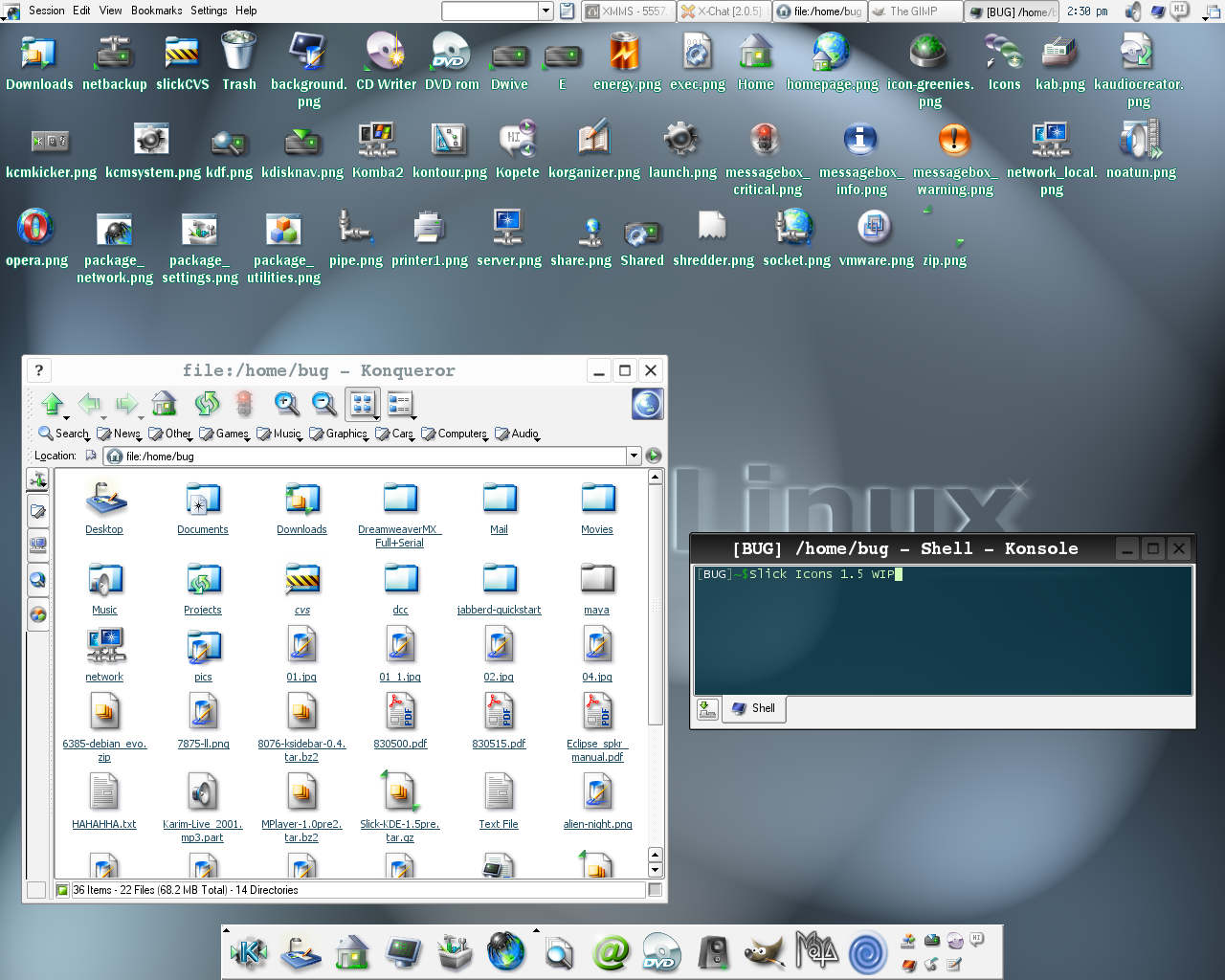
Also, the icon theme was KDE3' Slick, my favourite ever.
https://images.pling.com/img/00/00/00/04/01/1120374/732-1.jp...
An interesting compilation of buzzwords of that time. Ultimately, almost none of them stuck to the walls. I wonder if today's AI hype will look the same in 27 years?
By creshal 2024-03-0314:57 > I wonder if today's AI hype will look the same in 27 years?
If the AI hype from 37 years ago is any indication (fuzzy logic on lisp machines, anyone?): Yeah. 99% of the buzzwords will be dropped because they're empty, and the remaining 1% useful ideas will vanish into the background and see continued use under new names, because they won't be sexy enough any more to be called AI.
My first year of computer science (or any university course) was in 1997. I had used a Commodore 64, Sinclair ZX81, etc in the 80s, then a break in Junior High and High School, and for several years after that, and gotten back into computers as a hobby in the mid-90s. For health reasons, I could no longer work as a cook, had been learning C from K&R's book to make it easier to build ray tracing animations, and decided to go to university for it (I had some money saved up by virtue of having no free time or social life).
I sat down a to a Sun workstation that was described as a "thin client". This was slicker than my Linux system at home (which I mostly ran as a terminal using Lynx or something to browse the web) and featured the Sun browser and blinding fast Internet. Since I was using dial up at home, this was pretty intense.
Yes, I believed the future was thin clients, web browsers for everything, and that hyper-connected devices were just around the corner. It seemed totally reasonable to me that every system would be like a Chromebook. You sit down, login, and your "system" is waiting for you just as you left it the last time you used it whether it was here, or across the world. I also imagined this experience working on your watch (I imagined a bigger watch - we had watches that you could watch TV on in the 80's - a kid in my school had one) or on what I imagined were inevitable table-top and wall sized monitors that I assumed would be ubiquitous in 10 years (surface hub comes to mind).
So this was a popular vision and one that is kind of realized today although not all the way and not quite in the way "we" (people I was reading, talking to, and hoping to become) imagined.
By mkup 2024-03-0314:47 So today we have Google accounts suspended by corporate bots (on the grounds mostly based on output of /dev/urandom), and I wonder (looking at the sales pitch of these ideas in 1997): are we NUI yet? And if yes, can we have our GUI back please?
Frankly, idea of mainframe is much older, and never really appealed to me. I prefer a kind PCs where P is for 'personal'.
> I sat down a to a Sun workstation that was described as a "thin client". This was slicker than my Linux system at home (which I mostly ran as a terminal using Lynx or something to browse the web) and featured the Sun browser
I wonder if that was a JavaStation?
By bzzzt 2024-03-049:59 I don't think so, that thing was dog slow due to its Java based OS and I can't associate it in any way with the word 'slick' ;) Sun workstations without disks were also often used as thin clients. It was quite simple to boot them from the network and use an NFS root or use them as a graphical terminal.
By romusha 2024-03-0313:31 27 years? Try 5 years
By f1shy 2024-03-0313:16 My opinion: yes, absolutely. 99% at least. That 1% thou…
What this article really predicated is GUI apps delivered via a web interface, which we definitely have in spades. Web components and tools like Electron have allowed "GUI" apps to become inseparable from web apps. Photoshop now runs in a browser, which would have been considered impossible at the time of the article and was, in fact, impossible until fairly recently.
The terminology didn't stick, but the idea certainly did. I think it's safe to say that more people run software delivered by a browser, over the web, than run desktop applications today. And even those who use desktop apps do a very significant portion of their work with browser-based apps.
The article explicitly called for native networked apps (Java-based, or activex based, e.g.) to bury the browser, because browsers can't be offline-first and can't be dynamic enough.
In the end, the opposite happened: After a brief profusion of native network UIs experimenting with new kinds of dynamism, browsers just absorbed their features until all other network UIs were dead.
And hopefully now we keep going on the (still slow) uptake on the local-first software [0] paradigm.
By creshal 2024-03-0314:59 Killing flash, activex and java applets was definitely worth prioritizing.
By wavemode 2024-03-0315:51 > Photoshop now runs in a browser, which would have been considered impossible at the time of the article and was, in fact, impossible until fairly recently.
It was possible in the age of applets. But applets were just the wrong technology at the wrong time.