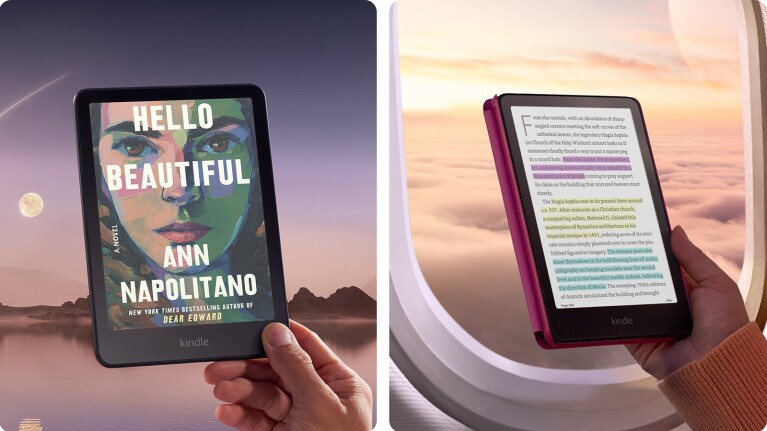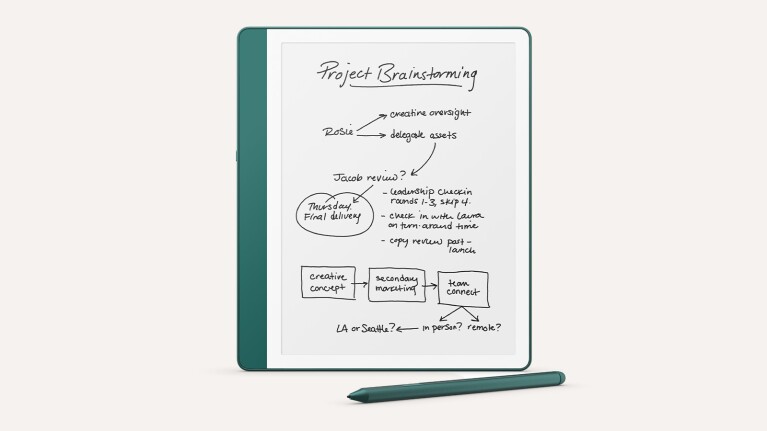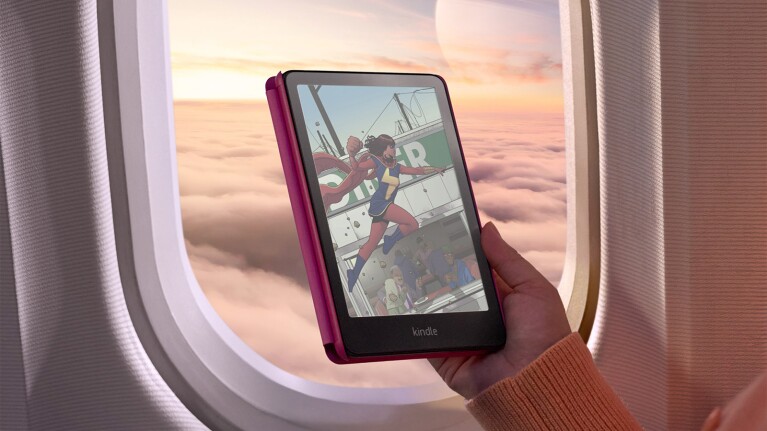


Our e-reader lineup also features a reimagined Kindle Scribe and the fastest Kindle Paperwhite ever.


1 / 3
I own a Kindle Paperwhite (last gen, relative to this new one) and a Kobo Clara BW (purchase in the last 6 months). IMO, the Kindle is the premium e-reader when it comes to look and feel. It's just a fantastic experience. The issue is Amazon and how even if you want to put your own purchased ebooks on it, you have it send it through their servers. That tied with a few other privacy issues over the years led me to also get a Kobo.
The Kobo can run in a fully offline mode (called "side-load mode" or something like that) and I can transfer my ebooks directly via USB. I use the Kobo most of the time now since most of my reading lately has been independently published ebooks, but I still use the Kindle for books I purchase via Amazon directly.
With all that said, I personally think the Kindle Paperwhite is already the perfect size. It fits snuggly in my back pocket and strikes the perfect balance between screen size being large, but not too large to hold for my average male hands. I'd be a bit concerned about the size increase for my personal use case, but Amazon does a great job with the Kindle in general so I'd like to see some reviews.
As for the new Colorsoft, I'd really like to see some reviews. The color Kobos that came out earlier this year got some mixed reviews for colors, but I'm not sure if that's just the nature of color e-ink or not.
> The issue is Amazon and how even if you want to put your own purchased ebooks on it, you have it send it through their servers.
You can sideload your books over USB too, using Calibre for instance.
I own a few Kindle models and a Kobo Forma as well. The Kindles do have some quirks and bugs (e.g., disappearing books, issues with sideloaded fonts…). But my Kobo Forma’s battery completely died after a couple years of usage, and the device became completely unreliable. After that experience, I’ve resigned myself to live with the Kindle’s problems.
My Kindle had this "bug" where my side loaded books randomly disappear. As a workaround, I have to keep it in flight mode at all times. Not a big issue since that’s what I would do anyway, but in case my Kindle would break, I wouldn’t think long to buy an alternative
This happend to my kindle to! After keeping in in flight mode for years I put it online again in order to buy a few new books from the kindle store, poof suddenly my entire library of side loaded books was gone, with progress and everything. I could see random metadata files related to the books on the drive, be books was gone. Super annoying as many of the books I didn't have locally anymore and to loose the "archivement" of finished books sucks big time. I can see this may be implemented by amazon to counter piracy, but alot of these books was perfectly legal. So the result of this is that I will never put my kindle online again and just stop buying from the Kindle store.
Keep mine in Aeroplane mode. Download books I buy on Amazon directly from amazon and drop them into calibre. Amazon doesn't get to touch my Kindle ever.
Thinking hard if I ever want to get another Kindle when Amazon can just screw around with what I put on my Kindle ...
I just email epubs (as .txt) to my kindle's email address and they show up on the device in a couple of minutes. Never had any books just vanish.
I find it easier than converting to Kindle format and then copying over USB.
Why email epubs as txt? You can just email the epubs. I do it every day.
Same, though I don't think it is going to help Amazon the way they hope it does. I moved books over to my kindle and had it nuke my humble bundle collections when I added a purchase from Amazon. I've not connect it again until I figure out how to backup and restore MY metadata.
Won’t help with restoring metadata, but if you add books by using the “email to kindle” feature it will keep them in your library through syncs
I had an issue exactly like this with my iPad.
This actually happened to me after connecting to wi-fi but there is a workaround that I found:
Convert your book to .azw3 in Calibre
Instead of sending it to the device in Calibre, locate the azw3 file (Right click -> Open book folder).
Copy the file to your Kindle, but not to the "documents" folder (where Calibre usually puts it) but rather into Downloads->Items
This folder is where books go when you buy them from Amazon or receive them after using the Send to Kindle feature. I have only tried this with azw3 so far but it might also work with .mobi format.
You’re lucky. I’ve seen books disappear from my Kindle even in flight mode. I wonder what is behind such a persistent bug.
> I wonder what is behind such a persistent bug.
At what point do we stop giving the benefit of the doubt that it's a "bug"?
i'm not really sure what benefit you think they're gaining by breaking the less convenient, less user-friendly way to sideload books.
They're perfectly happy to let you email books to the kindle that you bought at other stores (or stole), as well as sync your progress with those books, backup those books to their servers, and generally have the full reading experience with all the benefits of the kindle ecosystem even if you didn't buy the book through kindle. If they didn't want to encourage the use of third-party files, surely they'd make it more difficult than a bug that randomly deletes books off some people's kindles sometimes.
The benefit (or potential gain) is that some people will just buy the book from the Kindle store to avoid the pain. I've seen that happen first-hand to my wife.
Also by emailing books or loading through their servers, they can still track and get that sweet sweet data/metadata that Amazon thrives on. When you sideload, you don't even have to connect it to the internet, which makes analytics more challenging.
okay, but this all still seems like a needlessly complicated conspiracy theory.
if they want people to buy books from their store, why do they make it so easy to not buy books from their store?
bugs happen. not every bug is part of jeff bezos' nefarious plan.
It doesn't have to be a nefarious plan to put the bug in, but once it's there, it's guaranteed to be in the very bottom of the backlog to fix it.
You make an interesting point. Maybe facilitating the usage of sideloaded books is not among Amazon’s priorities. Yet I don’t know how much of that comes from malice rather than simply negligence or lack of interest.
It’s directly against their priority of influencing you to only purchase ebooks through their monopoly. Whether anti-competitive, anti-user practices are malicious or just a consequence of capitalism run wild, I don’t think there’s much of a difference
Most likely, it is something they don’t test because it isn’t officially supported.
Out of all the devices where having a physical airplane mode switch would be nice, I'd put the kindle pretty high up. Kinda sucks having a battery that lasts ~45 days in airplane mode, and like a week and a half when I forget to turn it off.
Since the kindles with 3G have disappeared, the need for airplane mode for actual airplane use is a lot less though. Where I am most airlines permit WiFi use and even offer it themselves in flight. Only mobile network connections still have to be switched off.
Airplane mode is mostly a power-saving feature, because WiFi drains the battery pretty hard. As others said, leaving wifi on will kill your kindle in a week or so, whereas it can go on for months without it.
That's not my experience. My kindle paperwhite (latest version until yesterday) lasts at least 3 months with WiFi on. I never turn it off.
Rather than a physical switch just for that, why not a few reminders in the UI if one keeps the airplane mode off for a certain amount of time?
I basically always keep it offline, pushing updates via usb-c
I recently picked up a refurbed Kobo Forma, and I absolutely love the device -- with the caveat that, like you mentioned, the battery has been completely unreliable.
Multiple times I have picked up the device to find it completely dead, while it was at full battery less than a day ago. I haven't quite narrowed down the cause yet -- since I did install KOReader and Nickel right after getting the device, it's not running stock software, so I'm not certain if the issue is hardware or software related.
It definitely seems to be doing something in sleep mode that's draining the battery, even with wifi turned off. This really shouldn't be the case -- I'd expect close to 0 power being used when not actively refreshing a page. I've recently turned to mitigating the issue by setting the device to turn off completely after an hour... which is not ideal, but having to wait for the thing to boot up is definitely preferable to waiting for it to charge.
It's annoying because otherwise this thing is pretty close to perfect for me -- the form factor is excellent, extremely lightweight, and I can connect to my Calibre-web server and download any ebook I have on demand. I'd seriously consider buying an extra one to crack open and install my own battery if I knew that would fix the issue.
Edit: Lastly, I have a sneaking suspicion that "refurbished" does not mean "replaced with a new battery", which, honestly, should probably be illegal to advertise a device that way vs "used".
My biggest problem with the Forma is that, even when completely turned off, the battery dies and refuses to charge for days on end. One day, the device says it is charged to 100%; the following day, it dies without an apparent reason. I’ve calibrated the battery many times, but the issue remains. I agree that if it didn’t happen, the device would be excellent.
> But my Kobo Forma’s battery completely died after a couple years of usage, and the device became completely unreliable. After that experience, I’ve resigned myself to live with the Kindle’s problems.
Funny that I got the exact same issue but with Kindle instead. I swore I would never buy a Kindle again https://x.com/_paulmairo/status/1453485148490674177
Sorry, you're absolutely right. The overhead of it was more than I cared to do (needing to use Calibre instead of a drag and drop of a file), especially since Amazon would then report my newly loaded books back to themselves. That's the part that I really didn't like.
Shame to hear about your Kobo's battery. FWIW, they have great repairability (in newer models at least). That said, the Kindle's battery does smash the Kobo's in my experience as well.
You can drag-drop the file from the file explorer, at least on my Kindle (2022). I think the OP mentioned Calibre because sometimes you need to convert the file for Kindle if you have a bespoke format.
FWIW epub is the standard almost every ebook reader supports. AZW3/KFX is the Kindle-only format you mean.
Whenever I’ve converted books to mobi in Calibre it seems they fall back to a slightly worse experience - using “location” markers instead of real page numbers as official Kindle books display, cover art is tricky to get working on the lock screen, etc.
Is this a poor Calibre configuration or are there real limitations to reading books side-loaded on Kindles?
It’s been a few years since I’ve had to do this, but I think that (at least back then) Calibre defaulted to MOBI for the conversion. However, you could manually select KF8 (AZW3), which is essentially EPUB with a different file extension.
You sideload them as epubs and they're fine on my Oasis at least. Calibre does a good job of fixing metadata like covers.
You can find Calibre plugins to convert the books to KFX, Amazon’s native format. There’s also a plugin to recover actual page numbers rather than loc markers in the books. It’s not very intuitive, but it’s doable given the options Amazon gives us.
Why do you need a few Kindles and also a Kobo? Are you keeping them in different places and don't move them? I only have the first Paperwhite which I carry along, it's 11 years old already and it still does the job. The battery keeps up and I was probably lucky to not have noticed any hiccups.
I read several types of books, multiple hours per day: reflowable fiction books, PDFs, books generated from my Markdown notes… I’ve got a Paperwhite, a Scribe and a Kobo Forma, but I’m still searching for the perfect e-reader.
The Paperwhite is too small for PDFs, but great for fiction and portability. The Scribe is excellent for PDFs, but it makes my books disappear sometimes, and it does not work well with sideloaded fonts. The Forma is a middle ground in terms of portability, but its battery died after a couple years and nowadays I only use it near a power outlet.
I use a combination of a Kindle Paperwhite Signature for novels and mainstream books. THen I use a Remarkable Tablet for PDFs, research papers, my own notes, etc.
I find it to be a good combination. Like you said, the paperwhite is amazing for laying in bed at night (really like the backlight) or on the couch or traveling to read. But it is too small for PDFs or serious notetaking. The Remarkable is perfect for those things. The remarkable also gives you full control over your files to do whatever you want. You can connect it to Google Drive, Dropbox, OneDrive, etc and/or just manage files directly on device (plug it in via usb-c and it shows up as a USB mass storage device).
The two tools compliment themselves nicely. Just my 2 cents.
Similar 2-device story here. Love my Kindle Oasis for reading books, and rely on my reMarkable 2 tablet for writing / notes -- driven by a hyperpaper-based daily planner (its navigable pdfs are a game-changer).
My wife is a pretty voracious reader and has 3 active Kindles that I believe are mostly segregated out by genre/collection. I wouldn't be surprised if this is as much for convenience as anything else, I don't use it much but Amazon's library management and navigation on the Kindles has never impressed me.
She's also one of those folks who sideloads with Calibre as well as purchasing through Amazon.
I think you just naturally end up with that because the things appear indestructible. The first ever kindle I bought (dunno how long ago, it was before paperwhite, so more than 11 years) still works without issue. Even retains all the music I put on it 14 years ago when it was still an experimental feature.
I think the only thing that has been discontinued is the free 3G internet all over the world that they apparently figured was too expensive.
I _loved_ my Kindle Voyage for its adjusting backlight and glass display.
I wish it were less destructible! I upgraded to a Paperwhite (2021) when the Voyage's power button broke. Water resistance is nice, but having to get the "signature" edition for a light sensor and an easily scratched plastic display is quite disappointing.
So you got one bad battery and you decide to ditch their devices? Seems weird. Fwiw I have an 11-year old Kobo that's still going strong lol.
Opted for a pocketbook this time though. Physical buttons and small 6-inch form factor? And respect for your privacy? Count me the fuck in!
I decided to ditch their devices because of the support I got — or lack thereof. First they refused to talk to me, because, for privacy reasons, my device was unregistered. I ended up registering it, and even so they offered just a 10% discount on the purchase of a new device.
Sadly, Amazon’s support is not far behind, considering its inability to fix certain persistent Kindle bugs. But I’ve never seen the hardware itself fail.
If it makes any difference (although I fully agree it does not excuse past bad behavior), for the current gen devices, Kobo has partnered with iFixit to offer user serviceable parts and guides, including replacing batteries [0]. Although iFixit has had partnerships in the past that have fizzled, as long as user-repair is pretty easy, things like batteries are probably generic enough that they can be sourced even if Kobo doesn't end up sticking with it. If the screen fails though, then yeah, you'd better hope they have committed to maintaining stock of OEM parts, which, even with an iFixit partnership, is in no way guaranteed.
That’s news to me, thanks for the information! I’ve considered replacing my Kobo’s battery, but the issue seems firmware-related, so I never thought it was worth the hassle.
I had a kindle that died. Amazon support was top notch
> IMO, the Kindle is the premium e-reader when it comes to look and feel. It's just a fantastic experience.
Interestingly, I switched from Kindle to Kobo because it was lacking various basic features that made it not feel premium.
* Kobo epubs can show "pages in chapter" progress so I know how much longer there is until a nice stopping point, while Kindle only shows "minutes left in chapter" which is functionally useless.
* Kobo had blue light blocking night shift before Kindle Paperwhite (I think both have it now?)
* Kobo had a convenient feature where you slide your finger along the side of the screen to change brightness, instead of having to go into multiple menus to do this.
It's possible these things have been remedied, but especially the chapter progress thing put such a bad taste in my mouth that I never wanted to touch Kindle again.
> Kindle only shows "minutes left in chapter" which is functionally useless
The kindle recomputes your reading pace as you go, so unless you prefer to do that math in your head and track your own pages-per-minute moving average, I don't see how it's functionally useless
I always find Kindle's "minutes left" too low for some reason, so I have to ignore it. I'd find it simpler - and easier to make progress - if it just showed pages read/remaining within the chapter. Absent that, I am often having to go through the distraction of using the overview feature to figure out where I am in the chapter.
If you tap on the minutes left text in the lower left corner of your screen, it will cycle through pages, minutes left in chapter, section and blank
I do use that, but what I want is some idea of progress or pages remaining within the chapter.
how can it calculate that when I don't turn off the Kindle when I get distracted?
Well if you get distracted easily, then the "minutes left" will be accurate ;)
I think they're saying that it doesn't show any info like page numbers
The kindle hardware is pretty good in my opinion, though they make choices I don’t like.
The ecosystem is amazing and unbeatable.
The software was fine on the original Kindles (well, I had a keyboard), and despite gaining a few features is largely the same since 10+ years ago.
But don’t worry, they added ads to the device that they used to sell you books and they’ve managed not to speed it up one bit!
I should probably post on MobileRead with this question instead, but I wondered if you might have insight into this issue I've been having with my Kobo.
I've noticed that when I read on my Kobo I run into issue with ebook files. When I use Calibre to send .epub files I'll have lots of reliability issues; books will freeze up, pages won't turn, whole sections of the book wind up being unreadable, stuff like that. Having Calibre reformat books in the kobo epub format seems to help some, but I still have page turn issues from time to time.
Have you see any of this behavior before? As far as I'm concerned this would be the perfect ereader if it were just more reliable.
> you have [to] send [books] through [Amazon's] servers.
No, you can sideload books using USB mass storage. It's pretty easy. Kindle Paperwhite is still a great experience even without using the Amazon book ecosystem.
You are correct, you can sideload, but as soon as you open them in your Kindle, they get an Amazon-DRM; so you can't read the very same files on another e-reader. And - as soon as you go online with your Kindle - said DRM is checked and all non Amazon books deleted. At least, that was the case 10 years ago: I still own a Paperwhite 1st Gen which is now basically defunct.
I switched to a Poke 5P (Onyx) and was surprised at the tons of features. No ads, no DRM and reads basically all formats. Win.
I downloaded all my Amazon-bought books, so I can still read them on PC, but otherwise I'm done with their product.
It sounds like you are trying to move DRM'd books you bought from Amazon to another Kindle, which is indeed not possible – that is the purpose of DRM. You'd need to strip the DRM for that to work.
But as other commenters noted, if you sideload ebooks which do not already have DRM on them, the Kindle will certainly not add any sort of DRM to the files. This is true both if you sideload via USB or even if you use the "email to Kindle" feature.
you can sideload, but as soon as you open them in your Kindle, they get an Amazon-DRM; so you can't read the very same files on another e-reader.
Not true and never has been. The Kindle will make no changes to sideloaded files.
Other than deleting them.
I've literally never run into the problems you are describing. It might be true (it seems implausible but I don't know), but it is not a significant factor in day to day ergonomics.
Text crispness, page turning speed, battery life, physical dimensions are all much bigger factors in an ereader IMO.
What you wrote is completely untrue. I have myriad of books on my Kindle which are not on Amazon, and they are not deleted. Neither does anything weird happen to them.
[dead]
I get my books from different sources than Amazon. I can transfer these to my Kindle by e-mail or Calibre, without any issue. And they stay there on the Kindle and work fine. I also sync these books from my computer to other devices, Android and iOS, and they work fine also.
Use EPUB file format and your books will work on all devices, including Kindle.
> Use EPUB file format and your books will work on all devices, including Kindle.
My Kindle won't open EPUB files, only AZW3. But it is easy to convert with Calibre.
The rest is true in my experience. Loading non-DRM AZW3 books works fine; Kindle doesn't magically add DRM to them nor delete them.
If you're getting books from Amazon with DRM, you don't need to sideload them!
> As for the new Colorsoft, I'd really like to see some reviews.
Here's a hands-on Kindle Colorsoft review, Amazon's first color Kindle is the e-reader of my dreams,
https://www.tomsguide.com/tablets/e-readers/kindle-colorsoft...
submitted earlier:
I always use my kindles in fully offline, sideload-only. My current one hasn't left airplane mode since I got it in 2018.
Another fully-offline, sideload-only, airplane-mode-forever ebooker here. Plus I didn't even buy it in the first place - a relation had one they said they never looked at, so I asked if I could take it off their hands.
Had a funny experience once with a fellow (who was in his third year of computer science at a reputable university), where we just so happened to get on to the topic of ebooks. I told him how I operate my little machine, which I'd only started using. He was shocked, and stated clearly that he thinks it's unethical towards authors to use a "jailbroken" device like that and not get books through the Amazon store...
Sigh.
I guess he’s never seen the kind of insane contracts people that publish on the Amazon store need to sign xD
As someone who has self-published a book on the Amazon Kindle store once, Amazon's cut is something like 70% + bandwidth fees (author only gets maybe ~25–28% of the selling price).
I find it hard to believe you’d ever earn enough on an Amazon book to make any such contract worth it.
70% of $100k = $70k 30% of $1mil = $300k
Scale makes it seem pretty straightforward to me.
What percentage of books do you think make $m in sales? 0.1%? 0.01%?
I had the exact opposite experience. My kindle battery went wonky after a few years, but my kobo has gone on for a lot longer with no issues. It's made me a little wary of buying a kindle again. Aside, or on top of, not wanting to support Amazon.
Did you try contacting Amazon support? If you had they probably would've shipped you a new one for free.
Why don't you want to support Amazon?
I did not. It was a couple years old, and I wanted to get a bigger screen. As to not liking Amazon, they are anti-union, should be broken up, and their main stockholder is a money hoarding ghoul.
What should they be broken up into?
And does Jeff Bezos hoard money or wealth? Also not sure how he is ghoulish but you are of course entitled to your opinion.
A kobo loaded with standard e-books (https://standardebooks.org/) in the kobo format is glorious.
I still have a paperwhite which is ok.
My favorite device right now is a boox Go6, smallish, cheap, android. I don't use many apps on it other than the reader but threw a copy of Kiwix on there, and use it as a writing deck using a bluetooth keyboard, hits a lot of semi-offline use cases for me.
I am running a kindle voyage (2014). It is the perfect size for male jeans pocket carry, PPI is above 300 and battery works.
Most important! The yoga cover is great for laying on either side, so I can toss and turn in bed and keep reading. Literally no e-reader I have seen since has a symmetrical stand-cover that can be used sideways both ways.
As for Kobo, I just looked the other day and saw they have some great prices for e-readers that have similar features, plus they advertise being completely repairable! And you're not in the Amazon ecosystem. My only gripe years ago was the don't rendering on side loaded books wasn't as good as Amazon, and that Calibre couldn't De-DRM Kobo books as well as Amazon. I think the game has changed a bit, though, and I haven't tested anything in a while.
If Kobo books are crackable, my next e-reader will likely take me away from Amazon. I want that USB-C in my life.
Where do you buy DRM Free books from? (I assume that's a requirement for the device to be fully offline, right?) Do you run everything through that DRM-stripper Calibre plugin?
Excellent list of DRM Free books here:
It's usually a small marketplace like Leanpub. Tilted Windmill Press (Michael W Lucas) [0] is another one I've done a good bit of purchasing from in the last six months or so.
TIL there are DRM books. But I have never owned kindle - just Kobo and Remarkable. I buy at online site of book store or publisher.
Some of the books on the Kobo store are also sold with DRM. They only mention it in small print under eBook Details at the bottom of the page, e.g. Download options: EPUB 3 (Adobe DRM)
> The issue is Amazon and how even if you want to put your own purchased ebooks on it, you have it send it through their servers.
I managed to jailbreak my "Kindle Oasis 3" and install KOreader [1] and Syncthing on it (the process of achieving this, as described on mobileread.com/forums was quite horrible by the way.) Very happy with the result though, books are just synced automatically with my Macbook via Syncthing.
Hopefully somehow a similar setup will be possible with the new Kindles, if they can also be jailbroken.
PS. The Kindle Oasis 3 is still great in 2024, it even automatically adjusts brightness with its light sensor.
There is only a small difference in their size.
Paperwhite 5: 124.6 x 174.2 x 8.1 mm
Paperwhite 6: 127.6 x 176.7 x 7.8 mm
Yet Amazon has been consistently increasing the size of the Paperwhite models over time, each one a bit larger than the previous one. They remain portable, but no longer fit into one’s pockets, for instance.
The lack of physical page turn buttons is a dealbreaker for me. I switched, begrudgingly at first from my oasis to a kobo libre colour and it’s much better. If you stick koreader on it you can even start a Linux shell from the ui which amuses me :)
I've got the same generation PW and have it jailbroken running KOReader. I've considered trying other readers out, not because of issues but rather shiny new thing reasons. But at least when it comes to KOReader, it seems like the PW are the best if you can jailbreak the version you're on.
(I want / need it to run KOReader because I wrote a small Lua plugin for it that syncs reading stats (words per minute, minutes read per year, etc) to a centralized server.)
Yeah I got the Signature Edition of the Paperwhite 11 with their black leather cover, and it's just brilliant. It was a huge step up from the 10 that went before it in every regard.
The resolution and size just nails it, and my favourite feature is the warm backlighting for reading at night. Battery lasts forever, and I can just put it on my Samsung phone stand for wireless charging once in a blue moon - not once have I run out of battery.
I fall asleep so easily to this, currently on the Eisenhorn 40k Omnibus book - and a 184 week reading streak.
I used to be excited about new Kindle releases, have had one since the mammoth DXG - but no more, I'm good now with this, so don't see myself forking out $400 AUD for the new one (with a leather cover).
Also bought one (also a SE) for my son, with a different colour magnetic leather cover. :-)
>The Kobo can run in a fully offline mode
Really? I had to make an account to "activate" my Kobo, but it wouldn't let me make one because I already had an old account with one of their partner websites, whose auth servers were malfunctioning, so it took like two hours to be able to "activate" the device.
Is there a way to bypass that?
You can bypass it, but I forget the details(I just did it a year or so ago with my newest Kobo). A web search should get you there though. The mobile read forums are usually the place where trustworthy details are found.
I'm sick of my Kobo constantly crashing and freezing and I will never buy another one.
No update to the Oasis; I guess when I refresh I'll get a Boox or other Android-based device with page turn buttons and run the kindle app on it.
I have a first generation Kindle Oasis, which is a great device, in no small part because of its asymmetric design and page turn buttons. The newer Oasis (still last refreshed in 2022) have better lighting (temperature adjustable) and inverse text mode, which are both nice but have not been enough to get me to upgrade. It lacks the battery cover of the original oasis, which while kind of a pain was nice because it gave a very natural way to hold the device.
I'm sad to see that the Oasis line is not mentioned here. I have little to no interest in using my kindle as a writing device, and honestly would prefer that the touchscreen was as little used as possible -- an unresponsive or slow screen is the worst case for a touchscreen, since the feedback loop is terrible.
I don't know if they'll have an OS update to go along with this. I have found successive updates to be worse and worse -- my pages are all crammed with ads (not actual ads since I paid to have them removed, but "recommended books") and large page covers. I can barely fit five titles from my library on a screen; I would much prefer to have just the title/author/progress and fit twenty on a page.
The integration with the Amazon ecosystem is probably the best selling point, but until somebody shuts down Libby I've switched my habits to be almost entirely rent-based rather than buying books.
You should check out the PocketBook Era. It's what I moved to from the Kindle Oasis and I've really enjoyed it. The device isn't as svelte as the Oasis since it isn't subsidized by Amazon, but has an assymetric design and even more physical buttons which you can fully customize the control scheme. Also like the Oasis it gets amazing battery life with it's light weight OS compared to the Android based e-readers.
The PocketBook cloud is just as seamless as the syncing with Amazon if that is something you use. Only time I notice problems is during the weekly maintenance window which just looks like an outage. It has bidirectional sync for your progress as well as syncing new books and has a web interface and a phone app. Also offers the same email endpoint service as Kindle and you can set up Adobe DRM to use with library borrowing as well as other places that distribute ascm. The builtin store probably doesn't have the same availability of titles as Amazon but I haven't used it since I manage my library with Calibre and buy my books from various stores.
Best of all is the customizability. Don't want to use their store or cloud? You can turn off (really just not setup and hide) all the features and integrations individualy to make it an "offline" reader but still bring it online for things like Wikipedia lookup and web searches. You don't even need an account to set it up. You can also load additional dictionaries, fonts, and even applications on it. It has a healthy if small development scene.
There is a new color version but if you don't read things that require color I would get the original; Based on reviews it has the the same downside as Kobo and others that use the Kalaido screen where it's relatively dimmer in ambient light compared to the B/W one and so needs a higher average backlight level to compensate.
Overall I've been really happy with my switch and can't see myself going back to Kindle.
I have a significant library with Amazon -- does this have any support for Kindle books? The Android-based ones let you run a Kindle app, which, while not ideal, at least lets me access the library.
I've considered doing a sweep to download all of my kindle books and de-DRM them so that I have an archive, but this is a tortuous process if your library has over a thousand titles, as mine does.
Not seemlessly because Amazon has their store locked down to Kindle. But you can export all your books from the Amazon web interface or use the desktop Kindle app to download them all. You would then use Calibre with a couple plugins to deDRM them. At that point you have plain ebook files in Amazon's format to do what you want with. Calibre can convert them to any one of the open ebook formats (I personally prefer epub) and sync them to your device(s)). Those ebooks are treated like any others and fully supported by PocketBook cloud if you use it. The convenience of Amazon's store for Kindle is nice, but it's also how they lock you in to their ecosystem and devices so you keep only buying/paying for a subscription with them.
The process is really not bad at all if you use the desktop Kindle app to download your library before importing to Calibre. Each step is fully automated with the only manual parts being setting it up and doing each step in sequence for the whole library but not each individual book.
Amazon's latest file format (KFX, I think) hasn't been cracked. You can't reliably strip DRM from new Amazon books. The tools work on some of the books some of the time, but you can't rely on it working.
The workarounds mostly involve getting Amazon to give you the book in an older format, but then you lose the typography improvements that KFX gets you.
Apple's DRM format (Fairplay?) has never been cracked but I believe Adobe's has. Buying from the Google store of Kobo store is probably the best bet.
The book DRM problem requires a legislative solution.
For exporting a library of books you already own/read there aren't going to be many titles that have any improvements in KFX that you would care about. It certainly doesn't hurt to just try it and see what if any of the titles in the library have issues with being deDRMd.
I second buying from Google Play. Outside of a period of time last year where they had a bug that prevented exporting many titles in their catalog (some error in their backend service), I have never had an issue with purchases from there. I will happily continue getting my books from sources that allow true ownership after purchase regardless of any touted benefits Amazon adds to future DRM schemes, just need the words on the page.
Everybody has different things they care about when it comes to typography and layout.
For me, the kerning, hyphenation, and spacing improvements in KFX are pretty big. I also like that I can choose justified or ragged right.
https://www.reddit.com/r/kindle/comments/viqxjj/heres_the_fo...
Maybe I'm missing something, but those all sound like things that are display layer and shouldn't be dependent on KFX to be able to accomplish. I do know that that you can run preprocessing on epubs to adjust some of the layouting to your preference. The rest should just be determined by the reader application you are using and any shortfall in customization of those aspects would be addressed by improvements to that application.
Regardless, my point was that: A - most of the books already in the library were likely enjoyed/acquired without knowledge of hypothetical improvements from Amazon rolling out a new ebook format and DRM scheme. And B - even if there is some magic that Amazon had to include in KFX to support the improvements you listed and can't be reproduced without them; I personally would not consider those or most any improvements to be worth losing ownership of books that I purchase. The most valuable part of an ebook is the text and ownership of a copy of that is what I'm paying for. It is fairly easy for me to be principaled on only buying ebooks that I know I can own a copy of due to the diverse distribution that exists for most titles. Even when I had an Oasis, I didn't purchase anything through Amazon and loaded all my books over USB.
> those all sound like things that are display layer and shouldn't be dependent on KFX to be able to accomplish
Seems like that's how it should work, but it doesn't. Maybe that's by design or maybe it's fallout from poor choices Amazon made earlier in Kindle history. I really don't know.
I haven't been able to find any sort of option to export from the web interface, and poking around at it with dev tools I don't see a non-trivial way to grab whole books. Am I missing something obvious?
The last time I looked into it, you had to have a valid target device or client registered to your account, typically a kindle reader. Then an option to download for transfer with usb would show kn the menu for entries in your library. It will download a kindle format ebook (there are multiple generations and even a new format) that is compatible with that device that and is also DRMd using that devices serial as a key.
So no, I wouldn't say you missed anything obvious, which is a feature not a bug as far as Amazon is concerned.
I bought a Pocketbook Verse Pro last year and it's okay, but has some issues.
There is no PB Cloud support but it uses Dropbox, however that means no syncing progress like with kindle.
It takes a few seconds to start since it's Android and fully turns off.
And highlighting is very clunky.
The software situation with that company is pretty sketchy. From their website both mine and yours are listed as the same OS but seem totally different.
Dropbox syncing is seperate from PocketBook Cloud even though the device calls it Dropbox PocketBook. Your device seems to have gotten all the same recent FW updates as mine on a similar timeframe, so as far as I can tell from release notes and the User Manuals they are running the same firmware and support the same features. Not sure why you have the impression it is running Android, but hopefully you don't have some knockoff?
You do have to setup and login to a PocketBook account to use the cloud synchronization. I have not tried the Dropbox integration, but it only supports a synchronized file folder.
In the user manual for the Verse Pro[1], the setup for PB Cloud starts on page 79 and isn't grouped with the Dropbox sync or email endpoint earlier on in the manual.
The only controversy related to PB Software that I am aware of is that it used to be even more open with a published SDK. It was many years ago that they stopped actively maintaining tne SDK. That doesn't seem to have stopped people from continuing to develop for PB devices, and as far as I'm aware PB have not done anything to prevent this or lock down their devices beyond not continuing public development of the SDK. Certainly theur current lineup of devices allow you to run 3rd party applications and are simple to get root shell access on.
[1]https://support.pocketbook-int.com/fw/634/u/6.8.3796/manual/...
It definitely does not support Pocketbook Cloud; it just isn't an option. I have a pocketbook account and can use it for the app on phones.
Maybe it's a regional thing.
I got that manual from the US support page. What region are you in and have you tried installing the US firmware? Search for"Verse Pro" on the US support page[1] after the device list populates.
I also would have been disappointed with my Era if it didn't have PocketBook Cloud syncronization as advertised since it is functionality I care about. That being said, if it is something locked out of your region you could always install Koreader and setup sync through that.
I'm not trying to solve the issue, just warning people pocketbook is not that good.
The manual on my device also mentions the cloud, but it is just wrong. I think they have regional partners with ebook stores that customize it.
Though I think you are right it isn't Android and I misremembered. I thought thats why it has a dual core cpu and make wonder why it's so slow after boot until it's ready to turn pages.
In response to your edit.
I can't speak to how their distribution is resulting in selling devices that don't have advertised features enabled. It is weird they would allow this while keeping their branding and same device name (maybe they are working around some trade restrictions?) So that is not good, but I don't know how widespread that issue is. And as I pointed out in my response before the edit, this seems straightforward to resolve if you buy from somewhere that has this issue.
Not to belabor the point, but in my original post I mentioned how PocketBook devices are specifically not Android as an advantage in terms of battery life.
I suspect that what you are experiencing with regards to it being "slow" to resume an in progress book and allow navigation may be due to your settings. The PocketBook has a sleep mode that allows quick resume for reading. How long after it goes to sleep before it powers all the way down is fully configurable from disabling it to waiting your choice of many options between 10 minutes and 48 hours. IMO the cold boot time is acceptable and I did not notice a difference from my 1st Gen Oasis. The power loss if you fully disable its auto power off is still great, although I haven't used it that way much beyond when I first got mine so I don't have a comparison to my Oasis.
That being said, I don't have the same model as you so maybe there is a significant difference between them in performance, but it would be easy enough to check independent reviews if I was trying to decide between them.
> I'm not trying to solve the issue, just warning people pocketbook is not that good.
You're entitled to your opinion, but it seems easily solvable based on a 3 second Google search: https://old.reddit.com/r/ereader/comments/1dvwnb8/pocketbook...
Two things that are stopping me from buying a PocketBook:
1. Android (privacy...)
2. No light sensor to automatically adjust screen brightness to surroundings
(i currently have the Kindle Oasis 3, jailbroken, running KOreader.)
If I understand your first point correctly, then I have great news. I guess my wording could have been more clear, but PocketBook devices do NOT run Android.
As for the second, if that is a requirement then at least the Era doesn't have an ambient light sensor. I don't have any issue without it because I just have the front light off entirely by default since it is e-ink. Obviously if I need to use it in the dark I turn it on, but that is easy without having to navigate a screen I can't see since you can configure a hardware shortcut to toggle the front light (it is set to long press on the home button by default). While it does support automatic screen brightness and temperature (individually toggled), these are driven by a schedule based on the set timezones.
Thanks @IPTN;
> PocketBook devices do NOT run Android
Well actually some _do_ run Android, but good to see also some of them (like the Era) do not...
> these are driven by a schedule based on the set timezones Yea, i don't really like that unfortunately, as it doesn't properly work inside when lighting changes.
I'll patiently wait on a next release, hoping for a non-Android and light sensor included device :-)
> Well actually some _do_ run Android, but good to see also some of them (like the Era) do not...
I was unaware of this. Looks like they have a couple devices that are "e-note" devices, are larger, and support stylus input that are Android devices. Maybe also a couple readers from a long time ago, saw an article mentioning one running KitKat 4.4.
Thanks for letting me know!
They officially discontinued the oasis last year. I'm holding onto my oasis until it dies.
Was there an official announcement of this? All I can find in Google is reddit threads speculating about its discontinuation.
Doesn't seem like there's an official announcement since any news articles about it describe it as a "quietly discontinuing" [0]
I'm in the U.S. and a search for "oasis" has nothing but eye drops in its top results. You have to scroll down to find a listing for the "International Version — Kindle Oasis", selling at just $135 [1], but which Amazon refuses to ship if your address is in the U.S.
[0] https://www.thestreet.com/retail/amazon-quietly-discontinues...
[1] https://www.amazon.com/Kindle-Oasis-now-with-adjustable-warm...
The Verge asked Amazon, and they've said it's completely discontinued now:
https://www.theverge.com/2024/10/16/24272009/amazon-disconti...
As with all previous kindles, the only official bit is the removal from the store. There hasn't been a case (so far) of a kindle that was removed from the store and then a later model being released.
I have the first Oasis as well. Prior to that I'd pretty much bough every single kindle refresh. Since then I haven't. I'm in the same boat: give me physical buttons.
I have Boox with android like you described. Quality doesn't compare with kindle though. I still prefer reading on kindle.
If you only wanna read normal books, I agree. But I read RSS feeds, mangas and books all on my Boox tablet. Only made possible due to being able to install android apps for RSS and mangas.
I'm in the same situation. I've read some workflows you can do but I really like to just pop open einkbro with my royalroad follow list as the homepage instead of having to run a browser extension to calibre rube goldberg machine every single time a new chapter is released.
I don't love boox but mine hasn't died yet and it's decently competent at my use case.
I have been considering Boox Air 3C. Could you pls. explain more about the differences you see between Kindle and Boox? Thanks.
Can confirm. I own a Poke 5P and the ghosting is really more obvious until you've fiddled with the settings enough - and I do mean fiddle here. Might take a while.
Other than that I'm a real fan: latest update delivered dark mode (black background, white text) and like I said above: no ads, no Amazon-DRM, all formats, cloud storage (if you want to), TTS, annotations that are really comfortable to handle, bluetooth.
Boox suck. Stay away. Horrible android os, low speed, battery and hardware quality issues, and dodgy Chinese practices all around.
screen is not as crisp and a lot of ghosting
I am very, very, very sad to hear this. This does match with my experience of fiddling with various Kindle competitors over the years (nook, kobo), but between generally faster processors and the increasing bloat of kindle OS, I thought maybe the gap would be narrower.
Looks like I've got to build my own.
I'm very happy with my Boox Palma. The Kindle app works fine on it so there's no fiddling with side loading Kindle books into a non-Kindle device.
First I waited for Kindle Voyage refresh, then started thinking about Oasis, but waited for it to have a normal charging port (USB-C) and now the last reader with physical buttons disappears :(
Oh well, at least my Voyage still works and fits in most pockets (and has cool origami cover), the only downside is that if not in airplane mode, it uses up battery in 2-3 days. In airplane mode I can read 2-3 weeks.
The Voyage was a neat device, though its haptic buttons pale in comparison to real buttons. There are a lot of options outside of the Kindle, but if you want to stay in the Amazon ecosystem, you might be in for rough times.
i'm in the exact same boat - was really hoping to see a premium color device with buttons. not sure why they hate us :(
>honestly would prefer that the touchscreen was as little used as possible -- an unresponsive or slow screen is the worst case for a touchscreen, since the feedback loop is terrible.
I agree in principle (slow feedback is the bane of my existence) but I had one of those 10 inch Kindle DX without touch, and it was a pretty bad experience compared to the Paperwhite.
Physical buttons (and possibly the orientation sensor?) were definitely nice to have though.
https://www.theverge.com/2024/10/16/24271632/amazon-kindle-c...
"The Colorsoft is based on E Ink’s Kaleido technology but uses an entirely new display stack for Kindles, all the way back to a newly designed oxide backplane that makes it easier for E Ink panel’s tiny bits of ink to move around quickly. The E Ink world has been working on similar tech for a while, and Amazon thinks it’s the key to making color work well. The Colorsoft has new LED pixels, and a new way of shining light through them individually to enhance colors. It’s also brighter than ever, to help the whole thing feel more vivid. Some of this tech also helped the new Paperwhite turn pages faster and easier, but it was designed to make Colorsoft work."
https://www.aboutamazon.com/news/devices/kindle-color-specs-...
"...Kindle Colorsoft Signature Edition packs a suite of innovations that make every hue and shade pop.
Those include custom formulated coatings between the display layers to enhance the color, a light guide with micro-deflectors to minimize stray light, and an ultra-thin coating in the display stack to improve optical performance. We built the display on an oxide backplane for sharper contrast, faster page turns, and better image quality."
That's really cool. I have a Boox device with a Kaleido 3 display and the colours are really muted. And the display is much much darker than a regular BW display. I use it as an info display so I can quickly see the weather forecast and when the next subway leaves.
I'm also impressed by the improvements to Gallery 3 displays used in the latests reMarkable. Gallery 3 has typically had much better colours, contrast and brightness when compared to Kaleido 3. Now I'm very curious for the reviews.
I'm a happy owner of the latest rm pro, but I was curious about the boox. You're actually saying the boox is even more muted and darker?
In the rm pro the colors are still what I consider to be pretty muted. I had a laugh of what "red" looks like then I tried it. I don't care too much about it, for the purpose it's a great addition, but it's also darker than the rm2, which instead turned out to bother me a lot.
I can use the rm2 everywhere, but the rm3 is only saved, in my eyes, by some amount of backlight, which brings it closer, but still not exacly equal to the rm2. And by the way the rm2 is also, by far, not "white". If I consider rm2 to be some shade of ivory, the rm3 is downright gray.
Grayscale rendering on the rm2 display is also better. I do notice the dithering on the rm pro, and there's some color fringing in the ghosting.
I use a Boox Note Air Plus 2, a colleague uses a Boox Note Air 3. My device is black and white, hers is in colour. The black and white device is excellent, I cannot remember the last time I turned on the backlight. The color device is so dark that it is unusable without the back light in normal office conditions. I have not seen it outdoors, however.
I also have the Note Air 2, and really don't feel a need for color at this point. It's my go-to e-reader, I have a little remote and a stand for it so I can just kick back in a chair or in bed and read. I couldn't be happier with it, the battery life is still amazing even after a LOT of use too.
If I need color for some reason I have a phone, tablet, laptop etc that do the job better than e-ink presently can.
Which remote do you use?
Just their standard one: https://shop.boox.com/products/onyx-boox-b-t-remoter?variant...
It's great for page flips, turning the backlight on and off, opening the top menu. Sadly it doesn't work for turning power off and on, but I suspect that can be fixed.
Can that device scroll a web browser?
Yes it can, but not in a way I'd ever want to do... it's very slow and halting. I would stick to using this remote primarily as a way to read books without needing hands on the device, for web browsing I suspect there are better options I'm unaware of.
Thank you.
If that matches my experience, outdoors helps a bit, but not much. Overall you get better contrast and brightness, but the fact that the background is "gray" and not white becomes even more obvious.
That being said the rm3 is usable without backlight indoors if the place is decently lit (for example, in most offices), but requires some backlight otherwise. The rm2 is usable also in poorly lit conditions.