More random home lab things I've recently learned

2025-10-0613:02207130chollinger.com

From my series of "Christian's Home Lab adventures", here's some more things I've recently learned / discovered and figured are worth sharing: NVMe SSDs on a Raspberry PI, ARM64 adventures, more zfs…

Blog
From my series of "Christian's Home Lab adventures", here's some more things I've recently learned / discovered and figured are worth sharing: NVMe SSDs on a Raspberry PI, ARM64 adventures, more zfs troubles, and some cool tools you should try.
2,508 words, ca. 10 minutes reading time.

It’s me again, I’ve wasted more time with the various computers in our basement. I’ve wrote several of these before.

As usual, I don’t necessarily claim to be an expert on all of this; I just like to share things that I learned (or find worth writing about). For me, home labs are all about learning and experimenting. [1]

[1]: Also the whole “be reasonably independent from giant mega corporations holding your data hostage”, but who’s counting?

Just for context:

  • 2 node Proxmox cluster + TrueNAS non-clustered backup machine, 88 cores, 296 GB RAM, 60 TB zfs (~120 TB raw)
  • Dell R740XD, Proxmox (primary node; 2x Xeon Gold 6248 CPUs 20C/40T ea @ 2.5Ghz, 256GB DDR4 RAM)
  • Raspberry Pi 5, ARM64 Proxmox (fallback; 4 core A76 ARM64, 8GB RAM)
  • Proxmox Backup Server (virtualized/container… yes yes I know)
  • Commodity hardware NAS with TrueNAS (bare metal; Ryzen 3 2200G (4C/4T), 32GB DDR4 RAM)
  • 2 UPS
  • Networking is Mikrotik (RB4011 + switches) and UniFi for WiFi (self hosted controller)
  • Mix of VMs and containers
  • Everything zfs where feasible, usually as simple mirrors for hardware redundancy
  • Monitoring via Grafana powered by Prometheus and InfluxDB
  • HTTPS with traeffik + dnsmasq/PiHole/the usual networking magic
  • I run a custom http4s/Scala 3 HTTP server that aggregates Proxmox, Grafana, and other alerts and sends them to a Telegram bot
  • MacOS client (hence the /Volumes in examples)

More details here if you care.

Now that you have a rough idea, let’s get into all the stuff that broke that taught me something useful.
2025-10_more-homelab-things-ive-recently-learned.jpg

I logged into my Raspberry 5 (an ARM Proxmox node via pxvirt) and realized that everything was very, very - and I cannot stress this enough - very slow. A simple SSH login would take minutes.

The obvious answer here is: The SD card that runs the Pi is dying, since that’s an inevitability (despite the VMs running on an external drive). I’d usually expect this to happen fully - i.e., it just stops working one day - and not behave like a broken RAM module with essentially undefined behavior, but I suppose it makes sense that random I/O timeouts aren’t bad enough to crash the system (especially if we haven’t lost crucial data), but bad enough to make it de-facto unusable. [2]

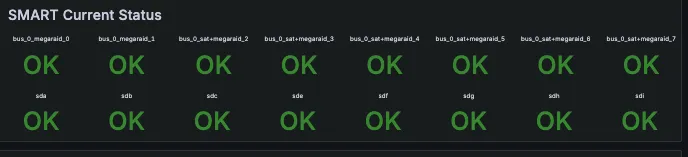
I also guess that with virtualization, everything lives either in memory or the external VM storage (rather than on the dying card), which is why the VMs themselves never caused any issues, didn’t run slowly, or triggered any alerts (SD cards, of course, do not support S.M.A.R.T, so there’s no direct alerts for this type of failure).
smart.png

I confirmed all this via dd, which was very unhappy:

sudo dd if=/dev/rdisk4 of=$HOME/2025-10-01_Pi5-32.img bs=4m
dd: /dev/rdisk4: Operation timed out
4194304 bytes transferred in 26.706714 secs (157051 bytes/sec)

You can force dd into submission via conv=noerror,sync, btw. That won’t get you your data back, though.

Interesting, but expected. I keep a stash of micro SD cards around for this reason and I don’t keep anything on the root drive that’s important (VMs are, like I said, on external storage + backed up via PBS). Pi Zeros just get re-flashed when I need to, since code and config live in git anyways.

[2]: …and if you find the title weird, you just don’t like good music.

What I didn’t know, however, is that Raspberry Pi 5s can actually support NVME drives! Turns out a $12.90 GeekPi N04 M.2 NVMe to PCie Adapter will fully power a full sized (well, 2260) SDD (provided you have 5V/5A power).

Behold:
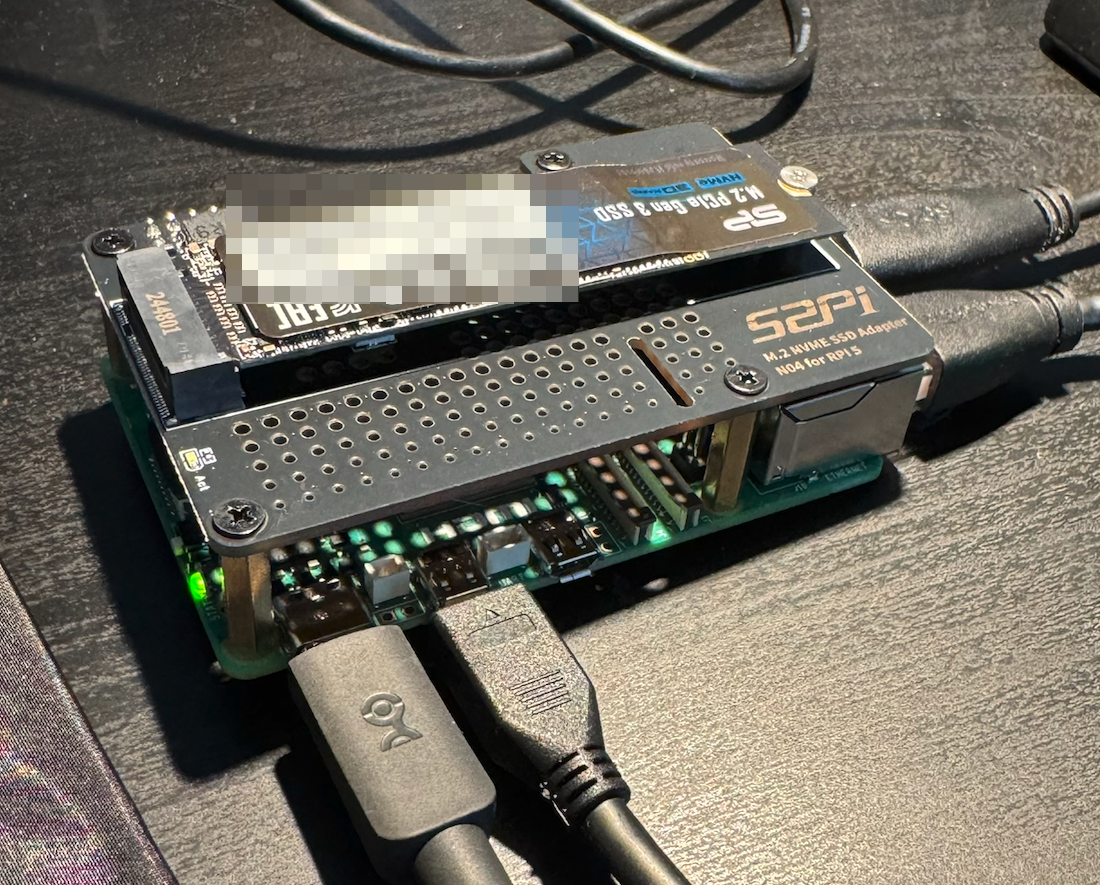
Pi 5 with an SSD

Pi 5 with an SSD.

(Credit: by me)

The install was super simple, although I had to glue a bunch of heatsinks (which I also keep in stock in bulk) onto the various chips, since the HAT would mean I loose my active cooling. It’s not… ideal:

I mean, it’s within the thermal spec - it throttles at 85C - but still, more work could be done here (this is a bit of a theme here).

Installation was a matter of getting cute with the install process. [3]

You see, unlike Debian or other standard OS, Raspberry Pi OS (which I still call Raspbian in my head and likely use in this article multiple times) is designed to be flashed to the SD card directly and doesn’t actually have an installer that can be booted from USB. If you flash the image onto a USB drive, it’ll just boot from there (that is useful in its own right).

Similarly, a standard Debian ISO won’t have the necessary firmware bundled in to be installed on a Pi directly. Debian ARM exists, obviously (that’s what Raspbian was/is, functionally), but I think this is the only semi-supported path. What I’m trying to say is, you might make this work with standard Debian if you want to tinker. I think Gunnar Wolf would be the expert of choice here.

Anyways, I’m to smoothbrained for that, so I’m using the official OS.

Thanks to the idea from this article of saving firstrun.sh, the generated script from the PI imager and re-using it, we can make this work.

First, flash the image to a USB drive and save /Volumes/bootfs/firstrun.sh to your local computer.

Next, edit /Volumes/bootfs/firmware/config.txt and add some firmware options to enable PCI-E and ignore current warnings - I’m using a MacBook Pro charger + cable and still got the warning that I need a 5V/5A PSU.

Then boot and on the Pi, run:

# I found you will need this if you want the lite version w/o a GUI
sudo apt install libopengl0 -y
sudo apt install rpi-imager -y
wget https://downloads.raspberrypi.com/raspios_lite_arm64/images/raspios_lite_arm64-2025-10-02/2025-10-01-raspios-trixie-arm64-lite.img.xz
christian@raspberry-5g:~ $ lsblk
NAME MAJ:MIN RM SIZE RO TYPE MOUNTPOINTS
├─sda1 8:1 1 512M 0 part /boot/firmware
└─sda2 8:2 1 58.1G 0 part /
nvme0n1 259:0 0 476.9G 0 disk
# scp firstrun.sh to the pi
sudo rpi-imager --cli --first-run-script ./firstrun.sh 2025-10-01-raspios-trixie-arm64-lite.img.xz /dev/nvme0n

And unplug the USB and voila, Pi-on-disk.

[3]: Once again commenting on the title of the paragraph, nothing “operating system installation” related happend actually in 2006, but Gothic 3 was released, so that’s worth mentionning, since it made you question whether your computer was functioning properly.

Now, getting Proxmox to work is a different story. Essentially, you want to follow these steps - but I’ve also run into some fun issues here that I didn’t run into last time I did this (I think).

First of all, without setting the kernel page size to 4K explicitly in /boot/firmware/config.txt

Even simple VMs with 2GB Ram on an 8GB Pi would get weirdly OOM killed:

Out of memory: Killed process 7527 (kvm) total-vm:3002544kB, anon-rss:628784kB, file-rss:27424kB, shmem-rss:3488kB, UID:0 pgtables:736kB oom_score_adj:0

Despite ample free memory:

total used free shared buff/cache available
Mem: 7.9Gi 2.4Gi 5.1Gi 80Mi 543Mi 5.5Gi

Lastly, a… fun… observation I’ve made is that the ARM VMs need the OVMF (UEFI) BIOS (or not BIOS, I guess, but that’s what proxmox calls it).

While debugging the OOM issue above, disabling balooning memory and changing the BIOS seemed like logical first steps to fix this, since I clearly had enough memory.

The funny thing is, the VMs would boot with SeaBIOS, but not be accessible from anywhere - no ping from the host, no ping from elsewhere.

This, logically, would lead you to believe in an invalid network configuration, but keep in mind that these are just restored VMs and that the node itself was perfectly accessible: VMs just use a network bridge anyways, so if the host is OK and the VMs had previously been correctly configured for the router to recognize their MAC addresses, this couldn’t be the issue.

root@raspberry-5g-v2:~# ping 192.168.1.194
PING 192.168.1.194 (192.168.1.194) 56(84) bytes of data.
From 192.168.1.215 icmp_seq=1 Destination Host Unreachable

Even worse, I also couldn’t us the Console in the UI (“Display output is not active”), neither the serial console:

unable to find a serial interface

Which lead me down deeply unproductive rabbit hole about enabling the serial console to debug the network. And as I’ve said above, that was not the issue - the page size + BIOS was.

However, one useful thing I learned while wasting time there is that you can pretty easily chroot a VM, since you can mount the QEMU disk using kpartx:

cat /etc/pve/qemu-server/124.conf | grep /dev/zvol
kpartx -av /dev/zvol/tank/vm-124-disk-1
mount /dev/mapper/vm-124-disk-1p2 /mnt/vm124

And then just chroot as usual:

mount --bind /dev /mnt/vm124/dev
mount --bind /proc /mnt/vm124/proc
mount --bind /sys /mnt/vm124/sys
chroot /mnt/vm124 /bin/bash
# ... do your stuff, umount and all that
kpartx -d /dev/zvol/tank/vm-109-disk-1

So while the serial interface didn’t need fixing - it was all a red herring - I did learn about kpartx for QEMU VM disks, which I guess is a neat debugging tool.

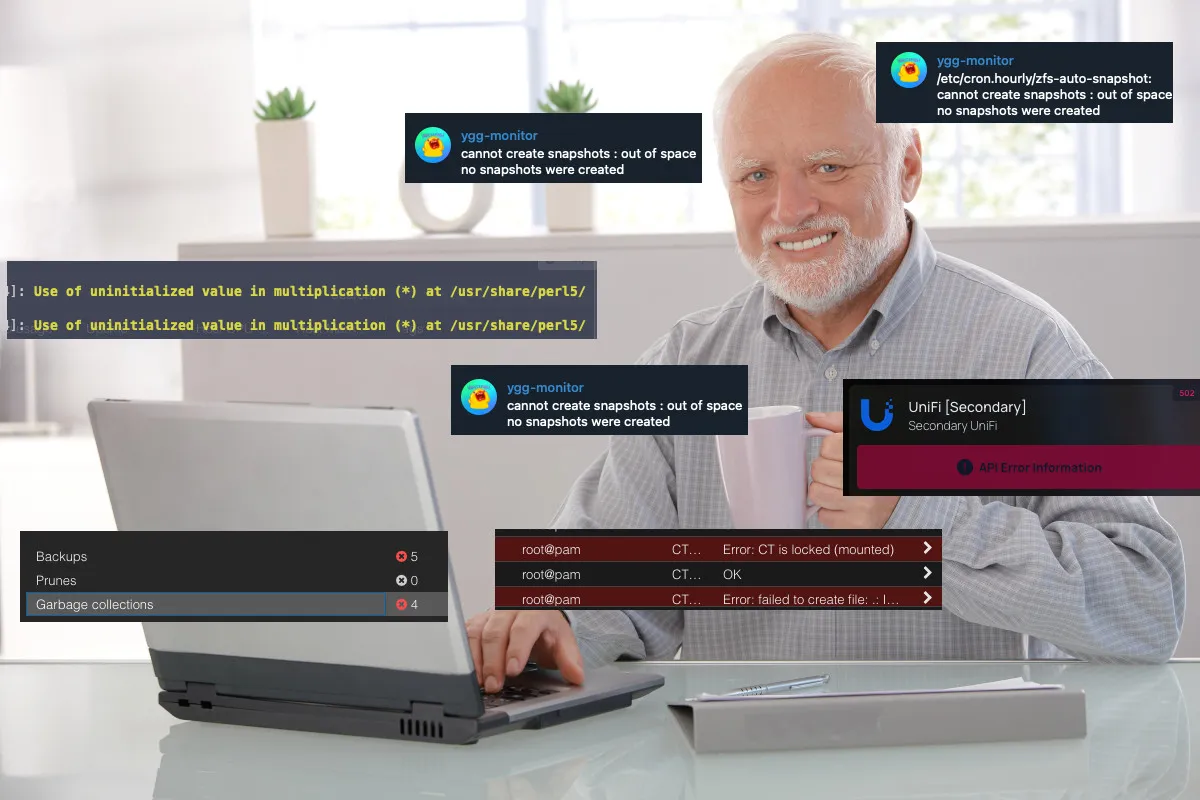
My telegram bot greeted me with about 30 of these one morning:

telegram.png

Turns out, if you let a PBS ZFS volume get full completely, you’re about to have a bad time.

hidethepain.png

You see, PBS stores data in a .chunk directory and exposes your VM backups/snapshots in the GUI and CLI. Similar to zfs snapshots, those files sit there and take up space until you run Garbage Collection - it’s a bit like a zfs snapshot that refers to old files, so deleting them won’t free space until you nuke the snapshot that keeps the references.

However, if the disk is full:

root@yggdrasil:/home/christian# zfs get quota,used,available ygg_backups/pbs
NAME PROPERTY VALUE SOURCE
ygg_backups/pbs quota none default
ygg_backups/pbs used 2.63T -
ygg_backups/pbs available 0B

You cannot run garbage collection, since that is an OS operation that needs at least a bit of space (as opposed to zfs destroy pool@snapshot, which talks to the file system directly). It will fail with ENOSPC: No space left on device.

In other words, you can lock yourself out of PBS. That’s… a design.

Unfortunately, you also just can’t (re)move .chunk files, since those might be in use by legitimate backups.

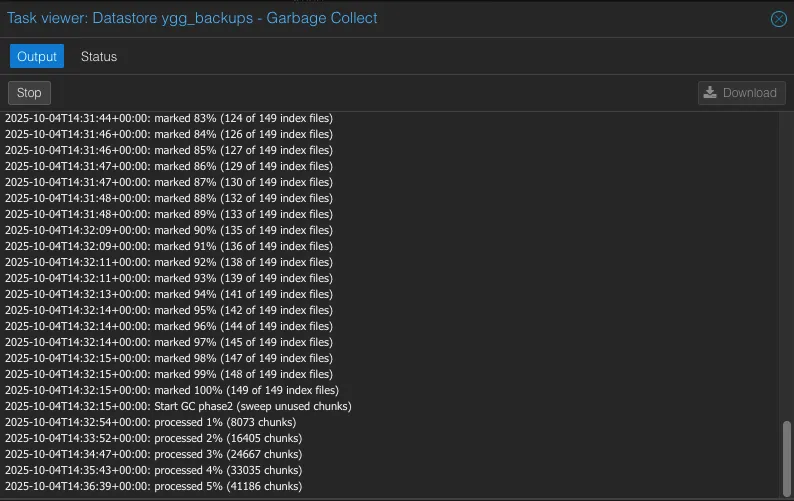
The fix took me a hot minute, but is actually really simple: Just remove all zfs snapshots. Not ideal, but since they will hold onto references to old .chunk files, they are what really holds the storage back.

zfs destroy ygg_backups/pbs@zfs-auto-snap_hourly-2025-01-16-1917

And voila:

pbs_gc.png

More long-term, set a quota on the pool:

zpool get -Hp size tank | awk '{printf "%.0fG\n",$2*0.95/1024/1024/1024}' | xargs -I{} zfs set quota={} ygg_backups/pbs

So this can’t happen. You could also reserve some spare gigs:

zfs set refreservation=8G ygg_backups/break-the-glass

Stuff that’s worth a paragraph, but doesn’t fit in elsewhere.

Not a sponsor ™, but I own 2 CyberPower UPS and it turns out, their rack mounted offering ships with PowerPanel Business, which you just need to install.

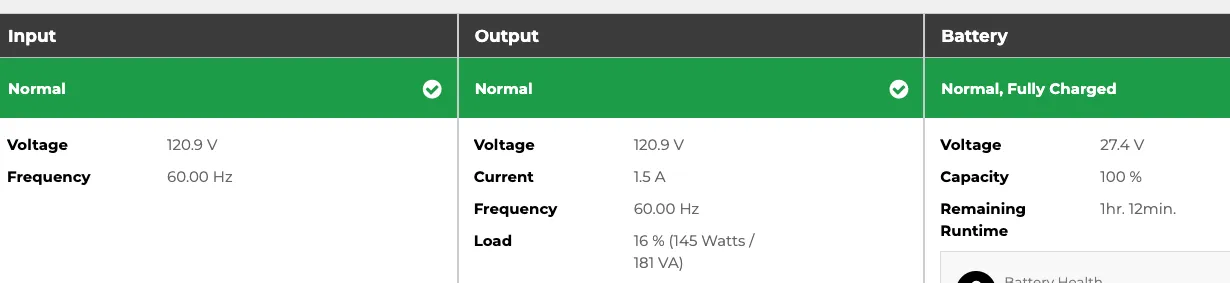
It has neat event logs: cyberpower_1.png Useful stats: cyberpower_2.png And tons of advanced settings with beat out messing around with pwrstat or other CLI tools.

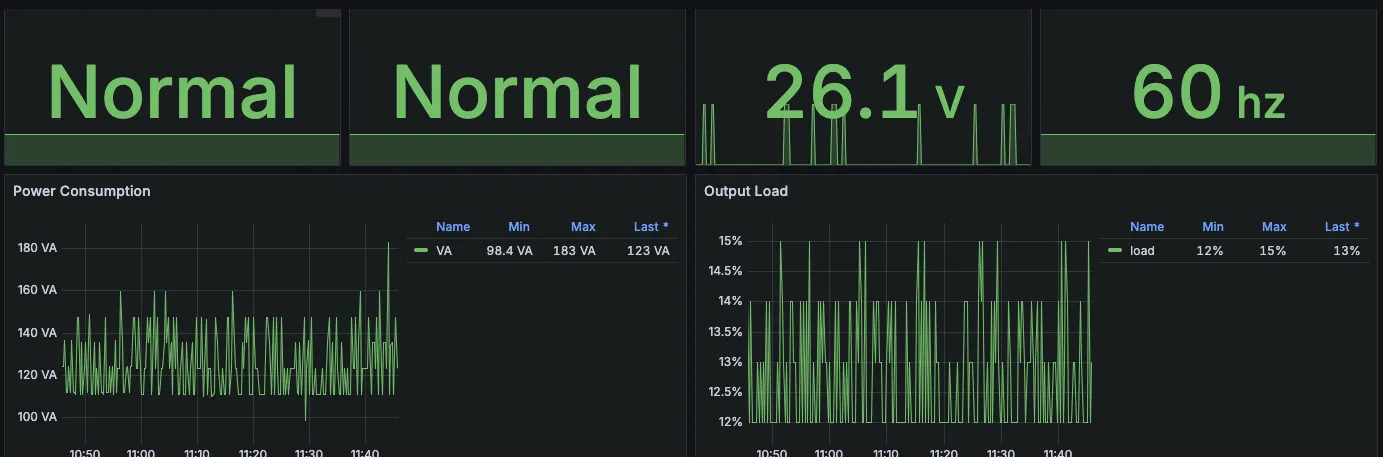
It’s also fully SNMP compatible, so if you’re like me and mess about with SNMP exporters and such, you can get this data into Grafana: cyberpower_3.png
More of a mention that anything else, but I started running Davis as (CAL)DAV server for (shared) calendars and it’s been great. It’s super easy to run, works against my existing database servers, and has a sane API that I can use an ngrok Traffic Policy to expose only the needed endpoints on the internet:

url: "http://host.docker.internal:9001"
- "conn.client_ip.is_on_blocklist == true"
content: Unauthorized request
- "!((req.url.path.contains('/dav/') || req.url.path.contains('/.well-known')))"

Also more of a shoutout, but I’ve spend a lot of time recently sitting in my kitchen and typing printed recipes into mealie, the self hosted recipe manager of choice. I’ve even added a smol PR, using all of my impeccable frontend skills. I should mention that I am a very passionate cook (and not a passionate frontend person).

Part of this has been an archiving effort - say, preserving (and testing) old recipes from my own or other folk’s grandparents, like this recipe from the Cherokee County Historical Society’s Cookbook ca 1993 which I’ve tried, added notes, and adjusted:

mealie_1.png

But part of this has also been me developing and fine tuning my own recipes, this time a year specifically around hot sauces and other means of preserving the late harvest in our vegetable garden. It’s also great for cocktails, protein ice cream (yes, I’m one of the Ninja Creami people now), which often require lots of iteration to find a recipe that works for you.
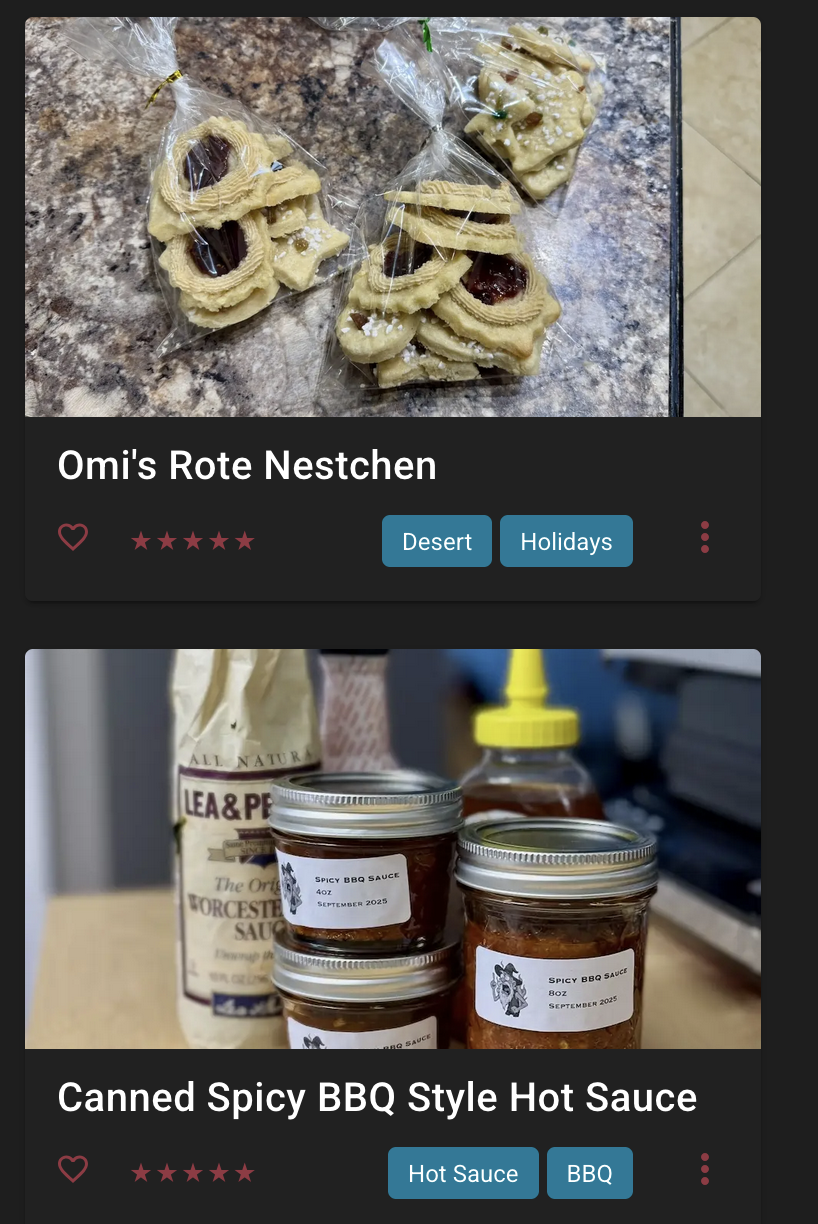
Top: My grandmothers cookies; Bottom: My own BBQ sauce

Top: My grandmothers cookies; Bottom: My own BBQ sauce.

(Credit: by me)

Doing this in mealie makes everything super accessible, since it uses a standard format, has a sensible tag and category system, and now even an ingredient parser. It’s been a truly fantastic tool and a time investment that (outside of “learn networking/sysadmin stuff”) has actually been worth it, since my first instinct when cooking something I don’t do often is to look at mealie to look at my recipes, not some random blog spam slop site that rehashes their life story for SEO, but has very little culinary benefit.

It also has, somewhat ironically, made me appreciate my physical cookbook collection more - if I don’t find a recipe in mealie, I will search through my cookbooks next (and perhaps digitize one if I like it, annotated with my own notes and pictures, of course). Only then will I consult the AI generated wasteland that is the internet.

Go build a server. I swear, it’s not a time sink at all. Promise.


Read the original article

Comments

  • By pdpi 2025-10-1317:582 reply

    > ignore current warnings - I’m using a MacBook Pro charger + cable and still got the warning that I need a 5V/5A PSU.

    You need to be careful with this one.

    The USB spec goes up to 15W (3A) for its 5V PD profiles, and the standard way to get 25W would be to use the 9V profile. I assume the Pi 5 lacks the necessary hardware to convert a 9V input to 5V, and, instead, the Pi 5 and its official power supply support a custom, out-of-spec 25W (5A) mode.

    Using an Apple charger gets you the standard 15W mode, and, on 15W, the Pi can only offer 600mA for accessories, which may or may not be enough to power your NVMe. Using the 25W supply, it can offer 1.6A instead, which gives you plenty more headroom.

    • By wpm 2025-10-1318:22

      5W5A is not a custom profile. It is part of the USB-PD standard, but as an optional profile that can only be provided if you ensure the cable used is safe to handle 5 amps of current. It’s why the official Rapsberry Pi 5 PSU has a non-removable cable.

    • By otter-in-a-suit 2025-10-1319:03

      That's good to know, thank you. It's using the official charger in the rack, but I used the charger I've had on my desk while setting it up. I added a note to the article.

  • By srjilarious 2025-10-1314:1810 reply

    I just learned about the whole homelab thing a week ago; it's a much deeper rabbit hole than I expected. I'm planning to setup ProxMox today for the first time in fact and retire my Ubuntu Server setup running on a NUC that's been serving me well for last couple years.

    I hadn't heard about mealie yet, but sounds like a great one to install.

    • By jrmg 2025-10-1316:212 reply

      Ubuntu Server setup running on a NUC that's been serving me well

      In my book, that’s a homelab, it's just a small one (an efficient one?...)

      • By lisbbb 2025-10-1321:52

        I've set up half a dozen different home labs over the years but never used anywhere near the compute or disk capacity I had. It was more about learning things, I guess. I laughed when he mentioned the number of cores he has available.

      • By m463 2025-10-1322:29

        I used to have a large server serving a couple important things.

        I was able to put everything on a fanless zotac box with a 2.5" sata SSD, and it has served well for many years. (and QUITE a bit less electricity, even online 24/7)

    • By skelpmargyar 2025-10-1320:111 reply

      Proxmox is awesome! I've been running it for ~5 years and it's been absolutely stable and pleasant to run services on.

      The Proxmox Backup Server is the killer feature for me. Incremental and encrypted backups with seamless restoration for LXC and VMs has been amazing.

      • By strbean 2025-10-1320:432 reply

        I've been looking to get offsite backups going. Where do you keep your backups? NAS + cloud?

        I also wanted to back up my big honking zpool of media, but it doesn't economical to store 10+ TB offsite when the data isn't really that critical.

        • By somehnguy 2025-10-1321:11

          My PBS server has 2 datasources - one local external drive & Backblaze B2. I snapshot to the local drive frequently throughout the day & B2 once in the evening.

          Yeah I don't backup any of my media zpool. It can all be replaced quite easily, not worth paying for the backup storage.

        • By alexgaribay 2025-10-1418:27

          In my scenario, PBS runs on a VM on my Synology. My Synology does automated backups to Backblaze B2 daily. It averages about $5/TB for B2 storage costs for me.I only backup the critical stuff I don't want to lose.

    • By tom1337 2025-10-1314:482 reply

      If you want to go another, related rabbit hole, check out the DataHoarder subreddit. But don't blame me, if you’re buying terabytes of storage over the next few months :)

      • By PenguinCoder 2025-10-1315:07

        Data Hoarding is a bit more involved than just a homelab. Don't want your data hoard to go down or missing, whole you're labbing new techs and protocols.

      • By blitzar 2025-10-1316:07

        don't blame me if you’re buying terabytes of USB drives and pulling out the hard drives

    • By battesonb 2025-10-146:54

      I can vouch for Mealie. My wife and I run it locally for family recipes and to pull down recipes from websites. I have a DNS ad blocker running, but most recipe sites are still a mess to navigate on mobile.

      You can also distill recipes down. I find a lot of good recipes online that have a lot of hand-holding within the steps which I can just eliminate.

    • By mvATM99 2025-10-1316:57

      You should definitely try mealie yes. On top of a good way to host your own recipes, the entire thing just feels...really well put together?

      I'm not even using the features beyond the recipes yet, but i'm already very happy that i can migrate my recipes from google docs to over there

    • By kryllic 2025-10-1420:52

      As others have said, Mealie is an excellent app for any homelab. My wife and I use the meal planning feature and connect it to our Home Assistant calendar that is displayed on a wall-mounted tablet. The ingredient parsing update is amazing and being able to scale recipes up/down is such a time saver.

    • By perdomon 2025-10-1320:23

      I've had a ton of fun with CasaOS in the past few months. I don't mind managing docker-compose text files, but CasaOS comes with a simple UI and an "App Store" that makes the process really simple and doesn't overly-complicate things when you want to customize something about a container.

    • By walthamstow 2025-10-1314:242 reply

      I have Proxmox running on top of a clean Debian install on my NUC, I wanted to allow Plex to use the hardware decoding and it got a bit funny trying to do that with Plex running in a VM, so it runs on the host and I use VMs for other stuff

      • By ysleepy 2025-10-1316:592 reply

        It's very easy to do this with LXC containers in Proxmox now, as passing devices to a container is now possible from the UI.

        • By dotnet00 2025-10-1323:02

          With containers, making backups seemed to become impractical with large libraries, since it seems to copy files individually?

          I had to switch to VM because of that, passing through the GPU.

        • By phito 2025-10-1318:201 reply

          Just as easy with VMs, just have to pass the device to the VM

          • By alexgaribay 2025-10-1418:18

            The only downside is that you essentially lock the GPU to 1 VM which there is nothing wrong with doing. At least with LXC, you can share device across multiple containers.

      • By nodesocket 2025-10-1316:03

        I have an Intel (12th Gen i5-12450H) mini-pc and at first had issues getting the GPU firmware loaded and working in Debian 12. However upgrading to Debian 13 (trixie) and doing apt update and upgrade resolved the issue and was able to pass the onboard Intel GPU through Docker to a Jellyfin container just fine. I believe the issue is related to older linux kernels and GPU firmware compatibility. Perhaps that’s your issue.

    • By CountGeek 2025-10-147:39

      Jellyfin, Jellyserr on a QNAP TS-464 runs perfectly well for serving even 4k x265.

    • By wltr 2025-10-1314:411 reply

      A Few Moments Later

      • By blitzar 2025-10-1316:092 reply

        There is time dialation in the homelab vortex ... what feels like a few hours can turn out to be years in the real world.

        • By matthewfcarlson 2025-10-1317:57

          My best McConaughey voice: “this little server is gonna cost us 51 years”

        • By wltr 2025-10-1316:18

          That’s precisely what I meant! I’m at my sixth year, I guess. Maybe longer, I’ve lost my count.

  • By Havoc 2025-10-1313:116 reply

    My most recent learning - DDR4 ECC UDIMMs are comically expensive. To the point where I considered just replacing the entire platform with something RDIMM rather than swapping to ECC sticks.

    >No space left on device.

    >In other words, you can lock yourself out of PBS. That’s… a design.

    Run PBS in LXC with the base on a zfs dataset with dedup & compression turned off. If it bombs you can increase disk size in proxmox & reboot it. Unlike VMs you don't need to do anything inside the container to resize FS so this generally works as fix.

    >PiHole

    AGH is worth considering because it has built in DoH

    >Raspberry Pi 5, ARM64 Proxmox

    Interesting. I'm leaning more towards k8s for integrating pis meaningfully

    • By everforward 2025-10-1316:563 reply

      You seem knowledgeable so you may already know, but it's worth looking at the x86 mini PCs. Performance per watt has gotten pretty close on the newer low power CPUs (e.g. N150, unsure what AMD's line for that is), and performance per $ spent on hardware is way higher. I'm seeing 8GB Pi 5s with a power supply and no SD card for $100; you can get an N150 mini PC with 16GB of RAM and 500GB SSD pre-installed for like $160. Double the RAM, double the CPU performance, and comes with an SSD.

      Imo, Raspberry Pis haven't been cost competitive general compute devices for a while now unless you want GPIO pins.

      • By dangus 2025-10-1317:582 reply

        The first thing I thought when I read this article was how raspberry pi’s just make this kind of thing more difficult and annoying compared to a regular normal PC, new (e.g. cheap mini PC) or used (e.g. used business workstation or just a plain desktop PC).

        And if you want GPIO pins I’d imagine that a lot of those applications you’d be better served with an ESP32 and that a raspberry pi is essentially overkill for many of those use cases.

        The Venn diagram for where the pi makes sense seems smaller than ever these days.

        • By bigiain 2025-10-1322:14

          > And if you want GPIO pins I’d imagine that a lot of those applications you’d be better served with an ESP32

          I often us an Arduino plugged onto a spare USB port. There's a whole lot of GPIO pin related projects that suit 5V better than 3.3V, and Arduino IO pins are practically unbreakable compared to ESP32. I've got Arduinos that still work fine after accidentally connecting 12V directly to IO pins. I've has ESP32s (and RasPis) give up the ghost just from looking at the IO pins while thinking about 12V.

        • By perdomon 2025-10-1320:271 reply

          You're right that the Venn diagram is smaller than it was 5 years ago, but there are still some folks whose primary concern is electricity usage. Even the pi 5 shines there (as long as you don't need too much compute).

          • By dangus 2025-10-1323:201 reply

            I would argue that something like an Intel N100 mini PC isn’t doing noticeably worse on your power bill, and more powerful x86 mini PCs will give you a better performance per dollar at close enough performance per watt.

            And then you get all the advantages of the x86 ecosystem, more modularity, etc.

            Heck, I wouldn’t be surprised if the base model M series Mac mini is competitive so long as you can get Asahi Linux to do what you need.

            Maybe five years from now we will see ARM or RISC-V mini PCs further narrow the Venn diagram for raspberry pi systems.

            • By dangus 2025-10-143:02

              (By more modularity I meant stuff like storage and RAM, obviously RPi has a much higher degree of a different kind of modularity)

      • By 9029 2025-10-146:461 reply

        Used Intel 8th gen based mini PCs seem like a pretty good value. 100-150 bucks for a pc from a somewhat reputable brand (lenovo, dell, hp) with slightly better multi core than N150 and ~6W idle if you manage to get it to stay in C10. Some of them have a low profile pcie slot, like M720q and M920q. Also the CPU is socketed so you could technically upgrade it to e.g. i9-9900K, at least the M920q is known to take one as long as you use a powerful enough PSU. Few of them (at least M920q) also support coreboot due to an Intel Boot Guard vuln which could be fun, I'm planning to look into whether it could be ported to my M720q as well.

        • By 9029 2025-10-1815:54

          Update on power draw for anyone interested: measured with a cheap AC power meter, I get 2.8-4.2W idle with occasional jump to up to 8W on my M720q with i5-8400T, 16GB ram and a single nvme drive. This is on Debian 13 with ASPM enabled for everything and a few containers running (home assistant, esphome, bookstack, tailscale). According to powertop stats on C-states, it's mostly in package C9 and core C10.

      • By Havoc 2025-10-1317:241 reply

        Yeah have a collection of minipc - they are indeed great. This build was more NAS focused. 9x SATA SSD and 6x NVME...minipcs just don't have the connectivity for that sort of thing

        >Imo, Raspberry Pis haven't been cost competitive general compute devices for a while now unless you want GPIO pins.

        I have a bunch of rasp 4Bs that I'll use for a k8s HA control plane but yeah outside of that they're not idea. Especially with the fragility of SD card instead of nvme (unless you buy the silly HAT thing).

        • By heresie-dabord 2025-10-1321:45

          > Raspberry Pi 5s can actually support NVME drives

          And Raspberry Pi 4s can actually boot from NVME via a USB enclosure.

    • By Aurornis 2025-10-1313:371 reply

      > My most recent learning - DDR4 ECC UDIMMs are comically expensive. To the point where I considered just replacing the entire platform with something RDIMM rather than swapping to ECC sticks.

      DDR4 anything is becoming very expensive right now because manufacturers have been switching over to DDR5.

      • By Havoc 2025-10-1314:48

        Yeah, built on AM4 and in hindsight spending more on mobo & CPU to hop on AM5 would have been the smart move. Live & learn.

        On the plus side I have a lot of non-ECC DDR4 sticks that I'm dumping into the expensive market rn

    • By FuriouslyAdrift 2025-10-1313:28

      >AGH is worth considering because it has built in DoH

      Technitium has all the bells and whistles along with being cross platform.

      https://technitium.com/dns/

    • By master_crab 2025-10-1320:35

      Don’t do K8s on Pis. The Pis will spend the majority of their horsepower running etcd, CNI of choice, other essential services (MetalLB, envoy, etc). You’ll be left with a minimal percentage of resources for the pods that actually do things you need outside the cluster.

      And don’t get me started on if you intend to run any storage solutions like Rook-Ceph on cluster.

    • By reeredfdfdf 2025-10-1320:38

      Maybe I just got lucky, but a year ago or so I managed to find Kingston 32GB DDR4 ECC UDIMM's from Amazon for a price that was more or less identical to normal non-ECC RAM. Running a Ryzen system with 128gb of memory now.

    • By LTL_FTC 2025-10-140:41

      You can also run PBS alongside PVE and you get to it by using port 8007 instead of 8006. I found this worked quite well and is fully supported.

HackerNews