
Why aren't motherboards mostly USB-C by now? (2021)

2023-11-1823:47215496philip.greenspun.com

I’m beginning to think that the Windows PC that I built in 2015 is ready for retirement (though if Joe Biden can be president at 78, maybe this PC can last until 2029?). In looking at new des…

I’m beginning to think that the Windows PC that I built in 2015 is ready for retirement (though if Joe Biden can be president at 78, maybe this PC can last until 2029?). In looking at new desktop PCs and motherboards I am struck by the paucity of USB-C ports (standardized in 2014). It looks as though 0 and 1 are the most common number of USB-C ports on a 2021 PC.

Wouldn’t it make more sense for all of the USB ports on a new PC to be USB-C and then use adapters for legacy components?

From The Last Castle, describing events of 1921:

Not everyone was immediately captivated with technology’s advances. Just months after Cornelia [Vanderbilt] celebrated “reaching her majority,” author Willa Cather gave a speech in which she presciently waxed philosophical on the subject of the phonograph. “We now have music by machines, we travel by machines,” she said. “Soon we will be having machines to do our thinking.”

(Note that adulthood and voting in those days came at 21, not at 18!)

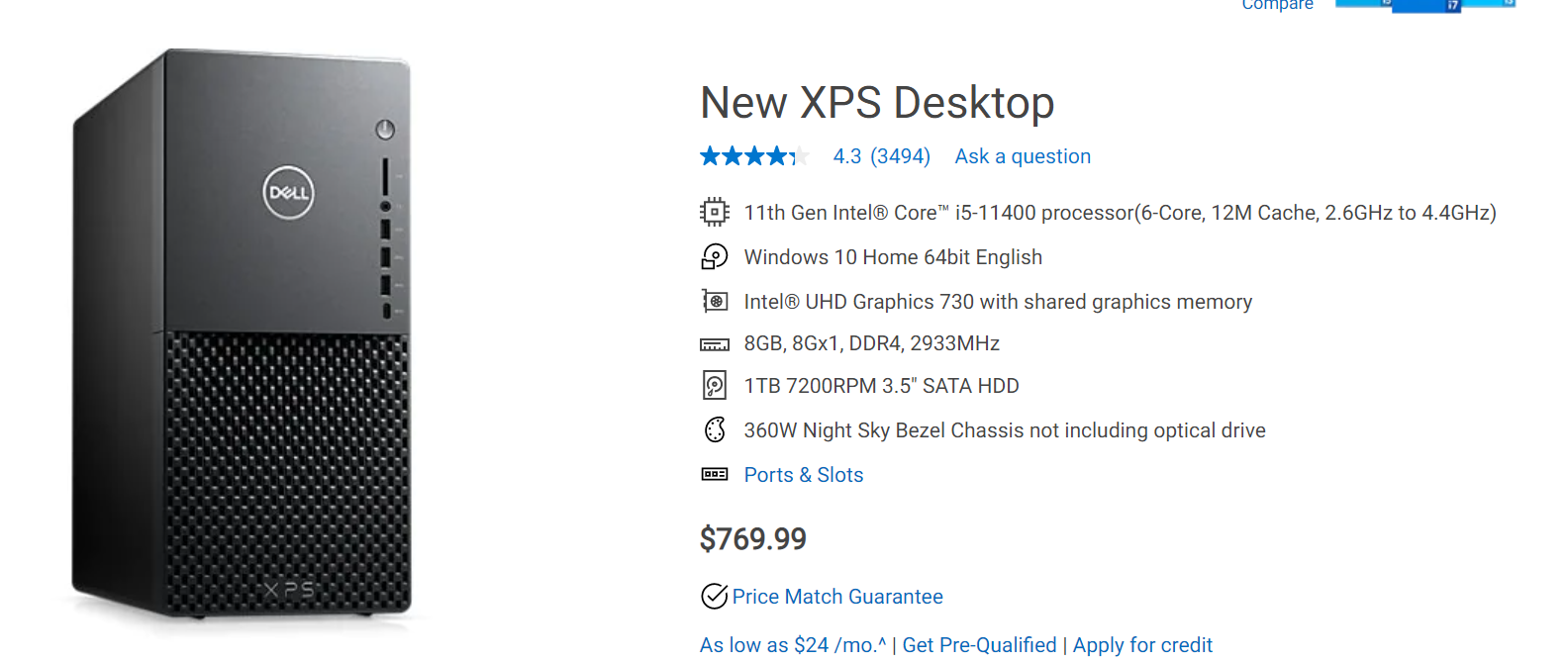
The great Willa Cather expected great progress from the world’s nerds. What do we have 100 years later? A Dell XPS desktop PC, “Engineered and designed with purpose for ultimate power and expandability”, equipped with a mechanical hard drive and a feeble 8 GB of RAM (is that even enough to run Windows by itself?).


Read the original article

Comments

  • By userbinator 2023-11-195:2824 reply

    My experience has shown that USB C connectors are far more fragile than A, and every time I plug one in, for some reason the fit just feels vague and unsatisfying. An A plug, when you get it the right way, slides in solidly. As others have mentioned, C seems to have been designed to be the smallest possible, which makes sense for mobile devices, but not for a desktop and its peripherals.

    • By arcticbull 2023-11-195:548 reply

      Interestingly enough, they're specced the opposite way.

      > Standard USB has a minimum rated lifetime of 1,500 cycles of insertion and removal, the Mini-USB receptacle increased this to 5,000 cycles, and the newer Micro-USB and USB-C receptacles are both designed for a minimum rated lifetime of 10,000 cycles of insertion and removal. [1]

      > To accomplish this, a locking device was added and the leaf-spring was moved from the jack to the plug, so that the most-stressed part is on the cable side of the connection. This change was made so that the connector on the less expensive cable would bear the most wear. [1]

      I suspect that would make it the responsibility of the cable, not the receptacle, to give you that satisfying feedback. Which is good, because the cable is much cheaper and easier to replace than the receptacle.

      [1] https://en.wikipedia.org/wiki/USB_hardware

      • By onetimeuse92304 2023-11-198:099 reply

        The insertion cycles are only for proper insertion. Like when you are looking at it and doing it at a correct angle.

        Also, rated lifetime does not take into account things like tugging the cable to the side of your PC because your foot got tangled in it.

        USB C is extremely fragile due to its size and not much can be done to help it.

        USB C might be created to withstand more insertion cycles. After all it is meant to be used for devices like phones that are plugged in and out constantly. Part of this improvement is just more experience creating connectors (yes, connectors got much better in the past decades).

        A cable connected to a back of PC is not being constantly plugged in and out. Nobody I know is plugging in their keyboard or mouse multiple times a day.

        --

        When I design my boards, I put connectors that match the size of the board. I don't put extremely tiny connectors on a very large and massive project. I want a connector that isn't too fragile for the project and this means matching it with the forces that you can expect.

        We, humans, use different forces when around large objects than when we are around small objects.

        Large PC standing on your desk means forces used around it will be potentially larger than forces around a small appliance like a phone. If you tug on a cable that is hooked up to the phone, only small force is needed to move the phone. And we are usually more careful around a small appliance like phone. If you tug on a cable that is hooked up to a PC, much larger force will be needed before you move the PC. And people are less careful and using larger forces when doing things around a PC -- a larger object than a phone.

        • By arghwhat 2023-11-1912:582 reply

          Funny you say that, I can tell from family experience that USB type A ports are quite fragile to a vertical tug as it breaks the internal plastic bar at its base so you're left with a hole full of floating copper pins. It of course requires more than a light tug, but less than you'd think.

          The USB-C housing is much more rigid than that of type A, so it should handle this much better. The thinner bar might also handle deflection better by virtue of flexibility.

          Also, hardware engineers know that ports are operated by drunk gorillas. Incorrect usage and odd forces are considered when designing a physical interface.

          • By saiya-jin 2023-11-1913:153 reply

            Can't comment on USB-C yet and obviously case point 1, but on my desktop tower (Fractal Design 6, so should be quality) I have for cca 5 years, the frontal USB-A connectors which are used most often, 2 out of 4 are already dead (I'd say maybe 500 insertions altogether, definitely not more). 1 is sort of in between, sometimes works, sometimes doesn't.

            I generally know very well how to take care of electronics and those ports never experienced that dreaded 'vertical tug' you describe, at least to my knowledge.

            • By Tade0 2023-11-1914:17

              In my two previous laptops I insisted on having four USB ports because I anticipated that they would wear out eventually and wear out they did - electrically they work, but mechanically half of them barely hold the plug in.

              Meanwhile I have a USB-C to USB-A multi-dongle to which I have connected my mouse and keyboard and I move the whole thing between the work and private laptop on a daily basis and despite that after three years only the plug part is showing signs of wear. The socket is fine.

              Same goes for the charge port in my phone. Still works as advertised even though I went through a few cables in those six years since I bought it.

            • By throwaway2037 2023-11-1913:341 reply

              I like this post. No trolling: Did you report the issue to Fractal? I am sure they wish to hear your valuable feedback. They might also offer to replace your case with the latest version!

              P.S. I am not a shill for Fractal, but a faithful owner.

              • By saiya-jin 2023-11-1917:23

                Tank you for the advice, I guess too lazy to deal with logistics and customs (living in Switzerland, some stuff trivial in US is... not so trivial in more diverse Europe). On top of not really having desktop working for who knows how long.

                Plus planning to build new desktop soon, I'll still probably go with them (Define 7 is my pick so far), I think I had just bad luck since they have quite solid reputation and most other cases are not to my taste or needs.

            • By neuromanser 2023-11-1919:03

              > Fractal Design 6, so should be quality

              Side note: I too wish this brand guaranteed quality. I have two Fractal Design cases, a Define R6 and an Era. The former is quite good, the latter is crap - panels don't fit. Btw, they cost the same (fucking expensive).

          • By nickpeterson 2023-11-1913:263 reply

            I really wish we’d end up with something like the old MagSafe.

            • By arghwhat 2023-11-209:07

              MagSafe was quite bad tbh. Exposed contacts that easily get contaminated and magnets attracting nearby particles to degrade the connection. At the same time, the disconnect force in the vertical direction is far too small (place the laptop on something soft and the connector tilts), and in the horizontal and perpendicular directions high enough to still yank the laptop.

              I do not know if the new MagSafe is an improvement over V1 and v2, but solid connections or non-contact charging are the way to go.

            • By diffeomorphism 2023-11-1915:411 reply

              What is your opinion on magnetic usb c adapters? For about 10€ you get 140W charging and 40Gbps.

              Compared to magsafe it is not recessed (though that has not been an issue in my experience), but on the plus side it also does data, video and is universal. Currently using the same type of adapter for my laptop, phone and tablet with the ends on various chargers and docking stations.

              • By onetimeuse92304 2023-11-1915:513 reply

                I had a number of them from two or three different brands.

                They had tendency to cause sparking and I lost at least one phone due to it. The phone was fine but it lost ability to be charged through the USB port. And because it did not have wireless charging, when the battery ran out it became an expensive brick.

                • By briansm 2023-11-1917:271 reply

                  Yup, I lost a chromebook that way. I think magnetic connections are fine for 5V power with no data line, but as soon as you add more connections and try increasing voltage/power you are asking for trouble.

                  • By JohnFen 2023-11-2017:261 reply

                    My deep fryer has a magnetic connection for the power cord. That's high voltage and wattage, and works just fine.

                    • By ThePowerOfFuet 2023-11-2021:221 reply

                      Because the only two pins are hot and neutral, which are designed to have high voltage across them.

                      Put 20 V Vbus on a CC line and see what happens.

                      • By JohnFen 2023-11-2022:58

                        That seems more likely to be because that design was bad rather than that the concept is bad.

                • By diffeomorphism 2023-11-1917:22

                  Yikes. Haven't had an issue yet with the ones I use. Good to know.

                • By Psychoshy_bc1q 2023-11-2011:16

                  can't it be repaired?

            • By fragmede 2023-11-1914:552 reply

              maybe we can get that for USB-D in 2025 after the Apple magsafe patent runs out

              • By fortran77 2023-11-1915:251 reply

                Microsoft had a magnetic connector on the Surface laptops so I don’t thing patents are standing in the way.

                • By userbinator 2023-11-1921:44

                  Even before that, magnetic power connectors were common on kitchen appliances like kettles and fryers.

              • By JohnFen 2023-11-2017:28

                Can we just stop changing things up in the USB world for a while? USB-C causes me more headaches than the prior USB incarnations do, but changing these things is itself painful enough that I'd rather just put up with what we have now than change yet again.

        • By kalium-xyz 2023-11-1911:15

          Once you accidentally insert the usb c cable into the wrong port and short out your mobo you start Inserting it properly and start fearing it :/

        • By rightbyte 2023-11-199:356 reply

          > yes, connectors got much better in the past decades

          Really? How is e.g. the HDMI connectors "better" than the VGA connectors? VGA connectors seems far more robust to me. Same with d-sub mouse connectors.

          I guess the signal rating is better now but the old ones didn't need high frequency capabilities.

          • By rezonant 2023-11-199:522 reply

            VGA connectors were incredibly irritating to deal with, especially since so many of them were equipped with smooth screwing bolts with very little area to spin them with your fingers. I for one don't miss this.

            • By rightbyte 2023-11-1910:284 reply

              If you wanted to have quick insert connection you could just not tighten the screws. I almost never tightened the screws, but it was good on monitors which were pivoting.

              I am writing this on a screen where the HDMI connector pops out if a even touch it.

              • By wongarsu 2023-11-1913:351 reply

                > I am writing this on a screen where the HDMI connector pops out if a even touch it.

                Just one more reason to switch to DisplayPort. The only downside of DisplayPort over VGA is that it's up to the connector model if it locks, not user input; but other than that DisplayPort seems clearly superior over VGA. Apart from the obvious signal improvements, slightly more compact design and the recessed port, even an non-locking cable sits far more securely than an unsecured VGA cable.

                • By neuromanser 2023-11-1919:16

                  If I had to choose between a disconnection and damaged circuitry… I managed to pull too strongly on a DisplayPort cable plugged into monitor, resulting in broken PCB. Luckily, the HDMI wasn't affected.

              • By kalium-xyz 2023-11-1911:131 reply

                Just tighten one of them, its what i do half the time

                • By xvilka 2023-11-1911:361 reply

                  And other half of the time you tighten another?

                  • By kalium-xyz 2023-11-1911:511 reply

                    Yes :P. I’m a coward and never put it in without tightening at least one or both

                    • By IYasha 2023-11-1913:07

                      I drilled two holes in my laptop as it had no room for VGA cable screws :D (about 2y ago)

              • By JohnFen 2023-11-2014:15

                Honestly, I have never tightened those screws.

            • By KineticLensman 2023-11-1911:461 reply

              Some of them actually had an end slot that could be tightened / untightened by a regular screwdriver It took me ages to realise this.

              • By Symbiote 2023-11-1916:081 reply

                In the 1980s and presumably before, plugs like this often only had screws you needed a screwdriver to tighten.

                I don't know if this was to prevent people disconnecting things, or if the expectation was that once connected, things should stay that way for years.

                • By KineticLensman 2023-11-1918:09

                  It helped me a lot when I had a colleague who had a strong workman's hands and who could not be found at the end of presentations where he had set up the projector's cabling.

          • By y7 2023-11-1910:251 reply

            You never had one of the pins slightly bending so the connector wouldn't fit anymore and you had to manually try to bend it back?

            • By rightbyte 2023-11-1910:351 reply

              Sure. But if I remember correctly the cable ends are both male, so it was never the device that got bent. In some sense weakness on the right part is a feature.

              • By arccy 2023-11-1911:251 reply

                every meeting room had a long semi-permanent cable wired through the walls / floors. bent pins on those were not fun.

                • By lostlogin 2023-11-1912:37

                  Once you’ve been involved in repairing them, you start to insist on the sane approach - cable in the wall, connected to a faceplate which has a plug on the back and a plug on the front. That way any damage can be repaired without re running the cable.

          • By moffkalast 2023-11-1911:25

            VGA DVI and HDMI all have their major issues, DisplayPort is the clear winner in all aspects.

          • By btbuilder 2023-11-1910:221 reply

            I bent a few pins in a VGA connector due to misalignment once. This was when the cable was hardwired into the monitor!

            • By rightbyte 2023-11-1910:37

              Ye maybe I am just nostalgic. Hard to tell.

          • By Macha 2023-11-1913:491 reply

            You may only have dealt with your own devices. Yes, VGA devices were much harder to accidentally unplug or become loose than HDMI. But they were often far more solidly connected than e.g. the mount on a video card, or the attachment of a laptop motherboard to it's case. So you would find components which had been messed up internally by the use of a VGA connector as a leverage point.

            • By marcosdumay 2023-11-1914:50

              Yep, harder to accidentally unplug is a large negative for a generic cable. There very few applications where it's a good thing, and connecting a computer to a display isn't one of them. IMO, DP in particular shouldn't have the locking mechanism.

              But becoming loose without unpluging isn't good either.

          • By rowanG077 2023-11-1913:24

            I have never bend the pins on HDMI connectors. It doesn't even occur to me that it could even happen. I have bent dozens of vga connectors. At least you can bend them back.

        • By nottheengineer 2023-11-199:272 reply

          I once bent the USB-C connector on a dell dock just because the cable is stiff and the bend from going below my desk put too much force on the connector. It still works, but has an angle now. If the cable wasn't permanently attached, having the wear parts on that side would be fine. The EU should definitely mandate that, I don't see any technical reasons for soldering one side of the cable.

          • By da768 2023-11-1911:20

            On the WD19/22TB it's actually user-replacable/upgradable, but parts aren't necessarily easy to find.

          • By broast 2023-11-1914:19

            I've ruined many usbc connectors like this and specifically dell dock connectors

        • By gmgmgmgmgm 2023-11-199:53

          There are many times I've tried to insert USB-A wrong since it's rectangular but only has one correct way and sometimes the fit is tight and sometimes it's hard to see the socket (behind a PC, under a monitor, etc...)

          USB-C doesn't have this issue. Much better

        • By MaxBarraclough 2023-11-1914:371 reply

          > Nobody I know is plugging in their keyboard or mouse multiple times a day.

          If you securely store a laptop at the end of each workday then you're up to 1 cycle per day minimum. It will be more than that if you're required to secure the laptop during coffee breaks and/or if you work from several places in a work-day.

          • By MobiusHorizons 2023-11-1916:09

            The quote is specifically talking about desktops not mobile use cases like laptops

        • By dotancohen 2023-11-1910:18

            > tugging the cable to the side of your PC because your foot got tangled in it.
            > USB C is extremely fragile due to its size and not much can be done to help it.
          
          Zip tie the cable to the case?

        • By kubiton 2023-11-1921:28

          [flagged]

        • By throwaway2037 2023-11-1913:31

              The insertion cycles are only for proper insertion.
          
          Every time I see comments like this I think of the COVID-19 trolls who insisted that masks were only helpful if "worn correctly".

          Proper? Please. Why not just say that the connector suffers from poor design and is difficult to plug correctly. Everything else is humiliating the average user, like my parents, with advanced degrees whom are not STEM.

      • By hurryer 2023-11-196:4810 reply

        Minimum is just that, minimum.

        Have you ever seen a broken standard USB port or connector? Me not once in my entire life, unlike micro-USB or USB-C.

        • By arcticbull 2023-11-196:505 reply

          I surely have. Any even semi-public USB power socket is hanging on by a thread, some of them have the inside paddles snapped off entirely. I haven't seen a Type C one in such a state yet, but I eagerly await it.

          • By holoduke 2023-11-197:433 reply

            The problem with usb c (but also mini and micro) is the weak connector on the device itself. The way its connected to the board is way weaker than a large usb a connector on a motherboard. Accidentally pullen a keyboard while attached will for sure destroy a usb c port. A usb a most likely survive.

            • By mnsc 2023-11-198:55

              Yup, bricked a old gopro with a mini connector by tearing it off the circuitboard. Didn't think that could happen so I wasn't particularly careful but it's physics, small things break easier.

            • By yencabulator 2023-11-200:25

              Simply put your money where your mouth is.

              Framework laptops come with expansion cards that are on sturdy rails and serve as the world-facing USB-C/A/HDMI/SD card/whatever connection. The inner connector on the mainboard is well protected.

              https://frame.work/assets/pdp/expansion-card-9240577483dc9e2...

            • By arcticbull 2023-11-197:521 reply

              That's going to depend on the connector. Plenty have through-hole mounts. You can also get surface-mount type A connectors.

              • By janoc 2023-11-1910:232 reply

                They all do. Yet it still doesn't help. Those 4 little retaining lugs are fixed into the board only by solder, which is fragile and will crack after a while, esp. when the connector is mated/demated constantly and forces are applied to it.

                USB A has those lugs much larger and usually also bent under the board or twisted, so the connector isn't fixed into the PCB only by solder.

                USB C and micro USB are mostly designed for clamshell enclosures such as a typical phone - in that case the connector shell is supported by the enclosure itself (ideally through some flexible padding) and not only by the flimsy contacts/solder lugs.

                However, there are plenty of devices on the market where these connectors are not supported like that because the designer has been an idiot - and guess which devices end up in the landfill with broken off connectors the most.

                Breaking the old school USB A, square USB B or mini USB is almost impossible like this unless one applies really unreasonable amount of force. I have only ever managed to accidentally destroy a USB A port once like that by accidentally hitting a USB stick hanging out of it - but the board and the adjacent ports were fine, only the port shell and contacts were destroyed.

                • By sokoloff 2023-11-1914:53

                  Mini USB-B is still not very robust in terms of connection the board. I’ve got a couple devices here where the port is ripped off the PCB. (I voluntarily [attempt to] repair devices for friends, so I see more than a typical rate of failed parts.)

                  By some definition, that’s evidence of unreasonable force, but it definitely happens and should be anticipated when you put the device in the hands of lots of gorillas.

                • By duskwuff 2023-11-1918:12

                  > Those 4 little retaining lugs are fixed into the board only by solder,

                  You're saying this as though there's a single design of USB-C cable to board connector. There are, in fact, many different designs, including many with "lugs" which go through the board, as well as mid-mount connectors which use the material of the PCB as structural support.

          • By rezonant 2023-11-199:57

            To be fair, I haven't seen a USB C power port available in public once so far myself, and while it would be nifty for them to become the norm over USB-A, I really think it's a bad idea to subject users to unknown USB charging ports in public. A wall outlet can't pretend to be a keyboard, for instance.

          • By iforgotpassword 2023-11-1911:141 reply

            Never seen a broken public A port, but maybe it was because the A port was already there for a decade and got good wear while public C ones are relatively new? And I think many people still use A to C cables on the go because those ports are way more common, so they just get a lot more wear.

            • By yencabulator 2023-11-200:28

              The terminal seating at LAX has both 110 VAC plugs and USB-A plugs where the cable falls out as soon as you let go of it.

          • By herbst 2023-11-1911:031 reply

            My laptop has a opinion which side is up on usb c and doesn't connect the other way around (the way docking stations use)

            I basically have to replace my laptop to use my docking station just because usb c isn't sturdy enough :/

            • By reportingsjr 2023-11-1913:221 reply

              Did the USB C port ever work that way? Extra electronics are needed to support being able to flip the high speed connects like that. Maybe the laptop never had that?

              • By herbst 2023-11-207:56

                I bought it used and only realized it later, but yes it's supposed to work on both sides.

          • By Sakos 2023-11-199:09

            I know the repair place I worked at sees a lot of broken USB-C ports. Way more than they ever had A. They hate the new, smaller ports because they're usually built very flimsily unless it's Apple.

        • By atoav 2023-11-197:451 reply

          As the goto electronics guy I have swen broken USB A but not broken USB-C (yet). USB-C is sturdy, the weakness is either going to be the cable or the bonding of the copper with the PCB. Both is basically a matter of go much money the manufacturers are willing to spend.

          • By mavamaarten 2023-11-1912:293 reply

            My experiences differ. I've had plenty of USB-C devices of which the port becomes very loose after a while of normal use. I'm glad my current phone has wireless charging, not because of its convenience but because that way I don't wear out the USB-C port.

            USB-A is so simple, two holes and some leaf springs make for a satisfying clunk that doesn't wear out so quickly.

            • By lxgr 2023-11-1916:431 reply

              > I've had plenty of USB-C devices of which the port becomes very loose after a while of normal use.

              I used to think the same thing, until I looked into how the USB-C plug actually operates: The movable spring parts are all in the cable, so if there's anything wearing out, it's usually that.

              Clean the plug/port (lint collecting in the back of the port prevents a proper connection and makes the haptic feedback feel off), possibly swap out the cable if the springs in it are really worn out, and things are as good as new.

              > some leaf springs make for a satisfying clunk that doesn't wear out so quickly.

              But once they do, you have a broken USB port.

              • By JohnFen 2023-11-2014:21

                > so if there's anything wearing out, it's usually that.

                And yet, very nearly all of the USB-C connector breakage that I've experienced has been the socket-side, not on the cable.

            • By ericpauley 2023-11-1912:57

              Are you sure there isn’t just dirt in the port? Or a bad cable? I’ve consistently had luck cleaning gunk out of USB C ports and having them work like new.

            • By atoav 2023-11-208:01

              My experience was that most of the time it was the cable, followed by dirt in the port.

              Now PCB quality can also wildly differ and the bonding between substrate and pads can be a weak point if the manufacturer of the device went for the cheapest possible PCB. But for that you have through-hole USB-C connectors and cables that should break before the connector.

              So if your USB-C connector breaks off the PCB that is on the manufacturer of the device.

        • By lxgr 2023-11-1916:13

          I've seen many.

          In more rental cars than not, the USB-A port is somewhat worn out, which is really annoying as it can make CarPlay connections quite fragile.

          I've also seen many USB-A ports in airplanes not being able to hold the cable anymore due to the spring contacts being worn out or having been bent out of shape.

        • By naasking 2023-11-1914:25

          > Have you ever seen a broken standard USB port or connector? Me not once in my entire life, unlike micro-USB or USB-C.

          USB-A has failed just as often as Micro-USB in my experience. The only connector I haven't seen break is USB-B, but that could be due to fewer samples, since only printers seem to use that connector, and how often do you unplug/plug a printer?

        • By Gareth321 2023-11-198:142 reply

          Yeah but 10,000 connections is WAY past any reasonable motherboard lifespan. Meaning the minimum for USB-C is ridiculously over-engineered for any motherboard.

          • By cbzbc 2023-11-199:02

            As the user above points out, this is ideal insertions, and not necessarily representative of the kinds of situations it is likely to encounter.

          • By JohnFen 2023-11-2017:37

            > Yeah but 10,000 connections is WAY past any reasonable motherboard lifespan.

            I just don't believe that those connectors last that long in the real world. My personal experience and observations indicate that they don't. Or, at least, they're much less robust than earlier USB connector designs.

        • By RCitronsBroker 2023-11-199:48

          i most definitely have seen more broken A ports in my life than I’ve seen broken C ports. I still remember being mystified by my elementary school janitor bending one back into shape(-ish) back when i was 6 or something lol

        • By thegeekpirate 2023-11-197:521 reply

          Absolutely, the two on the front of my HAF 932 were the first things to break, in fact.

          Funny enough, I've never seen a micro or C break :D

          • By aborsy 2023-11-198:22

            My USB C’s sometimes fail. The slot is not firm, and is loosened over time.

        • By winrid 2023-11-198:041 reply

          yeah, I had to replace the front ports on my current PC case because the center part of the plugs came out...

          • By eastbound 2023-11-198:281 reply

            Is the solution to have easily-replaceable USB sockets?

            • By almostnormal 2023-11-1911:161 reply

              Or standardizing USB-XLR.

              People would complain about the price of the cables, the size of the cables, and the size of the devices.

              Small is fragile, and fragile should be replaceable.

              • By hurryer 2023-11-1911:27

                With an XLR connector if you pull you will rip the motherboard apart.

        • By nathias 2023-11-198:33

          you're lucky usb-c ports are failing constantly

        • By ikari_pl 2023-11-198:09

          never had a broken USB-A, but definitely owned one and seen another USB C in which the tiny board in the middle of the socket broke off

      • By fmajid 2023-11-1910:301 reply

        Micro-USB had on paper better insertion/removal cycles than Mini-USB, but in practice Micro-USB connectors were flimsy garbage and Mini-USB fairly robust for the size.

        • By mordae 2023-11-1910:411 reply

          Not exactly flimsy, but they often have super high friction, translating into some seriously rough handling.

          • By marcosdumay 2023-11-1914:56

            And one messed up cable could force them enough so that they break.

            USB-C solved this by demanding thick walls on every side of the cable's connector.

      • By iforgotpassword 2023-11-1911:181 reply

        > To accomplish this, a locking device was added and the leaf-spring was moved from the jack to the plug, so that the most-stressed part is on the cable side of the connection. This change was made so that the connector on the less expensive cable would bear the most wear.

        Not arguing that this isn't a good idea, but considering that the A port looks gigantic compared to C it seems those springs being a couple times larger also makes them a lot more durable, to the point where it's a non-issue.

        • By Yizahi 2023-11-1919:27

          Maybe they designed this way, but in practice usb-c ports are getting destroyed over time and not cables. On my two Samsung phones ports started degrading over 2 years use and after 3-4 years they are trash, barely connecting without fix to any cable. Same cables connected to the less used hosts, like new Kindle or new powerbank connect snugly and hold fine. I feel that usb-c port design is just garbage or maybe pushes materials too far.

          And I've never ever seen a usb-a port break or the cable connector part.

      • By wannacboatmovie 2023-11-196:596 reply

        Personally I think these numbers are fabricated horseshit, drafted by some engineer behind a desk running endless simulations.

        The USB industrial complex made the same claims with micro-USB vs mini-USB; and are now doing it again with Type-C.

        My empirical evidence: I've now had to replace two laptop motherboards due to a (mechanically) failed USB-C port.

        Guess what I haven't had to do in 25 years? Replace a failed USB-A socket. Ever.

        USB-C connectors are fragile and companies are making more and more large, heavy cables with huge connectors especially common with Thunderbolt or port replicator-type devices. It is a recipe for disaster and they expect us to fall for this USB Jedi Mind Trick again.

        • By kayfox 2023-11-197:036 reply

          The connector lifetimes are tested by some manufacturers. When I was working on USB (electrical) testing at Microsoft we had test jigs for testing connectors to failure and I can vouch for Microsoft's connectors having lifetimes exceeding 25,000 insertions.

          We would also test how many miles a mouse would travel before the glides would wear out.

          • By userbinator 2023-11-197:244 reply

            we had test jigs for testing connectors to failure[...] 25,000 insertions

            That's likely to be the exact reason why the reliability specs don't line up with reality: your test jigs are almost certainly going to be inserting the plugs directly with exact precision, whereas in practice people are going to just "jam it in" and apply significant side-loads as well as misalignment and levering forces.

            It's not hard to design a connector that'll last 25k precisely aligned insertions by a test jig but will consistently fail after a few cycles of being mated by typical "hamfisted" users.

            • By serf 2023-11-197:401 reply

              >That's likely to be the exact reason why the reliability specs don't line up with reality: your test jigs are almost certainly going to be inserting the plugs directly with exact precision, whereas in practice people are going to just "jam it in" and apply significant side-loads as well as misalignment and levering forces.

              as someone who was involved with endurance/reliability testing of other physical products, I think you'd be surprised.

              Randomized jitter and movement patterns are often replicated and considered.

              • By hulitu 2023-11-1911:15

                I agree with the parent's comment. I also worked with automated test setups and did human tests. Nothing compares to a human tester. We tested small remote controlls and it was amazing to see that a human hand can inflict more damage to the product that an automated test setup. (the remote was given to different persons just to push the buttons until we reached the desired number of button presses).

            • By matsemann 2023-11-198:201 reply

              > your test jigs are almost certainly

              Why assume that? Why not be humble and just ask the person with first hand knowledge instead of basically attacking their setup based on guessing?

            • By roywashere 2023-11-197:47

              I guess most damage actually does not happen during insertion itself but when someone trips over the cable while the plug is in the socket. Simply because of its bigger size that force is then applied to a bigger grip surface and thus lower per square millimeters on USB-A while the forces will be much bigger with C

            • By jiggawatts 2023-11-198:31

              This is like Samsung testing their foldable phone... in a clean room.

          • By Jiro 2023-11-197:21

            The fragility comes from how easy it is to damage them by handling them incorrectly. The fact that you can insert them properly 25000 times without damage doesn't change this.

          • By holoduke 2023-11-197:472 reply

            How can a large usb A port be weaker than a tiny usb c port? If you attach a keyboard and throw it out of the window the usb A port will remain ok whereas the usb c port instantly gets damaged.

            • By lxgr 2023-11-1918:581 reply

              > How can a large usb A port be weaker than a tiny usb c port?

              Because for USB-A, the part that wears down is in the port, while for USB-C it's in the plug.

              > If you attach a keyboard and throw it out of the window the usb A port will remain ok whereas the usb c port instantly gets damaged.

              Have you tried that yourself, a statistically significant number of times?

              • By JohnFen 2023-11-2014:27

                > Because for USB-A, the part that wears down is in the port, while for USB-C it's in the plug.

                I've had a number of USB-C ports break, I've never has a USB-A port break.

            • By pbhjpbhj 2023-11-1910:57

              Of course you want the port to be weaker than the board it is attached to, so that the port breaks rather than the board.

          • By Yizahi 2023-11-1919:34

            My phone is 4 years old and it's type-c port completely destroyed for the last year, it barely connects (and cables are good, verified on the newer hosts). Even we assume I've connected it 2 times per each day every day, ot would mean about 2000-3000 insertions tops. This is an order of magnitude worse than that fantasy 25k number. Another phone with 1000-2000 insertions over life time is also showing port degradation.

            And I charge my phones in 99% of cases at home, stationary and undisturbed.

          • By JohnFen 2023-11-2014:25

            Then the tests must be faulty. At least, they don't reflect the real-world experience of me and my friends. USB-C has a much higher failure rate for us.

        • By microtonal 2023-11-197:501 reply

          My empirical evidence: I've now had to replace two laptop motherboards due to a (mechanically) failed USB-C port.

          I have had laptops with only USB-C ports since 2015 and not a single one failed. I also don't know anyone who had a broken USB-C port. There is probably variance between manufacturers.

          • By pbhjpbhj 2023-11-1910:58

            And variance between users, some people grab the cable and yank it to remove the plug from the socket, for example.

        • By onion2k 2023-11-199:312 reply

          Guess what I haven't had to do in 25 years? Replace a failed USB-A socket. Ever.

          USB-A connectors are robust enough that you can't really pull them out by the cable. You have to pull the connector, which means you always pull them straight out. USB-C cables are smaller so some people yank the wire part of the cable instead of the connector, leading to a shearing force on the socket, which breaks it over time.

          Broken connector ports are pretty much always user error. If you're a bit more careful to pull things out straight the port won't fail for years.

          • By wannacboatmovie 2023-11-205:51

            The shearing force is often done by the cable itself, with gravity doing the work. Some USB-C cables are so thick and connector so large to support the heavy shielded cable, that it's bent at an angle when plugged in.

          • By hulitu 2023-11-1911:35

            > Broken connector ports are pretty much always user error.

            After using GPIB connectors (with huge cables attached to them) for some time, i tend to dissagree.

        • By Roark66 2023-11-198:023 reply

          Exactly. There is no way a significantly smaller connector with way more pins can be as robust as a large one with less pins. It is 100% horseshit.

          My anecdote to add, but this time comparing USB-c power delivery with the lowly ~8mm barrel jack. I recently got a laptop shipped to me by a remote client to use to connect to their network. I pull it out of the box set it up and I notice the usb c power cable has the slightest of kinks...

          Of course it wouldn't charge. I managed to manipulate the cable, holding it, pressing at various angles long enough to use the device until a replacement PSU was delivered. A barrel jack wouldn't care in the slightest about such kink. And if it didn't work I could get another barrel jack from an electronic parts store the same day, chop off the old one and solder the new one on. Good luck doing that with usb-c.

          BTW, let me also rant here on the (lack of) usb-c PD compatibility even between devices made by the same manufacturer at the same time.

          As the above was happening I happened to have another Dell xps laptop sitting on my desk with another usb-C power supply. I thought to myself, I'll just use one PSU for both, right? But before I tried my inate cynism made me think "surely they would not make it so convenient for us" so I googled if this is a good idea. Turns out no. The PSU I had was 90W while the other laptop required 120W. I read stories of it simply not working, but also of broken PSUs. I decided to try anyway and the laptop that needs 120W psu wouldn't even boot with the 90w PSU. I thought maybe it would throttle down the components. Nope, a bios message said, unplug it or else.

          So yes, I agree the magnificent claims of usb c resolving all sorts of problems are all horseshit. The only real problem they really resolved is that it is reversible. Also the ideas of PD and sending eDP over it were good, just implemented poorly.

          • By lxgr 2023-11-1919:061 reply

            > And if it didn't work I could get another barrel jack from an electronic parts store the same day, chop off the old one and solder the new one on. Good luck doing that with usb-c.

            Most consumers can't solder, and I wouldn't even know where to find an electronic parts store. I can buy a (probably bad, but better than nothing in a pinch) USB-C cable at a convenience store on almost every street corner.

            I'm more than happy to never have to deal with barrel jacks anymore. The inevitable drawer full of incompatible (at best) or physically compatible, but electrically mismatching barrel jack chargers has plagued too many households.

            > I decided to try anyway and the laptop that needs 120W psu wouldn't even boot with the 90w PSU. I thought maybe it would throttle down the components. Nope, a bios message said, unplug it or else.

            Seems like Dell does not care a lot about compatibility then. This is entirely allowed by the spec for good reasons: The alternative would be more barrel jacks, and at least I can use a Dell charger for my phone or laptop.

            It's definitely not the norm – my laptops charge even from a 5W USB-C charger (albeit very, very slowly).

            > So yes, I agree the magnificent claims of usb c resolving all sorts of problems are all horseshit.

            I can definitely see how it doesn't solve all the problems all people have had with connectors, but it's solved all sorts of problems at least for me. I really like it.

            • By Roark66 2023-11-2013:35

              >Most consumers can't solder, and I wouldn't even know where to find an electronic parts store. I can buy a (probably bad, but better than nothing in a pinch) USB-C

              But these PSUs haven't got any receptacle you can plug a replacement USB-c cable. On the brick side the cable goes into the brick. That's it.

              Fair point about soldering and general rarity of electronic parts stores. If things remained as repairable as they were let's say 30 years ago you wouldn't need to know how to solder, but you would have an electronics store within a short driving distance where they'd solder the barrel jack on for you.

              A common argument is, but everything is miniaturised now, to which I say, so what? Microscopes and bga rework equipment has been available for even hobbyist for quite some time.

          • By lloeki 2023-11-1912:53

            Since 2018 I've charged, operated, and booted a variety of USB-C devices over a variety of USB-C PD power sources.

            e.g MacBooks of the 60W and 90W variety I've operated on 90, 60, 45, 30, 20, 15, and 5W chargers, car adapters, power banks, displays, powered hubs, or other USB PD devices. Of course on 5W they can't charge while in use (even idling, where they ~maintain charge) and booting requires them to have enough of a battery charge to support the boot power surge, but it has always worked: PD has always negotiated to the best power the charger could do. IOW when manufacturers do their job, it works.

            > A barrel jack wouldn't care in the slightest about such kink.

            Oh boy I would disagree. I've had decades of terrible experience with barrel jacks, many of which were completely invisible to the eye. I would not be surprised the small kink would have hidden much worse internal damage or defect. If it failed to negotiate power that's because of an abundance of safety, and I'd rather have that than a fire hazard silently being accepted and internally arcing under load.

            > The PSU I had was 90W while the other laptop required 120W.

            What would be the non USB PD alternative? Proprietary PSUs, with either one of: non interchangeable because of a different plug, the same plug but the most power hungry computer still refusing to boot from some proprietary charger id protocol or hardware, the same plug but different voltage and either doesn't work of fries the computer's power circuit (I've had all of those back in the day).

            So your current USB-C situation isn't any worse than it was before USB PD existed. In fact it's better WRT failure modes because USB-C PD compliance means it will negotiate a safe voltage (including taking the cable into account). Of course if you plug in a non-compliant charger all bets are off but that's no worse than before when there was no power delivery standard whatsoever.

            That said, as demonstrated by the MacBook example, a manufacturer doing their PD job would not lock the computer out at the bios level - instead waiting to have a safe charge on the battery -, a kind of locking that also happened back in the day of proprietary plugs among the same manufacturer.

            Therefore I do not see any reason to blame that on USB PD "horseshit" instead of that particular manufacturer.

          • By linuxdude314 2023-11-1910:571 reply

            Just use the 120w on both…

            Of course something that needs 120w isn’t going to be able to be be powered by a 90w supply.

            This is not a problem. Frankly it sounds like you don’t understand how electricity works.

            I use the same USB-C GaN charger for all of my devices including MacBook Pro and Sony A7RIV. It’s 200W…

            Just buy a big enough charger and you’re good.

            • By lxgr 2023-11-1919:08

              > Of course something that needs 120w isn’t going to be able to be be powered by a 90w supply.

              That might be true for desktops (and even these could very well throttle their TDP based on available power), but most laptops I know can actually just supply the difference from their battery.

              I personally just wouldn't get a laptop that can't run on a much more compact lower power wall adapter. Being able to use a tiny 20W power brick in a pinch is great.

        • By sbuk 2023-11-197:392 reply

          In my experience, it's entirely manufacturer-dependent. Comparing Apple, Dell and Lenovo, the Dell and the Apple machines (MacBook Pros and XPS 13) have had no problems. Both feel as good as the day they were purchased. The Lenovo (ThinkPad P14s/x280) had connectors falling out after around six months - which is particularly annoying given that they charge over USB C. Overall, I've been massively disappointed by the build quality of the more recent ThinkPads, especially since they get a lot of individuals espousing their benefits here, especially over the MacBooks.

          • By shortcake27 2023-11-198:051 reply

            I once worked in an office where virtually everyone (30ish people) had failed USB-C ports on their MacBooks. This was around 2017. I don’t know if Apple fixed this, out of fear I baby the ports on my 2018 MBP, and they still click like brand new. So I do know that when treated with extreme care they will last. Just feels silly though.

            I’m definitely one of the few people lamenting Apple’s forced hand in moving to C on the iPhone. Lightning is incredible. It takes so much abuse and yet still fits like the day I bought the phone. Not looking forward to having to baby my phone’s port as well when I upgrade.

            • By Gareth321 2023-11-198:49

              Apple had the opportunity to make Lightning a standard. They could have dropped the royalties and enabled USB3/4 speeds on all their devices YEARS ago. They did neither and, predictably, an open standard came along and took over.

              I should add that’s it’s not a perfect connector. Every lightening cable I’ve ever owned has eventually developed corrosion on the male connector, leading to spotty connection with the device. I’ve never had that problem with USB-A or C. Probably because the pins aren’t exposed, so aren’t ever touched by my sweaty/oily/acid fingers. That said, it’s usually a quick fix with some rubbing alcohol.

          • By Espressosaurus 2023-11-199:11

            My USB C connector failed on my Dell 5520 about 2 or 3 years in. None of the USB-A ports have failed yet, and that computer is pushing 6 years old now.

            USB C is, in my experience, much more sensitive than USB-A to real-world usage.

        • By hulitu 2023-11-1911:09

          These are requirements. There is a looong way from requirements to final product.

      • By picture 2023-11-196:094 reply

        I think it's a bit ironic that the cable is considered more costly than the receptacle, which is generally true if you consider the device as a whole, but now we have multiple hundreds of dollars thunderbolt cables and the cap on the actual receptacle component is below $10 even for ones with support for higher speeds.

        But then again, most people don't have the SMD rework tooling to be able to easily replace receptacles

        • By chx 2023-11-196:211 reply

          > now we have multiple hundreds of dollars thunderbolt cables

          This is mostly an exaggeration.

          Apple has a $160 3m 40Gbps cable but Cable Matters has the same for $70 (and Trebleet has a 2.5m one for $50).

          The 25 feet 40gbps cable from Pure Fi is the only I can think of that fits the "multiple hundreds' description at $200 but then again it's an active optical cable (it's not compatible with plain USB).

          > the cap on the actual receptacle component is below $10 even for ones with support for higher speeds.

          Maybe the actual C connector they started with is below $10 but you are looking at rather expensive redriver chips inside and careful engineering to care for the signal integrity at 40gbps.

          • By szundi 2023-11-199:11

            It is rather less than 1 usd even on Lcsc where everyone can buy it

        • By atoav 2023-11-197:50

          It is probably easier to have two cables and replace a broken one in case of failure than replacing your USB connector (or the lifted pads) in case of failure.

          A broken cable means the cable will be replaced, a broken connector might mean the device is thrown out.

          Now I am a person with the skill and tools to replace such a connector or patch up the PCB in most cases, but Ibstill think I'd rsther replace the cable. Thebexpensive thing isn't the part. It is my time.

        • By lxgr 2023-11-1916:17

          Paying multiple hundreds of dollars is a choice, not a necessity. An active 40 Gbps, 240W cable is around $50 these days. I doubt that most repair shops would even give you a repair estimate for less than that.

          > But then again, most people don't have the SMD rework tooling to be able to easily replace receptacles

          And that's exactly why a reasonable design assumes that buying a new cable will be the preferred option (over having to re-solder components on a device) by most consumers. It certainly is for me.

      • By causi 2023-11-197:042 reply

        Micro-USB and USB-C receptacles are both designed for a minimum rated lifetime of 10,000

        The idea that micro-USB and USB-C are supposed to be equally durable is the wrongest thing I've read all day. Frankly, mini-USB is the single most delicate connector I've ever used. Other than a couple PDAs, I never owned a single mini-USB device those receptacle didn't end up breaking off the board.

        • By jhugo 2023-11-197:491 reply

          You’re mixing up mini-USB and micro-USB. Also, the board attachment is not strictly speaking part of the connector standard. Manufacturers are free to, and do, screw that up in myriad ways.

          • By causi 2023-11-199:242 reply

            No, I'm not. The connector side of micro-USB is usually the failure point. I had mini-USB receptacles fail at an extremely high rate back when I was building and selling mini-USB 2.5 inch external hard drive enclosures back in high school. Micro-USB wasn't even invented until 2007.

            • By jhugo 2023-11-1915:56

              If you’re not mixing them up, then I have no idea how to interpret your grandparent comment:

              > The idea that micro-USB and USB-C are supposed to be equally durable is the wrongest thing I've read all day. Frankly, mini-USB is the single most delicate connector I've ever used. Other than a couple PDAs, I never owned a single mini-USB device those receptacle didn't end up breaking off the board.

              What do the second and third sentences have to do with the first sentence? They read like they’re supposed to provide the (otherwise completely missing) support for your statement that it’s the “wrongest thing you’ve read all day”, but they don’t.

            • By necovek 2023-11-1913:19

              Even if you are not mixing them up, your comment is confusing since you are intertwining commentary on both.

              Splitting them into separate paragraphs with your assessment and experience on each would help the legibility.

        • By rightbyte 2023-11-199:381 reply

          Mini is quite fine I thing you are mixing it up with micro.

          • By causi 2023-11-1911:30

            How many PDAs do you know with microUSB connectors? MicroUSB wasn't even introduced until 2007.

    • By imiric 2023-11-199:182 reply

      Same here. I've experienced flaky connections with several USB-C ports, and sometimes the port itself gets dislodged. I've had devices RMA'd because of it.

      Nowadays I'm very careful when plugging in USB-C, doing my best to not pull on the cable, etc. It's overall a worse UX than with USB-A, and being reversible doesn't make up for it.

      Then you have the mess of protocols and standards that use the connector, where I need to use specific cables for specific devices, and I'm never sure which one is which. The term "universal" in USB has completely lost its meaning.

      • By Aerbil313 2023-11-1911:451 reply

        Rather, the cable became universal and the protocols diverged. But I’m fairly sure the situation will be fixed by the adoption of USB-PD as the ultimate power standard. As all the other standards (QC and else) are including it in their own. And the remaining HDMI devices will be phased out in a decade or so.

        Then you’ll need to only care about the wattage rating when charging devices. Seems like future for me.

        • By necovek 2023-11-1913:221 reply

          What about bandwidth? There are 10Gbps, 20Gbps and 40Gbps cables, along with "wattage" (really, amperage/current).

          Both will continue to go up.

          • By aifooh7Keew6xoo 2023-11-1916:371 reply

            It's worth noting I suppose that newer USB power delivery standards are scaling voltage rather than amperage/current to deliver more power to the device.

            The pins are specified for 1.25A each yielding 5A and I believe the 5A cable specification came at the same time as 20V with the 100W power delivery specification.

            Every power increment since then has been a voltage rather than current increment.

            • By necovek 2023-11-206:29

              Good point, I was aware that newer USB-C PD standard offers bigger power delivery (up to 240W, I think), but I didn't know it was achieved through increased voltage.

              That means it goes up to 48V DC, so that's certainly curious, thanks!

      • By halJordan 2023-11-1916:381 reply

        I don't think this is anymore than growing pains. Do you guys seriously misremember how terrible usb-a ports were? Now they're the gold standard apparently.

        • By Yizahi 2023-11-1920:05

          I've never seen a USB-A port or cable connector break physically or become loose fit. At most wires inside cheap cables snapped, but that's unrelated to the port. On the other hand USB-C port (host part, not the cable) quality is dogshit. All my type-c devices slowly degrade their ports over time. At 3-4 years mark they are trashed.

    • By Hedepig 2023-11-1910:551 reply

      At the risk of sounding a bit dumb, I shorted my motherboard with a USB A, it felt like I got it right, and pushed it in, at which point it shutdown. Fortunately there didn't seem to be any permanent damage

      • By throwuxiytayq 2023-11-1917:41

        Happens to the best of us. I also had a bit of a scare like that recently. The only thing worse than a non-reversible connector is one that breaks (or fries your device) when you insert it the wrong way...

    • By readams 2023-11-1913:252 reply

      One issue with USB-C is that dust gets packed into the female side. I've found it can be in there so tight that even after attempting to clean it, the dust remains. But going in with a sewing needle, rubbing alcohol, and really scraping you can fix the port.

      • By lutorm 2023-11-1913:56

        Yes! Every time my phone's had a problem charging, the issue has been cleared by doing exactly this.

      • By hulitu 2023-11-2012:55

        I wouldn't do this on phones. Alcohol and the needle are conductive materials.

    • By rezonant 2023-11-1910:10

      Connectors which have consistently shifting pressure applied, especially from side to side, are going to fail faster regardless of the design. It just so happens that the side that's most likely to be in this state is the side connected to the phone you're holding, the headphones you're wearing, etc. I have seen USB and Lightning ports fail on tons of different devices where the user is actively using the device while it is plugged in, even when they treat it gingerly and even without any identified sharp tugs or the like.

      I've taken to using Volta plugs for all my USB devices at the device side to prolong the life of their ports, and it's great for unifying micro USB, Lightning, and USB-C onto one cable. Highly recommend them!

      That said I agree USB-C connectors on desktop motherboards are particularly poorly made, and indeed make an unsatisfying connection.

    • By karlshea 2023-11-195:38

      I think that’s dependent on the port, there are some I’ve plugged into with a very satisfying click and it felt very secure. But you’re right the cheap ones are pretty vague.

    • By mordae 2023-11-1910:48

      I don't know. I can easily lift my phone by the USB-C cable. And as for the connectors, sure USB-A usually has 4 through-hole mounting and through-hole live pins[^1] so the connection to the board is rock solid, but USB-C connectors, despite having surface-mounted live pins tend to have shallow mounting pins as well[^2]. I find it pretty durable.

      [^1]: https://jlcpcb.com/partdetail/ShouHan-10_0_4C6_3ZB/C6386909

      [^2]: https://jlcpcb.com/partdetail/Dealon-USB_TYPE_C018/C2927038

    • By hulitu 2023-11-1910:131 reply

      I have the same experience. The USB-C on my phone is dyin. Charging the phone has become a challenge. Yet on my 12 years old computer, the front USB A ports are a bit loose, but still working properly.

      • By TrueSlacker0 2023-11-1912:55

        100% agree with this. My 2.5yr old phone will not longer register the usb-c port and I have to charge it wirelessly. My PC still has a few USB connection ports from 2009 that still work. (Although most are newer than that)

    • By wjdp 2023-11-1914:42

      We've had a problem with the cables provided with ThinkVision USB-C monitors. They're so horribly stiff either end gets quite a lot of force exerted on it. We use them for hot-desk setups at work and I've seen multiple with the metal part of the plug broken off from the plastic shroud.

      I've asked for some "Cable Matters" ones to be bought as that's a brand I recognise and _think_ is good, we'll see!

    • By simooooo 2023-11-197:33

      That mushy feeling has caused me to push it into the wrong port multiple times and cause my pc to turn off instantly.

      Think the mushy feel is due to the io plate on the mobo

    • By AlecSchueler 2023-11-1911:42

      I think it's just because the C cabels tend to be newer and companies van get away with more disposable build quality now than when A was booming.

    • By wouldbecouldbe 2023-11-199:561 reply

      Yeah USB-C is horrendous.

      Broke my light macbook air from being so tightly connect it dropped, macbook also had very short charger cables for a while.

      While being so tight it often refuse to charge because of it being so good in collecting dust and having a long neck that makes a small hit bend it so it doesn't work.

    • By gloosx 2023-11-227:11

      In a macbook pro build it certainly feels like this. I have an old 2015 mbp with A connectors serving for almost ten years now. When I plug something in it is tight and solid and feels right. On my latest mbp with C connectors, they are loose already after a year of service, I need to wiggle and shake the connector inside the port to get a nice contact and make peripherals work, of course, that breaks it even more over time.

    • By al_borland 2023-11-204:22

      I recently moved my display over to running on USB-C, so I could have one cable to charge my laptop and feed the display. Plugging it in was a very unsatisfying experience. The port seemed misaligned, so I had to be a fair amount of effort into it, and once I got it, it felt like nothing. I was worried when I rotated the monitor back into position, or adjusted the hight, that it would fall out. I haven’t thought about that in years with other ports. It works, and I like that it’s one cable, but the feel is awful.

    • By rowanG077 2023-11-1913:22

      Interesting. This is completely the opposite for me. I have bend a ton of usb-a cables over the years. Has never happened to me with usb-c the connector for industrictable to me.

    • By epigramx 2023-11-198:003 reply

      they should make it big as A, and reversible as C,

      why do I have to think of solutions so obvious?

      • By labster 2023-11-199:08

        You’re a genius.

        Of course, no one wants a big connector in their cell phone, so we’ll have to make a mini C. And then a micro C. And then they’ll make USB D to try to simplify all of these competing standards.

        That said the form factor of type C is a little too small to be wieldy to me.

      • By imiric 2023-11-199:33

        Those exist[1]. I reckon connector size is an issue on smaller devices, but there's no reason why USB-C couldn't be improved to make the connection more secure.

        [1]: https://tripplite.eaton.com/main/search?q=reversible%20usb%2...

      • By hulitu 2023-11-2012:58

        And this will help also with power delivery. As an EE, putting 100W in such a small connector gives me shivers.

    • By libraryatnight 2023-11-1918:34

      No matter how much I baby USB-C connectors on phones, I eventually end up in a place where I'm wiggling the cable to get it to pick up that it's plugged in to charge - usually around the time i start looking for a new phone.

      I'd like a Framework style swappable USB charging port already.

    • By kubiton 2023-11-1912:14

      I got my HTC vive.out of the closet today and as usual hate USB micro and love USB c.

      Usb-c just fits.

      Do you mean the real USB plug the bigger one? Those are dependent on my device. The USB a port on my desktop case are okay, the ones at the back of my Mainboard way to tight.

    • By demondemidi 2023-11-196:462 reply

      > but not for a desktop and its peripherals.

      This doesn't make sense to me. Why should it be bigger?

      • By prerok 2023-11-197:36

        Because the bigger connector, if it's attached at its corners or throughout the length, can phisically better withstand the shearing physical forces applied to it.

    • By meiraleal 2023-11-1911:01

      Not my experience at all. USB-A would very often break. Never I had a USB-C break.

    • By makach 2023-11-198:43

      that is a very good observation and I agree. I guess that can be fixed, and high quality c-connectors will provide this sensation, just look at the iphone lightning connector which IMO provides something similar.

    • By JohnFen 2023-11-2014:12

      This is my experience as well. I have had substantially more problems with USB C connectors failing than with any of the prior USB types.

    • By fennecbutt 2023-11-1911:102 reply

      I notice a lot of people are arguing against usb c, but in reality: devices are designed for the average consumer, not us special HN peeps, usb c is the way forward, we can't use a bulky almost industrial USB connection forever, having a single type of connection has so many benefits, if someone exceeds the plug/unplug rating or the socket breaks for some other reason...it can just be repaired.

      Everyone arguing against c like they wanna go back to old style serial port connectors or something.

      • By ryukafalz 2023-11-1914:32

        I like USB-C myself, but I don't think this is a good argument:

        > if someone exceeds the plug/unplug rating or the socket breaks for some other reason...it can just be repaired.

        ...when consumer tech companies these days tend to make repair much more difficult than it used to be.

      • By phero_cnstrcts 2023-11-1914:40

        I’d honestly prefer usb a if it wasn’t for the fact that I have to try plugging it in four times before I succeed.

    • By iknowstuff 2023-11-204:25

      Seems fine on MacBooks

  • By aslilac 2023-11-191:4219 reply

    calling USB A “legacy” and a “relic” is so misplaced. we all still own USB A devices. I challenge the author to go find a wired keyboard or mouse that comes with a USB C plug. it’s possible, but not easy.

    the thing is, we could just have both! this isn’t some winner/loser scenario. the real question should be why these computers with enough bandwidth for 11+ connectors don’t at least split the difference with 6/5 of each. gives device manufacturers enough confidence that customers will be able to plug in the thing they bought, and gives consumers the ability to plug in anything and everything they need. then in 5 years when things have advanced we can start talking about entirely consolidating on USB C.

    • By drdaeman 2023-11-195:37

      > I challenge the author to go find a wired keyboard or mouse that comes with a USB C plug. it’s possible, but not easy.

      My Moonlander Mk1 does, it has C-to-C cable with an optional C-to-A adapter on one end. My mouse is type C, but it comes with C-to-A cable.

      But, obviously, this is chicken-and-egg kind of a problem. No one will build a cheap mass market keyboard with a C-to-C cable for a market (desktop computer users) where type C connectors are nearly non-existent. Extra components (adapters or extra cables) won't be worth it. If the majority of desktops will shift to have majority of their ports of type C, you won't find a type A keyboard anymore. Just like you will have some difficulty finding a PS/2 keyboard today (sure they exist, but aren't exactly widespread anymore).

    • By arcticbull 2023-11-196:013 reply

      USB A was released in 1996, it's older than I suspect the majority of HN readers at this point. An A to C cable is entirely passive, so not exactly a big deal to get a cheap adapter.

      Not sure I'd rely on keyboards as the standard bearer for 'not a relic' many of them still support PS/2 via passive adapter. That was announced in 1987 and is older than me.

      • By picture 2023-11-196:152 reply

        Comparing technology to human lifetimes doesn't seem very relevant. Even not accounting for broad categories like "fire" or "language", we're still using individual technology from "long ago" like knives, forks, pen and paper, etc. It's fine to make improvements that keep backwards compatibility (more ergonomic scissor should be able to cut the same paper), but changing connector just because it's old is unwise.

        The issue of type C is that it's trying to accommodate the entire spectrum of applications from very high bandwidth to very low cost. The range of possibilities has much increased since when Universal Serial Bus was devised, thus many recent solutions feel like they're bad at everything and good at nothing. Perhaps we should allow the specialization of type A as a cheap, reliable, slow, high power, connector, and save type C for only when high throughput is needed?

        • By arcticbull 2023-11-196:171 reply

          > ... but changing connector just because it's old is unwise

          Well not because it's old, I'm a huge fan of my 1/8" headphone jack.

          Type C is intentionally significantly more functional (not to mention the ergonomics of reversibility) but also fully backwards-compatible requiring only passive routing to get you a Type A adapter.

          > The issue of type C is that it's trying to accommodate the entire spectrum of applications from very high bandwidth to very low cost.

          That's up to the host. You can support just USB 2.0 with the same signals routed as a vanilla type A connector.

          There's even super cheap USB-C receptacles that only have the relevant USB 2.0 pins routed out. Like this one [1].

          There's really no reason I can think of not to use one.

          [1] https://www.digikey.ca/en/products/detail/gct/USB4125-GF-A/1...

          • By picture 2023-11-198:02

            I've implemented USB-C with PD and SS speeds before, so I know. I've even used if not that exact same connector, but at least a functionally same one from LCSC.

            It's just that these reasons seem so inconsequential to me. There's stuff like type C needing two extra resistors even for USB 2.0. Being able to adapt between connectors is also BS in my opinion because you can convert anything between anything if you really wanted to. And if you only use USB HS speeds, you'll just waste connect lifetime of your expensive higher-specced cable. Sure, you can get 2.0 only type C cables, but why? I think there's no good reason to use USB-C besides high bandwidth purposes. Barrel jacks or supply power better. All our normal peripheral devices aren't consuming exponentially more bandwidth anytime soon.

        • By linuxdude314 2023-11-1911:133 reply

          Absurd comparison. It’s completely irrational to compare computer hardware is if it’s just some tool.

          If you don’t need the bandwidth, good for you. The rest of us choose modernity and nice things like, USB-C hard drives, network adapters, etc…

          USB-A is not a connector, it’s a whole spec. You can’t get the same performance out of that connector as you can a USB-C connector.

          • By Tijdreiziger 2023-11-1913:27

            You can push 10 Gbps over USB-A connectors with USB3.

          • By necovek 2023-11-1918:30

            I haven't seen a USB-A port implementation that exceeds 10Gbps (3.2, was it?).

            I just assumed there aren't enough lines/pins in a USB-A connector for it to work.

            A quick search gives me https://www.tomshardware.com/news/usb-3-2-explained which supports that experience (USB-A is not listed under 20Gbps).

          • By picture 2023-11-1923:25

            I'm perfectly fine with higher bandwidth connectors, but don't force it on the majority of users who do not need the modernity and nice things. Have Type-C as a dedicated high bandwidth connector and don't force me to use it on my devices that don't need the high bandwidth.

      • By throw555chip 2023-11-1916:081 reply

        The wheel was invented before anyone living today yet it remains relevant.

        • By arcticbull 2023-11-1918:322 reply

          Only because this is living rent-free in my head - a good wheel analogy would be Type C is rubber wheels and Type A is wooden wheels. Compatible, but nobody uses wood anymore.

    • By abhinavk 2023-11-192:213 reply

      Weirdly, the port on a cheap mechanical keyboard I have is USB-C but the cable they packaged is USB-C -> USB-A instead. They likely didn't package C->C because of the chicken and egg problem. Not everyone has enough Type-C ports.

      • By Retr0id 2023-11-194:383 reply

        Type-C hubs are annoyingly expensive, because they all assume you want all the USB 3.x speed and/or power delivery bells and whistles - but for connecting simple peripherals none of that is necessary.

        I built my own based on a USB 2.0 hub IC, but I never got around to publishing the design files. I should get on that!

        Even building a single prototype unit cost me about the same as a single off-the-shelf type-C hub, but of course, building subsequent units would be substantially cheaper.

        • By vladvasiliu 2023-11-198:39

          > Type-C hubs are annoyingly expensive, because they all assume you want all the USB 3.x speed and/or power delivery bells and whistles - but for connecting simple peripherals none of that is necessary.

          I've also noticed there are next to no usb-c hubs, apart from "docks" that usually do many more things are bigger. But, don't they have to provide the specced power to be "compliant"?

          What I find annoying is that even "higher end" docks don't have many usb-c ports. I'm typing this through a HP dock that has a big-ass power adaptor and is quite big and heavy itself (has a huge heatsink), yet it still provides only one usb-c port. At least it seems to implement PD (I can charge a laptop through the downstream port), even though I think it only provides 15W.

        • By 0x38B 2023-11-196:10

          I was outraged when I couldn’t find a small, simple USB 2.0 USB-C hub for my Framework! (1)

          1: the four USB-C ports it provides aren’t enough for my use; one is occupied by Apple’s USB-C DAC (the Framework’s 3.5mm port is unusably noisy with my Shure IEMs). Then add my charger, tethered iPhone, and a peripheral like a mouse or drawing tablet, and you can see why I need a hub.

          P.S. if you did release the files and it was a reasonably affordable DIY project (e.g some soldering and assembly), I’d love that. Although I guess you’d need to buy a fair number of all the components to bring the price down.

        • By jorvi 2023-11-194:542 reply

          > Type-C hubs are annoyingly expensive, because they all assume you want all the USB 3.x speed and/or power delivery bells and whistles - but for connecting simple peripherals none of that is necessary.

          Meanwhile the most frequent complaint I read about USB-C is trickster/confusing cables or hubs because they don’t support everything

          • By Retr0id 2023-11-194:56

            My theory is that's why it's so hard to buy a "featureless" hub - consumers will demand refunds if feature X is not present.

          • By antifa 2023-11-1923:11

            I have more trouble using Amazon's useless filters or finding products that even try to be more specific than just "USB-C".

      • By qmarchi 2023-11-194:47

        Mine, a fairly budget mechanical keyboard, came with a C-C cable, but includes a small C to A adapter.

      • By tazard 2023-11-194:31

        Same. Keyboard and mouse

    • By fnordpiglet 2023-11-191:543 reply

      Almost every device I’ve bought in 2023 is usb-c now, even low end stuff, and keyboards and mice. By 2025 I’d expect it’ll be rare and unusual to see a micro port on any new device. USB A is definitely legacy.

      • By layer8 2023-11-192:063 reply

        PCs still come with half a dozen or more USB-A ports and only a single USB-C port (if you're lucky). Dongles, flash drives, webcams and the like are still prominently USB-A. Logitech's lineup is still mostly USB-A. I'm not sure that there will even be a full transition to USB-C, but if so, it will take quite a while.

        • By fnordpiglet 2023-11-1917:411 reply

          PC motherboards are often like a study in the history of PC motherboards with vestigial functionality that hasn’t been in widespread use in decades. That’s a fairly poor indicator, and I think it largely happens to buffer the feature sheet, take advantage of cheap pricing on components over time, and copy and paste functionality in their design software. It’s over. The only place for a USB-A is on an aftermarket USB hub. That’s ok. It was nice while it lasted, but it’s time to move on.

          • By layer8 2023-11-1923:25

            There is no incentive for manufacturers to use USB-C over USB-A for applications that neither use charging nor need above-USB-2.0 speeds. A lot of peripherals and gadgets fall into that category. Another factor is the limitation on available PCIe lanes depending on chipset. If you can provide 8-10 USB ports, you won’t be able to give all of them USB 3 speeds, and having USB-C ports with different speeds on the same device would be weird, as there is no color-coding mechanism like with USB-A.

        • By microtonal 2023-11-197:561 reply

          I bought a new machine last week (Intel NUC 13 Extreme). It has three Type-C ports of which two are Thundebolt. We are slowly getting somewhere. Meanwhile my phones, displays, keyboards, all use Type-C connectors. Though some came with a USB-C to A converter.

          We are slowly getting there.

          • By cesarb 2023-11-1914:03

            Counterpoint: I also bought a new machine, a couple of weeks ago (Optiplex 7010 Micro). It has six USB A ports, four of them USB 3 and two of them USB 2 only, with the option to add a single USB-C port (or instead an extra DP or HDMI or even VGA or serial port); if you add that option, that USB-C port (which has DP alt mode) can be used to power the computer (instead of using the barrel plug), which is nice.

            Very high end devices might have more than a single USB-C port (which is probably your case, given the "extreme" in the name), and these ports might even be Thunderbolt or USB4, but that's still rare. In my opinion, we are still in the USB-C equivalent of the "only two USB 2 ports, if you want more get a PCI add-on card" phase we had in the serial/parallel/PS2 to USB migration back in the day.

        • By dylan604 2023-11-194:55

          I just bought a new device that came with a USB-A to USB-B cable!!!! the horror!! Makes sense, as it pretty much functions like a printer, only subtractive instead of additive process. Then it has Bluetooth instead of WiFi for wireless!?!?

      • By pynappo 2023-11-192:102 reply

        i think the GP was talking about wired peripherals that plug into usb-a ports on the computer side, not wireless mice/keyboards which use usb-c to charge

        my current wireless mouse/wired keyboard have usb-c on the peripheral end but I still use usb-a to connect them to the computer

        • By Gigachad 2023-11-195:06

          These days it's common for the wire to not be fixed in. So it's just a usb-c port on the keyboard and you can use whatever cable you want.

        • By davegirdy2 2023-11-195:283 reply

          I'm still confused with the term GP. Shouldn't it be OP?

          • By abdullahkhalids 2023-11-195:40

            GP means grandparent. It refers to the comment exactly two up.

            Ex. From my comment, GP is the comment by pynappo, starting with "i think the GP was talking... "

            Similarly, you can have GGP for great-grand parent, etc.

            OP refers either to the starter of the post or the top level comment.

          • By zargon 2023-11-195:38

            The OP would be the geenspun.com post or cute_boi, depending on context. The grandparent, in this case, is aslilac.

          • By numpad0 2023-11-198:14

            It's always GP in this subreddit.

      • By aslilac 2023-11-192:291 reply

        going off of you saying “micro port” I think you’re talking about USB B.

        • By cassianoleal 2023-11-192:402 reply

          More likely they mean micro-USB. USB-B is anything but micro.

          • By chungy 2023-11-193:113 reply

            Micro-USB is a variant of the USB-B connector. The whole point of A and B was that A ports were used on the "host" system, and B were used on the peripheral. If you remember USB On-the-Go, that was an attempt to reverse the trend and allow a USB-B device (including micro ports) to act as a host.

            USB-C erased that distinction in favor of a full duplex network connection between two hosts.

            • By lxgr 2023-11-194:11

              USB-OTG ports are technically mini-AB and micro-AB ports that can fit both A and B plugs.

              And USB-C is neither full-duplex (at least not for USB 2) nor host-to-host; there is a protocol negotiation and some devices can never act as hosts, although some can indeed assume both host and device roles.

              Even in a “host-to-host connection”, only one side will act as the host.

            • By Dylan16807 2023-11-195:23

              > Micro-USB is a variant of the USB-B connector.

              In the same sense that A and B are variants of each other, sure.

              Even though it's called micro-B, the design is closer to A, and micro supports both ends with basically the same plug. I would never refer to it as just "B". "B" means the square plug.

            • By davegirdy2 2023-11-195:16

              "some devices can never act as hosts, although some can indeed assume both host and device roles"

          • By crote 2023-11-193:482 reply

            If we're being pedantic, it's USB Micro-B - more specifically the High-Speed variant. There's also USB Micro-A and USB Micro-AB, and all three have SuperSpeed variants which are twice the size.

            • By dylan604 2023-11-194:55

              Thanks for the reminder on just how bad the USB working group is at naming things.

            • By cassianoleal 2023-11-1913:36

              Thanks, this is new information.

              I wasn't being pedantic though. USB-B is in my experience used to refer to the square plug (commonly found in printers). Micro-USB seemed like a closer approximation to what I though that poster was referring to.

    • By sh-run 2023-11-195:042 reply

      My mouse and keyboard are both usb-c and I wasn't specifically looking for usb-c when I ordered either of them. Logitech MX Master 3 and Keychron Q1. They are both relatively high end devices, but I don't think it's hard to find usb-c devices.

      That said I do own lots of usb-a devices and will continue to own them for the foreseeable future. I would not purchase a laptop that was usb-c only today.

      • By vladvasiliu 2023-11-198:261 reply

        Is your MX Master the "mac" version? The reason I ask is because my 3s came with a USB-A dongle (which I prefer instead of Bluetooth). I've never used its charging cable, so I don't remember whether it was c-c or c-a. It also didn't have a C-A adapter provided, so if you want to use the dongle and only have usb-c ports available, you have to supply your own.

        • By sh-run 2023-11-1916:26

          That's a good point, thanks for keeping me honest! Mine is not the Mac version.

          USB-C to charge it, but dongle is A now that you mention it. It stays plugged into the back of my monitor.

      • By throw555chip 2023-11-1916:11

        This keyboard is brand new, Type A. I don't recall any I was shopping for to be Type C.

    • By blueflow 2023-11-1914:26

      > calling USB A “legacy” and a “relic” is so misplaced

      Calling established technologies "legacy" and "relic" despite them being widely adopted and used should be recognized as the manipulative intellectual dishonesty that it is.

      • By crote 2023-11-193:442 reply

        Note that these are keyboards and not mouses, and they have USB-C sockets rather than permanently attached cables with USB-C plugs. They are also very premium products.

        When it comes to the entire ecosystem, a $5 bargain-bin noname OEM keyboard with permanently-attached cable is more representative - and those definitely don't come with USB-C yet. That would probably add a few cents to their BOM, so it simply isn't worth it yet.

        • By hughesjj 2023-11-194:48

          To be fair I'd much rather us converge to 'sockets on both ends' now that the plug is the same anyway

          Throwing away a perfectly good device because the cable is kaputz exacerbates our e-waste problem

        • By upon_drumhead 2023-11-1919:41

          I was replying to this specifically

          > I challenge the author to go find a wired keyboard or mouse that comes with a USB C plug. it’s possible, but not easy.

          where they do specially call out keyboards

      • By rgoulter 2023-11-192:15

        More generally, I'd think many/most mechanical keyboards are USB C.

        But I'd think that the budget, off-the-shelf keyboards would be USB A.

      • By rootusrootus 2023-11-193:42

        That is fairly meaningless, though. My six year old CODE keyboard could be USB-C today if I wanted, it uses a detachable USB cable. They wouldn't even need to make any changes to the keyboard other than including a different cable.

      • By matheusmoreira 2023-11-196:05

        Those keyboards are really beautiful...

    • By dangus 2023-11-192:242 reply

      On the other hand, the introduction of USB-C will reach its 10 year anniversary in just a couple of years.

      If this were 2008 you would definitely call a parallel port, a 56k modem, or a floppy drive a relic even though you probably used one in 1998.

      • By anonymouskimmer 2023-11-192:35

        My 1996 $2000 Packard Bell was effectively unusable by 2003 or so. My 2003 or so upgraded machine couldn't play Youtube videos by 2012. My early 2013 $600 Lenovo laptop is still going fine today (though it helps that I don't game anymore).

      • By dehrmann 2023-11-193:491 reply

        That's not a fair comparison considering how compatible USB-C is with USB 3.0 A/B.

        • By dangus 2023-11-1916:531 reply

          Compatibility wasn’t what motivated people to switch away from the parallel port, 56k modem, nor the floppy disk.

          Consider this exercise: The Nintendo Switch is the third best-selling console of all time. Walk me through how you would design it if the only port was USB-A.

          • By anonymouskimmer 2023-11-1917:381 reply

            Back in 1998 there were 4 or 5 main port types. And today there are still 4 or 5 main port types (with bluetooth as well). Compatibility was indeed the reason to switch to USB in the first place, as the universal serial bus made plug-and-play real. No reason not to have two USB port types, except device thinness.

            The only issue the parallel port, 56k modem, and floppy disk share in common is throughput. This isn't a problem with USB-A compared to USB-C (until USB 4.0 becomes mainstream).

            • By dangus 2023-11-1921:241 reply

              You can buy middle American mass market automobiles that have USB-C and do not have USB-A. That’s your bellwether.

              Most of the USB user base doesn’t care about that nerdy stuff.

              • By anonymouskimmer 2023-11-1921:281 reply

                I'm not a tech nerd. I'm a lab biologist who just comments here. Multiple ports is my non-nerdy, non-rich use case.

                My current car is almost 17 years old, and was bought used last year to replace the 20 year old car that I totaled. I certainly can't afford most cars with any USB ports, and wouldn't want them if I could.

                Are car USB ports used for anything other than smart phones?

                • By dangus 2023-11-2116:16

                  Car USB ports are generally only for smartphones, which is the #1 computing platform in the world.

                  That’s really the crux of my point. USB-C is the “winner” because it’s ubiquitous in the smartphone and tablet world (especially now with full adoption from Apple underway).

                  Cars are also a piece of technology that does a frat job representing the lowest common denominator of the average consumer’s relationship with technology. If your brand new $2,500 MacBook Pro doesn’t have a CD player, that doesn’t mean the CD is dead. It’s an expensive early adopter’s device. But if your brand new Toyota Corolla base model doesn’t have a CD player, that means it’s DEAD.

                  There’s also the answer to the question “what’s the most likely cable I have on me?” If you have an Android or Apple phone from the past 5 years you don’t have any rectangular USB-A cable with you in your travel bag.

                  I would also argue that the average person has very little practical use for USB for a lot of its data transfer capabilities anymore. The average person who owns a laptop probably never plugs in anything to the port besides things they are charging or maybe a mouse dongle.

                  It’s expected that your car (and most people’s cars) are older, but what I’m saying is that the fact that someone buying a new car doesn’t get USB-A pretty much shows us that it’s not long for this world if not dead already.

                  Sure, my desktop still has plenty of USB-A ports since space is not at a premium and nerdy custom builders demand them. But if you buy a desktop computer from Apple it doesn’t have any, and PC OEMs like HP and Dell won’t be far behind.

                  The only thing I’ve used the USB ports on my desktop for are mouse dongles and a fingerprint scanner. Basically, ~$20 disposable tech that would work perfectly fine as a USB-C version. My keyboard has already made the switch to USB-C and my mouse charges with USB-C as well, and I bought these items multiple years ago.

    • By korginator 2023-11-192:197 reply

      USB-C is simply more convenient to use, and you get it right 100% of the time, instead of your orientation being wrong 50% of the time with USB-A.

      • By crote 2023-11-193:493 reply

        Just don't accidentally stick USB-C into a USB-A port. It will fit and it will short the port, causing the machine to crash. Speaking from experience...

        • By Kuraj 2023-11-197:51

          Also don't accidentally stick an USB-A port into an Ethernet port. It will fit but your peripheral won't work

        • By lxgr 2023-11-194:134 reply

          Sometimes I look at USB-C plugs and US power outlets and wonder if there’s a shock hazard there…

          • By johnwalkr 2023-11-194:48

            Once when I boarded a flight I noticed one of those multi-country mains power sockets next to a 2-hole headphone socket. They were arranged and aligned in a way that made it obvious that a 2-prong headphone cable would fit in the power socket. I took a picture of it and put it on Facebook before taking off.

            After a nap I actually did put on headphones and plug them into the power socket by mistake. Luckily nothing happened.

          • By ben-schaaf 2023-11-195:181 reply

            I look at US outlets and wonder about shock hazards.

            • By Zak 2023-11-1915:01

              I think most people in the US have stuck a finger between the two completely uninsulated prongs of a plug and got a shock, usually during childhood. They usually only do it once.

          • By deathanatos 2023-11-195:32

            The USB-C plug would be both too tall and too wide for the hot/neutral part of the outlet, and too wide for the ground portion.

            So, no?

          • By TylerE 2023-11-194:521 reply

            Would need a complete circuit. So unless you’re sticking in both ends of one cable to the same outlet…

            • By lxgr 2023-11-195:27

              Depending on how well you're grounded, you might just be the component that completes the circuit...

              As far as I understand, not all US power outlets have a residual current device.

        • By stephenr 2023-11-195:451 reply

          While you're at it, also don't accidentally plug a computer's Ethernet port into an rj45 wall plate that connects to an analogue pabx, it will fit and it will fry the NIC.

          Don't put shit in the wrong hole is really one of the most basic lessons we should teach people in life.

          • By tentacleuno 2023-11-196:08

            On my computer, the USB-C port is at the back -- one time, I shorted the motherboard out due to trying to insert a USB-C cable without looking. Only did it once, but learned my lesson.

      • By lbourdages 2023-11-193:381 reply

        Typically I get it wrong 100% of the time, i.e. I was in the right orientation but misaligned so it does not work, so I flip it, fails again, and then I swear and flip it a second time.

      • By jacquesm 2023-11-192:213 reply

        If you get it wrong 50% of the time let me substantially reduce that for you: logo goes 'up' for whatever the normal orientation of your device is. That should clear up 99% of the cases.

        • By Zancarius 2023-11-193:34

          I had a Cooler Master case where the IO stack at the top of the case had the opposite orientation (logo down). Threw me off forever.

          I'm at a point in my life where I've just given up and figure that I'm only going to get it right 1/3rd of the time anyway: Nope, turn; nope, turn; yup.

        • By gweinberg 2023-11-192:253 reply

          More like 55%. The usb ports on the bac of my machine are sideways, and the one on the top is backwards-ass wrong from what I would expect.

          • By 9991 2023-11-1914:14

            The motherboard has an "up" direction if you lay it out flat.

          • By jacquesm 2023-11-192:27

            Eww that's weird, ok in your case you are out of luck. That's pretty strange though, I have a ton of USB-A devices here and they are all in line with the way I outlined. So that's a bit of a surprise but it may well be an exception.

            As for the ones that are sideways: the 'bottom' of the case is the bottom of the motherboard, so if you think of it that way it might still work for all but the top side ones.

          • By koolba 2023-11-192:39

            We live in a right handed universe so even sideways has a correct answer.

        • By iopq 2023-11-194:551 reply

          My desktop has all vertical ports, now what?

          • By jacquesm 2023-11-194:57

            Normally speaking: right. Because the circuit boards are usually on the left. If they are not you're out of luck.

      • By themerone 2023-11-192:212 reply

        My pixel slate has a USB-C port that will only charge in one orientation.

        • By lxgr 2023-11-194:222 reply

          That sounds like it's either broken or there's some dust or lint in the plug/cable.

          Google is usually pretty good about their USB-C implementations.

          • By themerone 2023-11-214:04

            Of course it's broken. It also won't power on unplugged, even with a full battery.

            Definitely not googles finest device.

          • By jgalt212 2023-11-194:42

            might be a cheap cable.

        • By treyd 2023-11-194:51

          I had a similar issue on my old phone and I'm pretty sure it was because of something wrong with the connector on the phone's side.

      • By userbinator 2023-11-195:30

      • By davegirdy2 2023-11-194:15

        I use a docking station to help give me dual monitors on both Mac & Windows. Some monitors don't work in Mac. Maybe I need to get a new docking station.

      • By 2809 2023-11-197:52

        USB-A has a straight forward top and bottom. Once you know this, you almost never connect it wrong.

    • By gweinberg 2023-11-192:222 reply

      Maybe it's a chicken and egg thing, but why do we still have usb-a keyboards and mice and thumb drives? wouldn't it make more sense for them all to be usb-c?

      • By toast0 2023-11-197:261 reply

        I have at least 10 computers in my house, and none of them have more than one usb-c port. More of them have zero. Two of those with a single usb-c are motherboards purchased in the last year or so.

        If a mouse or keyboard or thumb drive expects to be used by an apple computer, or a phone, usb-c is the right answer. If it wants to be plugged into a PC, usb-a is a better choice.

        USB-C instead of any flavor of USB-B makes a ton of sense, and everyone should adopt that, but USB-C instead of USB-A is a little soon for PC oriented products, IMHO. Wait a few years, or ship with an adapter.

        • By gweinberg 2023-11-1918:08

          Yeah, that's what I mean by "chicken and egg": We have all these usb A ports because that's what the peripherals expect, and we have usb-a peripherals because that's what we have ports for. My laptop has just one c port which I connect to a hub with a bunch of A ports. My desktop doesn't have any c ports at all. My car has one A port which connects to the phone for navigation (navigation using bluetooth doesn't work) and a whole bunch of c ports which are for charging only.

      • By cesarb 2023-11-193:562 reply

        Having them be USB C would mean they could only be used on USB C ports (adapters from USB C socket to USB A plug are forbidden by the USB standard, because they would allow creating the forbidden USB A to USB A cable), while having them be USB A allows them to be used on both USB A ports and (with a simple passive adapter) USB C ports.

        • By accrual 2023-11-194:492 reply

          > forbidden USB A to USB A cable

          In the early days of USB before flash drives were common, I was convinced such a cable would let me connect two PCs together to transfer data. Spent some time looking around in stores before a kind sales rep advised they did not exist.

          • By cesarb 2023-11-1913:34

            > before a kind sales rep advised they did not exist.

            Plot twist: they do exist, but not like you would expect. Unlike the forbidden USB A to USB A cable (which connects together the power supplies on both ends), there's a special debug-only USB A to USB A cable, which connects only the USB 3 pairs (and leaves both power and the USB 2 pair disconnected). Of course, that cable is useless unless you know how to put one of the devices in the special debug mode (and know which of the USB ports is the correct one, since AFAIK this debug mode usually works on only of the USB ports).

          • By justsomehnguy 2023-11-1915:49

            But they do, but they aren' passive and require drivers https://www.amazon.com/Plugable-Transfer-Compatible-Computer...

        • By lxgr 2023-11-194:041 reply

          That’s a very good point. It doesn’t stop some manufacturers from still shipping the “forbidden” adapter type for just that use case, though.

          I prefer USB-A for FIDO authenticators for that reason (and because the plug is more robust for USB-A and basically indestructible; C plugs can and do get bent on a keychain).

          • By TylerE 2023-11-194:552 reply

            I have yet to see a bent usb c (not saying it couldn’t happen, but…

            It’s have seen multiple crushed USB A connectors.

            • By lxgr 2023-11-195:28

              Ah, I should have been more precise: The (technically out of spec) "half-A" plug used by e.g. Yubikeys and some low-profile USB drives seems near indestructible to me. Regular A plugs can definitely be crushed.

            • By TheKitchenSinc 2023-11-200:23

              As some anecdata, I work in facilities with hundreds of non-tech folks using USB-C Yubikeys and we see multiple bent connectors daily. Granted, our userbase isn’t known for treating electronics kindly…

    • By cwbriscoe 2023-11-195:311 reply

      Both my wireless keyboard and mouse are USB-C. I use the C connection for charging them.

      • By vladvasiliu 2023-11-198:48

        My wireless mouse has a usb-c port for charging only (doesn't have a wired mode). But its dongle is usb-a only and no adapter was provided. It's a rather recent and "high-end" model, too: an mx master 3s.

    • By hhh 2023-11-193:41

      I understand your point, but keyboards and mice aren’t the correct target I feel. I haven’t had a non USB-C peripheral in at least 4 years.

    • By makeitdouble 2023-11-192:006 reply

      > I challenge the author to go find a wired keyboard or mouse that comes with a USB C plug..

      I can confirm, it's a journey. It's the same kind of journey than finding a hair trimmer that charges on USB C.

      I see it more as makers being complacent and not giving a fuck though. There's no technical reasons for those to be USB A, and the USB C ones work great.

      So yes USB A will be there for a while, and more often than not it's a symbolic middle finger to the buyer, a signal that a product should probably be avoided.

      • By cesarb 2023-11-193:504 reply

        > There's no technical reasons for those to be USB A, and the USB C ones work great.

        There's a good technical reason for keyboards and mice to still be USB A: adapters from USB A socket to USB C plug are allowed by the standard, but adapters from USB C socket to USB A plug are forbidden (because they would, together with a common USB C cable, allow creating the forbidden USB A to USB A cable). This means that USB A keyboards and mice can be used in both USB A ports and (with a simple passive adapter) USB C ports, while USB C keyboards and mice could be used only on USB C ports.

        Therefore, until having enough free USB C ports in computers is common enough, using USB A ports (with an optional adapter to USB C on the box) on the keyboard or mouse makes sense. This is similar to how, during the transition from serial and PS/2 mice to USB mice, it was common for them to come with a adapter which allowed them to be used either on a USB port or (with the adapter) on a PS/2 port.

        • By eurleif 2023-11-193:581 reply

          >because they would, together with a common USB C cable, allow creating the forbidden USB A to USB A cable

          Not hard to do this regardless. Amazon sells A-to-A cables[0]; and Unicomp keyboards for example have a USB-A port in the back, and connect to PCs with a bundled A-to-A cable. Seems like preventing this is a lost cause.

          [0] https://www.amazon.com/Monoprice-1-5ft-24AWG-Cable-Plated/dp...

          • By hughesjj 2023-11-194:441 reply

            I have more USB switches and kvms that do a-a instead of a-b than I care to admit

            • By silon42 2023-11-196:11

              Yeah, USB switch for keyboard/mouse is the reason I expect to be using USB-A (or the "illegal" adapter) for few decades more.

        • By kalleboo 2023-11-195:17

          On keyboard it's easy enough to just put a USB-C port on the keyboard and let users either use an A-C or C-C cable.

          For mice, having a hardwired cable probably still makes sense in terms of bulk and strain relief, but I suspect that wireless mice are also far more common.

        • By TheRealPomax 2023-11-193:531 reply

          looks at his MIDI controller that comes with a USB-C female to USB-A male converter plug

          You don't say...

        • By tazard 2023-11-194:34

          A C-to-A adapter came with my laptop dock, but I have never thought of this

      • By clnq 2023-11-192:101 reply

        > USB A will be there for a while, and more often than not it's a symbolic middle finger to the buyer, a signal that a product should probably be avoided.

        You have exceptionally strong opinions about USB A and C.

        • By makeitdouble 2023-11-197:27

          Micro USB is the real bane of it, but the time I spent to find USB-C versions of so many devices, including mices, made the issue a lot more personal I think.

          I kinda hate that we're stuck in dongle town for so long now. And going wireless brings in the charging issues. Computer makers are also to blame, but I think that ship has sailed.

      • By dec0dedab0de 2023-11-192:22

        So yes USB A will be there for a while, and more often than not it's a symbolic middle finger to the buyer, a signal that a product should probably be avoided.

        maybe it’s the opposite, it’s a warm hug reassuring you that they’re not going to change things just because some of the cool kids are.

      • By dylan604 2023-11-194:22

        > There's no technical reasons for those to be USB A, and the USB C ones work great

        Except that all of their plans already have USB A in them. They'd have to rework the plans. Then, rework the lines making them. Then they'd have 2 versions for a period of time. Someone in accounting and logistics would have to do more work.

        Seems like a perfect time to bring that conversation to a halt with the "if it's not broke, don't fix it" line.

      • By jltsiren 2023-11-195:02

        Different industries move at a different pace.

        Many common power plugs were standardized 50-100 years ago. Compared to them, even USB-A is still new. If all you need is power delivery, there is little reason to switch to yet another plug type, which only exists because of unrelated requirements in other industries.

      • By michaelmrose 2023-11-194:35

        At introduction there were billions of USB A peripherals and few users with USB C ports. The only sane thing for peripherals to do is ship USB A not wanting to cut out 99% of the market and the only sane thing given that for PCs to do is ship mostly USB A ports. So we start with an obvious optimal choice on all parties parts right now how do we break out of a trivial equilibrium into a mostly USB C universe?

        If a PC ships with mostly USB C ports. Well since the majority of accessories are A users are going to be frustrated when they need adapters/a hub to plug in anything because they don't have enough of the ports accessories actually use.

        If accessories shift first then users are going to be frustrated when they need adapters or a hub to have enough ports to plug in their accessories.

        Remember that the average user keeps a computer for 6 years and they keep accessories longer often throwing things out when they literally stop working or can't be made to work with their new device.

        Furthermore even a slight increase in costs is problematic when you margins are fairly razor thing. It's a really hard sell for anyone to move forward.

        Apple has a substantial advantage here wherein they have enough good will from their users, enough margin, and enough sway to simply upgrade and tell their users to buy adapters while neither losing profit nor users.

        That being said being A is hardly a middle finger for the vast majority of devices which need neither more power/more speed than usb 3.2 2x1 can provide as we are talking about 10Gbps and 15W. The most common accessories are mouse,keyboard,sound,cameras,small storage, less commonly network adapters

        We haven't yet found a compelling case for a beefy connection but surely there is right.

        High end video capture, high end storage, displays, hubs that serve many fast devices, 10Gbps Ethernet.

        None as common as the previously listed and not fun to get working when not every port supports high power, higher speed, or optional features nor every cord. Using such features feels like the plug and pray of the early 90s whereas plugging in a DisplayPort monitor or a standard stereo jack speaker system is as boring as plugging in a toaster.

    • By Max-q 2023-11-198:38

      > I challenge the author to go find a wired keyboard or mouse that comes with a USB C plug.

      Not the author, but all my Logitech keyboards have USB-C.

    • By Kuraj 2023-11-197:48

      Yet on the opposite side we are still buying USB A peripherals _because_ we do not have USB C ports everywhere.

    • By MR4D 2023-11-196:59

      > I challenge the author to go find a wired keyboard or mouse that comes with a USB C plug. it’s possible, but not easy.

      So let’s see . . . I have the following in my house, most are at least 2 years old and all are USB-C :

      MacBook Air

      MX3 mouse

      Keychron keyboard

      iPhone 15

      iPad Air

      Xbox controllers (several)

      LG 4K monitor

      Racer Headphones

      Rode VideoMic Go II

      Pebble V2 speakers

      GoPro 11

      Chromebook laptop

    • By glennpratt 2023-11-195:53

      The dirt cheap mechanical keyboard I just bought is USB-C. Which was great, because I didn't need an adapter.

    • By lloeki 2023-11-197:56

      > calling USB A “legacy” and a “relic” is so misplaced. we all still own USB A devices.

      All my client devices have detachable cables. All my host devices are USB-C and have been for a while, except for a) Xbox, b) RPis, c) Car.

      a) I rarely plug anything into it except a dedicated charging cable or the odd Xbox-specialized devices.

      b) for which client devices (if any) are never unplugged

      c) A cable is plugged in and never leaves the port

      For general-use client devices I either swapped cables for USB-C to uUSB-A or USB-B or had USB-C OOTB for recent devices, increasingly so on both ends.

      I also recently moved from an iPhone 7 to an iPhone 13 Mini. If it wasn't for Apple refusing to do an iPhone 15 Mini I'd be USB-C all around.

      > I challenge the author to go find a wired keyboard or mouse that comes with a USB-C plug.

      Accepted: I've had both for over a year: Keychron K2, Keychron M1. Logitech has a lot of devices with USB-C client side.

      The irony is that one of them came with a USB-A (host side) to USB-C (client side) cable. The other one was C-C with a "upgrade your computer connector" C-A adapter†.

      > Then in 5 years

      Huh. I've been going all in on USB-C since 2018, my strategy being to pick the new standard through and through and backport/polyfill USB-C on the USB-A host side† as needed, NOT the other way around.

      It's absolutely ridiculous that any off-the-self device today has anything else than a USB-C port client-side (which is where most of the mess actually is with all the mini x micro x hispeed x A x B x HDMI x DP connectors). I'm not throwing away any pre-C device or cable, I upgrade existing cables to be USB-C††. If a cable fails I get a C-whatever replacement.

      As far as I'm concerned USB-A/B is a relic. Folks cling onto it like they clung to VGA (then, and now HDMI), floppy or optical drives.

      † Upgrade the host port by leaving this permanently in the host device port: https://www.amazon.com/UGREEN-Adapter-Female-Converter-Charg...

      †† Upgrade the cable by leaving this on the cable: https://www.amazon.com/UGREEN-Adapter-Thunderbolt-Compatible...

    • By smohare 2023-11-194:48

      Almost all of the dozen keyboards I’ve bought on the last few years are USB-C.

  • By treyd 2023-11-194:494 reply

    It's very easy to bodge together a USB-A connector in a pinch in a way that USB-C just isn't. USB-A is simple and there's literally tens of billions of devices that would be made just a little bit closer to being e-waste if USB-A ports became substantially less common than they already are on mainstream devices. Adapters exist and should exist, but we shouldn't have to rely on them.

    • By dcow 2023-11-195:555 reply

      No. If we designed everything around its “bodge together in a pinch factor” we wouldn’t have technology let alone industry. It’s just not realistic or practical to live in the past and I do not believe it would be oppressive to ask people who still have a use for type A to buy a $5 adapter. Also the type C connector retains the exact pins you need to use it in 2.0 mode, they’re just smaller. Literally all these adapters do is connect type A pins to type C pins and add a 56kOhm resistor.

      The real reason is bandwidth.

      • By nine_k 2023-11-199:093 reply

        Still we live with power sockets and lamp sockets that hark back to Edison times, more than a century ago, and live relatively happily. Backwards compatibility with millions (and hundreds of millions) of existing devices is a powerful force.

        While I'm in favor of USB-C connector eventually replacing USB-A connector completely, I think it's best done gradually, with new devices still offering the occasional USB-A socket for quite some time. Remember how slowly PS/2 ports disappeared from PCs which also featured USB sockets next to them, or how PCI and PCIe coexisted for many years on PC motherboards.

        • By userbinator 2023-11-199:512 reply

          New mobos still have PS/2, especially the higher-end ones.

          Edit: don't believe me? https://www.gigabyte.com/Motherboard/Z790-AORUS-TACHYON-rev-...

              1 x PS/2 keyboard port
              1 x PS/2 mouse port

          • By kiririn 2023-11-1912:55

            And long may it last, there is no way to truly replicate a ps/2 port/header with adapters etc

            Hopefully if they ever go away for good someone makes a pcie ps/2 card with proper interrupts (if that is even possible behind abstractions like MSI) rather than converting ps/2 to usb

          • By w4f7z 2023-11-200:49

            IIRC PS/2 ports are actually an extreme overclocking feature as they are more likely to continue to function at borderline stable clocks.

        • By philistine 2023-11-1914:261 reply

          Yeah but I'd still argue PC manufacturers have it backwards. Offering 1 or 2 USB-C ports and 4 USB-A ports is the wrong ratio. The Mac Pro has it right: 2 USB-A ports in the front, one inside for software keys, and 8 Thunderbolt 4 ports for truly insane speeds impossible to achieve with an A plug.

          • By nine_k 2023-11-1921:00

            The reason may be the cost. Four insane-speed ports, especially with DisplayPort routed to all of them, take more resources, more expensive chips, and trickier PCB routing.

            My Thinkpad T14 has one USB-C port which works best for charging (also handles Ethernet and slow-speed stuff), and another that works best with an external 4K display. All else is USB-A. But I bought it for $500 used. A used Mac Pro 2019 is like $2500, to say nothing about a new one.

        • By dcow 2023-11-1920:131 reply

          To my knowledge there haven’t been any recent leaps and bounds advances in electrical socket technology where a bunch of 200 year old houses are the only thing holding us back.

          Early on maybe 8 or nine years ago I would have made a similar argument as you are now, but it’s been quite awhile even mice and keyboards come standard with usbc now.

          • By nine_k 2023-11-1921:05

            I can imagine a much nicer power socket, symmetrical, more safe, always grounded, smaller than the Euro socket. But it has no chance to take over the world, which is dominated by either the Edison's or Siemens's (I suppose) early designs.

      • By jstanley 2023-11-199:291 reply

        > people who still have a use for type A

        Isn't this basically everyone?

        I can count on one hand the number of times I've seen something that plugs into type C and it's not either a phone charger or a type A adapter.

        • By meepmorp 2023-11-1915:291 reply

          > I can count on one hand the number of times I've seen something that plugs into type C and it's not either a phone charger or a type A adapter.

          By way of comparison, my experience is basically the opposite. Most of USB devices I have attached to my computers are USB-C - my keyboard, local backup disks and non-perf critical mass storage, my yubikeys, one of my monitors, network dongles. Most of the USB-A things I have around are for recharging stuff, plus old external disks I keep out of paranoia, and, things like my car's ports for connecting my phone for CarPlay.

          The last one is something that annoys me about the EU's insistence on USB-C for phones. I had a bunch of perfectly serviceable USB-A to lightning cables to discard because the connectors have changed for no benefit to me. It seemed driven more by dogmatism than any practical advantages in real life. None of the shit I need to plug the phone into changed their connectors, so I just need to replace cables for no good reason.

          • By kalleboo 2023-11-204:571 reply

            > I had a bunch of perfectly serviceable USB-A to lightning cables to discard

            Can't you just give them to the person who is inheriting/buying your previous phone?

            • By jen20 2023-11-2010:38

              The word “discard” does not preclude what you suggested.

      • By ajsnigrutin 2023-11-199:382 reply

        > ...people who still have a use for type A to buy a $5 adapter

        I have literally tens of devices with usb A to usb B/mini/micro etc. cables, and only a few that have usb C, and even most of those came with a usb A -> usb C cable.

        USB A is far from dead and should stay... I don't want to live in an "apple-like world", where you need an adapter for everything that should be included directly in the first place (lika an USB A port!!). And I already have to buy a serial (rs232) adapter, because they removed it for no real reason.

        • By cesarb 2023-11-1914:171 reply

          > And I already have to buy a serial (rs232) adapter, because they removed it for no real reason.

          RS-232 is a pain, it's one of the few users of negative voltages on a PC (others being ISA cards and PCI cards; PCI Express finally removed the last negative voltage pin), and the input needs to be tolerant of any voltage between -25V and +25V. I can see why computer manufacturers would love to not have to deal with it anymore.

          • By ajsnigrutin 2023-11-1922:15

            And somehow a usb->rs232 adapter can handle all that, including negative voltages and costs less than $5, and a max232 chip for less than $1.

        • By dcow 2023-11-1918:49

          The type C port is superior to and entirely backwards compatible with, the type A port. For your 10s of devices with type A, just get one of these: 7-Port USB 3.0 Hub with 19.7 Inch Cable, ORICO Ultra-Slim Data USB Splitter https://a.co/d/aRru1K1

          It’s way better than plugging every device into the back of your PC anyway.

      • By jojobas 2023-11-199:341 reply

        I still have plenty USB-A/B devices and I'd rather not buy a new cable for each of them.

        Ain't broke, don't fix it. They will fade away eventually.

        • By dcow 2023-11-1918:501 reply

          You don’t have to but a new cable for each one. 7-Port USB 3.0 Hub: https://a.co/d/aRru1K1

          • By jojobas 2023-11-1921:48

            This hub sounds so convenient that maybe, just maybe, some genius had an idea to incorporate it into the motherboard?

    • By arcticbull 2023-11-195:492 reply

      It's also very easy to bodge together a USB-C connector in a pinch that only supports USB 2.0

      USB-C is an extraordinarily flexible connector and is super backwards-compatible. If you wanted to provide the exact same support as a USB A port, it's not any more complex. Just finer pitch to solder, but not any finer than anything else on the motherboard.

      An A to C cable is also entirely passive. I think it's ok to rely on them. The future is now, time to move on. It's been 27 years.

      • By mort96 2023-11-1910:11

        Have you seen how big the contact pads are on type A, and how small they are on type C? I don't think anyone is "bodging together" a type C connector or soldering anything on its contact pads.

      • By ginko 2023-11-199:331 reply

        >It's also very easy to bodge together a USB-C connector in a pinch that only supports USB 2.0

        If I found out (some of) the USB-C ports on my mb were limited to USB 2.0 speed and power I’d be quite pissed.

        • By ziml77 2023-11-1913:47

          I would hope nothing on your mobo is bodged from the factory.

    • By wetpaws 2023-11-195:15

      [dead]

    • By Yg6tr 2023-11-196:17

      [flagged]

HackerNews