
Claude Code combines a terminal-based Unix command interface with filesystem access to give LLMs persistent memory and seamless tool chaining, transforming it into a powerful agentic operating system…
If you've talked to me lately about AI, you've almost certainly been subject to a long soliloquy about the wonders of Claude Code. What started as a tool I ran in parallel with other tools to aid coding has turned into my full-fledged agentic operating system, supporting all kinds of workflows.
Most notably, Obsidian, the tool I use for note-taking. The difference between Obsidian and Notion or Evernote is that all the files are just plain old Markdown files stored on your computer. You can sync, style, and save them, but ultimately, it's still a text file on your hard drive. A few months ago, I realized that this fact made my Obsidian notes and research a particularly interesting target for AI coding tools. What first started with trying to open my vault in Cursor quickly moved to a sort of note-taking operating system that I grew so reliant on, I ended up standing up a server in my house so I could connect via SSH from my phone into my Claude Code + Obsidian setup and take notes, read notes, and think through things on the go.
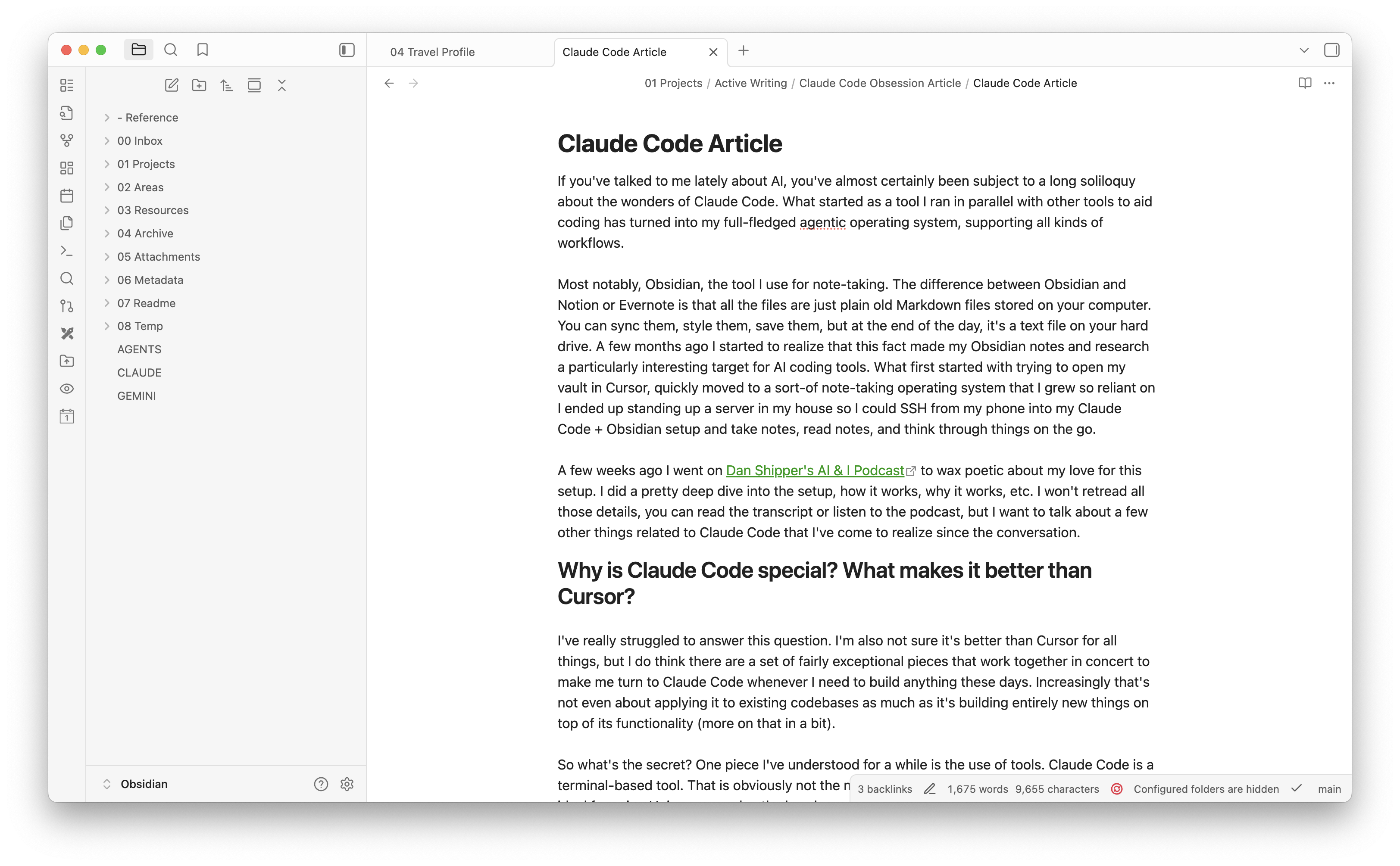
A few weeks ago, I went on Dan Shipper's AI & I Podcast to wax poetic about my love for this setup. I did a pretty deep dive into the system I use, how it works, why it works, etc. I won't retread all those details—you can read the transcript or listen to the podcast—but I want to talk about a few other things related to Claude Code that I've come to realize since the conversation.
Why is Claude Code special? What makes it better than Cursor?
I've really struggled to answer this question. I'm also not sure it's better than Cursor for all things, but I do think there are a set of fairly exceptional pieces that work together in concert to make me turn to Claude Code whenever I need to build anything these days. Increasingly, that's not even about applying it to existing codebases as much as it's building entirely new things on top of its functionality (more on that in a bit).
So what's the secret? Part of it lies in how Claude Code approaches tools. As a terminal-based application, it trades accessibility for something powerful: native Unix command integration. While I typically avoid long blockquotes, the Unix Philosophy deserves an exception—Doug McIlroy's original formulation captures it perfectly:
The Unix philosophy is documented by Doug McIlroy in the Bell System Technical Journal from 1978:
- Make each program do one thing well. To do a new job, build afresh rather than complicate old programs by adding new "features".
- Expect the output of every program to become the input to another, as yet unknown, program. Don't clutter output with extraneous information. Avoid stringently columnar or binary input formats. Don't insist on interactive input.
- Design and build software, even operating systems, to be tried early, ideally within weeks. Don't hesitate to throw away the clumsy parts and rebuild them.
- Use tools in preference to unskilled help to lighten a programming task, even if you have to detour to build the tools and expect to throw some of them out after you've finished using them.
It was later summarized by Peter H. Salus in A Quarter-Century of Unix (1994):
- Write programs that do one thing and do it well.
- Write programs to work together.
- Write programs to handle text streams, because that is a universal interface.
These fifty-year-old principles are exactly how LLMs want to use tools. If you look at how these models actually use the tools they're given, they are constantly "piping" output to input (albeit using their own fuzziness in between). (As an aside, the Unix | command allows you to string the output from one command into the input of another.) When models fail to weld their tools effectively, it is almost always because the tools are overly complex.
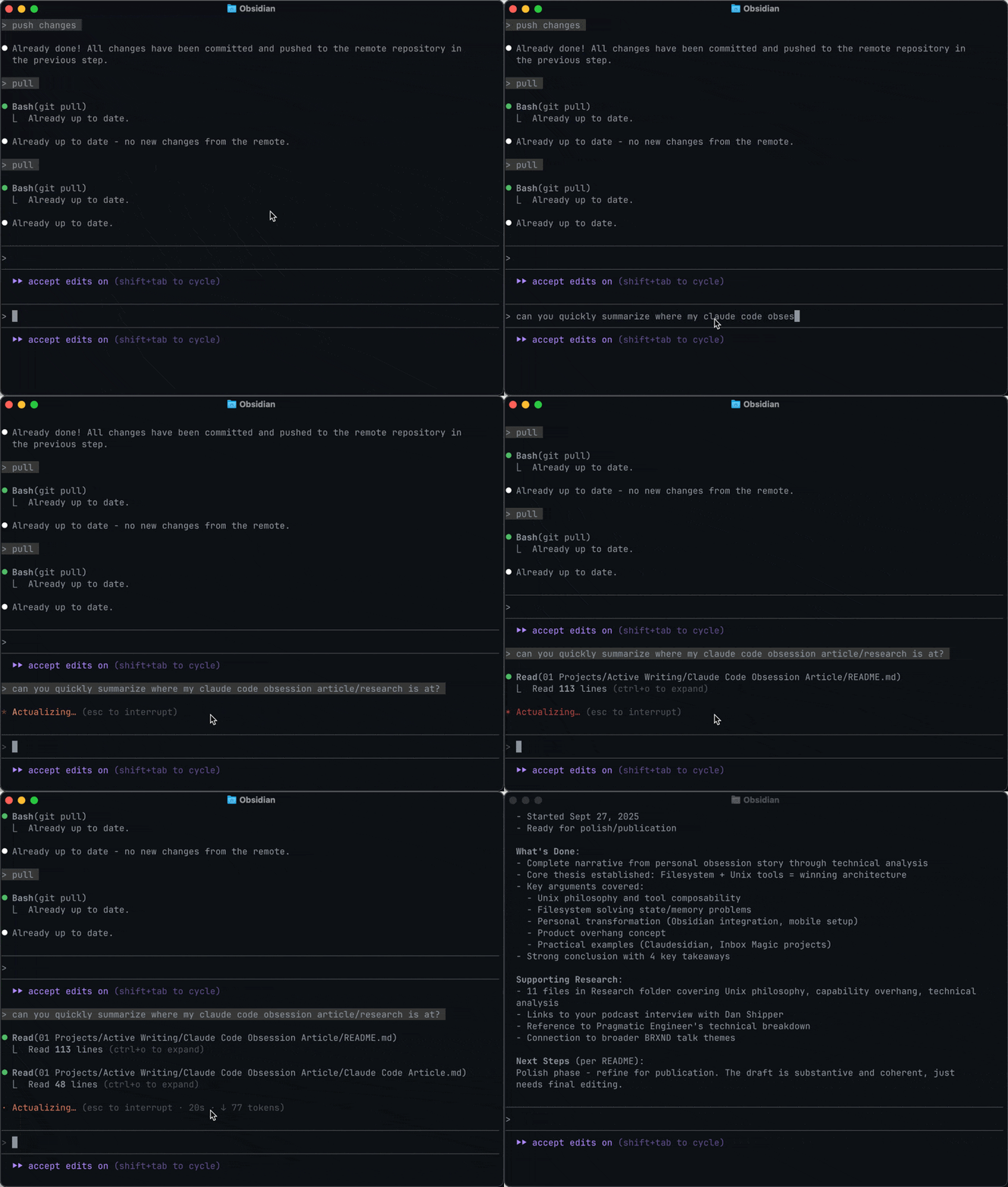
So part one of why Claude Code can be so mind-blowing is that the commands that power Unix happen to be perfectly suited for use by LLMs. This is both because they're simple and also incredibly well-documented, meaning the models had ample source material to teach them the literal ins and outs.
But that still wasn't the whole thing. The other piece was obviously Claude Code's ability to write code initially and, more recently, prose (for me, at least). But while other applications like ChatGPT and Claude can write output, there was something different going on here. Last week, while reading The Pragmatic Engineer's deep dive into how Claude Code is built. The answer was staring me in the face: filesystem access.
The filesystem changes everything. ChatGPT and Claude in the browser have two fatal flaws: no memory between conversations and a cramped context window. A filesystem solves both. Claude Code writes notes to itself, accumulates knowledge, and keeps running tallies. It has state and memory. It can think beyond a single conversation.
AI Overhang
Back in 2022, when I first played with the GPT-3 API, I said that even if models never got better than they were in that moment, we would still have a decade to discover the use cases. They did get better—reasoning models made tool calling reliable—but the filesystem discovery proves my point.
I bring this up because in the Pragmatic Engineer interview, Boris Cherney, who built the initial version of Claude Code, uses it to describe the aha:
In AI, we talk about “product overhang”, and this is what we discovered with the prototype. Product overhang means that a model is able to do a specific thing, but the product that the AI runs in isn’t built in a way that captures this capability. What I discovered about Claude exploring the filesystem was pure product overhang. The model could already do this, but there wasn’t a product built around this capability!
Again, I'd argue it's filesystem + Unix commands, but the point is that the capability was there in the model just waiting to be woken up, and once it was, we were off to the races. Claude Code works as a blueprint for building reliable agentic systems because it captures model capabilities instead of limiting them through over-engineered interfaces.
Going Beyond Code
I talked about my Claude Code + Obsidian setup, and I've actually taken it a step further by open-sourcing "Claudesidian," which pulls in a bunch of the tools and commands I use in my own Claude Code + Obsidian setup. It also goes beyond that and was a fun experimental ground for me. Most notably, I built an initial upgrade tool so that if changes are made centrally, you can pull them into your own Claudesidian, and the AI will help you check to see if you've made changes to the files being updated and, if so, attempt to smartly merge your changes with the new updates. Both projects follow the same Unix philosophy principles—simple, composable tools that do one thing well and work together. This is the kind of stuff that Claude Code makes possible, and why it's so exciting for me as a new way of building applications.
Speaking of which, one I'm not quite ready to release, but hopefully will be soon, is something I've been calling "Inbox Magic," though I'll surely come up with a better name. It's a Claude Code repo with access to a set of Gmail tools and a whole bunch of prompts and commands to effectively start operating like your own email EA. Right now, the functionality is fairly simple: it can obviously run searches or send emails on your behalf, but it can also do things like triage and actually run a whole training run on how you sound over email so it can more effectively draft emails for you. While Claude Code and ChatGPT both have access to my emails, they mostly grab one or two at a time. This system, because it can write things out to files and do lots of other fancy tricks, can perform a task like “find every single travel-related email in my inbox and use that to build a profile of my travel habits that I can use as a prompt to help ChatGPT/Claude do travel research that's actually aligned with my preferences.” Anyway, more on this soon, and if it's something you want to try out, ping me with your GitHub username, and as soon as I feel like I have something ready to test, I'll happily share it.
A Few Takeaways
While I generally shy away from conclusions, I think there are a few here worth reiterating.
- The filesystem is a great tool to get around the lack of memory and state in LLMs and should be used more often.
- If you're trying to get tool calling working, focus on following the Unix philosophy.
- Claude Code represents a blueprint for future agentic systems—filesystem + Unix philosophy should be the template for building reliable, debuggable AI agents rather than complex multi-agent stuff that's floating around today. Tactically, this means when you’re building tool calling into your own projects, keeping them simple and letting the main model thread “pipe” them is the key. (As an aside, one big problem that needs to be solved in all these agents/chatbots is the ability to pipe things without it going through the context window.)
- Anyone who can't find use cases for LLMs isn't trying hard enough
Read the original article

Comments
I do really like the Unix approach Claude Code takes, because it makes it really easy to create other Unix-like tools and have Claude use them with basically no integration overhead. Just give it the man page for your tool and it'll use it adeptly with no MCP or custom tool definition nonsense. I built a tool that lets Claude use the browser and Claude never has an issue using it.
By kristopolous 2025-10-025:452 reply I updated this thing that searches manpages better recently for the LLM era:
https://github.com/day50-dev/Mansnip
wrapping this in an STDIO mcp is probably a smart move.
I should just api-ify the code and include the server in the pip. How hard could this possibly be...
By mac-attack 2025-10-0214:041 reply Definitely searched apt on Debian before I installed the pip pkg. On a somewhat related note, I also thought something broke when `uv tool install mansnip` didn't work.
By kristopolous 2025-10-0217:03 Thanks I'll get on both of those. It's a minor project but I should make it work
By lelandfe 2025-10-0212:35 You know, I have heard some countries are making mansnip illegal these days
How does Claude Code use the browser in your script/tool? I've always wanted to control my existing Safari session windows rather than a Chrome or a separate/new Chrome instance.
Most browsers these days expose a control API (like ChromeDevtools Protocol MCP [1]) that open up a socket API and can take in json instructions for bidirectional communication. Chrome is the gold standard here but both Safari and Firefox have their own driver.
For you existing browser session you'd have to start it already with open socket connection as by default that's not enabled but once you do the server should able to find an open local socket and connect to it and execute controls.
worth nothing that this "control browser" hype is quite deceiving and it doesn't really work well imo because LLMs still suck at understanding the DOM so you need various tricks to optimize for that so I would take OP's claims with a giant bag of salt.
Also these automations are really easy to identify and block as they are not organic inputs so the actual use is very limited.
By raffraffraff 2025-10-028:111 reply It's extremely handy too! If you try to use web automation tools like selenium or playwright on a website that blocks them, starting chrome browser with the debug port is a great way to get past Cloudflare's "human detector" before kicking off your automation. It's still a pain in the ass but at least it works and it's only once per session
Note that while --remote-debugging-port itself cannot be discovered by cloudflare once you attach a client to it that can be detected as Chrome itself changes it's runtime to accomodate the connection even if you don't issue any automation commands. You need to patch the entire browser to avoid these detection methods and that's why there are so many web scraping/automation SAAS out there with their own browser versions as that's the only way to automate the web these days. You can't just connect to a consumer browser and automate undetected.
By raffraffraff 2025-10-0220:10 True, it fails to get past the Cloudflare check if my playwright script is connected to the browser. But since these checks only happen on first visit to the site I'm ok with that.
By cess11 2025-10-029:42 Isn't this what SeleniumBase does?
By the_real_cher 2025-10-0210:16 It will navigate and know how to fill out forms?
The light switch moment for me is when I realized I can tell claude to use linters instead of telling it to look for problems itself. The later generally works but having it call tools is way more efficient. I didn't even tell it what linters to use, I asked it for suggestions and it gave me about a dozen of suggestions, I installed them and it started using them without further instruction.
I had tried coding with ChatGPT a year or so ago and the effort needed to get anything useful out of it greatly exceeded any benifit, so I went into CC with low expectations, but have been blown away.
By libraryofbabel 2025-10-0118:246 reply As an extension of this idea: for some tasks, rather than asking Claude Code to do a thing, you can often get better results from asking Claude Code to write and run a script to do the thing.
Example: read this log file and extract XYZ from it and show me a table of the results. Instead of having the agent read in the whole log file into the context and try to process it with raw LLM attention, you can get it to read in a sample and then write a script to process the whole thing. This works particularly well when you want to do something with math, like compute a mean or a median. LLMs are bad at doing math on their own, and good at writing scripts to do math for them.
A lot of interesting techniques become possible when you have an agent that can write quick scripts or CLI tools for you, on the fly, and run them as well.
It's a bit annoying that you have to tell it to do it, though. Humans (or at least programmers) "build the tools to solve the problem" so intuitively and automatically when the problem starts to "feel hard", that it doesn't often occur to the average programmer that LLMs don't think like this.
When you tell an LLM to check the code for errors, the LLM could simply "realize" that the problem is complex enough to warrant building [or finding+configuring] an appropriate tool to solve the problem, and so start doing that... but instead, even for the hardest problems, the LLM will try to brute-force a solution just by "staring at the code really hard."
(To quote a certain cartoon squirrel, "that trick never works!" And to paraphrase the LLM's predictable response, "this time for sure!")
By libraryofbabel 2025-10-0120:322 reply As the other commenter said, these days Claude Code often does actually reach for a script on its own, or for simpler tasks it will do a bash incantation with grep and sed.
That is for tasks where a programmatic script solution is a good idea though. I don't think your example of "check the code for errors" really falls in that category - how would you write a script to do that? "Staring at the code really hard" to catch errors that could never have been caught with any static analysis tool is actually where an LLM really shines! Unless by "check for errors" you just meant "run a static analysis tool", in which case sure, it should run the linter or typechecker or whatever.
By derefr 2025-10-0123:17 Running “the” existing configured linter (or what-have-you) is the easy problem. The interesting question is whether the LLM would decide of its own volition to add a linter to a project that doesn’t have one; and where the invoking user potentially doesn’t even know that linting is a thing, and certainly didn’t ask the LLM to do anything to the project workflow, only to solve the immediate problem of proving that a certain code file is syntactically valid / “not broken” / etc.
After all, solving an immediate problem that seems like it could come up again, by “taking the opportunity” to solve the problem from now on by introducing workflow automation to solve the problem, is what an experienced human engineer would likely do in such a situation (if they aren’t pressed for time.)
By theshrike79 2025-10-036:26 I've had multiple cases where it will rather write a script to test a thing than actually adding a damn unit test for it :)
By lloeki 2025-10-0212:30 > Humans (or at least programmers) "build the tools to solve the problem" so intuitively and automatically when the problem starts to "feel hard", that it doesn't often occur to the average programmer that LLMs don't think like this.
Hmm. My experience of "the average programmer" doesn't look like yours and looks more like the LLM :/
I'm constantly flabbergasted as to how way too many devs fumble through digging into logs or extracting information or what have you because it simply doesn't occur to them that tools can be composed together.
By phito 2025-10-0214:24 > Humans (or at least programmers) "build the tools to solve the problem" so intuitively and automatically
From my experience, only a few rare devs do this. Most will stick with (broken/wrong) GUI tools they know made by others, by convenience.
By kuboble 2025-10-028:29 I have the opposite experience.
I used claude to translate my application and I asked him to translate each text in the application to his best abilities.
That worked great for one view, but when I asked him to translate the rest of the application in the same fashion he got lazy and started to write a script to substitute some words instead of actually translating sentences.
By visarga 2025-10-0214:03 Cursor likes to create one-off scripts, yesterday it filled a folder with 10 of them until it figured out a bug. All the while I was thinking - will it remember to delete the scripts or is it going to spam me like that?
By coldtea 2025-10-0210:38 >It's a bit annoying that you have to tell it to do it, though.
Cursor does this for me already all the time though, give that another shot maybe. For refactoring tasks in particular; it uses regex to find interesting locations , and the other day after maybe 10 of slow "ok now let me update this file... ok now let me update this file..." it suddenly paused, looked at the pattern so far, and then decided to write a python script to do the refactoring & executed it. For some reason it considered its work done even though the files didn't even pass linters but thats' polish.
By alexchantavy 2025-10-022:19 +1, cursor and Claude code do this automatically for me. Take a big analysis task and they’ll write python scripts to find the needles in the haystacks that I’m looking through
By visarga 2025-10-0214:05 Yeah, I had Cursor refactor a large TypeScript file today and it used a script to do it. I was impressed.
By miki123211 2025-10-026:38 Codex is a lot better at this. It will even try this on its own sometimes. It also has much better sandboxing (which means it needs approvals far less often), which makes this much faster.
By calgoo 2025-10-0212:43 Same here, I have a SQLite db that I have let it look over and extract data. I let it build the scripts then I run them as they would timeout if not and I don't want Claude sitting waiting for 30 min. So I do all the data investigations with Claude as a expert who can traverse the data much faster then me.
I've noticed Claude doing this for most tasks without even asking it to. Maybe a recent thing?
By alecco 2025-10-0119:50 Yes. But not always. It's better if you add a line somewhere reminding it.
The lightbulb moment for me was to have it make me a smoke test and to tell to run the test and fix issues (with the code it generated) until it passes. iterate over all features in the Todo.md (that I asked it to make). Claude code will go off and do stuff for I dunno, hours?, while I work on something else.
By joshstrange 2025-10-0119:241 reply Hours? Not in my experience. It will do a handful of tasks then say “Great! I’ve finished a block of tasks” and stop. and honestly, you’re gonna want to check its work periodically. You can’t even trust it to run litters and unit test reliably. I’ve lost count of how many times it’s skipped pre-commit checks or committed code with failing tests because it just gives up.
I once had the Gemini CLI get into a loop of failures followed by self-flagellation where it ended saying something like "I'm sorry I have failed you, you should go and find someone capable of helping you."
By visarga 2025-10-0214:07 I saw on X someone posted a screenshot where Gemini got depressed after repeated failure, apologized and actually uninstalled itself. Honorable seppuku.
By linhan_dot_dev 2025-10-0513:06 I've been using this method for several weeks. The issue I'm currently facing is that Claude Code incorrectly believes it has completed the task and then stops.
Let me illustrate with a specific, simple example: fixing linter or compiler errors. The problems I solve with this method are all verifiable via the command line (this can usually be documented in CLAUDE.md). Claude Code will continuously adjust the code based on the linter's output until all errors are resolved. This process often takes quite some time. I typically do this after completing a feature development. If Claude Code mistakenly thinks it has finished the task during one of these checks, it will halt the entire process. I then have to restart it using the same prompt to continue the task.
Therefore, I'm looking for an external tool to manage Claude Code. I haven't found one yet. I've seen some articles suggesting the use of a subagents approach, where tools like Gemini CLI or Codex could launch Claude Code. I haven't thoroughly explored this method yet.
By peteybeachsand 2025-10-0119:03 genius i gotta try this
I have a Just task that runs linters (ruff and pyright, in my case), formatter, tests and pre-commit hooks, and have Claude run it every time it thinks it's done with a change. It's good enough that when the checks pass, it's usually complete.
By theshrike79 2025-10-0310:40 (I code mostly in Go)
I have a `task build` command that runs linters, tests and builds the project. All the commands have verbosity tuned down to minimum to not waste context on useless crap.
Claude remembers to do it pretty well. I have it in my global CLAUDE.md sot I guess it has more weight? Dunno.
By simlevesque 2025-10-0118:021 reply A tip for everyone doing this: pipe the linters' stdout to /dev/null to save on tokens.
Why? The agent needs the error messages from the linters to know what to do.
If you're running linters for formatting etc, just get the agent to run them on autocorrect and it doesn't need to know the status as urgently.
By joshstrange 2025-10-0119:223 reply This is the best way to approach it but if I had a dollar for each time Claude ran “—no-verify” on the git commits it was doing I’d have 10’s of dollars.
Doesn’t matter if you tell it multiple times in CLAUDE.md to not skip checks, it will eventually just skip them so it can commit. It’s infuriating.
I hope that as CC evolves there is a better way to tell/force the model to do things like that (linters, formatters, unit/e2e tests, etc).
By mediaman 2025-10-021:54 We should have a finish hook that, when the AI decides it's run, runs the hook, and gives it to the LLM, and it can decide whether the problem is still there.
Students don't get to choose whether to take the test, so why do we give AI the choice?
I’ve found the same issue and also with Rust sometimes skips tests if it thinks they’re taking too long to compile, and says it’s unnecessary because it knows they’ll pass.
By pixl97 2025-10-021:00 Even AI understands it's Friday. Just push to to production and go home for the weekend.
By evertedsphere 2025-10-0214:26 a wrapper script?
By ozgrakkurt 2025-10-0123:331 reply How is this better than calling `cargo clippy` or similar commands yourself?
By mcqueenjordan 2025-10-0212:32 Presumably cargo clippy --fix was the intention. Not all things are fixable, though, which is where LLMs are reasonable for -- the squishy hard-to-autofix things.
By BatteryMountain 2025-10-0210:063 reply My mind was blown when claude randomly called adb/logcat on my device connected via usb & running my android app, ingesting the real time log streams to debug the application in real time. Mind boggling moment for me. All because it can call "simple" tools/cli application and use their outputs. This has motivated me to adjust some of my own cli applications & tools to have better input, outputs and documentation, so that claude can figure them out out and call them when needed. It will unlock so many interesting workflows, chaining things together (but in a clever way).
I have some repair shop experience, and in my experience, a massive bottleneck in repairing truly complex devices is diagnostics. Often, things are "repaired" by swapping large components until the issue goes away, because diagnosing issues in any more detail is more of an arcane art than something you can teach an average technician to do.
And I can't help but think: what would a cutting edge "CLI ninja" LLM like Claude be able to do if given access to a diagnostic interface that exposes all the logs and sensor readings, a list of known common issues and faults, and a full technical reference manual?
By BatteryMountain 2025-10-0211:271 reply So try it. Ask claude to call the tool that tails the diagnostics/logs. For some languages, like in android or C#, simply running the application generates a ton of logs, never mind on OS level, which has more low-level stuff. Claude reads through it really well and can find bugs for you. You can tell it what you are looking for, tell it a common/correct set of data or expectations, so it can compare it to what it finds in the logs. It solved an issue for me in 2 minutes that I wasn't able to solve in a couple of months. Basically anything you can run and see output for in the terminal, claude can do the same and analyse it at the same time.
For many cases, I'd have to build the tooling first. For many more, the vendor would have to build the tooling into their products first.
Cars have the somewhat standardized OBD ports that you could pry the necessary data out from, but industrial robots or vending machines or smartphones? They sure don't.
But what inspires this line of inquiry is exactly the kind of success I had just feeding random error logs to AI and letting it sift through them for clues. It doesn't always work, but it works just often enough to make me wonder about the broader use cases.
By jvanderbot 2025-10-0213:03 Ah, would you have to build it or would "you" (an AI) have to build it.
Similar thing happened to me when it busted out the AWS CLI and figured out a problem with my terraform.
By ljm 2025-10-0215:50 This is also a fantastic way for someone to learn the principle of least privilege by setting up a very strict IAM profile for the agent to use without the risk of nuking the system.
By eddyfromtheblok 2025-10-0214:01 Yes, and on top of this, having MCP servers that can reference AWS docs and terraform provider docs has been a godsend
By mike_ivanov 2025-10-0118:453 reply All GUI apps are different, each being unhappy in its own way. Moated fiefdoms they are, scattered within the boundaries of their operating system. CLI is a common ground, an integration plaza where the peers meet, streams flow and signals are exchanged. No commitment needs to be made to enter this information bazaar. The closest analog in the GUI world is Smalltalk, but again - you need to pledge your allegiance before entering one.
By array_key_first 2025-10-022:254 reply We have systems for highly interoperable and compostable GUI applications - think NextSTEP or, modern day, dbus, to a lesser extent.
Really, GUIs can be formed of a public API with graphics slapped on top. They usually aren't, but they can be.
By wpm 2025-10-024:11 I weep for what happened to AppKit/Cocoa
By topaz0 2025-10-0216:02 Just because it says compostable on the container doesn't mean it will actually break down in a reasonable amount of time on your home compost heap, or that they don't leach some environmentally harmful chemicals in the process.
By antonvs 2025-10-023:12 Many modern web apps are just APIs with a browser GUI.
By mike_ivanov 2025-10-024:24 I'd say ROS (Robot Operating System) is the closest to this ideal.
> Moated fiefdoms they are, scattered within the boundaries of their operating system.
Yet highly preferred over CLI applications to the common end user.
CLI-only would have stunted the growth of computing.
I'd love something like the Emacs approach. Multi-UI's. Graphical, but with an M-x (or anything else) command line prompt in order to do UI tasks scriptable, from within the application or from the outside.
By jadeopteryx 2025-10-027:39 Apple ShortCuts and AppleScript integration is also cool.
